
1. Introduction
This manual provides detailed instructions for the installation, operation, and maintenance of your TOPBULL 20A MPPT Solar Charge Controller. This intelligent regulator is designed to efficiently manage power flow from your solar panels to your battery bank, ensuring optimal charging and system protection. It is compatible with 12V and 24V systems and various battery types including FLD, LiFePO4, SLD, GEL, and AGM.
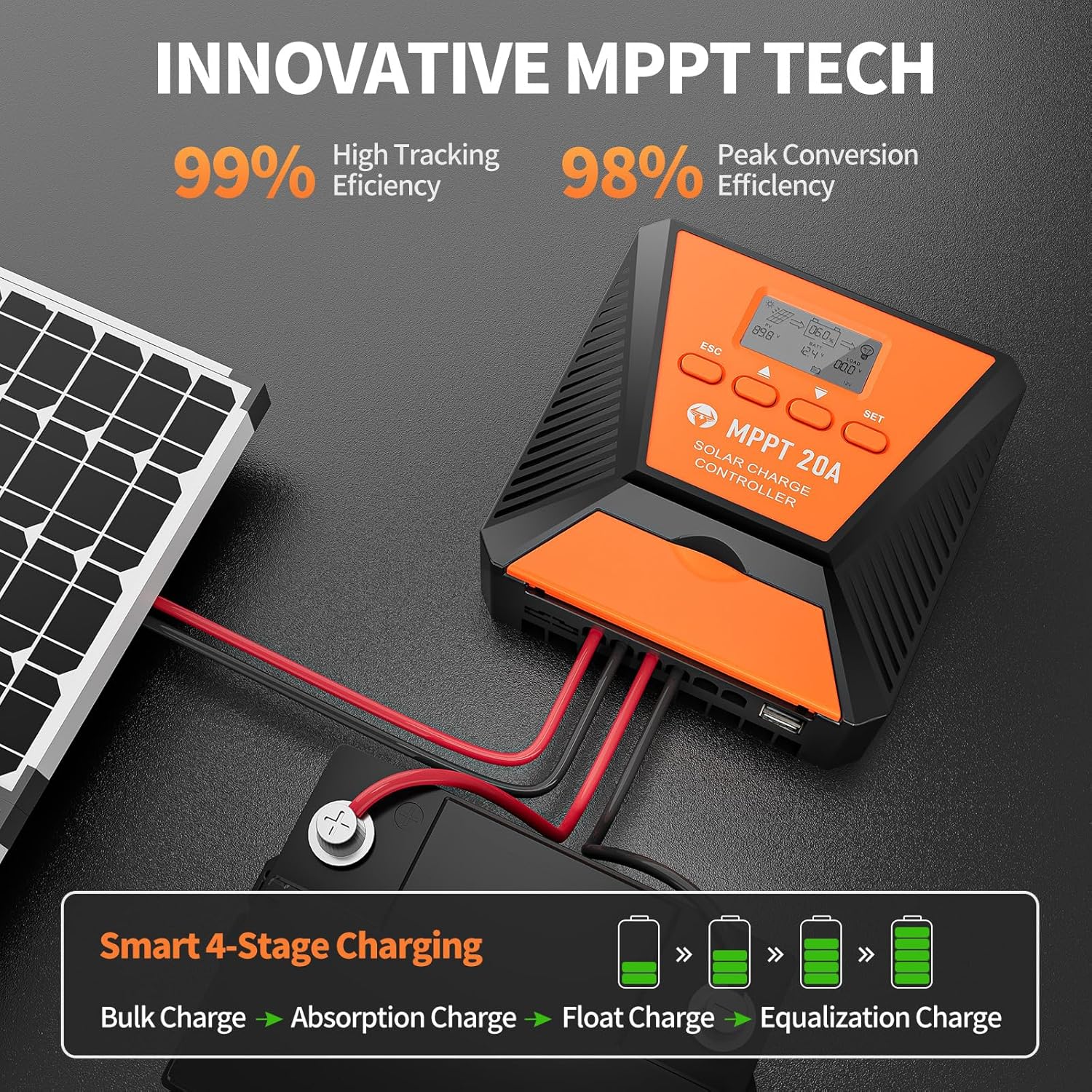
Image 1.1: The TOPBULL 20A MPPT Solar Charge Controller demonstrating its high tracking and conversion efficiency, along with a smart 4-stage charging process (Bulk, Absorption, Float, Equalization Charge).
2. Safety Information
Please read all safety instructions carefully before installation and operation. Failure to follow these instructions may result in personal injury or damage to the controller or other components.
- Ensure all connections are tight and correct polarity is observed to prevent damage.
- Do not disassemble or attempt to repair the controller yourself. Contact qualified personnel for service.
- Install the controller in a well-ventilated area, away from flammable materials and direct sunlight.
- Wear appropriate personal protective equipment (PPE) such as safety glasses and gloves during installation.
- Disconnect all power sources (solar panel and battery) before installing or wiring the controller.
3. Product Features
The TOPBULL 20A MPPT Solar Charge Controller offers advanced features for reliable solar power management:
- 99% Tracking Efficiency: Advanced Maximum Power Point Tracking (MPPT) technology ensures maximum power harvest from solar panels, even in varying light conditions.
- High Conversion Efficiency: Peak conversion efficiency up to 98%.
- Multiple Electronic Protections: Includes protection against reverse polarity, battery overcharge, battery overdischarge, overload, short-circuit, TVS lightning, over-power, over-temperature, and reverse current.
- Automatic Voltage Recognition: Automatically detects 12V or 24V DC system voltage.
- Wide Battery Compatibility: Compatible with FLD, LiFePO4, SLD, GEL, and AGM deep cycle batteries. Supports 0V Li-ion battery charging (activation).
- LCD Display: Provides real-time system operation information, customizable parameters, error codes, and user modes.
- Dual USB Ports: Equipped with two USB ports for charging electronic devices.
- Excellent Heat Dissipation: Features a metal casing and dual high-speed intelligent fans for effective cooling.
- Temperature Compensation: Automatically adjusts charging and discharging parameters based on temperature to extend battery life.

Image 3.1: The controller's 9 intelligent protection features, including reverse polarity, overcharging, over-discharging, overload, short-circuiting, TVS lightning, overpower, reverse current, and over-temperature protection.
4. Setup and Installation
Follow these steps for proper installation of your solar charge controller.
4.1 Package Contents
Before starting, ensure all components are present:
- TOPBULL 20A MPPT Solar Charge Controller
- Mounting Screws
- User Manual (this document)

Image 4.1: Package contents including the controller and mounting screws.
4.2 Wiring Instructions
Connect the components in the following order to ensure safety and proper operation:
- Connect the Battery: Connect the battery to the controller's battery terminals. Ensure correct polarity (positive to positive, negative to negative). The controller will automatically detect the system voltage (12V or 24V).
- Connect the Solar Panel: Connect the solar panel to the controller's solar panel terminals. Ensure correct polarity.
- Connect the DC Load (Optional): If using a DC load directly from the controller, connect it to the load terminals.
Important: Always connect the battery first, then the solar panel, and finally the load. Disconnect in the reverse order.

Image 4.2: Connection diagram for the solar charge controller, showing inputs from the solar panel and outputs to the battery bank, inverter (for AC load), and direct DC load.
4.3 Mounting
Mount the controller vertically on a flat surface using the provided mounting screws. Ensure adequate airflow around the unit for optimal heat dissipation.
5. Operation
The controller features an LCD display and four buttons for easy operation and monitoring.
5.1 LCD Display Overview
The LCD displays various system parameters and operational status. Refer to the diagram below for an explanation of the display elements.

Image 5.1: Detailed view of the LCD display showing battery percentage, solar panel charging status, discharge indication, load indication, parameter display, setting, load timing indication, fault indication, battery type, and system voltage.
5.2 Button Functions
The four buttons (ESC, Up, Down, SET) are used for navigation and parameter adjustment.
- ESC Button: Used to switch the load (manual control) and exit setup menus.
- Up Button: Navigates up through main interface pages to view parameters; increases values in setting mode.
- Down Button: Navigates down through main interface pages to view parameters; decreases values in setting mode.
- SET Button: Enters setting mode, confirms selections, and saves changes. If no key operation occurs for 10 seconds in setting mode, it will automatically exit without saving.
5.3 Parameter Setting Stage
To adjust parameters:
- Press the "ESC" button until the desired value flashes.
- Press the "Up" or "Down" button to adjust the value.
- Press the "SET" button to confirm and save the new value.
5.4 Working Modes
The controller supports three primary working modes for load control:
- Lighting Time Control Mode (1H-23H): Automatically turns the load on or off based on sunlight intensity and a set timer.
- Normal Off Mode (0H): The load remains off. This mode is useful for specific loads or during system debugging.
- Normal ON Mode (24H): The load remains continuously on. This mode is suitable for loads requiring a 24-hour power supply.

Image 5.2: Explanation of the three load working modes: Lighting time control (1H-23H), Normal Off (0H), and Normal ON (24H).
6. Maintenance
Regular maintenance ensures the longevity and optimal performance of your solar charge controller.
- Inspect Connections: Periodically check all wiring connections for tightness and corrosion. Tighten any loose connections.
- Clean the Controller: Keep the controller clean and free from dust and debris. Use a dry cloth to wipe the exterior. Ensure ventilation openings are not blocked.
- Check Battery Health: Monitor battery voltage and condition regularly. Ensure batteries are properly maintained according to their manufacturer's guidelines.
- Environmental Check: Ensure the installation environment remains within the recommended temperature and humidity ranges.
7. Troubleshooting
This section addresses common issues you might encounter with your solar charge controller.
7.1 Common Issues and Solutions
| Problem | Possible Cause | Solution |
|---|---|---|
| Controller not turning on/LCD blank | Battery not connected or low voltage; reverse polarity. | Check battery connections and voltage. Ensure correct polarity. Charge battery if voltage is too low. |
| No charging from solar panel | Solar panel not connected; low sunlight; solar panel fault; reverse polarity. | Check solar panel connections and polarity. Ensure sufficient sunlight. Test solar panel output. |
| Load not working | Load disconnected; overload; short-circuit; incorrect load mode setting. | Check load connections. Reduce load. Check for short-circuits. Verify load working mode in settings. |
| Battery not fully charging | Insufficient solar input; incorrect battery type setting; battery degradation. | Increase solar panel capacity or improve sun exposure. Verify battery type setting. Test battery health. |
If the problem persists after attempting these solutions, please contact TOPBULL technical support.
8. Specifications
Key technical specifications for the TOPBULL 20A MPPT Solar Charge Controller:
- Model: 20A
- System Voltage: 12V/24V Auto Recognition
- Max. PV Input Voltage: 50VDC
- Max. Solar Input Power: 240W (12V system), 480W (24V system)
- Tracking Efficiency: ≥99%
- Peak Conversion Efficiency: Up to 98%
- Display Type: LCD
- Product Dimensions: 5.27"L x 5.27"W x 2.12"H (13.39 x 13.39 x 5.38 cm)
- Item Weight: 1.28 pounds (0.58 kg)
- Compatible Battery Types: FLD, LiFePO4, SLD, GEL, AGM
- Included Components: Mounting Screws

Image 8.1: Maximum PV input voltage and power ratings for 12V and 24V systems.
9. Warranty and Support
TOPBULL is committed to providing high-quality products and customer satisfaction.
9.1 Technical Support
If you have any questions, require assistance with installation, operation, or troubleshooting, please do not hesitate to contact TOPBULL technical support. Our team is dedicated to meeting your needs and providing professional assistance.
Contact information can typically be found on the product packaging or the official TOPBULL website.