
1. Introduction
The Huacaoe Zigbee 1CH Intelligent Temperature Sensor is a high-precision device designed for wireless temperature monitoring and smart control. It integrates with the Tuya Smart Life app, allowing remote operation and automation based on temperature thresholds. This device is suitable for various applications requiring precise temperature management, such as home brewing, fermentation, breeding, incubation, and greenhouse control.
2. Product Overview
The device features a compact design with essential buttons and connection ports for easy installation and operation.
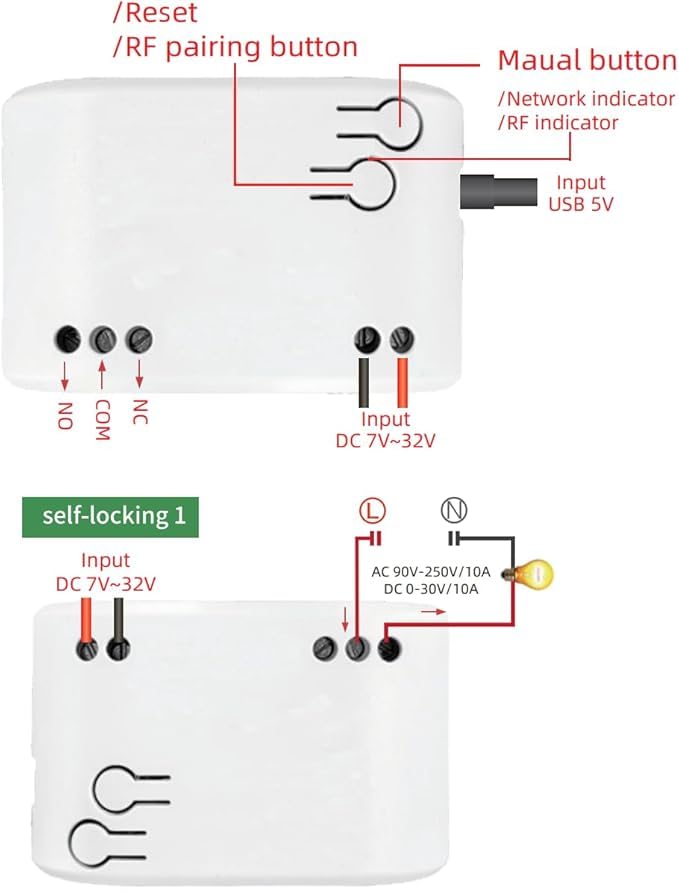
Figure 1: Device layout with labeled components. This image illustrates the location of the Reset/RF pairing button, Manual button, Network indicator, RF indicator, USB 5V input, and DC 7-32V input terminals, along with the NO, COM, NC output terminals.
Components:
- Reset/RF Pairing Button: Used for resetting the device or initiating RF pairing.
- Manual Button: For local control of the connected appliance.
- Network Indicator: Shows the device's network status.
- RF Indicator: Indicates RF signal status.
- USB 5V Input: Primary power input option.
- DC 7-32V Input: Alternative power input option.
- NO/COM/NC Terminals: Output terminals for connecting the controlled appliance.
- Waterproof Temperature Probe: A 1-meter stainless steel probe for accurate temperature measurement.
3. Specifications
| Feature | Specification |
|---|---|
| Model Number | TYZGTH1CH-B1RF |
| Power Supply | USB 5V or DC 7-32V |
| Wireless Standard | Zigbee 3.0 |
| Operating Temperature | -40°C to 80°C (-40°F to 176°F) |
| Material | RF-ABS |
| Dimensions | 2.8 x 1.8 x 1.1 inches |
| Max Load Current | 10A |
| Temperature Probe Type | DS18B20 Waterproof Stainless Steel |
| Probe Measuring Range | -55°C to 125°C (-67°F to 257°F) |
| Probe Operating Voltage | 3.0-5.5V |
| Probe Length | 1 meter |
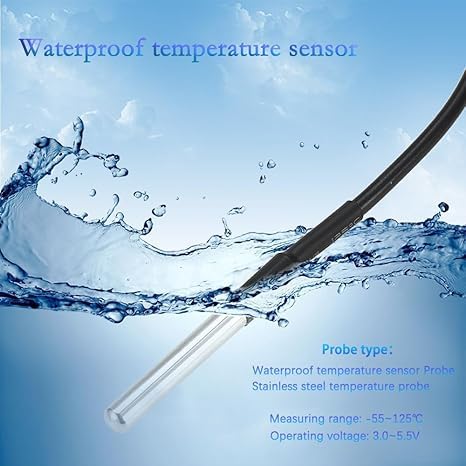
Figure 2: Detailed view of the waterproof temperature sensor probe. The probe is made of stainless steel and is designed for accurate temperature measurement in various environments.
4. Setup
4.1 What's in the Box
- 1 x Huacaoe Zigbee 1CH Intelligent Temperature Sensor (TYZGTH1CH-B1RF)
- 1 x 1-meter DS18B20 Waterproof Temperature Probe
- 1 x Instruction Manual
4.2 Powering the Device
The device can be powered using either a USB 5V power source or a DC 7-32V power supply.
- USB 5V: Connect a standard USB power adapter (not included) to the USB port on the device.
- DC 7-32V: Connect a DC 7-32V power supply to the designated input terminals (Input DC 7-32V). Ensure correct polarity.
4.3 Wiring the Controlled Appliance
Connect the appliance you wish to control to the NO (Normally Open), COM (Common), and NC (Normally Closed) terminals. The specific wiring depends on whether you want the appliance to be ON or OFF when the relay is in its default state.
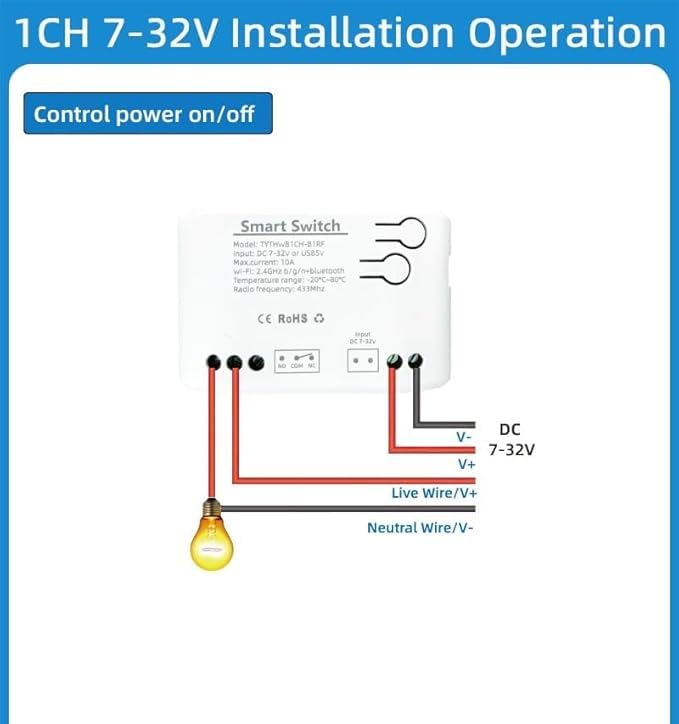
Figure 3: Wiring diagram for controlling a light bulb with the 1CH 7-32V device. This diagram shows how to connect the DC 7-32V power input and the light bulb to the NO and COM terminals for control.
4.4 Zigbee Hub and App Pairing
A Tuya Zigbee Hub is required for the smart functions of this device. Ensure your Zigbee hub is set up and connected to the Tuya Smart Life app.
- Download and install the Tuya Smart Life app on your smartphone.
- Ensure your Tuya Zigbee Hub is powered on and connected to the app.
- Open the Tuya Smart Life app and navigate to add a new device.
- Put the Zigbee 1CH Intelligent Temperature Sensor into pairing mode by pressing and holding the Reset/RF pairing button until the network indicator blinks.
- In the app, select to add a Zigbee device. The app should automatically detect the sensor.
- Follow the on-screen instructions to complete the pairing process. It is recommended to place the switch close to your hub during pairing.
5. Operating Instructions
Once paired with your Tuya Zigbee Hub, you can control and monitor the device through the Tuya Smart Life app.
5.1 Remote ON/OFF Control
Use the Tuya Smart Life app to remotely turn your connected electrical devices on or off from anywhere.
5.2 Temperature Monitoring and Alerts
The app provides real-time temperature monitoring from the connected probe. You can switch between Celsius (°C) and Fahrenheit (°F) within the app.
- Set custom temperature thresholds in the app.
- Receive alert notifications on your smartphone if the temperature goes beyond the preset range.
5.3 Automatic Temperature Control (Heating/Cooling)
Configure the device to automatically turn on or off connected appliances based on temperature ranges to maintain a desired environment.
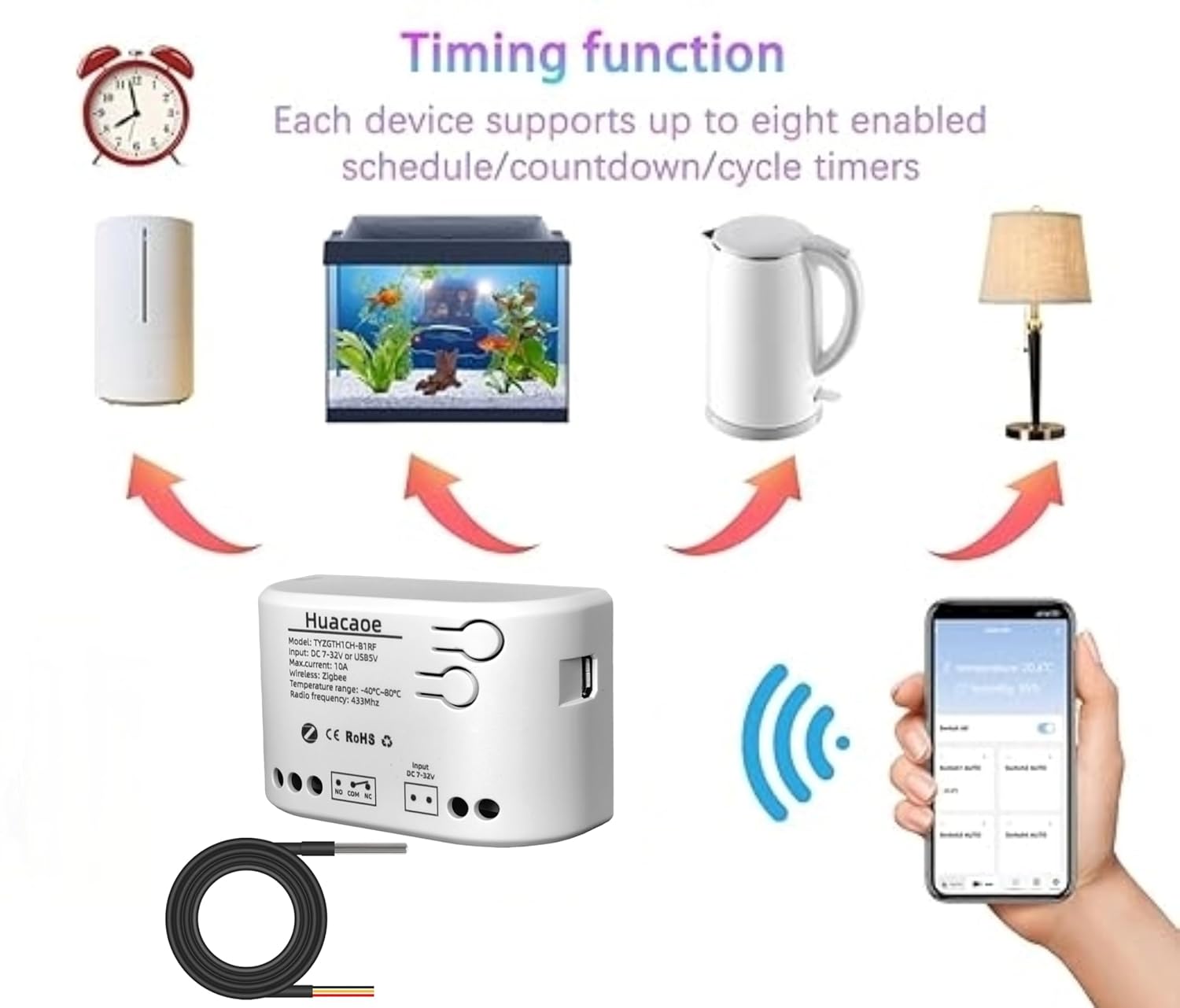
Figure 4: App interface for remote monitoring and control, demonstrating heating and cooling automation based on temperature. This image shows how the app can be used to set temperature points for automatic heating (e.g., 20°C) and cooling (e.g., 30°C).

Figure 5: Example of automatic temperature control for a fish tank. The app allows setting maximum and minimum temperature thresholds (e.g., max 26°C, min 25°C) for intelligent control.
5.4 Timing Functions
The device supports various timing functions to automate appliance operation.

Figure 6: Illustration of timing functions available in the app, including schedule, countdown, and cycle timers. Each device supports up to eight enabled schedule/countdown/cycle timers.
- Schedule: Set specific times for the device to turn on or off.
- Countdown: Set a timer for the device to turn off after a specified duration.
- Cycle Timers: Configure repetitive on/off cycles.
5.5 Voice Control
Integrate the device with Amazon Alexa for convenient voice control. After configuring the device in the Tuya Smart Life app, link your Tuya account to your Alexa account.
5.6 Data Logging
The Tuya Smart Life app provides temperature statistics (daily, monthly, yearly) and a history record of device on/off events.
5.7 RF Function
The device includes an extra RF function, supporting fixed code 433MHz RF for additional control options.
6. Applications
The Huacaoe Zigbee 1CH Intelligent Temperature Sensor is versatile and can be used in a wide range of scenarios for smart temperature control and monitoring.

Figure 7: Diverse applications of the temperature sensor. This image displays various uses such as controlling warmers, fish tanks, dehumidifiers, table lamps, incubators (hatch), feeding systems, farm environments, storage facilities, greenhouses, and automatic watering systems.
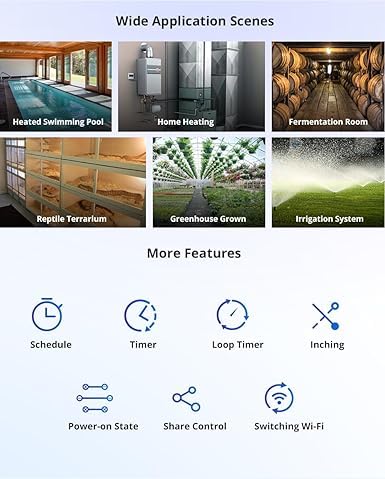
Figure 8: Additional wide application scenes for the temperature sensor. This image illustrates its use in heated swimming pools, home heating systems, fermentation rooms, reptile terrariums, greenhouse growing environments, and irrigation systems.
- Home Brewing & Fermentation: Maintain precise temperatures for optimal results.
- Breeding & Incubation: Control environmental conditions for animals or eggs.
- Greenhouses: Regulate temperature for plant growth.
- Aquariums/Fish Tanks: Keep water temperature stable.
- Reptile Terrariums: Manage habitat temperature.
- Home Heating/Cooling: Automate fans, heaters, or dehumidifiers.
- Storage Facilities: Monitor and control temperature for sensitive goods.
7. Maintenance
To ensure optimal performance and longevity of your Huacaoe Zigbee 1CH Intelligent Temperature Sensor, follow these maintenance guidelines:
- Cleaning: Regularly wipe the device and probe with a dry, soft cloth. Avoid using harsh chemicals or abrasive cleaners.
- Probe Care: Ensure the waterproof temperature probe is free from debris or buildup that could affect its accuracy.
- Connection Check: Periodically inspect all wiring connections to ensure they are secure and free from corrosion.
- Firmware Updates: Check the Tuya Smart Life app for any available firmware updates for the device to ensure you have the latest features and security enhancements.
8. Troubleshooting
If you encounter issues with your device, refer to the following troubleshooting steps:
- Device Not Powering On:
- Check the power supply connection (USB 5V or DC 7-32V). Ensure the power source is active and providing the correct voltage.
- Verify that the power adapter or supply is functioning correctly.
- Unable to Pair with Tuya App:
- Ensure your Tuya Zigbee Hub is online and functioning correctly.
- Place the sensor close to the Zigbee hub during the pairing process.
- Confirm the device is in pairing mode (network indicator blinking). If not, press and hold the Reset/RF pairing button.
- Check your Wi-Fi network stability and ensure the hub has a strong connection.
- Inaccurate Temperature Readings:
- Ensure the temperature probe is correctly connected to the device.
- Verify the probe is fully immersed or positioned correctly in the environment being measured.
- Check for any physical damage to the probe or its cable.
- Appliance Not Responding to Control:
- Check the wiring of the appliance to the NO/COM/NC terminals. Ensure connections are secure.
- Verify that the appliance itself is functional when directly powered.
- Confirm that the device is online in the Tuya Smart Life app and receiving commands.
- Voice Control Issues:
- Ensure your Tuya Smart Life account is correctly linked to your Amazon Alexa account.
- Check your internet connection and the status of your voice assistant device.
- Try re-discovering devices in the Alexa app.