
1. Overview
The Sanpyl Digital Microscope is a portable, handheld device designed for detailed observation and analysis of various objects. It features adjustable magnification, integrated LED illumination, and the ability to capture high-definition photos and videos. This manual provides essential information for the proper setup, operation, and maintenance of your digital microscope.

This image displays the front and back of the Sanpyl Digital Microscope. The front features a display screen and power button, while the back shows the lens surrounded by 8 LED lights.
2. Package Contents
Please verify that all items listed below are included in your package:
- 1 x Sanpyl Digital Microscope Unit
- 1 x USB Type-C Charging Cable
- 1 x User Manual

The complete package contents are displayed, including the Sanpyl Digital Microscope, a USB Type-C charging cable, the user manual, and the product's retail packaging.
3. Product Features
- 500X Magnification: Explore specimens with zoom capabilities ranging from 100X to 500X.
- Enhanced Illumination: Equipped with 8 LED lights, offering six brightness levels for clear images and videos in various lighting conditions.
- Computer Connection: Connects to a PC via Type-C cable for a broader viewing experience and collaborative exploration.
- Wide Compatibility: Compatible with Windows Vista/XP/7/8/10/11 and OS X 11.0 or higher for real-time transfer of high-definition images.
- Multi-Functions: Supports HD photography and video recording, data storage, and sharing. Features built-in storage space and expandable memory card support (memory card not included).
- IPS Wide Color Gamut Screen: Provides ultra-clear color value and a 178-degree viewing angle for realistic colors.

An internal view of the microscope's lens system and the arrangement of its 8 LED lights, highlighting the illumination mechanism.
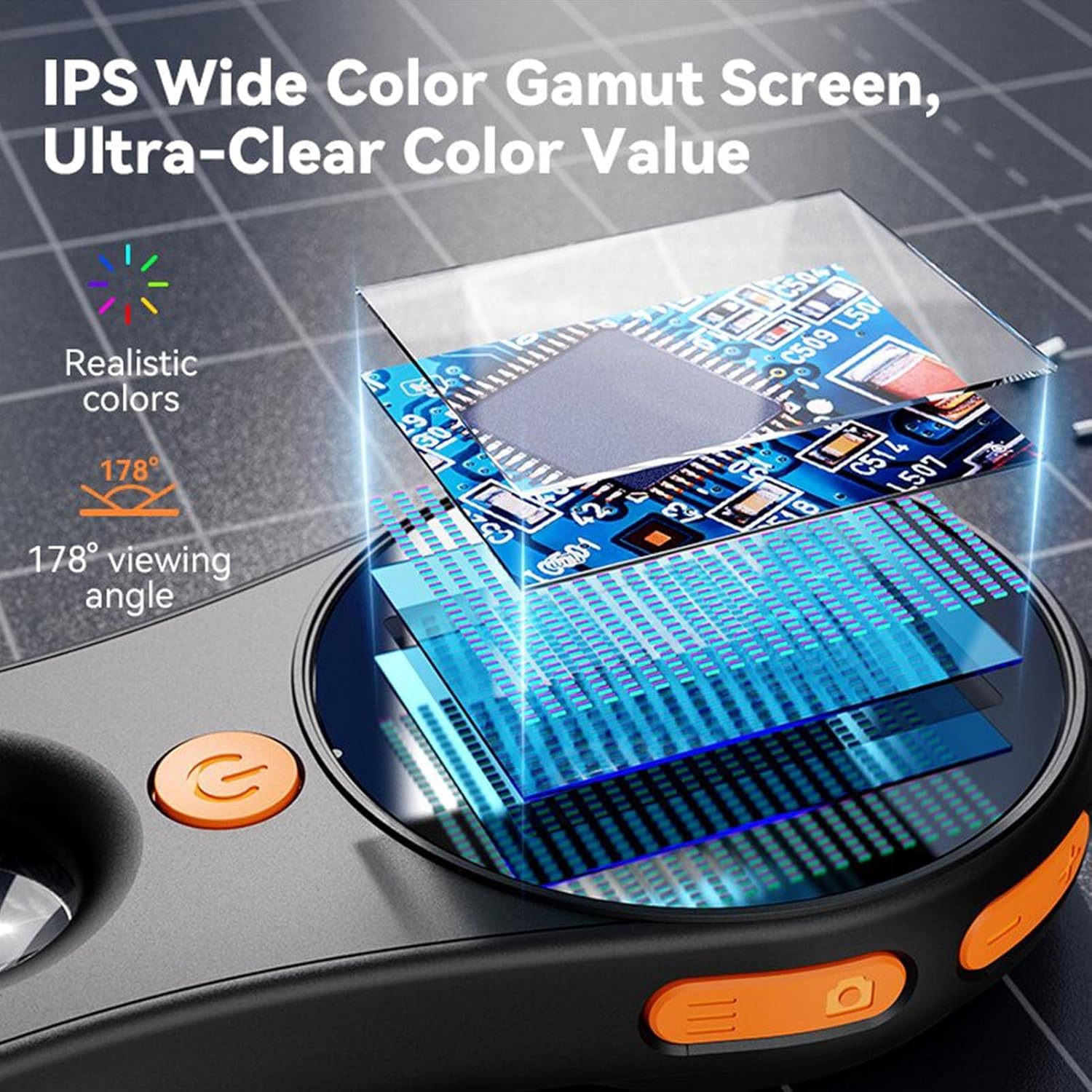
A close-up view of the microscope's IPS wide color gamut screen, showcasing its ultra-clear color value and 178-degree viewing angle while displaying a magnified circuit board.
4. Setup
4.1 Charging the Device
- Connect the provided USB Type-C cable to the charging port on the microscope.
- Plug the other end of the USB cable into a standard USB power adapter (not included) or a computer's USB port.
- The charging indicator light will illuminate during charging and turn off when fully charged.
4.2 Inserting a Memory Card (Optional)
If you wish to expand the storage capacity, insert a compatible memory card (not included) into the designated slot on the microscope. Ensure the card is inserted correctly according to the diagram near the slot.
5. Operating Instructions
5.1 Power On/Off
- To power on, press and hold the power button (usually located on the front or side) until the screen illuminates.
- To power off, press and hold the power button again until the screen turns off.
5.2 Adjusting Magnification and Focus
- Place the microscope over the object you wish to observe.
- Adjust the distance between the microscope lens and the object to achieve the desired magnification and focus. The microscope is designed for handheld use, allowing for flexible positioning.
5.3 Adjusting LED Illumination
- The microscope features 8 built-in LED lights.
- Use the dedicated light adjustment button (refer to device diagram if available) to cycle through the six brightness levels to optimize visibility.
5.4 Photography and Video Recording
- Taking Photos: While observing, press the photo capture button (often marked with a camera icon) to take a still image.
- Recording Videos: Press the video recording button (often marked with a video camera icon) to start recording. Press it again to stop recording.
- Captured photos and videos are saved to the internal storage or the inserted memory card.
5.5 Computer Connection
- Connect the microscope to your computer using the USB Type-C cable.
- The microscope should be recognized as a webcam or storage device, allowing you to view the live feed or access stored files directly on your computer.
- No specific software installation is typically required for basic viewing on compatible operating systems (Windows Vista/XP/7/8/10/11, OS X 11.0+).

A user is shown inspecting a circuit board with the Sanpyl Digital Microscope, demonstrating its application in maintenance and scientific research.
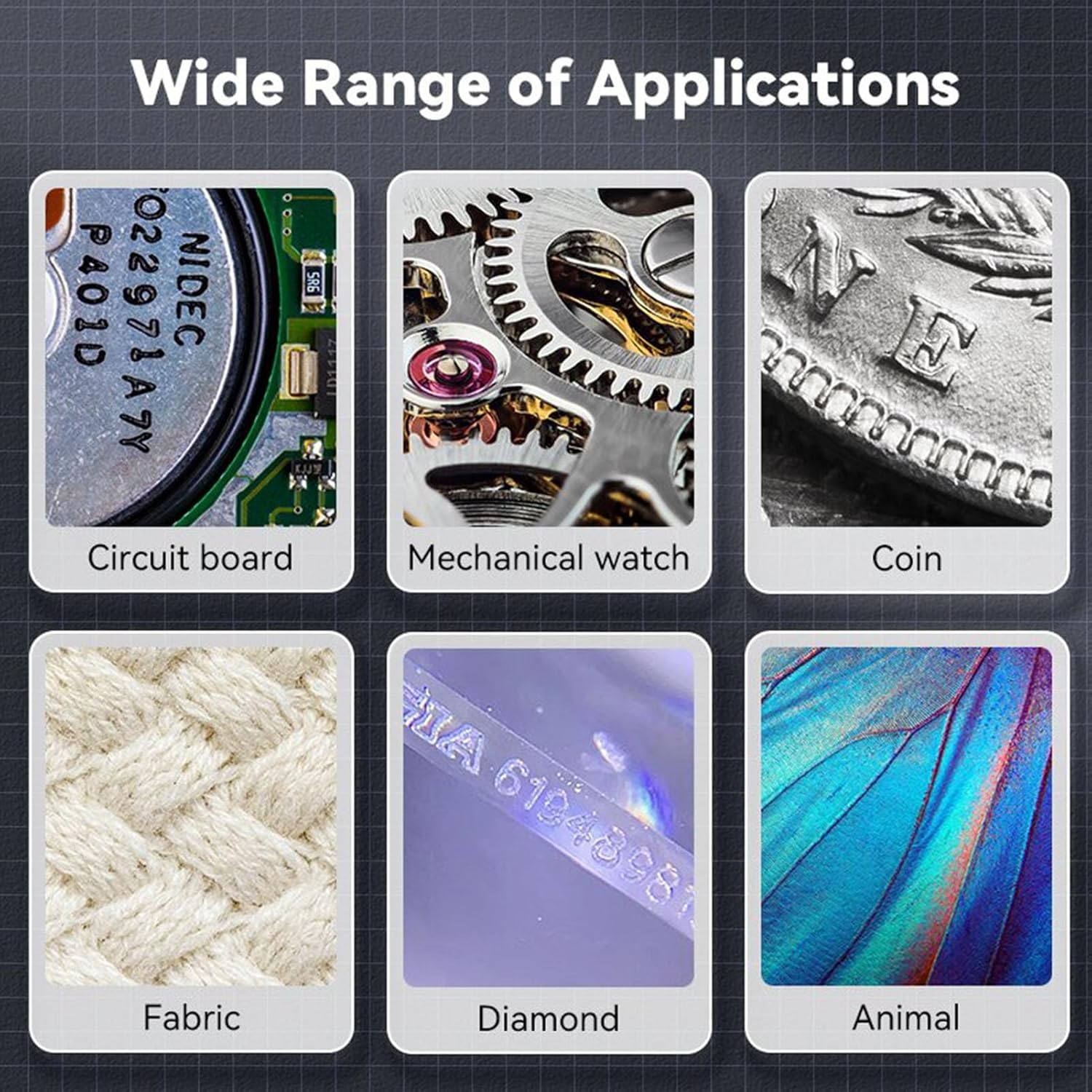
This image demonstrates the wide range of applications for the Sanpyl Digital Microscope, including inspecting circuit boards, mechanical watches, coins, fabrics, diamonds, and biological samples.
6. Maintenance
- Cleaning the Lens: Use a soft, lint-free cloth specifically designed for optical lenses to gently wipe the microscope lens. Avoid abrasive materials or harsh chemicals.
- Cleaning the Body: Wipe the microscope's body with a soft, dry cloth. Do not use liquid cleaners directly on the device.
- Storage: Store the microscope in a cool, dry place away from direct sunlight and extreme temperatures. Keep it protected from dust and moisture.
- Battery Care: To prolong battery life, avoid fully discharging the battery frequently. Charge the device regularly, even if not in use for extended periods.
7. Troubleshooting
| Problem | Possible Cause | Solution |
|---|---|---|
| Device does not power on | Low battery; Device malfunction | Charge the device fully. If problem persists, contact support. |
| Poor image quality | Lens is dirty; Insufficient lighting; Incorrect focus | Clean the lens. Adjust LED brightness. Adjust the distance to the object for proper focus. |
| Cannot connect to PC | Faulty USB cable; Driver issue; Incompatible port | Try a different USB cable or port. Ensure your computer's operating system is compatible. |
| Cannot save photos/videos | Memory card full or not inserted; Internal storage full | Check memory card insertion and free space. Delete unnecessary files or insert a new memory card. |
8. Specifications
- Model Name: Sanpyl7yo60utaiz-11
- Magnification: 100X to 500X
- Illumination: 8 LED lights with 6 brightness levels
- Photography/Video Resolution: 1920x1080P
- Connectivity: USB Type-C
- Compatibility: Windows Vista/XP/7/8/10/11, OS X 11.0 or higher
- Power Source: USB Rechargeable
- Item Weight: 4.2 ounces
- Package Dimensions: 5.51 x 3.15 x 1.57 inches
- Objective Lens Description: Achromatic
9. Warranty and Support
For warranty information or technical support, please refer to the contact details provided with your purchase documentation or visit the official Sanpyl website. Please retain your proof of purchase for any warranty claims.