1. Introduction
Thank you for choosing the X58 Air Conduction Bluetooth Headset. This innovative wireless headset features a unique clip-on design for a secure and comfortable fit, making it ideal for sports and active lifestyles. Utilizing air conduction technology, it delivers sound through vibrations, bypassing the eardrum for a natural listening experience. Equipped with advanced noise cancellation and long endurance, the X58 ensures clear audio for music and calls, free from distractions.
2. Package Contents
Please check the package for the following items:
- X58 Air Conduction Bluetooth Headset (Left and Right earbuds)
- Charging Case
- Protective Case
- USB Charging Cable
- User Manual
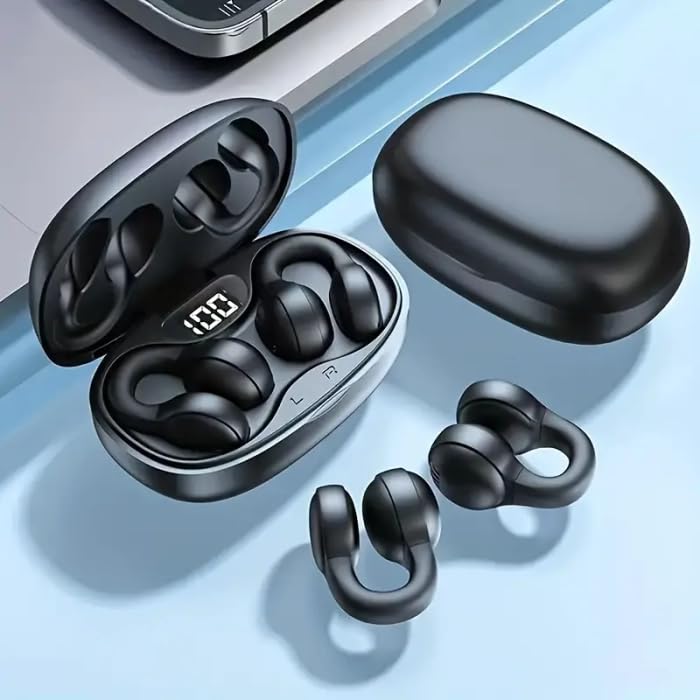
Image: The X58 headset components, showing the charging case and the two individual earbuds.
3. Product Overview
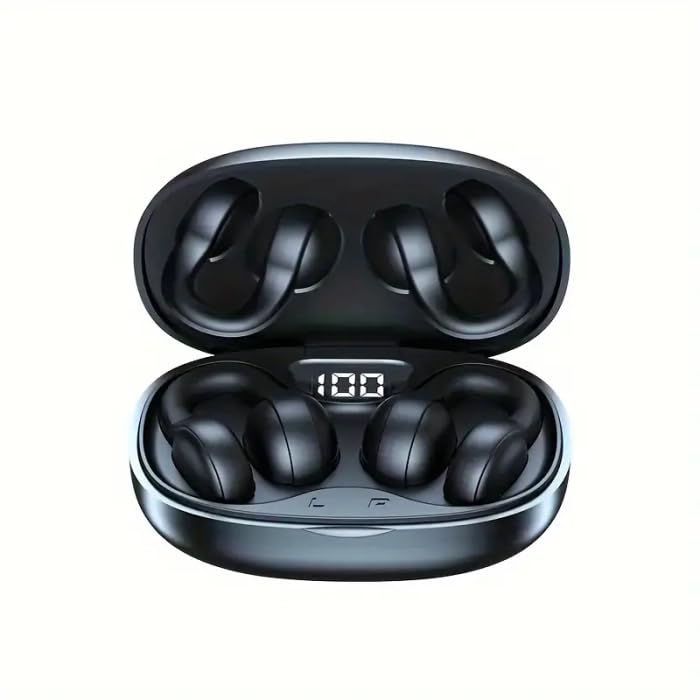
Image: The X58 Air Conduction Headset resting inside its open charging case, displaying the digital battery indicator.
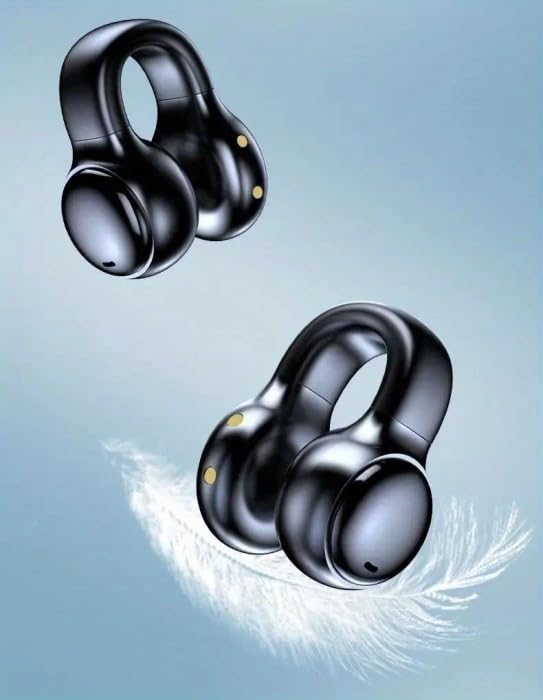
Image: A close-up view of the two X58 earbuds, illustrating their compact and lightweight form factor, designed for comfortable wear.

Image: An illustration of the X58 headset highlighting the touch-sensitive control area on the earbud.

Image: An infographic showcasing key features of the X58 headset, including HIFI lossless sound quality, call noise reduction, 36-hour long endurance, and strong anti-sweat capabilities.
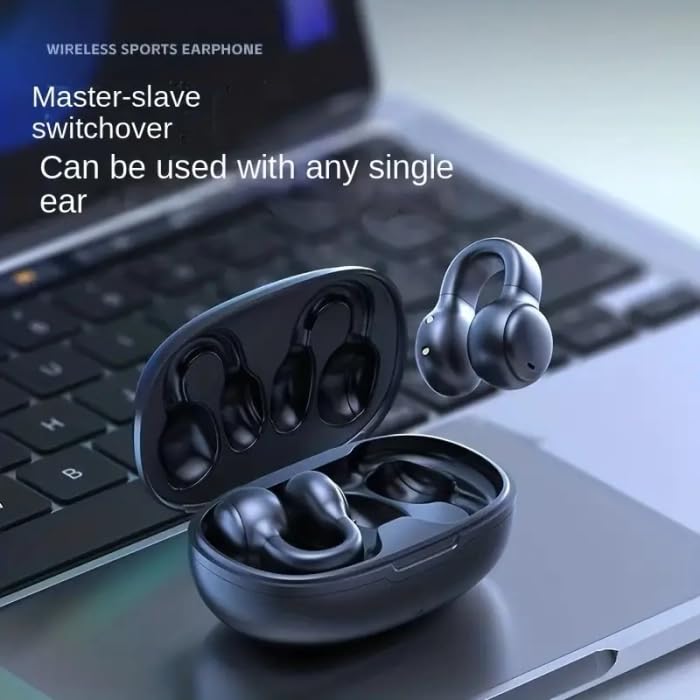
Image: A detailed diagram illustrating the advanced Wireless 5.3 Technology chip, which powers the X58 headset's connectivity.
4. Setup Guide
4.1. Charging the Headset
- Place the earbuds into the charging case. Ensure they are correctly seated.
- Connect the USB charging cable to the charging port on the case and the other end to a USB power source (e.g., computer, wall adapter).
- The digital display on the charging case will indicate the battery level. A full charge is indicated by '100'.
- The headset supports fast charging. Allow sufficient time for a full charge before first use.
4.2. Bluetooth Pairing
- Ensure the headset is charged.
- Open the charging case. The earbuds will automatically enter pairing mode (indicated by a flashing light on the earbuds).
- On your device (smartphone, tablet, laptop), go to Bluetooth settings and turn Bluetooth on.
- Search for available devices. Select "X58" from the list.
- Once connected, a voice prompt will confirm successful pairing, and the indicator light on the earbuds will stop flashing.
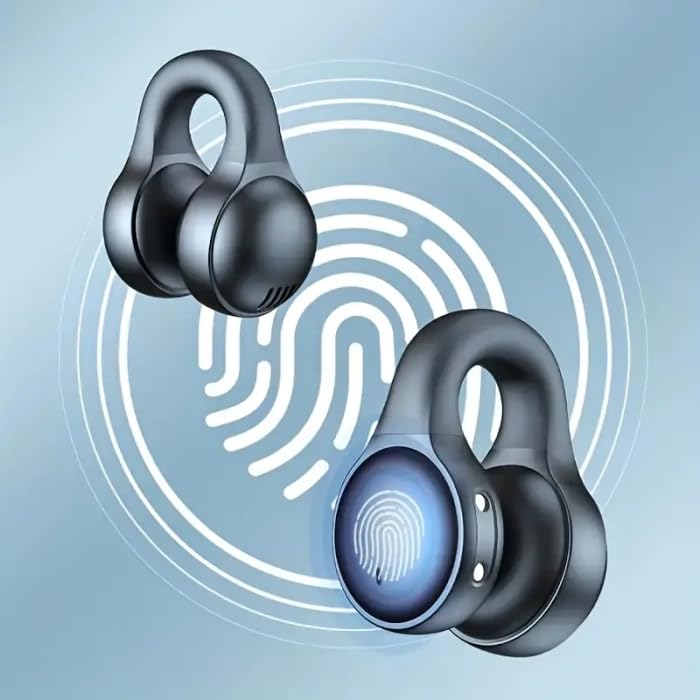
Image: The X58 headset demonstrating its master-slave switchover capability, allowing either earbud to be used independently.
5. Operating Instructions
5.1. Power On/Off
- Power On: Open the charging case, and the earbuds will automatically power on.
- Power Off: Place the earbuds back into the charging case and close the lid. They will automatically power off and begin charging.
5.2. Music Playback
- Play/Pause: Tap the touch control area on either earbud once.
- Next Track: Triple-tap the touch control area on the right earbud.
- Previous Track: Triple-tap the touch control area on the left earbud.
- Volume Up: Double-tap the touch control area on the right earbud.
- Volume Down: Double-tap the touch control area on the left earbud.
5.3. Call Management
- Answer/End Call: Tap the touch control area on either earbud once.
- Reject Call: Press and hold the touch control area on either earbud for 2 seconds.
5.4. Voice Assistant
- Activate Voice Assistant: Press and hold the touch control area on either earbud for 3 seconds.
6. Maintenance and Care
- Cleaning: Use a soft, dry, lint-free cloth to clean the earbuds and charging case. Do not use harsh chemicals or abrasive materials.
- Storage: When not in use, store the headset in its charging case to protect it from dust and damage.
- Water Resistance: Please note that the X58 headset is Not Water Resistant. Avoid exposure to water, sweat, or high humidity to prevent damage.
- Battery Care: To prolong battery life, avoid fully discharging the headset frequently. Charge it regularly, even if not in constant use.
7. Troubleshooting
7.1. Headset Not Pairing
- Ensure the headset is charged.
- Make sure Bluetooth is enabled on your device.
- Place the headset close to your device (within 10 meters).
- Forget/delete "X58" from your device's Bluetooth list and try pairing again.
- Restart both the headset (by placing in case and closing/opening lid) and your device.
7.2. No Sound or Low Volume
- Check the volume level on both the headset and your connected device.
- Ensure the headset is properly connected to your device.
- Try playing different audio sources.
- Re-pair the headset with your device.
7.3. Charging Issues
- Ensure the charging cable is securely connected to both the case and the power source.
- Try a different USB cable or power adapter.
- Clean the charging contacts on the earbuds and inside the case with a dry cotton swab.
8. Specifications
| Model Name | Headphone |
| Model Number | X58-HEADPHONES |
| Connectivity Technology | Wireless |
| Wireless Communication Technology | Bluetooth |
| Audio Driver Type | Bone Conduction Driver |
| Earpiece Shape | Ear Hook/Wing |
| Noise Control | Active Noise Cancellation |
| Material | Plastic |
| Compatible Devices | Smartphones, Tablets, Laptops, Desktops |
| Water Resistance Level | Not Water Resistant |
| Special Features | Fast Charging |
| Control Method | Remote |
| Included Components | Protective Case |
9. Warranty and Support
This product comes with a standard manufacturer's warranty. For detailed warranty information, please refer to the documentation provided with your purchase or contact the seller directly. If you encounter any issues or require technical assistance, please reach out to the customer support of your retailer or the manufacturer, RAWI RAJAK.
For further inquiries, please visit the official product page or contact the seller through the platform where you made your purchase.


