
Introduction
This manual provides instructions for the installation, operation, and maintenance of the Lynxcel Gigabit Ethernet Media Converter. This device facilitates the conversion of electrical Ethernet signals to optical fiber signals, extending network reach and providing immunity to electromagnetic interference. It is designed for reliable performance in various network environments.
Package Contents
- 1 x Gigabit Media Converter
- 1 x 1000Base-SX SFP Transceiver
- 1 x 5V 1A Power Supply (100V-240V)
- 1 x User's Manual

This image shows the complete package contents: the Lynxcel Gigabit Ethernet Media Converter unit, a 1000Base-SX SFP module, and the 5V 1A power supply adapter.
Product Features
- Fiber Optical Port: Features a 1.25Gbps SFP port, including one Multi-mode 1000Base-SX 1.25G LC SFP module. Supports Multimode Fiber (MMF) 850nm, extending connections up to 550 meters. The flexible open SFP slot allows for various SFP module configurations to meet different network requirements.
- RJ45 Port: Equipped with a 10/100/1000Mbps Ethernet port that supports auto-negotiation for half-duplex and full-duplex transfer modes. Compatible with Cat5/5e and Cat6 cables for distances up to 100 meters. Complies with IEEE 802.3, IEEE 802.3u, IEEE 802.3ab, IEEE 802.3z, and IEEE 802.3x standards.
- Durable Design: Constructed with a high-quality metal shell and main chip, ensuring low power consumption, minimal delay, and a long service life. Both sides are designed with vents for efficient heat dissipation, guaranteeing normal operation in diverse indoor and outdoor environments.
- Plug and Play: Requires no complex configuration. Simply insert the optical fiber and RJ45 cables, connect the power supply, and the device will begin operation immediately. LED status lights provide easy monitoring of network status and data transmission to ensure uninterrupted connectivity.
Setup Guide
1. Component Identification
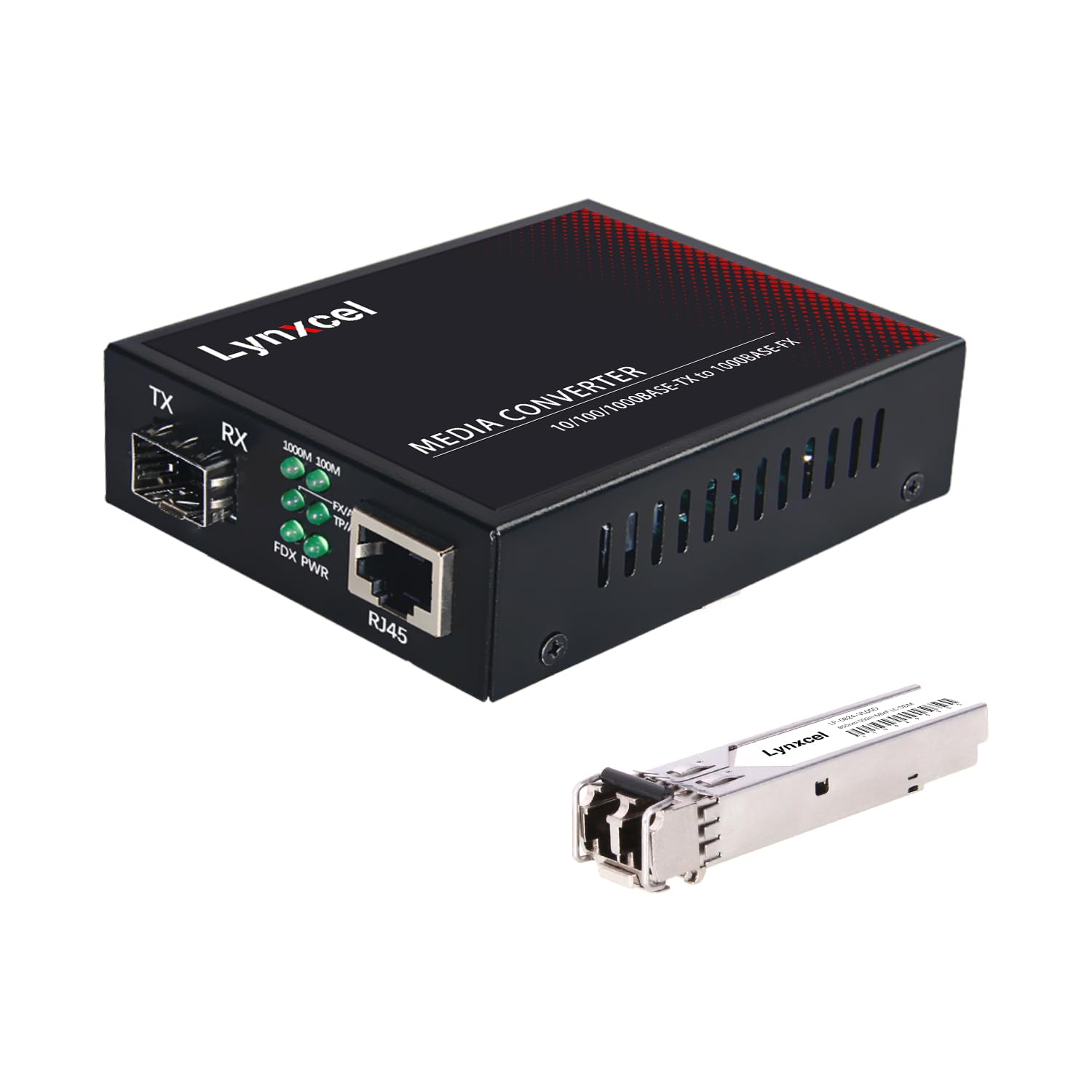
This image displays the front panel of the Lynxcel Gigabit Ethernet Media Converter, highlighting the RJ45 Ethernet port, the SFP module slot, and the various LED indicators for power, link status, and data activity.
2. Connection Diagram
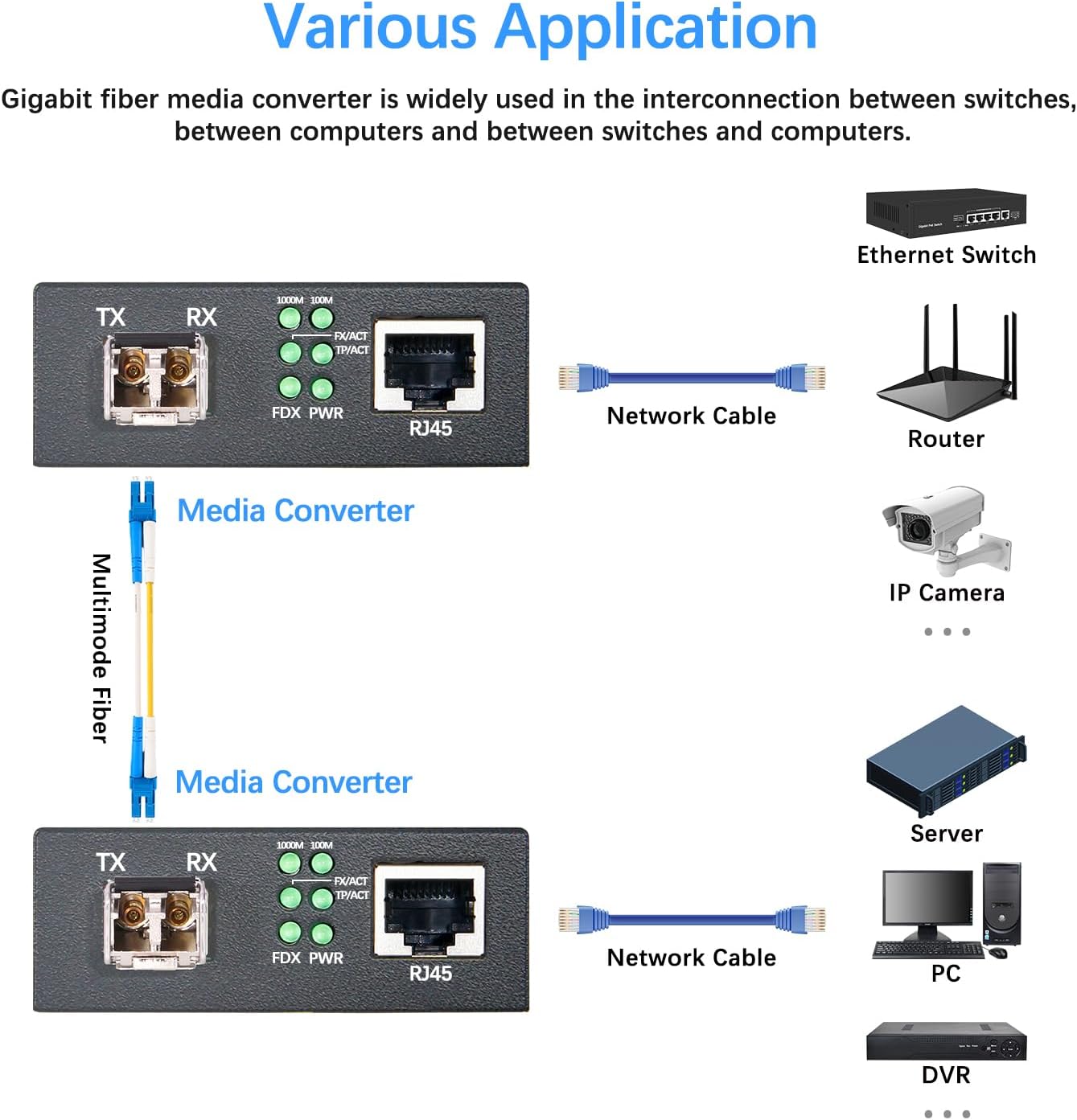
This diagram illustrates how the Gigabit Ethernet Media Converter can be used in various network setups, such as connecting an Ethernet switch, router, IP camera, server, or PC over a multimode fiber optic link.
3. Installation Steps
- Insert SFP Module: Gently insert the provided 1000Base-SX SFP module into the SFP slot of the media converter until it clicks into place.
- Connect Fiber Cable: Connect a multimode LC fiber optic cable to the SFP module's LC ports (TX and RX). Ensure the fiber cable is securely connected.
- Connect Ethernet Cable: Connect a standard Ethernet cable (Cat5/5e or Cat6) from your network device (e.g., switch, router, computer) to the RJ45 port of the media converter.
- Connect Power: Plug the 5V 1A power adapter into the DC 5V power input port on the media converter, then plug the adapter into a power outlet.
- Verify Connections: Check the LED indicators on the media converter to ensure proper link and activity.
Operating Instructions
LED Indicator Status

This image provides a detailed explanation of the LED indicators on the media converter, including 1000M, 100M, Link, ACT, FDX, and PWR, and their respective statuses for network speed, connection, activity, duplex mode, and power.
The device is designed for plug-and-play operation, requiring no software configuration. Once all cables and power are connected, the converter will automatically establish a link based on the connected devices and fiber type.
- 1000M: ON = Ethernet 1000Mbps, OFF = Ethernet 100Mbps.
- 100M: ON = Ethernet 100Mbps, OFF = Ethernet 1000Mbps.
- Link: ON = Fiber Connected, FLASH = Fiber Data Flow, OFF = Fiber Not Connected.
- ACT: ON = Ethernet Connected, FLASH = Ethernet Data Flow, OFF = Ethernet Not Connected.
- FDX: ON = Ethernet Full Duplex, OFF = Ethernet Half Duplex.
- PWR: ON = Power On, OFF = Power Off.
Maintenance
- Keep the device in a clean, dry environment, away from direct sunlight and heat sources.
- Avoid exposing the device to extreme temperatures or humidity.
- Ensure proper ventilation around the device to prevent overheating. The built-in vents are crucial for heat dissipation.
- Clean fiber optic connectors regularly with appropriate cleaning tools to maintain optimal signal quality and performance.
- Do not attempt to open or repair the device yourself. Refer to qualified service personnel for any repairs or internal maintenance.
Troubleshooting
| Problem | Possible Cause | Solution |
|---|---|---|
| No Power (PWR LED Off) | Power adapter not connected or faulty; power outlet not working. | Ensure power adapter is securely connected to the device and a working power outlet. Test with another adapter if available. |
| No Fiber Link (Link LED Off) | Fiber cable disconnected, damaged, or incorrect type; SFP module not properly seated or faulty. | Check fiber cable connections at both ends. Ensure the fiber type (multimode) matches the SFP module. Re-seat or replace the SFP module. Clean fiber connectors. |
| No Ethernet Link (ACT LED Off) | Ethernet cable disconnected, damaged, or incorrect type; connected device is off or faulty. | Verify Ethernet cable connections. Ensure the connected network device is powered on and functioning. Use a Cat5e/Cat6 cable. |
| Slow Network Speed | Duplex mismatch; faulty cable; network congestion. | Check FDX LED for full duplex operation. Ensure all cables are in good condition. Verify network device settings for auto-negotiation. |
Specifications
| Feature | Detail |
|---|---|
| Product Name | Gigabit Fiber Ethernet Media Converter |
| Number of Ports | 1 x 10/100/1000Mbps Ethernet Port, 1 x 1000Mbps SFP Port |
| Supported SFP Modules | Single-Mode, Multimode, BIDI |
| Operating Wavelength | 850nm MMF (for included SFP) |
| Transmission Distance | Up to 550m (with included SFP) |
| Operating Temperature | 0°C to 60°C |
| Power Specification | Input: 100-240V, 50/60 Hz; Output: DC 5V 1A |
| Power Consumption | <3W |
| Product Size | 3.70 x 2.76 x 1.02 inches |
| Hardware Interface | Ethernet |
| Data Link Protocol | Ethernet |
| Data Transfer Rate | 1250 Megabits Per Second |
Warranty and Support
This Lynxcel Gigabit Ethernet Media Converter comes with a 1 Year Manufacturer Warranty as per the product specifications.
For technical support, troubleshooting assistance, or warranty claims, please contact Lynxcel customer service through their official channels or the retailer where the product was purchased. Please refer to the contact information provided in the product packaging or on the official Lynxcel website for the most up-to-date support details.