
Product Overview
The EZVIZ DL05 is a state-of-the-art smart digital lock designed for modern homes. It combines a sleek, sophisticated design with advanced security features, providing multiple ways to access your home while keeping it secure. Connected via Bluetooth or Wi-Fi, the DL05 allows for flexible unlocking methods and remote control through the EZVIZ application.

Image: The EZVIZ DL05 Smart Digital Lock, showcasing its sleek front and rear panels.
Key features include:
- Multiple unlocking methods: Fingerprint, password, proximity card, mechanical key, Bluetooth key via EZVIZ app, temporary codes, remote unlocking.
- Simplified control via the EZVIZ app.
- Real-time mobile alerts for door activity and low battery.
- Support for temporary access codes and anti-peep codes (up to 20 digits).
- Integrated electronic doorbell.
- Anti-tamper alarm and automatic locking after failed attempts.
- IP65 weatherproof design for the front panel.
- Emergency power supply via Type-C port.
- Child safety lock and private mode for enhanced security.
- Smart integration with EZVIZ cameras for recorded video upon entry.
- Long battery life of up to 1 year (8 AA 1.5V alkaline batteries).
Package Contents
Ensure all items are present in the package before beginning installation:
- DL05 Smart Fingerprint Lock (Front Panel + Rear Panel + Drilling Template)
- Lock Body
- Standard Screw Bag
- Lock Body Screw Bag (2)
- Positioning Screw Bag
- Reversing Screw (2)
- AA Batteries (8)
- Mechanical Keys (2)
- Square Bar
- Proximity Card (2)
- Silicone Plug (for Rear Panel)
- Regulatory Information
- Quick Start Guide
Setup
Professional installation is recommended for optimal performance and to ensure proper adjustments are made to your door. The DL05 supports door thicknesses from 30 to 110 mm.
1. Physical Installation
Follow the detailed instructions in the Quick Start Guide and use the provided drilling template for precise installation of the lock body, front panel, and rear panel. Ensure all screws are securely fastened.

Image: Technical dimensions of the EZVIZ DL05 Smart Digital Lock, showing height, width, and depth measurements.
2. Battery Installation
The DL05 requires 8 AA 1.5V alkaline batteries. Insert them into the designated battery compartment on the rear panel, ensuring correct polarity. The lock will provide a low battery warning when replacement is needed.
3. App Configuration
Download the EZVIZ app from your smartphone's app store. Follow the in-app instructions to pair your DL05 lock with your account via Wi-Fi (2.4GHz) or Bluetooth. The app allows for easy user management, adding fingerprints, passwords, and proximity cards.

Image: The EZVIZ DL05 lock installed on a door, with a smartphone displaying real-time notifications from the EZVIZ app, showing door open events.
Operating Instructions
Unlocking Methods
- Fingerprint: Place your registered finger on the fingerprint reader located on the handle. The lock processes and stores up to 50 different fingerprints locally.
- Password: Enter your permanent or temporary password on the keypad. Anti-peep codes (up to 20 digits) can be used to prevent others from guessing your password.
- Proximity Card: Tap your registered proximity card against the designated area on the lock. The lock supports up to 50 cards.
- Mechanical Key: In case of emergency or battery depletion, use one of the two provided mechanical keys to unlock the door.
- EZVIZ App (Bluetooth/Remote): Use the EZVIZ app on your smartphone to unlock the door via Bluetooth when nearby, or remotely via Wi-Fi from anywhere. You can also share Bluetooth keys with family members or create temporary passwords for visitors.

Image: The EZVIZ DL05 Smart Digital Lock installed on a white door, showing its integrated keypad and handle.
Security Features
- Automatic Locking: The DL05 automatically locks whenever you close the door.
- Child Safety Lock: Activate this feature to prevent children or pets from accidentally opening the door from the inside.
- Private Mode: When activated, only the administrator can open the door from the outside, and the alarm sound will be silenced, ensuring uninterrupted privacy.
- Anti-Tamper Alarm: An alarm will sound if there is suspicious activity, such as lock removal or forced entry. If 5 incorrect entries are made within 5 minutes, the lock will temporarily disable for 3 minutes.
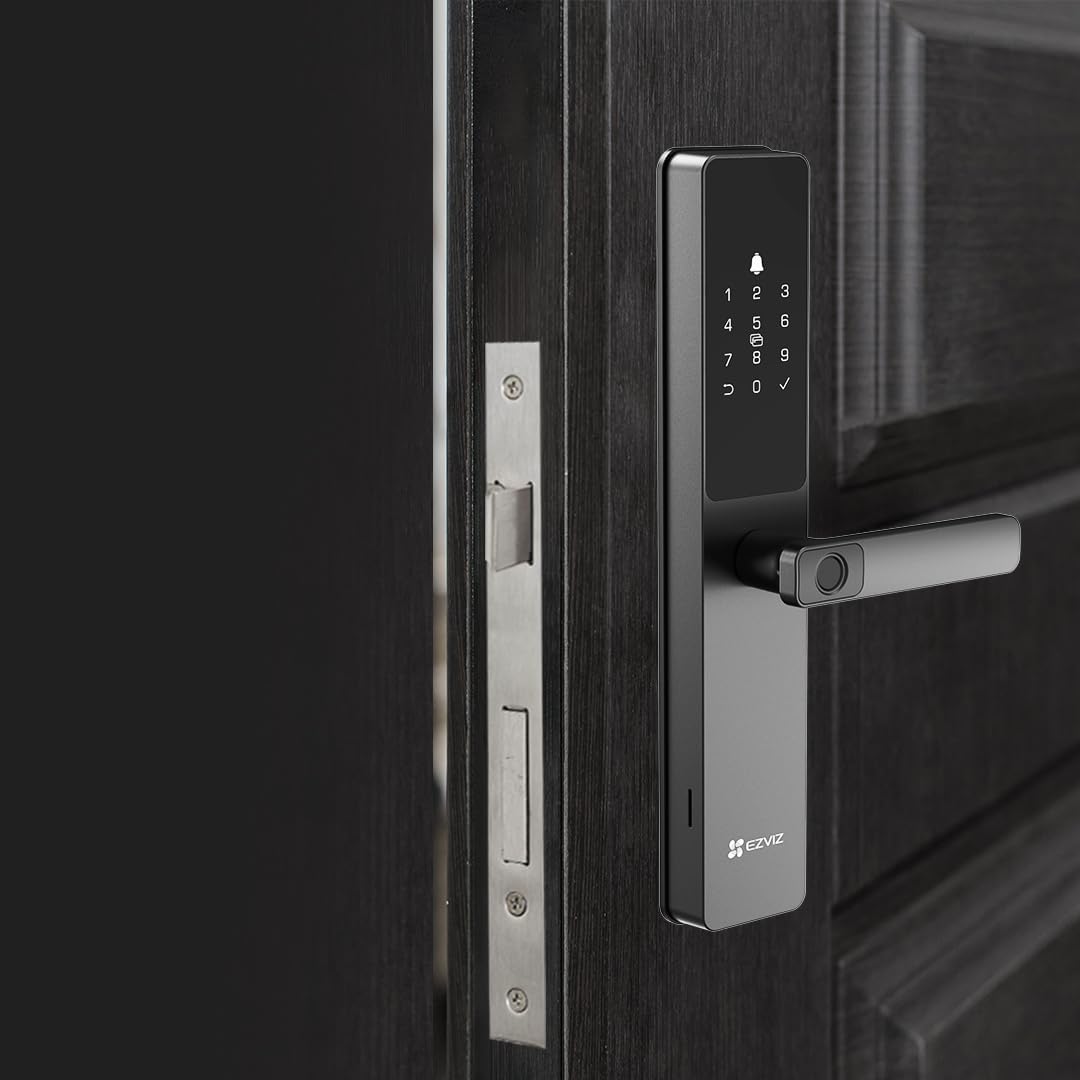
Image: The EZVIZ DL05 Smart Digital Lock installed on a dark wooden door, highlighting its modern aesthetic.
Maintenance
Battery Replacement
The DL05 is powered by 8 AA 1.5V alkaline batteries, offering a standby operation time of up to 365 days. The lock will provide a low battery warning when it's time for replacement. To replace, open the battery compartment on the rear panel and insert new batteries, ensuring correct orientation.
Cleaning
Wipe the lock's exterior with a soft, dry cloth. Avoid using abrasive cleaners or solvents that could damage the finish or internal components. The front panel is IP65 weatherproof, protecting it from dust and water splashes.
Troubleshooting
- Lock not responding: Check battery levels. If batteries are depleted, use the mechanical key or connect a Type-C power source for emergency charging.
- Incorrect password/fingerprint attempts: The lock will automatically disable for 3 minutes after 5 successive failed attempts within 5 minutes. Wait for the lockout period to end before trying again.
- App connectivity issues: Ensure your Wi-Fi network (2.4GHz) is stable and the lock is within range. Restart the lock and your router if necessary. Verify the lock is properly paired in the EZVIZ app.
- Alarm sounding unexpectedly: Check for any signs of tampering or forced entry. If the alarm is false, ensure the lock is properly installed and calibrated.
- Difficulty with installation: As mentioned, professional installation is recommended to ensure proper fit and function, especially for door adjustments.
Technical Specifications
| Feature | Specification |
|---|---|
| Model Number | CS-DL05(WBCP,M) |
| Panel Material | Aluminum Alloy |
| Panel Dimensions (H x W) | 360mm x 67mm |
| Total Width with Handle | 27mm |
| Color | Metallic Gray |
| Lock Body Type | Lift-up lock body |
| Locking Cylinder | 5085 / 6068 |
| Weatherproof Rating | IP65 (Front Panel) |
| Emergency Charging | Type-C |
| Operating Power | 8 AA 1.5V alkaline batteries |
| Unlocking Methods | Fingerprint, Password, Proximity Card, Mechanical Key, Bluetooth Key (EZVIZ App), Temporary Codes, Remote Unlocking |
| User Capacity | 50 units |
| Fingerprint Capacity | 50 units |
| Password Capacity | 50 units |
| Card Capacity | 50 units |
| Transmission Methods | Wi-Fi 2.4GHz, Bluetooth |
| Supported Door Thickness | 30 to 110 mm |
| Operating Temperature | -25°C to 70°C |
| Operating Humidity | 10% to 95% |
| Certifications | CE (EMC / LVD / RED / ROHS) / REACH SVHC / WEEE / UKCA |
Warranty and Support
Warranty information for your EZVIZ DL05 Smart Digital Lock is typically provided with your purchase documentation or can be found on the official EZVIZ website. Please refer to these resources for details regarding warranty coverage and terms.
For technical support, troubleshooting assistance, or any inquiries regarding your DL05 lock, please utilize the EZVIZ application. The app provides comprehensive user management and real-time notifications, and serves as the primary point of contact for customer support.