
Yoever IDW20
Yoever Smart Watch IDW20 User Manual
Comprehensive Guide for Your Smart Watch
Introduction
Welcome to the user manual for your new Yoever Smart Watch IDW20. This guide provides detailed instructions on how to set up, operate, and maintain your smartwatch, ensuring you get the most out of its advanced features. The Yoever IDW20 is designed to enhance your daily life with its built-in Alexa voice assistant, Bluetooth calling capabilities, comprehensive health monitoring, and extensive sports tracking modes.
Please read this manual thoroughly before using the device to ensure proper functionality and safety.

Image: The Yoever Smart Watch IDW20 in white and pink, showcasing its large display and sleek design.
What's in the Box
Upon unboxing your Yoever Smart Watch IDW20, please verify that all the following items are included:
- 2 x Yoever Smart Watches (one pink, one white)
- 2 x Silicone Bands (matching colors)
- 1 x Magnetic Charging Cable
- 1 x User Manual
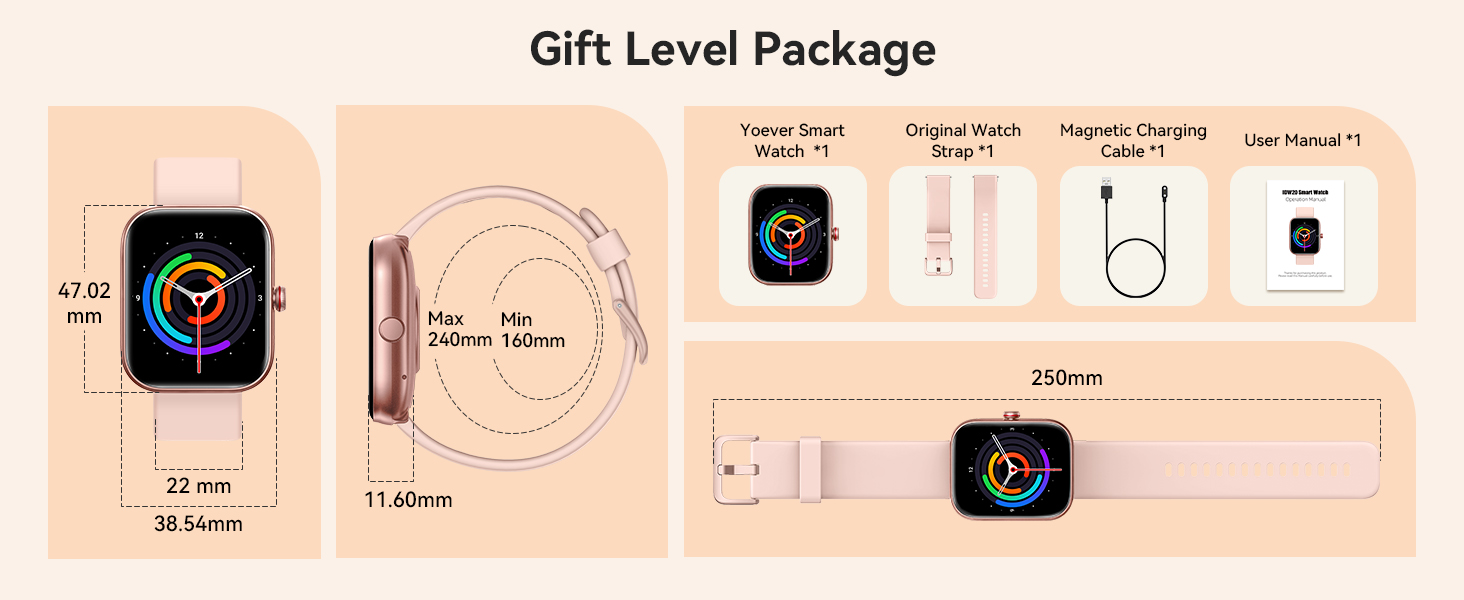
Image: An illustration showing the components included in the Yoever Smart Watch IDW20 package.
Setup Guide
1. Initial Charging
Before first use, fully charge your smartwatch. Connect the magnetic charging cable to the charging points on the back of the watch and plug the USB end into a compatible power adapter (not included) or a computer USB port. A full charge typically takes approximately 2 hours.
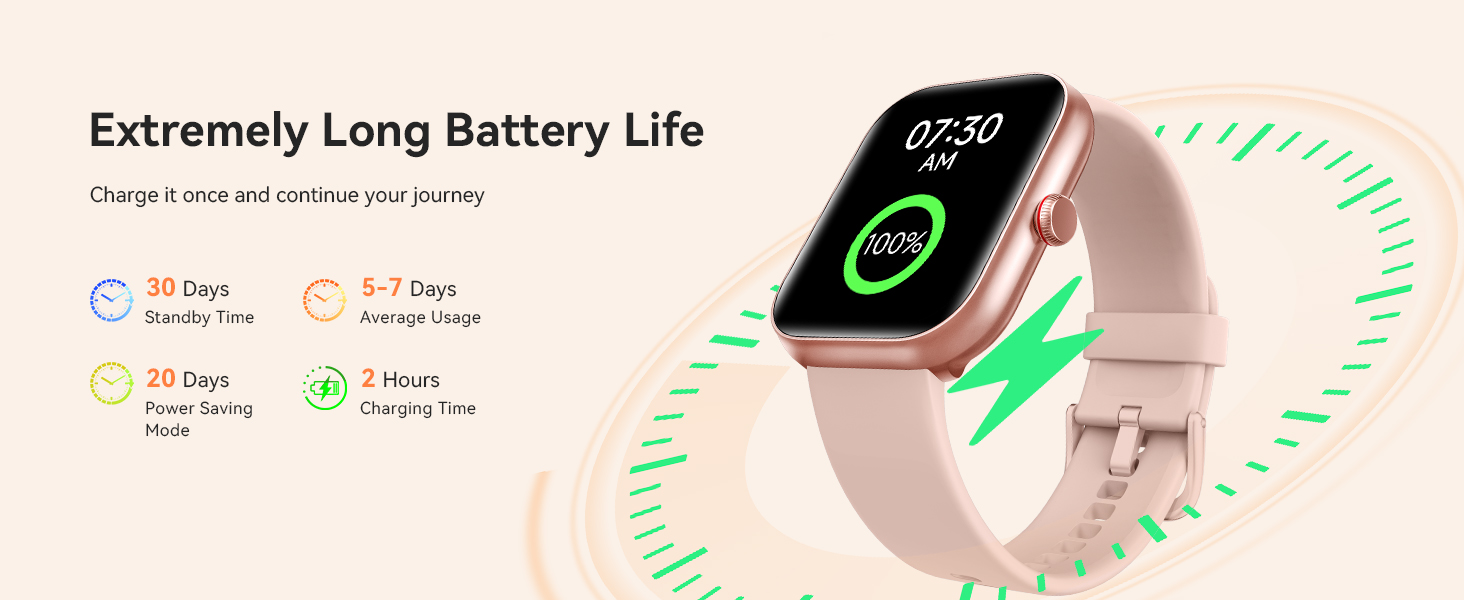
Image: The smartwatch connected to its magnetic charging cable, highlighting its battery life features.
2. App Download and Pairing (VeryFit App)
To unlock all features and synchronize data, download the "VeryFit" app on your smartphone.
- Download "VeryFit" App: Search for "VeryFit" in the Apple App Store (for iOS) or Google Play Store (for Android) and install it.
- Enable Bluetooth: Ensure Bluetooth is enabled on your smartphone.
- Open VeryFit App: Launch the app and follow the on-screen instructions to create an account or log in.
- Add Device: In the app, navigate to the device section and select "Add Device". The app will search for nearby smartwatches.
- Connect: Select "IDW20" from the list of found devices to initiate pairing. Confirm the pairing request on both your phone and the watch if prompted.
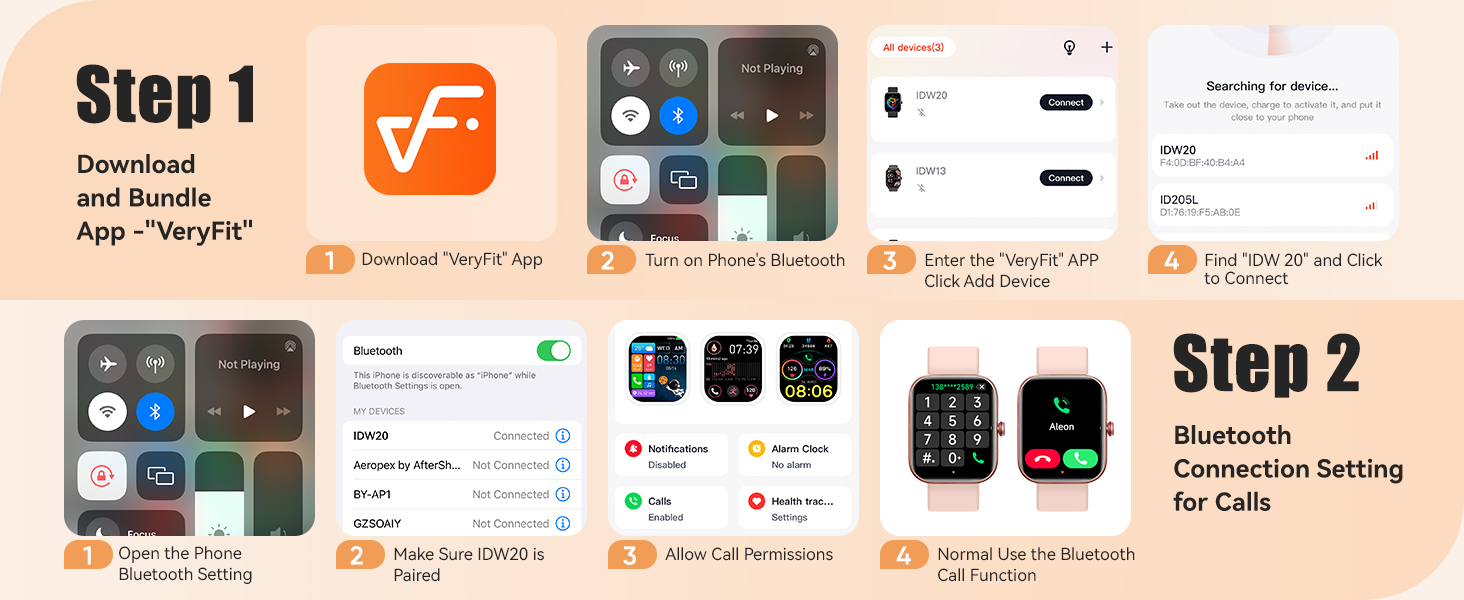
Image: Visual steps for downloading the VeryFit app and connecting it to the smartwatch.
3. Bluetooth Connection for Calls
For Bluetooth calling functionality, an additional connection is required:
- Open Phone Bluetooth Settings: Go to your smartphone's Bluetooth settings.
- Pair IDW20: Ensure "IDW20" is listed and paired. If not, pair it.
- Allow Call Permissions: In the VeryFit app, grant necessary permissions for calls and notifications.
- Normal Use: You can now use the Bluetooth call function directly from your watch.

Image: A user demonstrating the Bluetooth calling feature of the smartwatch, with details on call management.
Operating Your Smart Watch
Basic Navigation
- Touchscreen: Swipe left/right, up/down to navigate through menus and features. Tap to select.
- Rotating Crown: Rotate the crown on the side of the watch to scroll through interfaces or lists. Press the crown to return to the home screen or confirm selections.

Image: The smartwatch showcasing its customizable watch faces and highlighting the interactive features of the touchscreen and rotating crown.
Alexa Built-in & Voice Assistant
Your Yoever Smart Watch IDW20 comes with Amazon Alexa built-in, allowing for hands-free control and information retrieval. You can also access your phone's native voice assistant (Siri for iOS, Google Assistant for Android).
- Activate Alexa: Swipe right on the watch face or use the dedicated Alexa icon to activate.
- Voice Commands: Speak commands like "Alexa, what time is it?", "Alexa, set a 30-minute timer," or "Alexa, what's the weather?"
- Phone Voice Assistant: Use the smart dialling feature to activate your phone's voice assistant for tasks like making calls.

Image: The smartwatch interface showing Alexa listening and responding, alongside an example of using smart dialing for Siri.
Bluetooth Calling and Message Notifications
- Making Calls: Use the dial pad, call history, or frequent contacts directly on your watch to make calls.
- Receiving Calls: Answer or reject incoming calls from your wrist.
- Message Notifications: Receive notifications from various apps (e.g., Line, Facebook, Instagram, WhatsApp, SMS) directly on your watch. Note: Replying to messages is not supported directly from the watch.

Image: The smartwatch screen showing options for Bluetooth calls, including call history and dialpad.

Image: A user viewing message notifications on the smartwatch, with icons of supported applications.
Health Monitoring
The IDW20 provides comprehensive 24/7 health monitoring:
- Heart Rate: Continuously monitors your heart rate. View real-time data and historical trends in the app.
- Blood Oxygen (SpO2): Measures your blood oxygen saturation levels.
- Sleep Tracking: Analyzes your sleep patterns, including deep sleep, light sleep, and awake times.
- Stress Monitoring: Tracks your stress levels throughout the day and provides reminders to relax if stress is high.
- Women's Health: Offers features for tracking menstrual cycles and predicting ovulation.

Image: The smartwatch's health monitoring capabilities, showing metrics like blood oxygen, heart rate, stress, and activity tracking.

Image: The smartwatch's sleep tracking feature, detailing sleep stages and duration.
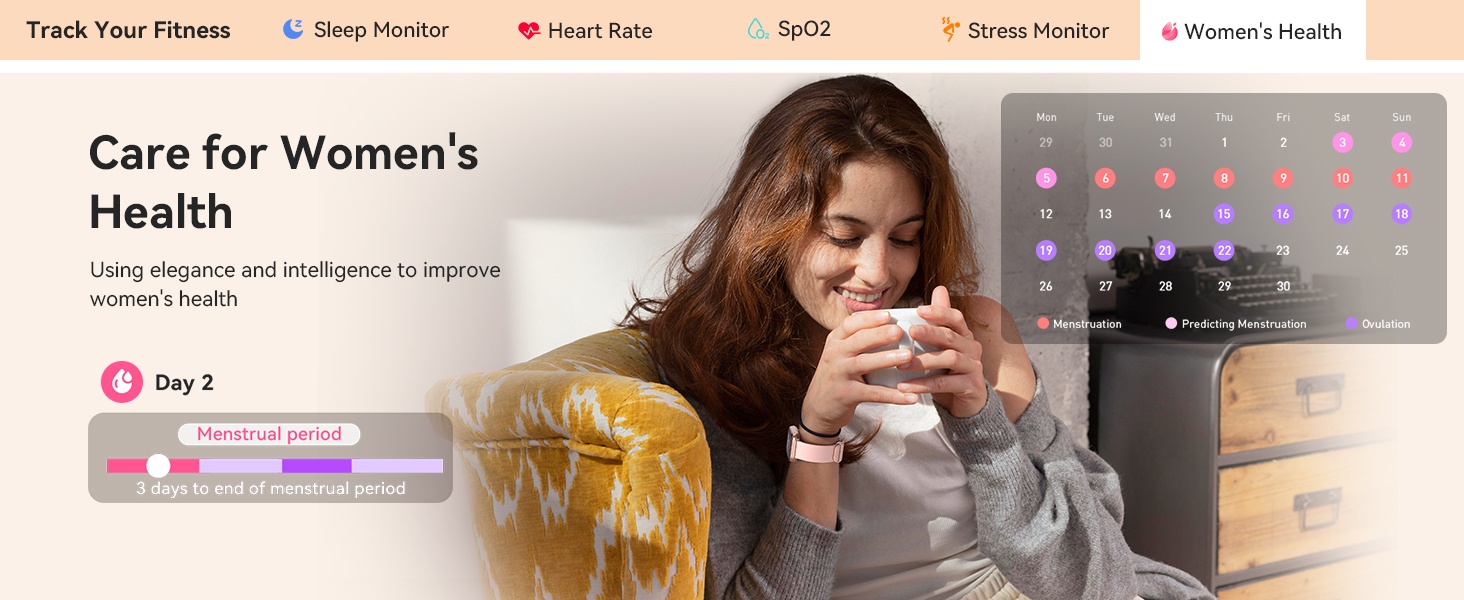
Image: The smartwatch's women's health tracking feature, showing menstrual cycle prediction.
Activity Tracking (100+ Sports Modes)
The IDW20 supports over 100 sports modes, providing accurate data for various activities. It tracks steps, distance, calories burned, and active minutes.
- Select Mode: Choose your desired sport mode from the watch's menu before starting an activity.
- Data Recording: The watch will record relevant metrics for your chosen activity.
- Review Data: Sync with the VeryFit app to view detailed workout summaries and historical data.

Image: The smartwatch's extensive range of sport modes for various physical activities.

Image: The smartwatch and companion app displaying all-day activity recording, including calories, heart rate, steps, and distance.
Customizing Watch Faces
Personalize your watch with over 100 different watch face styles available through the VeryFit app. You can also upload your own photos to create custom watch faces.
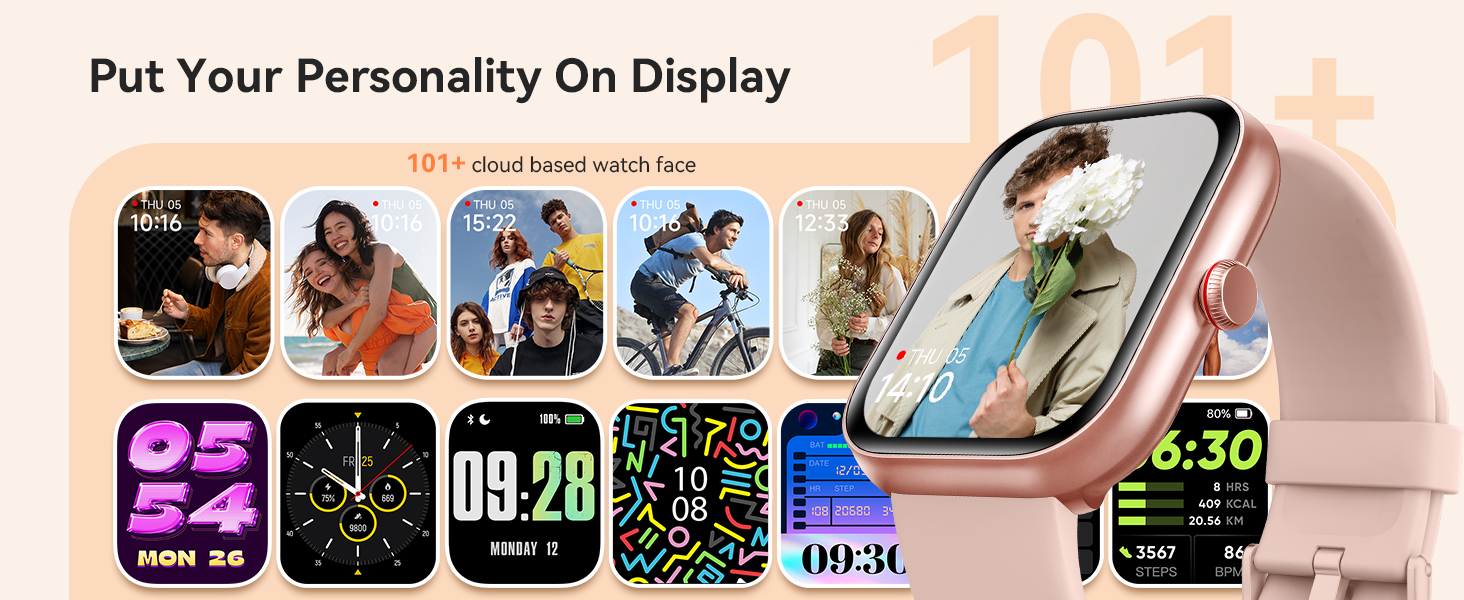
Image: A selection of customizable watch faces available for the Yoever Smart Watch.
Other Functions
The Yoever Smart Watch IDW20 includes several other useful functions:
- Music Control: Control music playback on your connected smartphone (play, pause, skip tracks).
- Camera Control: Use your watch as a remote shutter for your phone's camera.
- Calendar: View your schedule and appointments.
- Weather: Get real-time weather updates.
- Games: Enjoy simple built-in games.
- Calculator: Perform basic calculations.
- Find Phone: Locate your misplaced smartphone by making it ring.

Image: A visual representation of the various additional functions available on the smartwatch.
Maintenance
Waterproof Guidelines (IP68)
The Yoever Smart Watch IDW20 has an IP68 waterproof rating, meaning it is resistant to dust and can withstand immersion in water up to 1.5 meters for up to 30 minutes. It is suitable for:
- Hand washing
- Sweating during exercise
- Rain exposure
- Shallow swimming (freshwater only)
Important: The watch is not suitable for hot water, saunas, diving, or seawater. Avoid prolonged exposure to high temperatures or corrosive liquids, as this may compromise the waterproof seal.

Image: A swimmer demonstrating the IP68 waterproof capability of the smartwatch.
Cleaning
To keep your watch clean and functioning optimally:
- Wipe the screen and body with a soft, lint-free cloth.
- If necessary, dampen the cloth slightly with water. Avoid using harsh chemicals or abrasive cleaners.
- Clean the charging contacts regularly to ensure good connection.
- Rinse the watch with fresh water after swimming or heavy sweating, then dry thoroughly.
Battery Care
- Avoid fully discharging the battery frequently.
- Charge the watch regularly, even if not in daily use, to maintain battery health.
- Store the watch in a cool, dry place when not in use for extended periods.
Troubleshooting
| Problem | Possible Solution |
|---|---|
| Watch does not turn on. |
|
| Cannot pair with smartphone. |
|
| Notifications are not received. |
|
| Inaccurate health data. |
|
| Battery drains quickly. |
|
Specifications
| Feature | Detail |
|---|---|
| Model Number | IDW20 |
| Brand | Yoever |
| Screen Size | 1.91 Inches HD LCD Touchscreen |
| Connectivity | Bluetooth 5.3 |
| Waterproof Rating | IP68 |
| Battery Capacity | 350 mAh |
| Battery Life | 7-30 days (depending on usage) |
| Charging Time | Approx. 2 hours |
| Compatible Devices | Smartphones running iOS 9.0+ / Android 6.0+ |
| Special Features | Built-in Alexa, Bluetooth Calling, 24/7 Health Monitoring (HR, SpO2, Sleep, Stress, Women's Health), 100+ Sports Modes, Customizable Watch Faces, Music/Camera Control, Find Phone. |
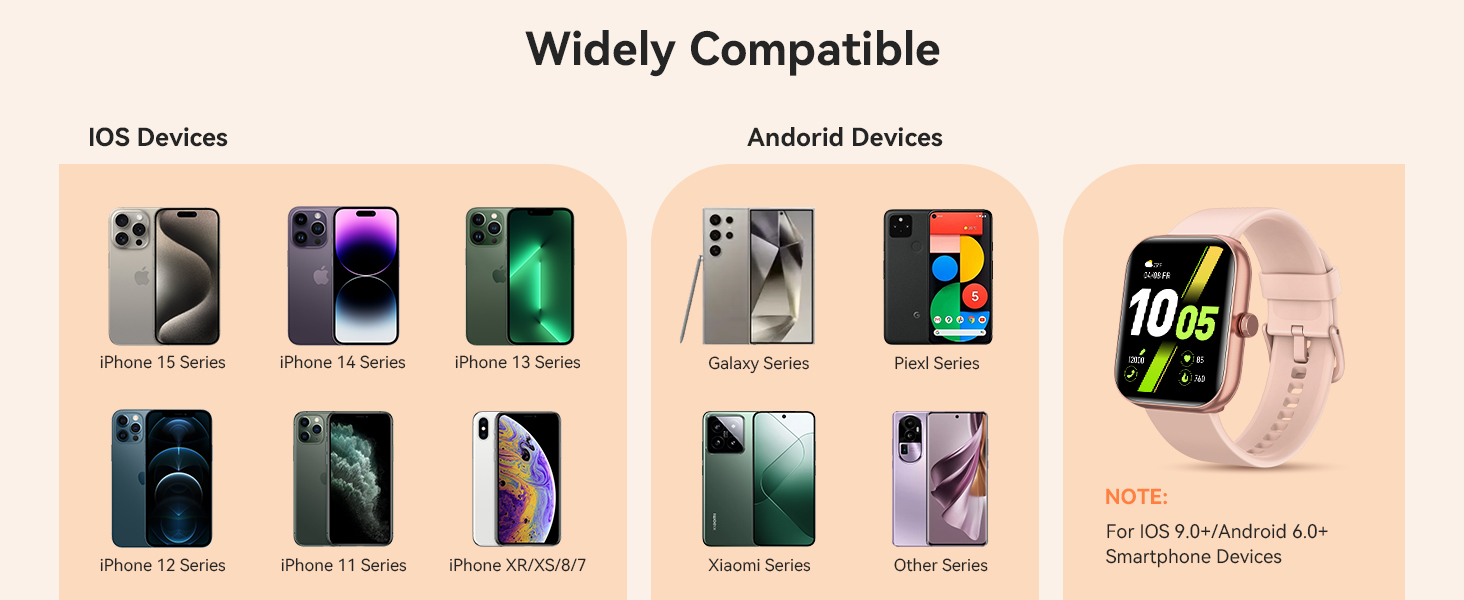
Image: The smartwatch's compatibility with various iOS and Android devices.
Warranty and Support
For warranty information and customer support, please refer to the official Yoever website or contact the seller directly through your purchase platform. Keep your proof of purchase for any warranty claims.
If you encounter any issues not covered in this manual, please reach out to Yoever customer service for assistance.
Online Resources:
- Yoever Store on Amazon: Visit Yoever Store
Related Documents - IDW20
 |
Yoever IDW19 Smartwatch FAQ: Setup, Hardware, Connectivity, and Features Comprehensive Frequently Asked Questions (FAQ) for the Yoever IDW19 smartwatch. This guide covers setup, charging, battery life, hardware troubleshooting, Bluetooth connection issues, smart reminders, heart rate monitoring, sleep tracking, step counting, and other common user queries. |
 |
Yoever IDW13 Smart Watch FAQ: Setup, Hardware, Bluetooth, and More Frequently Asked Questions (FAQ) for the Yoever IDW13 Smart Watch, covering setup, charging, hardware issues, Bluetooth connectivity, smart reminders, HR measurement, sleep tracking, step counting, and other common queries. |
 |
IDW20 Smart Sports Watch User Manual Comprehensive user manual for the IDW20 Smart Sports Watch, detailing setup, features, health tracking, basic operations, and app integration. |
 |
IDW20 Smart Watch Operation Manual and Quick Start Guide Comprehensive operation manual and quick start guide for the IDW20 Smart Watch, covering features, setup, care, and safety instructions. Learn how to pair your device and use its functions. |