
1. Safety Instructions
To ensure safe operation and prevent damage, please observe the following safety precautions:
- Read all instructions before using the appliance.
- Do not use the vacuum cleaner to pick up liquids, burning or smoking objects, or sharp objects.
- Keep hair, loose clothing, fingers, and all parts of the body away from openings and moving parts.
- Use only the charging adapter provided by the manufacturer.
- Do not operate the vacuum cleaner if it has been dropped, damaged, left outdoors, or dropped into water.
- Ensure the filter is correctly installed before use.
- This appliance is not intended for use by persons (including children) with reduced physical, sensory or mental capabilities, or lack of experience and knowledge, unless they have been given supervision or instruction concerning use of the appliance by a person responsible for their safety.
- Children should be supervised to ensure that they do not play with the appliance.
2. Package Contents
Verify that all components are present in your package:
- Main Vacuum Unit
- Extension Wand
- V-shaped Flexible Electric LED Floor Head
- Crevice Tool
- 2-in-1 Brush Tool
- HEPA Filter (pre-installed)
- Charging Adapter
- Wall Mount Bracket
- Cleaning Brush
- User Manual

Image 2.1: Overview of all included components for the AYONTIN KSW13 vacuum cleaner.
3. Setup
3.1 Assembly
- Insert the extension wand into the main vacuum unit until it clicks securely.
- Attach the V-shaped flexible electric LED floor head to the other end of the extension wand, ensuring it locks into place.
- Alternatively, attach desired accessories (crevice tool, 2-in-1 brush tool) directly to the main vacuum unit for handheld use.
3.2 Initial Charging
Before first use, fully charge the vacuum cleaner's battery.
- Connect the charging adapter to the charging port on the main vacuum unit or directly to the detachable battery.
- Plug the adapter into a power outlet.
- The LED display will indicate charging status. A full charge typically takes 4-5 hours.
- The battery can be charged while attached to the vacuum or separately.

Image 3.1: Illustrates versatile charging and storage options for the vacuum cleaner.
4. Operating Instructions
4.1 Powering On/Off and Suction Modes
- Press the power button to turn the vacuum on. It will start in the default suction mode.
- Press the mode button to cycle through the three available suction power levels (low, medium, high).
- Press the power button again to turn the vacuum off.
4.2 LED Display Functions
The intelligent LED display provides real-time information:
- Battery Level: Shows the remaining battery charge.
- Suction Power: Indicates the current suction mode (three gear suction mode).
- Error Alerts: Displays warnings for ground brush stuck, HEPA filter missing, or air duct blockage.

Image 4.1: Intelligent LED display showing battery, suction mode, and error reminders.
4.3 Cleaning Performance
- The 88,000 RPM brushless motor provides up to 45,000Pa suction power for effective cleaning on various surfaces.
- The V-shaped flexible brush is designed to prevent hair tangling, enhancing cleaning efficiency on both hard floors and carpets.
- Green LED headlights on the floor head illuminate dust and debris in dimly lit areas, ensuring thorough cleaning under furniture and in corners.
- The floor head offers flexible swivel steering (90° up/down, 180° left/right) for easy maneuverability around obstacles.

Image 4.2: Visual representation of the powerful 45KPA suction from the brushless motor.

Image 4.3: The V-shaped brush design engineered to prevent hair tangling.

Image 4.4: Flexible brush head with green LED headlights revealing hidden dust.
4.4 Self-Standing Feature
The vacuum is designed to stand upright on its own, allowing you to pause cleaning at any time without needing to lean it against a wall.
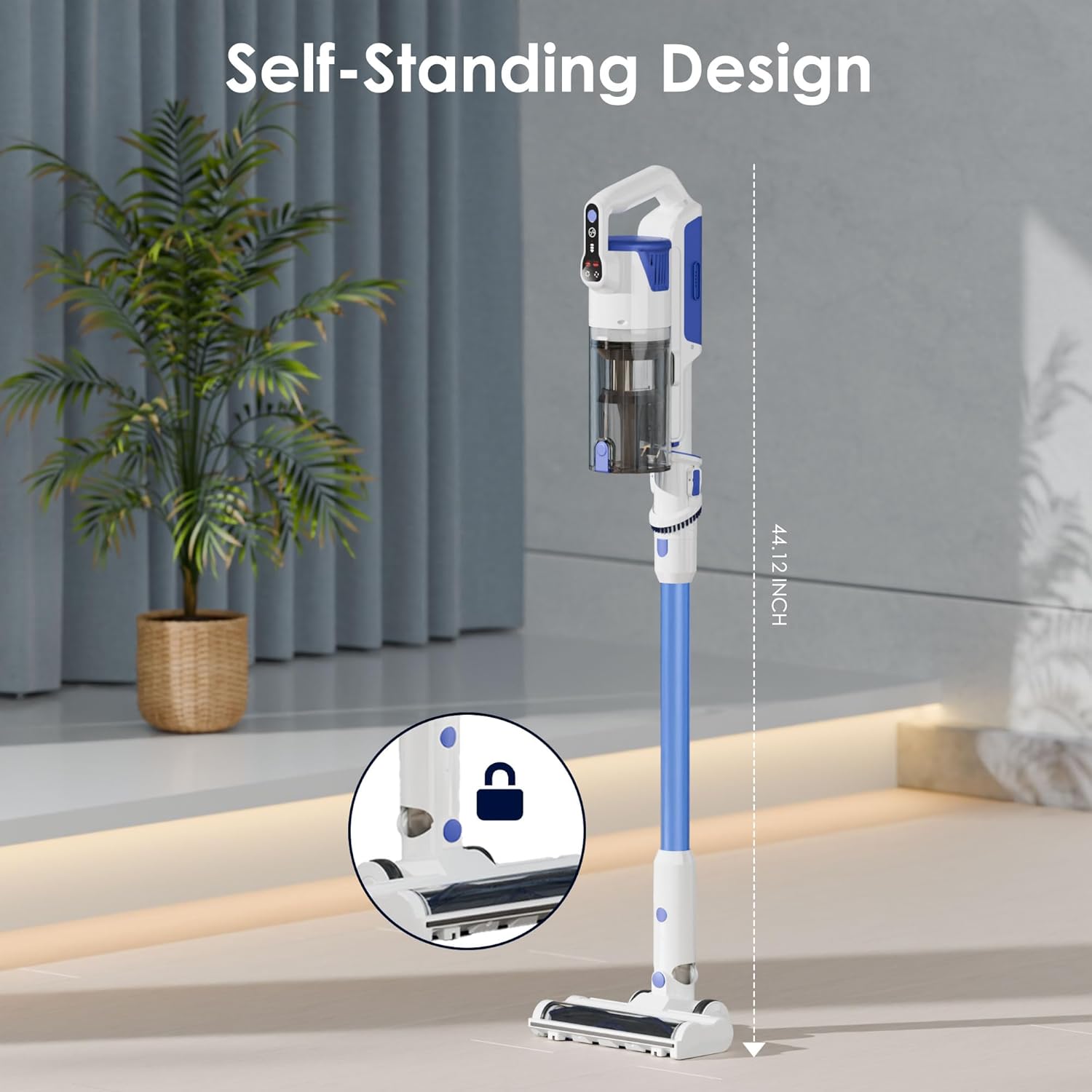
Image 4.5: The self-standing design of the AYONTIN KSW13 vacuum cleaner.
5. Maintenance
5.1 Emptying the Dust Cup
Empty the dust cup regularly to maintain optimal suction power.
- Locate the dust cup release button on the main unit.
- Press the button to detach the dust cup.
- Hold the dust cup over a trash bin and press the bottom release latch to open and empty its contents.
- Close the latch and reattach the dust cup to the main unit until it clicks.
5.2 Cleaning Filters
The vacuum features a 4-layer high-efficiency filtration system, including a HEPA filter. Regular cleaning is essential.
- Remove the dust cup as described above.
- Twist and pull out the filter assembly from the dust cup.
- Separate the HEPA filter and stainless steel filter.
- Tap filters to remove loose dust. For thorough cleaning, rinse the filters under running water.
- Ensure all filter components are completely dry before reassembling and placing them back into the dust cup. Air drying for at least 24 hours is recommended.

Image 5.1: Visual guide for emptying the dust cup and cleaning the filters.
5.3 Cleaning the Brush Roll
Periodically check the V-shaped brush roll for tangled hair or debris.
- Turn off the vacuum and detach the floor head.
- Use a coin or flat tool to unlock the brush roll cover.
- Remove the brush roll and use the provided cleaning brush or scissors to cut and remove any tangled hair or fibers.
- Reinsert the brush roll and secure the cover.
6. Troubleshooting
Refer to the following table for common issues and their solutions:
| Problem | Possible Cause | Solution |
|---|---|---|
| Vacuum does not turn on | Battery is depleted Battery not properly installed | Charge the battery fully Ensure battery is securely clicked into place |
| Loss of suction power | Dust cup is full Filters are clogged Air duct is blocked Brush roll is obstructed | Empty the dust cup Clean or replace filters Check and clear any blockages in the air duct Clean the brush roll |
| LED display shows 'BRUSH' alert | Ground brush is stuck or tangled | Turn off the vacuum, remove the floor head, and clear any obstructions from the brush roll. |
| LED display shows 'HEPA' alert | HEPA filter is missing or incorrectly installed | Ensure the HEPA filter is properly inserted and secured. |
| LED display shows 'AIR DUCT' alert | Air duct is blocked | Check the extension wand and main unit for any blockages and clear them. |
| Battery runtime is short | Battery not fully charged Using high suction mode continuously Battery degradation | Ensure battery is fully charged Use appropriate suction mode for the task Contact customer support if battery life significantly decreases |
7. Specifications
| Feature | Detail |
|---|---|
| Brand | AYONTIN |
| Model Name | KSW13 |
| Motor | 88,000 RPM Brushless Motor |
| Suction Power | Up to 45,000Pa |
| Filter Type | HEPA Filter (4-layer high-efficiency filtration) |
| Dust Cup Capacity | 0.5 Liters |
| Battery | 6*2500mAh (detachable) |
| Battery Life | Up to 45 minutes (depending on suction level) |
| Charging Time | 4-5 hours |
| Power Levels | 3 |
| Product Dimensions | 9.65"L x 7.09"W x 42.13"H |
| Item Weight | 7.43 pounds |
| Special Features | LED Display, V-shaped Anti-Tangle Brush, LED Headlights, Self-Standing Design, Multiple Charging Methods |
8. Warranty and Support
AYONTIN products are manufactured to high-quality standards. For warranty information, technical support, or service inquiries, please refer to the warranty card included in your package or contact AYONTIN customer service directly.
Please retain your proof of purchase for warranty claims.