
1. Introduction
Thank you for purchasing the vidaXL TV Cabinet. This manual provides essential information for the safe assembly, operation, and maintenance of your new TV cabinet. Please read these instructions carefully before beginning assembly and retain them for future reference.
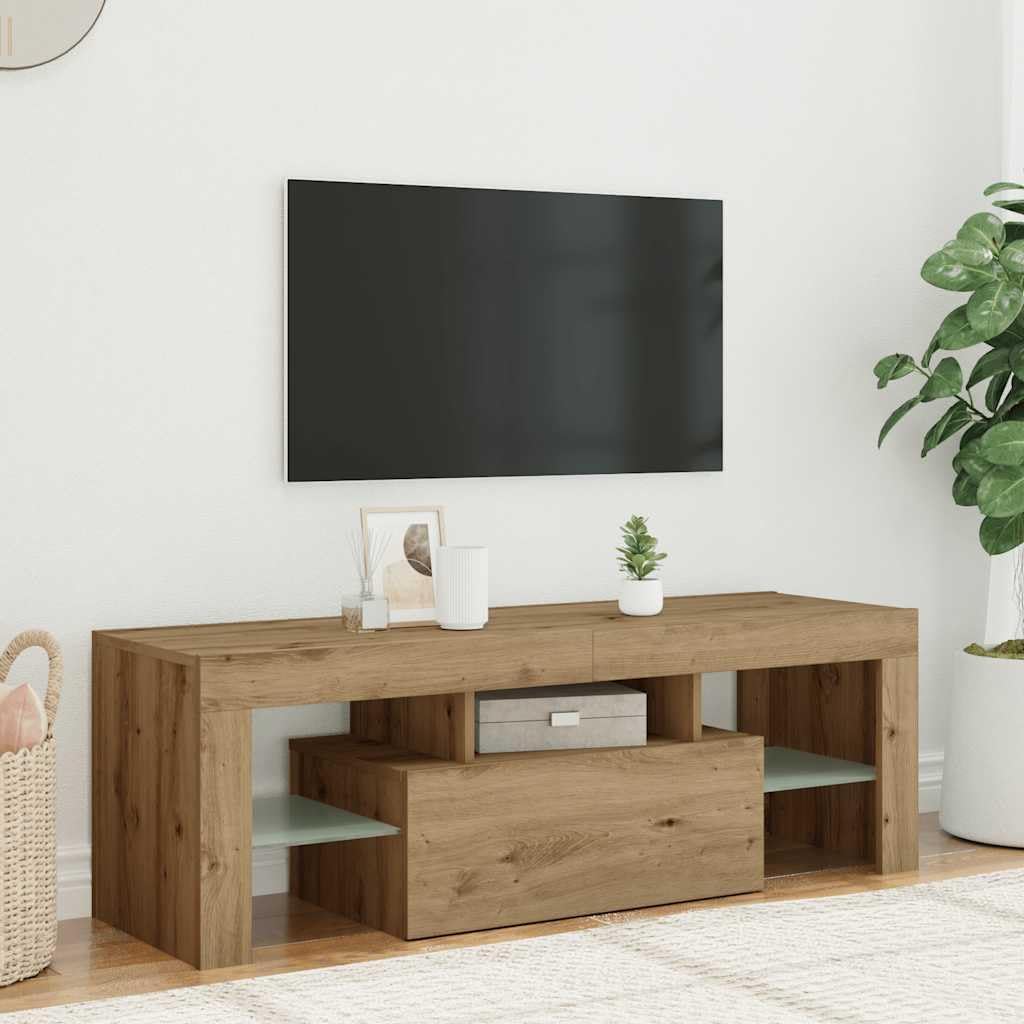
Image 1.1: The vidaXL TV Cabinet in Artisan Oak finish, positioned in a living room. This image illustrates the cabinet's appearance and how it integrates into a home environment, featuring its clean lines and functional design.
2. Safety Information
- Always follow the assembly instructions precisely. Incorrect assembly can lead to instability and potential injury.
- Ensure all screws and fasteners are securely tightened before use. Periodically check and re-tighten as necessary.
- Do not overload the cabinet. Refer to the specifications for weight limits.
- Place the cabinet on a flat, stable surface to prevent tipping.
- Keep small parts and packaging materials away from children during assembly to prevent choking hazards.
- If the cabinet includes anti-tip hardware, it is highly recommended to install it to prevent serious injury from tipping furniture.
3. Package Contents
Before assembly, verify that all components are present and undamaged. If any parts are missing or damaged, please contact customer support.
- Engineered wood panels (various sizes)
- Glass shelves
- Hardware pack (screws, dowels, cam locks, hinges, etc.)
- LED light strip and remote control
- Assembly instructions (separate diagram sheet, if applicable)
4. Setup and Assembly Instructions
Assembly is required for this product. It is recommended that one person performs the assembly. Please follow these general steps, referring to any specific diagrams included with your product for detailed instructions.
4.1 Preparation
- Clear a spacious, clean area for assembly.
- Unpack all components and lay them out. Identify each part using the provided labels or diagrams.
- Gather necessary tools (e.g., screwdriver, hammer).
4.2 Cabinet Assembly
- Begin by attaching the cam locks and dowels to the designated panels as shown in your specific assembly diagrams.
- Connect the main side panels to the base and top panels, ensuring all connections are secure.
- Install any internal shelves or dividers.
- Attach the door hinges to the door and the cabinet frame. Mount the door, ensuring it opens and closes smoothly.
- Insert the glass shelves into their designated slots.

Image 4.1: The vidaXL TV Cabinet with its single door open, showcasing the internal storage compartment. This view highlights the functional design for organizing media devices or other items.
4.3 LED Light Installation
The cabinet includes dynamic RGB LED lights. Follow these steps for installation:
- Carefully unroll the LED light strip.
- Clean the surfaces where the LED strip will be adhered to ensure proper adhesion.
- Peel off the adhesive backing and firmly press the LED strip along the desired edges of the cabinet, typically under shelves or along the top/bottom panels.
- Connect the LED strip to the power adapter and the remote control receiver.
- Plug the power adapter into a suitable electrical outlet.

Image 4.2: The vidaXL TV Cabinet with its integrated RGB LED lights set to a blue hue. This image demonstrates the ambient lighting feature, enhancing the cabinet's aesthetic and creating a specific mood in the room.
5. Operating Instructions (LED Lights)
The integrated RGB LED lights can be controlled using the provided remote control.
- Power On/Off: Press the power button on the remote to turn the lights on or off.
- Color Selection: Use the color buttons on the remote to select a static color (e.g., red, green, blue, white).
- Brightness Adjustment: Use the brightness up/down buttons to adjust the intensity of the lights.
- Mode Selection: The remote may include buttons for various dynamic modes such as flash, strobe, fade, or smooth transitions between colors.
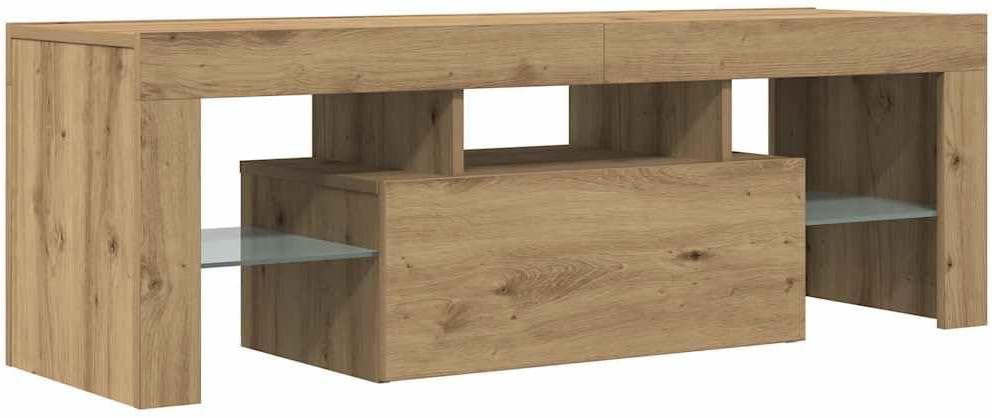
Image 5.1: Another perspective of the vidaXL TV Cabinet with its blue LED lighting active. This image provides an alternative view of the lighting effect and the cabinet's overall design.
6. Maintenance
To ensure the longevity and appearance of your vidaXL TV Cabinet, follow these simple maintenance guidelines:
- Cleaning: Wipe the cabinet surfaces with a dry cloth. Avoid using harsh chemicals, abrasive cleaners, or excessive moisture, as these can damage the engineered wood and finish.
- Spills: Immediately wipe up any spills with a dry cloth to prevent water damage or staining.
- Fasteners: Periodically check all screws and connections to ensure they remain tight. Re-tighten if necessary.
- LED Lights: If the LED lights stop working, check the power connection and the remote control battery.
7. Troubleshooting
If you encounter issues with your TV cabinet, refer to the following common problems and solutions:
| Problem | Possible Cause | Solution |
|---|---|---|
| Cabinet is wobbly/unstable | Loose fasteners; uneven floor | Check and tighten all screws. Ensure the cabinet is on a level surface. Use shims if necessary. |
| Door does not close properly | Misaligned hinges; obstruction | Adjust hinge screws. Check for any items blocking the door's path. |
| LED lights not working | Power disconnected; remote battery dead; faulty strip | Ensure power adapter is plugged in. Check all connections. Replace remote battery. If issues persist, contact support. |
8. Specifications
Detailed specifications for the vidaXL TV Cabinet, Model 856302:
- Brand: vidaXL
- Model Number: 856302
- Material: Engineered Wood
- Color: Artisan Oak
- Finish: Matte
- Product Dimensions (L x W x H): 47.24 x 14.37 x 15.75 inches (120 x 36.5 x 40 cm)
- Item Weight: 45 pounds
- Number of Doors: 1
- Included Components: TV Cabinet with LED Lights
- Assembly Required: Yes
- Product Care Instructions: Wipe with Dry Cloth

Image 8.1: A technical diagram illustrating the precise dimensions of the vidaXL TV Cabinet. This includes length (120 cm / 47.2 inches), width (36.5 cm / 14.4 inches), and height (40 cm / 15.7 inches), along with internal compartment measurements.
9. Warranty and Support
For warranty information or customer support, please refer to the documentation provided at the time of purchase or visit the official vidaXL website. If you have questions regarding assembly, missing parts, or product functionality, please contact vidaXL customer service directly.
vidaXL Official Website: Visit the vidaXL Store on Amazon