1. Introduction
This user manual provides comprehensive instructions for the operation and maintenance of your #DC2702 15 Channel Transmitter. This device is designed as a replacement blind emitter controller for motorized roller shades, offering convenient and efficient control over multiple shades.
Please read this manual thoroughly before using the product to ensure proper function and to maximize its lifespan.
2. Safety Information
Observe the following safety precautions to prevent damage to the product or injury to yourself:
- Keep the device away from water and high humidity environments.
- Do not expose the device to extreme temperatures or direct sunlight for prolonged periods.
- Do not attempt to disassemble or repair the device yourself. Refer to qualified personnel for service.
- Ensure batteries are inserted with correct polarity.
- Keep batteries out of reach of children. If swallowed, seek immediate medical attention.
- This transmitter is designed for specific motorized blind systems. Verify compatibility before use.
3. Product Overview
The #DC2702 15 Channel Transmitter is a compact and user-friendly remote control for your motorized shades. It features a clear display and intuitive buttons for easy operation.

Figure 3.1: Front and back view of the DC2702 15 Channel Transmitter, showing the display and buttons on the front and the model information on the back.

Figure 3.2: Close-up of the DC2702 transmitter's back label, displaying model number DD2702, power specifications (3VDC), and frequency (433.92MHz).
Components:
- LCD Display: Shows the current channel number (0-15) and signal indicator.
- Channel Up/Down Buttons: Used to select the desired control channel.
- Up Arrow Button: Raises the motorized shade.
- Stop/Pause Button: Stops the shade at its current position.
- Down Arrow Button: Lowers the motorized shade.
- Programming Button (usually on the back or side): Used for pairing with shades.
4. Setup
4.1 Battery Installation
The #DC2702 transmitter requires 1 Lithium Metal battery (included).
- Locate the battery compartment on the back of the transmitter.
- Slide open the battery cover.
- Insert the Lithium Metal battery, ensuring correct polarity (+ and -).
- Close the battery cover securely.

Figure 4.1: The DC2702 transmitter shown with its packaging and included accessories, such as mounting screws and wall anchors, indicating readiness for setup.
4.2 Pairing with Motorized Shades
To control your motorized shades, the transmitter must be paired with them. The exact pairing procedure may vary slightly depending on your specific motorized shade model. Refer to your shade's instruction manual for detailed pairing steps. Generally, the process involves:
- Put your motorized shade into pairing mode (often by pressing a button on the motor or power cycling).
- On the #DC2702 transmitter, press the programming button (often a small recessed button) or a specific button combination as per your shade's manual.
- The shade should respond (e.g., jog up and down) to confirm successful pairing.
- Repeat for each shade you wish to control individually or in groups.
Note: This transmitter is a replacement and is only suitable for systems compatible with DC1602, DC1650, DC1651, DC2700, DC2702, and DC2760 models. It does not match other brands.
5. Operating Instructions
The #DC2702 transmitter allows for individual and group control of up to 15 shades.
5.1 Individual Shade Control
- Use the Channel Up (<) and Channel Down (>) buttons to select the desired channel (1-15) corresponding to a specific shade. The selected channel number will be displayed on the LCD.
- Press the Up Arrow button to raise the shade.
- Press the Down Arrow button to lower the shade.
- Press the Stop/Pause button to halt the shade at any desired position.
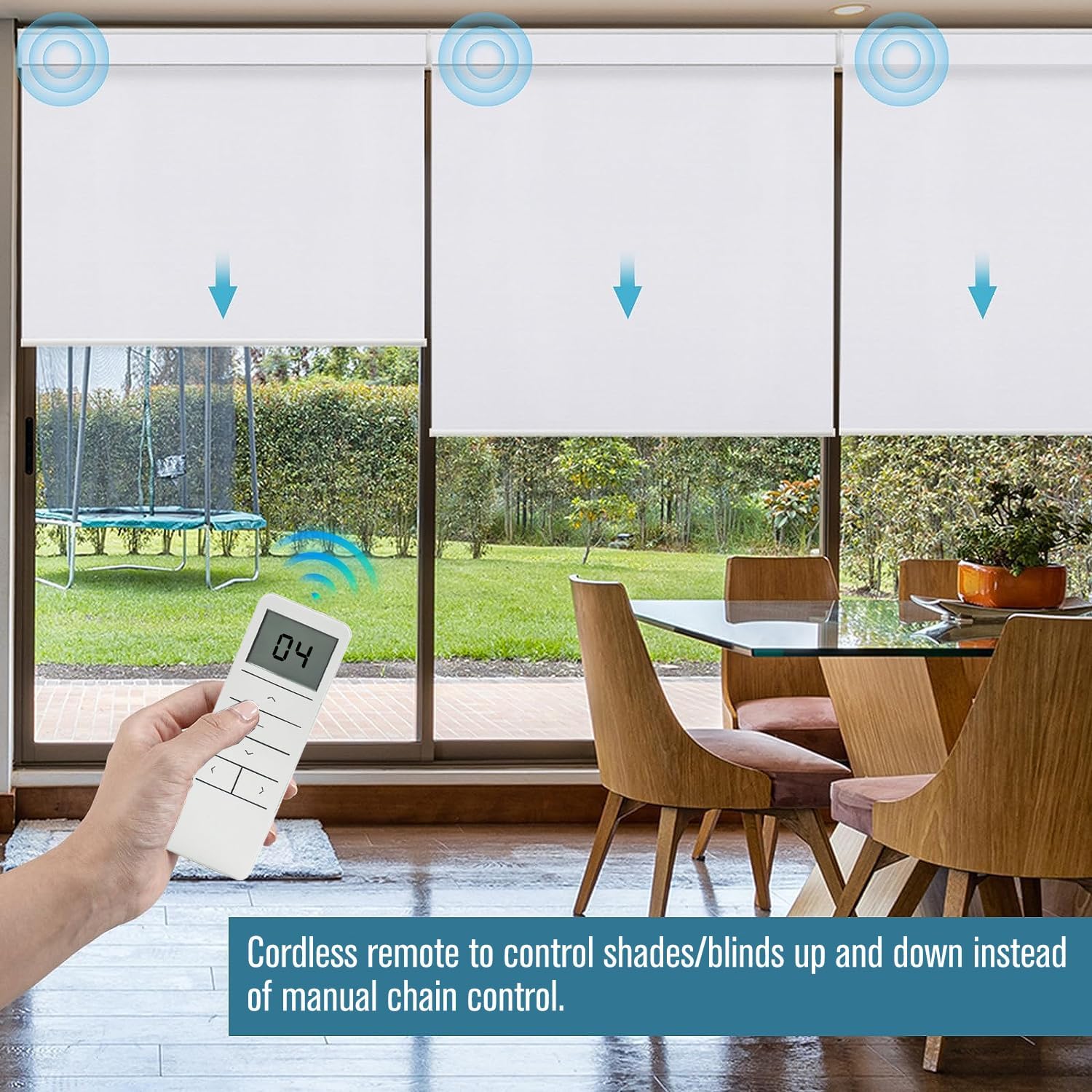
Figure 5.1: A user operating the DC2702 remote to control multiple motorized roller shades in a dining room, demonstrating cordless convenience.

Figure 5.2: The DC2702 remote displaying channel 15, illustrating its capability to control up to 15 individual blinds or groups of blinds simultaneously or separately.
5.2 Group Control (Channel 0)
The #DC2702 transmitter features a dedicated group control channel (Channel 0) that can operate all paired shades simultaneously.
- Use the Channel Up (<) or Channel Down (>) buttons to select Channel 0.
- Press the Up Arrow button to raise all shades paired to Channel 0.
- Press the Down Arrow button to lower all shades paired to Channel 0.
- Press the Stop/Pause button to halt all shades at their current position.
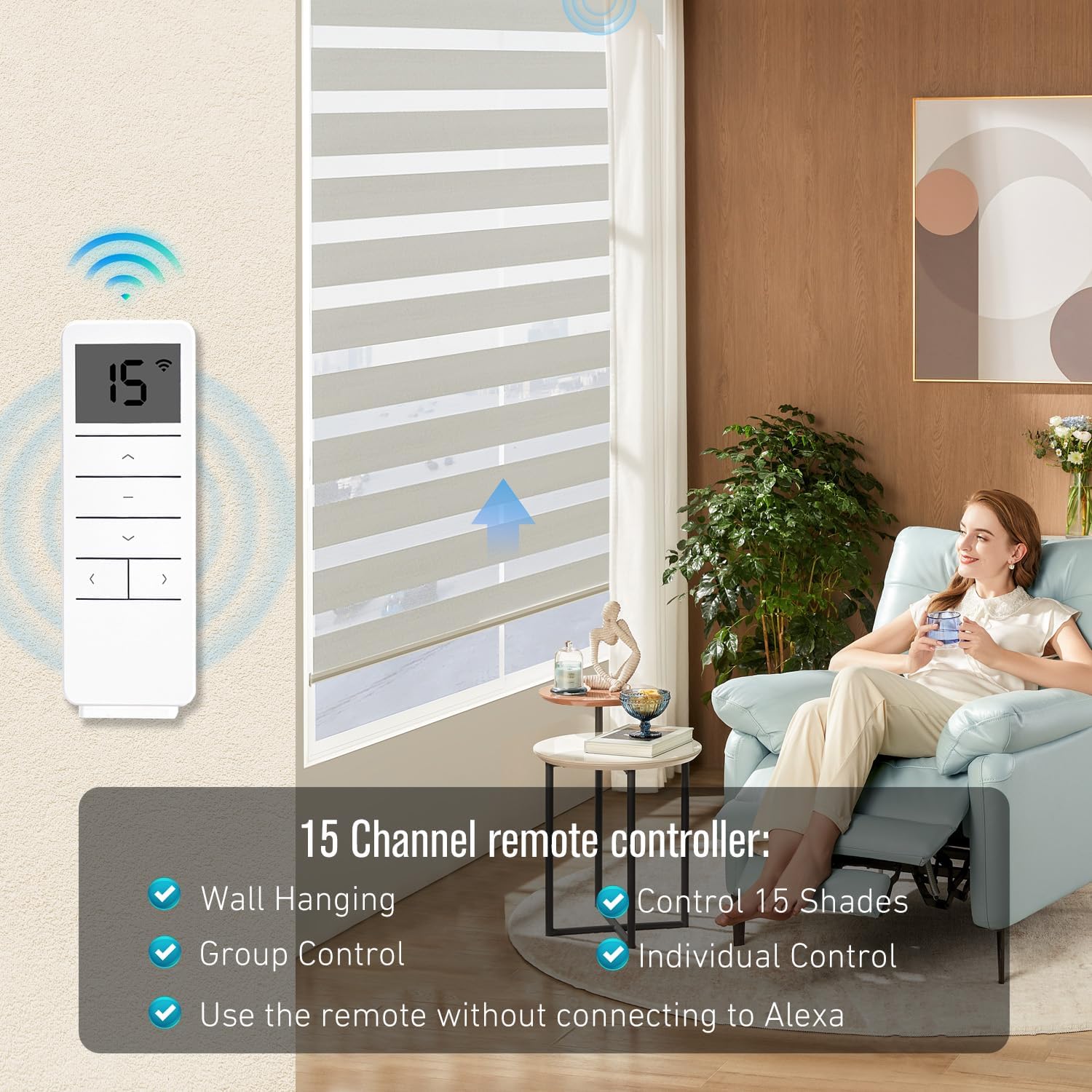
Figure 5.3: A woman relaxing in a living room, demonstrating the convenience of the 15-channel remote controller. Key features highlighted include wall hanging capability, group control, individual control, and the ability to control 15 shades without connecting to Alexa.
5.3 Setting Upper and Lower Limits (if supported by shades)
Some motorized shades allow setting custom upper and lower limits via the remote. Consult your shade's specific manual for instructions on how to program these limits using the #DC2702 transmitter.
6. Maintenance
6.1 Cleaning
Wipe the transmitter with a soft, dry cloth. Do not use abrasive cleaners or solvents, as they may damage the surface.
6.2 Battery Replacement
When the display dims or the remote's range decreases, it's time to replace the battery. Follow the battery installation steps in Section 4.1.
Dispose of used batteries responsibly according to local regulations.
7. Troubleshooting
| Problem | Possible Cause | Solution |
|---|---|---|
| Transmitter not responding. | Dead or low battery. Incorrect battery installation. | Replace battery. Check battery polarity. |
| Shade not responding to commands. | Transmitter not paired with shade. Shade motor not powered. Obstruction. Out of range. | Re-pair the transmitter with the shade (refer to Section 4.2). Check power to the shade motor. Remove any obstructions. Move closer to the shade. |
| Only some shades respond in group control. | Not all shades are paired to Channel 0. | Ensure all desired shades are correctly paired to Channel 0. |
| Remote range is poor. | Low battery. Signal interference. Distance. | Replace battery. Reduce interference from other electronic devices. Operate within specified range (200 meters outdoor, 35 meters indoor). |
If the problem persists after attempting these solutions, please contact customer support.
8. Specifications
- Model: DC2702
- Channels: 15
- Power Supply: 1 x Lithium Metal battery (included)
- Dimensions: 5.12 x 1.77 x 0.43 inches (13 x 4.5 x 1.1 cm)
- Weight: 2.88 ounces (0.18 lbs)
- Outdoor Range: Up to 200 meters
- Indoor Range: Up to 35 meters
- Display Type: LCD or LED
- Compatibility: Replacement for DC1602, DC1650, DC1651, DC2700, DC2702, DC2760 models (verify motor brand compatibility).
9. Warranty and Support
9.1 Warranty Information
Specific warranty details are typically provided by the seller or manufacturer at the time of purchase. Please retain your proof of purchase for warranty claims.
9.2 Customer Support
For technical assistance, troubleshooting beyond this manual, or warranty inquiries, please contact the seller or manufacturer directly. Refer to your purchase documentation for contact information.
