
Liians Twin Bed Frame
Liians Twin Bed Frame User Manual
Model: Twin Bed Frame | Brand: Liians
Introduction
Thank you for choosing the Liians Twin Bed Frame. This bed frame is designed to provide a comfortable and functional sleeping solution, featuring a convenient storage headboard, integrated USB charging station, and smart LED lighting. This manual provides detailed instructions for assembly, operation, maintenance, and important safety information to ensure proper use and longevity of your product.
Important Safety Information
Please read and understand all instructions before assembly and use. Failure to follow these instructions may result in injury or damage to the product.
- Do not exceed a total weight of 750 pounds on the bed frame.
- Be cautious of sharp edges during assembly and use.
- Follow assembly instructions carefully to prevent instability.
- Keep the USB charging station and LED lights dry and away from flammable materials.
- Ensure all connections are secure before use.
Package Contents
Before beginning assembly, verify that all parts are present and undamaged. If any parts are missing or damaged, please contact customer service.
- Bed Frame Components (Side Rails, Support Slats, Legs)
- Storage Headboard with Integrated Charging Station
- Smart LED Light Strip and Controller
- Assembly Hardware (Screws, Bolts, Allen Wrench)
- Instruction Manual
Setup and Assembly
The Liians Twin Bed Frame is designed for easy and tool-free assembly. It is recommended to assemble the bed frame with two people to ensure stability and ease of handling. Please follow the step-by-step instructions provided in the included assembly guide.
- Unpack all components and lay them out on a clean, soft surface to prevent scratches.
- Identify each part using the labels provided in the assembly guide.
- Begin by attaching the side rails to the headboard and footboard. Ensure all connections are secure.
- Install the support slats. The design ensures the mattress stays in place without sliding.
- Attach the Smart LED Light strip to the designated area under the bed frame.
- Connect the power supply for the LED lights and charging station.

Figure 1: Bed frame dimensions and weight capacity. The frame measures 75.2 inches in length, 39.7 inches in width, and 43.3 inches in height, with a weight capacity of 900 lbs.

Figure 2: Assembled Liians Twin Bed Frame, ready for use. Note the integrated storage headboard and the subtle glow from the under-bed LED lighting.
Operating Instructions
Smart LED Lights
The integrated Smart LED lights offer customizable ambiance for your bedroom. Use the included remote control or a compatible smartphone application to manage the lighting features.
- Adjustable Brightness: Dim or brighten the lights to your preference.
- Over 60,000 Colors: Choose from a wide spectrum of colors to match your mood or decor.
- Dynamic Mode: Select pre-programmed lighting effects for a vibrant display.
- Music Sync Mode: Lights can pulsate and change color in rhythm with music played nearby.
- Mic Mode: Lights respond to sounds detected by the microphone on the controller or app.

Figure 3: The Smart LED lights in operation, showing a warm glow. The image also displays the remote control and a smartphone interface for light customization.
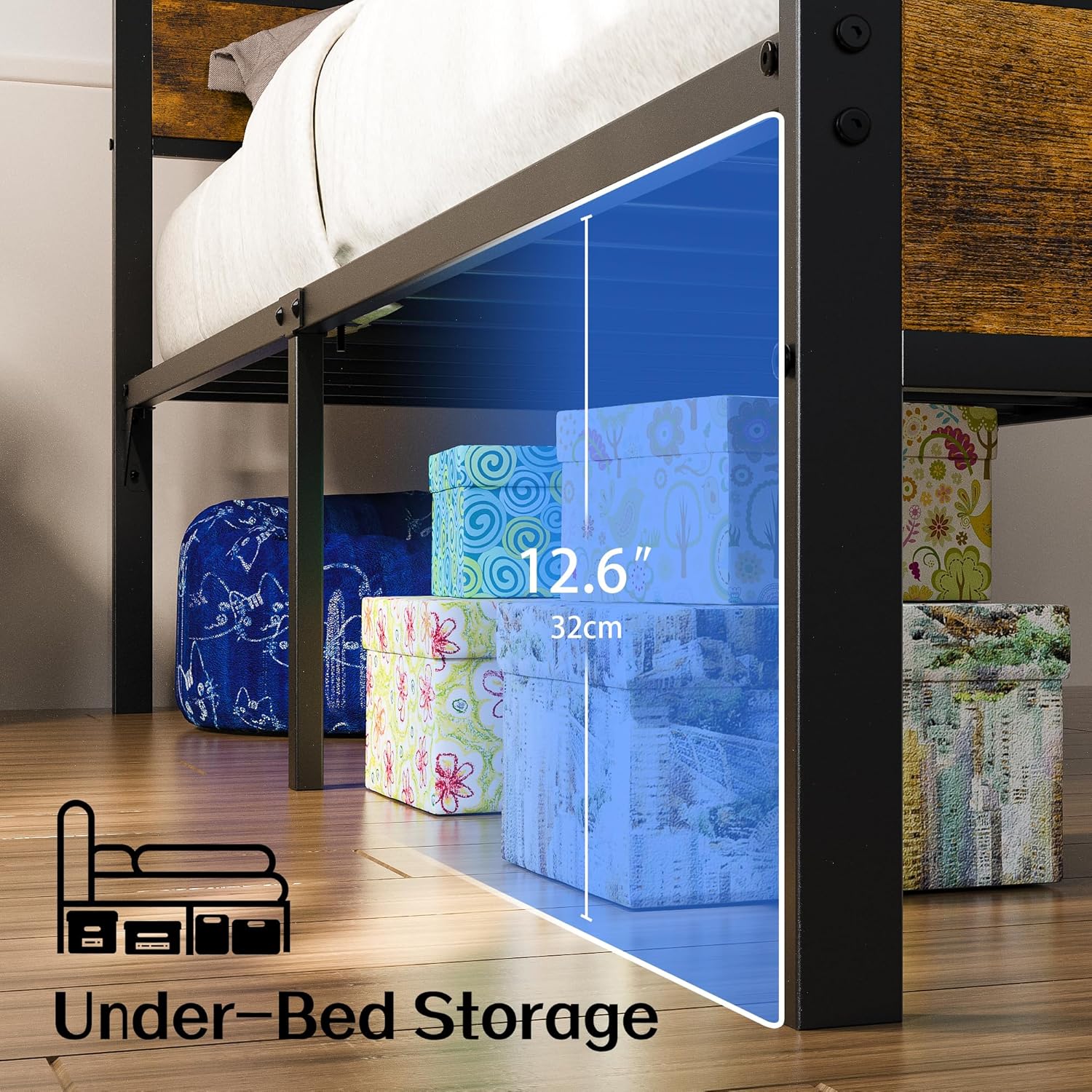
Figure 4: Comparison of LED light settings, illustrating the ability to switch between a cool blue light for nighttime and a warm yellow light for daytime ambiance.
USB Charging Station
The headboard features a built-in charging station for your convenience.
- Ports: Includes 2 USB ports, 2 standard plug outlets, and 1 Type-C port.
- Usage: Connect your electronic devices such as smartphones, tablets, or lamps directly to the headboard for easy charging and power access.
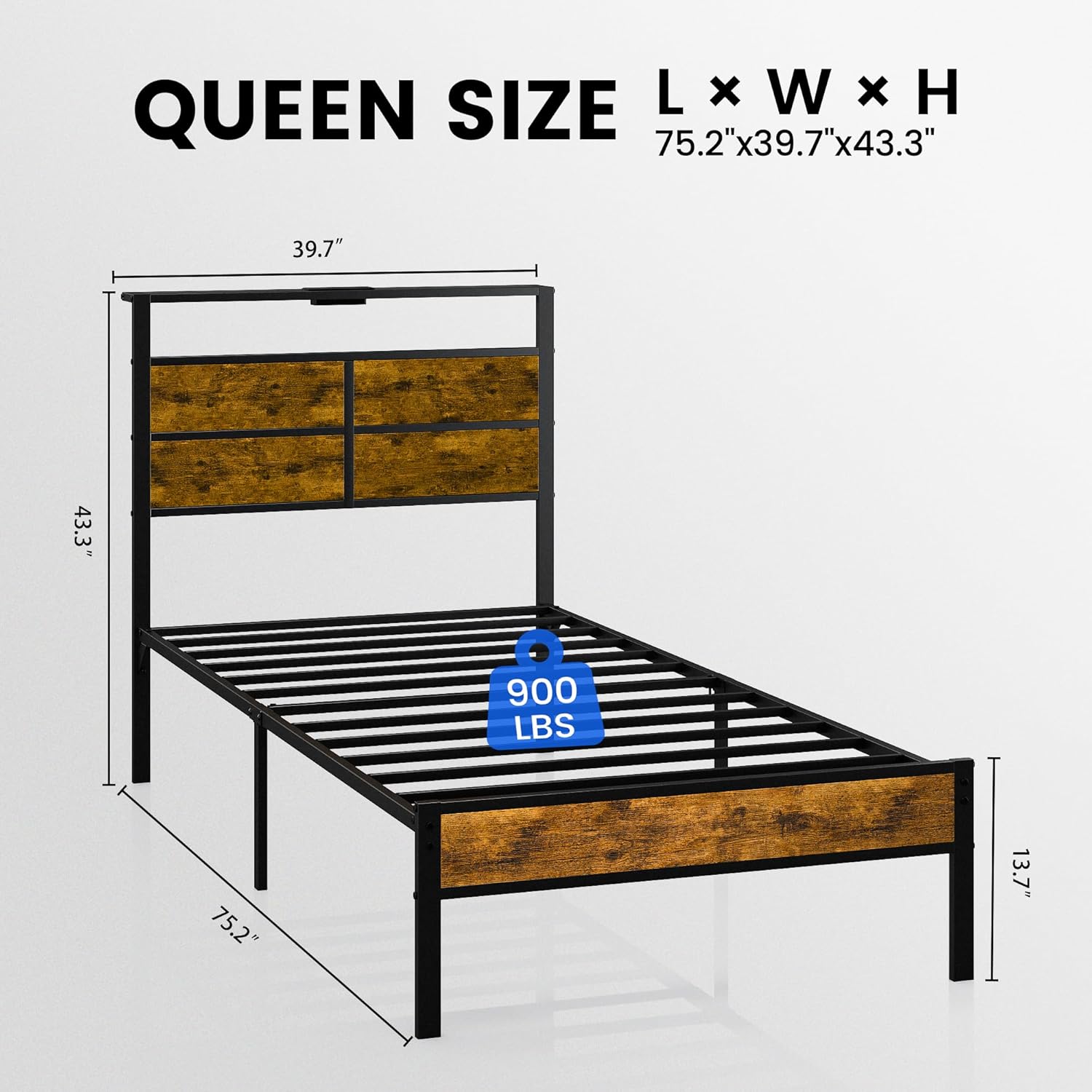
Figure 5: Detail of the storage headboard's integrated charging station, highlighting the USB, Type-C, and standard power outlets for convenient device charging.
Storage Headboard and Under-Bed Storage
Utilize the integrated storage features to keep your bedroom organized.
- Headboard: The built-in wooden shelves are ideal for storing books, gadgets, or decorative items, keeping essentials within reach.
- Under-Bed: The bed frame provides ample space (12.2 inches / 32 cm from ground to item distance) underneath for storing extra bedding, clothes, or other items in storage boxes, maximizing room organization.

Figure 6: Illustration of the generous under-bed storage space, perfect for organizing various items in boxes.
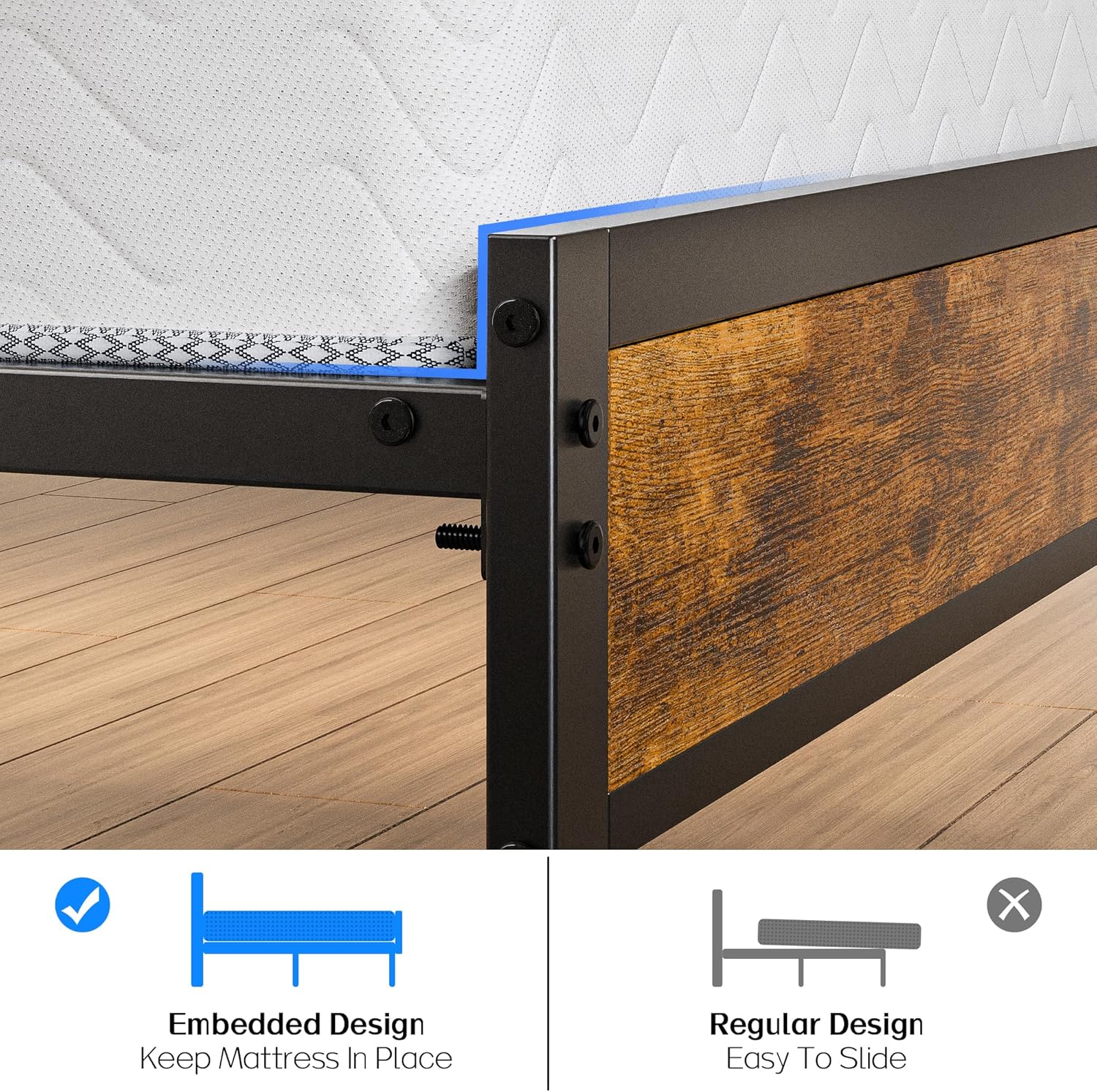
Figure 7: The thoughtful embedded design of the bed frame ensures your mattress remains securely in place, preventing unwanted sliding.
Maintenance
Proper maintenance will extend the life of your Liians Twin Bed Frame.
- Cleaning: Wipe the metal and wooden surfaces with a damp cloth. Avoid harsh chemicals or abrasive cleaners.
- Care: Handle with care during relocation or disassembly to prevent damage.
- Fasteners: Periodically check all bolts and screws to ensure they remain tight. Retighten if necessary.
- Electrical Components: Ensure the USB charging station and LED lights are kept dry. Do not attempt to repair electrical components yourself; contact qualified personnel.
Troubleshooting
If you encounter issues with your bed frame, refer to the following common troubleshooting tips:
- Squeaking Noises: Check all bolts and screws for tightness. Retighten any loose fasteners. Ensure the bed frame is on a level surface.
- LED Lights Not Working:
- Verify the power adapter is securely plugged into a working outlet and into the LED light controller.
- Check the connection between the LED strip and the controller.
- Ensure the remote control has working batteries and is pointed directly at the receiver.
- Charging Station Not Working:
- Confirm the power cord for the charging station is fully plugged into a live wall outlet.
- Test with a different device or cable to rule out device-specific issues.
- Parts Missing/Damaged: If you received the product with missing or damaged parts, do not proceed with assembly. Contact Liians customer service immediately for assistance.
Specifications
| Feature | Detail |
|---|---|
| Size | Twin (U.S. Standard) |
| Product Dimensions | 75"L x 39"W x 43"H |
| Special Features | Charging Station, Lighted |
| Color | Brown |
| Finish Type | Powder Coated |
| Included Components | Headboard, Bed Frame, LED Lights, Charging Station |
| Compatible Mattress Size | Twin |
| Brand | Liians |
| Furniture Finish | Metal |
| Product Care Instructions | Wipe with Damp Cloth, Handle with Care |
| Assembly Required | Yes |
| Ground To Item Distance | 12.2 Inches |
| Manufacturer | LIIANS |
| Item Weight | 35 pounds |
| Item Model Number | Twin Bed Frame |
Warranty and Support
Warranty Information: Specific warranty details are not provided in this manual. Please refer to the product packaging or contact Liians customer service for warranty terms and conditions.
Customer Support: For any questions, assistance with assembly, or to report missing/damaged parts, please contact Liians customer service. You can typically find contact information on the product packaging or the retailer's website where you purchased the product.
Ask a question about this manual
Ask about setup, troubleshooting, compatibility, parts, safety, or missing instructions. Manuals+ will review the question and use this page’s manual context to help answer it.