
1. Product Overview
The XORO HMT 500 PRO V2 is a compact micro stereo system designed for versatile audio entertainment. It integrates multiple audio sources including Internet Radio, DAB+, FM radio, a CD player, Bluetooth connectivity, and a USB media player. The system features a 2.4-inch color TFT display and comes with two 10W speakers for rich stereo sound.

Image 1.1: The XORO HMT 500 PRO V2 micro stereo system, including the main unit, two external speakers, and the remote control. The main unit features a silver front panel with a color display and various control buttons.
Key Features:
- Multi-Source Audio: Access over 30,000 stations worldwide via Internet Radio, DAB+, and FM.
- CD Player: Integrated CD drive for playing audio CDs.
- Bluetooth Connectivity: Wireless music streaming from smartphones or tablets with a range of up to 10 meters.
- USB Media Player: Play audio files from USB storage devices.
- UPnP Streaming: Stream MP3 files from a PC or home network.
- 2.4-inch Color TFT Display: Provides clear information on selected station, music title, date, and time. Features a five-day weather forecast in standby mode.
- High-Quality Speakers: Two 10W stereo speakers housed in wooden fiber cabinets, offering rich sound adjustable via an equalizer.
- Enhanced DAB Reception: Includes an additional antenna for improved DAB reception quality.
- Spotify Connect Integration: Direct access to your Spotify library for high-quality audio streaming.
2. Setup
2.1 Unpacking and Placement
Carefully remove all components from the packaging. Place the main unit and speakers on a stable, flat surface. Ensure adequate ventilation around the unit.
2.2 Connecting the Speakers
Connect the two supplied speakers to the main unit using the speaker cables. Observe the polarity (red to red, black to black) for optimal sound quality. The speaker connections are located on the rear panel of the main unit.
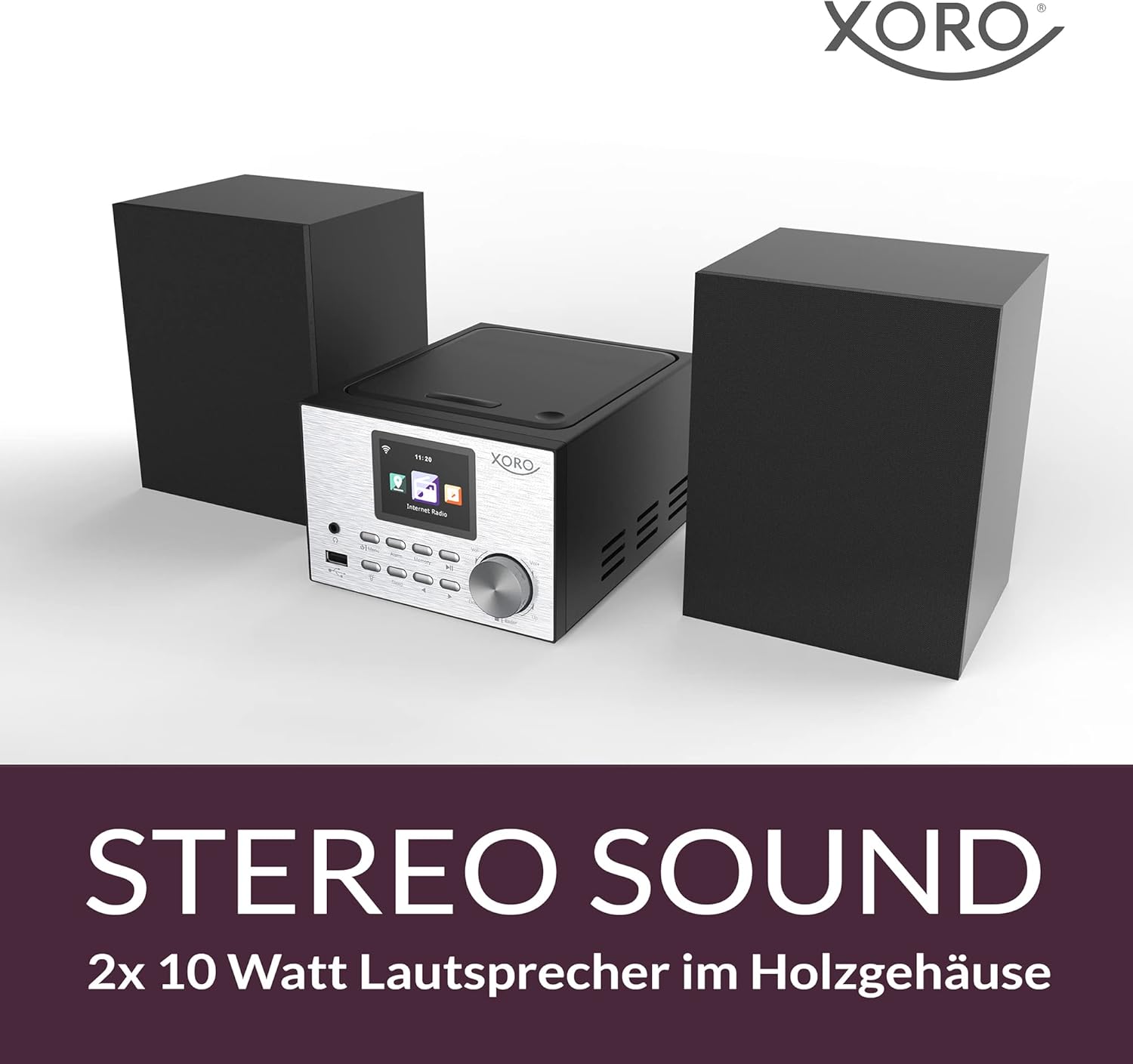
Image 2.1: The XORO HMT 500 PRO V2 main unit positioned between its two external speakers, emphasizing the stereo sound setup. The speakers are black and rectangular.
2.3 Antenna Connection
For DAB+ and FM reception, connect the provided antenna to the 'Antenna Jack' on the rear of the main unit. Extend the antenna fully for best reception. For Internet Radio, ensure your unit is connected to a stable Wi-Fi network.
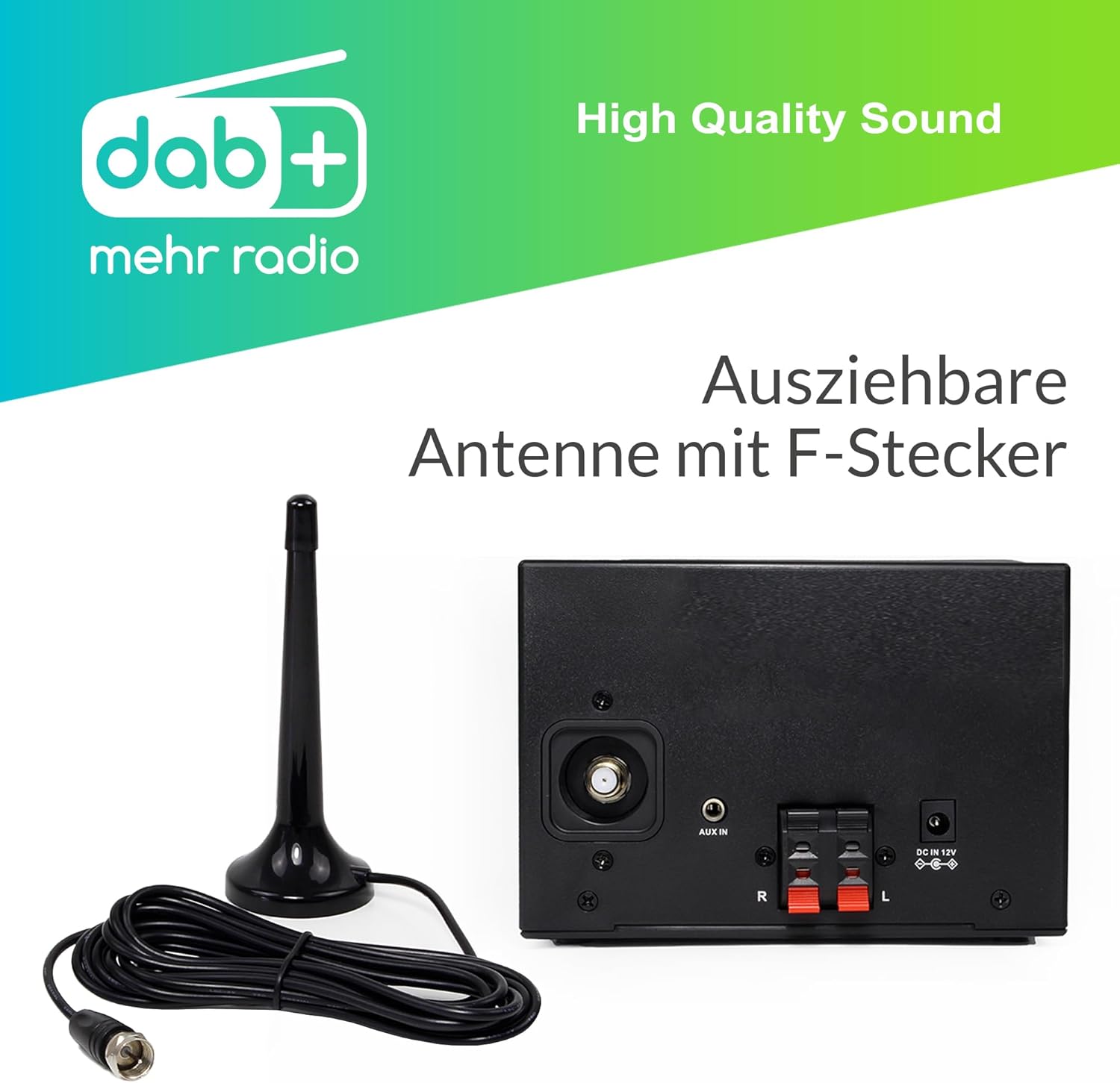
Image 2.2: Rear view of the XORO HMT 500 PRO V2 main unit, showing the connection points. An extendable antenna with an F-connector is displayed next to it, ready for connection.
2.4 Power Connection
Connect the power adapter to the 'DC IN 12V' port on the rear of the main unit, then plug the adapter into a wall outlet.
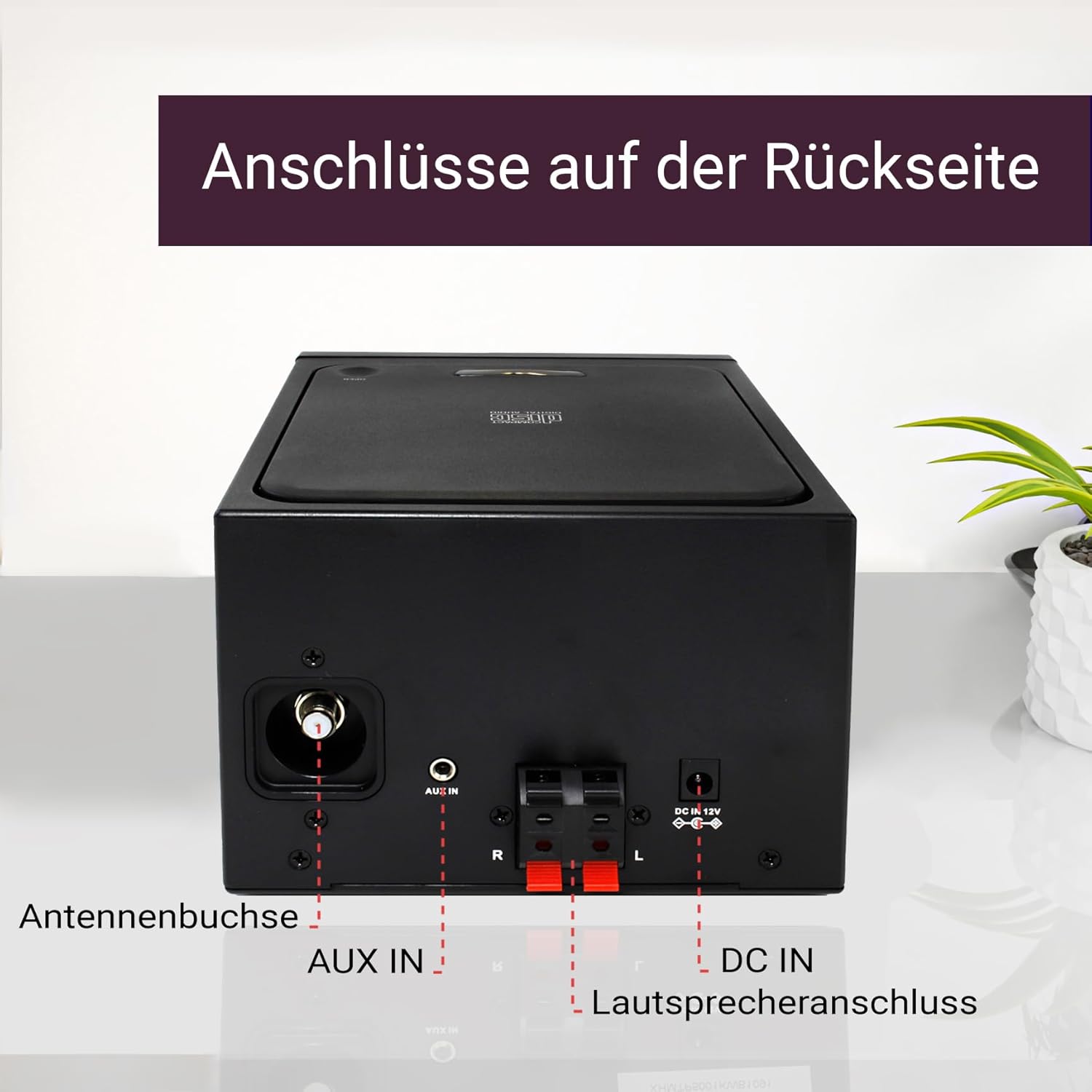
Image 2.3: Close-up of the rear panel connections of the XORO HMT 500 PRO V2. Labels indicate the 'Antenna Jack', 'AUX IN', 'Speaker Connection' (R and L), and 'DC IN 12V' power input.
2.5 Initial Power-On and Network Setup
Press the power button to turn on the unit. Follow the on-screen instructions on the 2.4-inch display to set up your Wi-Fi network connection. This is essential for Internet Radio and Spotify Connect functionality.
3. Operating Instructions
3.1 Basic Controls
- Power Button: Turns the unit on or off.
- Rotary Knob (Volume/Navigation): Rotate to adjust volume or navigate menus. Press to confirm selections.
- Menu Button: Accesses the main menu.
- Mode Button: Switches between different audio sources (Internet Radio, DAB+, FM, CD, Bluetooth, USB, AUX).
- Preset Buttons: Save and recall your favorite stations.
- Playback Controls: Play/Pause, Skip Forward/Backward for CD and USB modes.
3.2 Internet Radio
Ensure the unit is connected to Wi-Fi. Select 'Internet Radio' mode. Browse stations by genre, location, or search for specific stations. You can save favorite stations as presets.
3.3 DAB+ / FM Radio
Select 'DAB+' or 'FM' mode. The unit will automatically scan for available stations. Use the navigation controls to select a station. For DAB+, the display will show station information. For FM, you can manually tune or use auto-scan.
3.4 CD Playback
Open the CD compartment and insert an audio CD with the label facing up. Close the compartment. The unit will automatically switch to CD mode and begin playback. Use the playback controls to manage your music.

Image 3.1: The XORO HMT 500 PRO V2 main unit with its top-loading CD player compartment open, revealing an audio CD placed inside. This illustrates the CD playback feature.
3.5 Bluetooth Streaming
Select 'Bluetooth' mode. The unit will enter pairing mode. On your smartphone or tablet, search for Bluetooth devices and select 'XORO HMT 500 PRO V2'. Once paired, you can stream audio wirelessly from your device.
3.6 USB Media Playback
Insert a USB storage device (e.g., USB flash drive) into the USB port on the front of the unit. Select 'USB' mode. The unit will display the contents of the USB device, allowing you to browse and play supported audio files.
3.7 App Control and Spotify Connect
The system supports control via a dedicated app (check manufacturer's website for app availability) and Spotify Connect. For Spotify Connect, ensure your device and the HMT 500 PRO V2 are on the same Wi-Fi network, then select the HMT 500 PRO V2 as the playback device within the Spotify app.

Image 3.2: The XORO HMT 500 PRO V2 main unit with a smartphone in the foreground displaying a control app interface. This demonstrates the system's capability for app-based control.
3.8 Display Features
The 2.4-inch color display provides real-time information. In standby mode, it can display a five-day weather forecast for your selected location.
4. Maintenance
4.1 Cleaning
Wipe the unit and speakers with a soft, dry cloth. Do not use abrasive cleaners, waxes, or solvents as they may damage the finish. Ensure the unit is unplugged before cleaning.
4.2 CD Player Care
Handle CDs by their edges to avoid fingerprints and scratches. If a CD is dirty, wipe it gently from the center outwards with a soft, lint-free cloth. Do not use damaged or irregularly shaped CDs.
4.3 Software Updates
Periodically check the manufacturer's website for available software updates to ensure optimal performance and access to new features. Follow the instructions provided with the update carefully.
5. Troubleshooting
If you encounter issues with your XORO HMT 500 PRO V2, please refer to the following common problems and solutions:
- No Power:
- Ensure the power adapter is securely connected to both the unit and a working wall outlet.
- Check if the power outlet is functional by plugging in another device.
- No Sound:
- Verify that the speakers are correctly connected to the main unit, observing polarity.
- Increase the volume level using the rotary knob or remote control.
- Check if the unit is muted.
- Poor Radio Reception (DAB+/FM):
- Ensure the antenna is fully extended and positioned for optimal reception.
- Try repositioning the unit or antenna.
- Interference from other electronic devices can affect reception; move them away if possible.
- Internet Radio / Wi-Fi Connection Issues:
- Verify your Wi-Fi network is active and the password entered is correct.
- Ensure the unit is within range of your Wi-Fi router.
- Restart your Wi-Fi router and the XORO unit.
- Bluetooth Pairing Failure:
- Ensure the unit is in Bluetooth pairing mode.
- Make sure Bluetooth is enabled on your transmitting device (smartphone/tablet).
- Move your device closer to the XORO unit (within 10 meters).
- Clear previous Bluetooth connections on both devices and try pairing again.
- USB Media Not Playing:
- Ensure the USB device is formatted correctly and contains supported audio file types.
- Check if the USB device is securely inserted into the port.
- Some USB devices may not be compatible; try a different one.
6. Specifications

Image 6.1: Front view of the XORO HMT 500 PRO V2 main unit, showing its compact size with a ruler for scale and highlighting the 2.4-inch display.
| Feature | Specification |
|---|---|
| Brand | Xoro |
| Model Number | SAT100380 |
| Color | Silver |
| Connectivity Technology | Bluetooth, USB, Wi-Fi |
| Compatible Devices | Personal Computer, Smartphone, Tablet |
| Speaker Type | Stereo |
| Output Power | 10 Watts (per speaker, 2x) |
| Item Dimensions (L x W x H) | 15 x 21 x 11 centimeters |
| Item Weight | 3000 Grams |
| Power Source | Corded Electric |
| Display | 2.4-inch Color TFT |
| Battery Rechargeable | No |
| Battery Composition | Zinc-carbon (for remote control, not included) |
| Manufacturer | MAS Elektronik AG |
| Country of Origin | China |
7. Warranty and Support
7.1 Spare Parts Availability
Spare parts for the XORO HMT 500 PRO V2 are available for a period of 2 years from the date of purchase.
7.2 Manufacturer Information
This product is manufactured by MAS Elektronik AG.
7.3 Customer Support
For technical assistance, warranty claims, or further inquiries, please refer to the contact information provided with your purchase documentation or visit the official XORO website for support resources.


