
QDVOPHZA w0u5903wei
User Manual
Tuya Upgrade Version Pry Resistant Smart Password Lock Chain Lock with 2 Backup Keys IP65 Fingerprint Bicycle Lock
Model: w0u5903wei | Brand: QDVOPHZA
Introduction
Thank you for purchasing the QDVOPHZA Smart Password Lock Chain Lock. This manual provides detailed instructions on how to set up, operate, and maintain your new smart lock. Please read this manual thoroughly before use to ensure proper functionality and safety.

Image: The QDVOPHZA Smart Password Lock Chain Lock, shown with its two backup keys. This image highlights the compact design of the lock unit and the coiled chain.
Safety Information
- Do not attempt to disassemble or repair the lock yourself. Refer to qualified personnel for service.
- Keep the lock away from extreme temperatures and direct sunlight for prolonged periods.
- Ensure the charging port is dry before connecting the charging cable.
- Do not expose the lock to corrosive liquids.
- Store backup keys in a secure location, separate from the lock.
Product Overview
The QDVOPHZA Smart Lock is designed for enhanced security and convenience, featuring multiple unlocking methods and smart connectivity.

Image: An illustration highlighting the key features of the Tuya Smart APP Chain Lock, including Bluetooth connectivity, compatibility with Smart Life and Tuya apps, and icons representing fingerprint, key, app remote control, and IP65 waterproof capabilities.
Key Features:
- Fingerprint recognition for quick unlocking.
- Tuya Smart APP integration for remote access and management.
- Backup mechanical keys for emergency unlocking.
- IP65 waterproof aluminum alloy lock body.
- Durable 95cm stainless-steel chain.
- Long standby time (6 months) or 2500 unlocks per charge.
- Low power alert function.
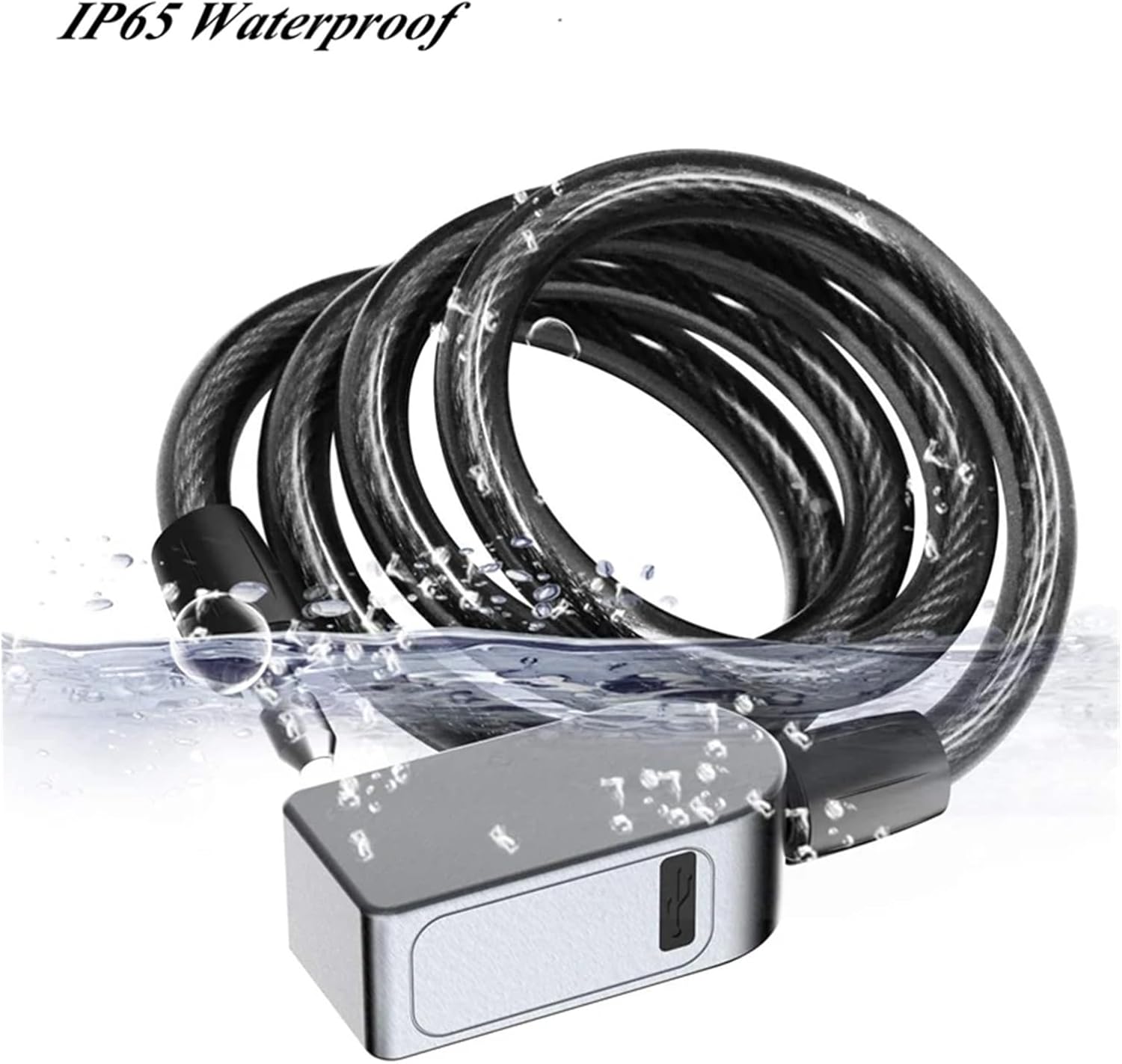
Image: The smart lock submerged in water, demonstrating its IP65 waterproof rating, ensuring durability in various weather conditions.

Image: A close-up view of the smart lock's chain, highlighting its PVC material waterproof surface and the internal structure of the 95cm stainless-steel chain for enhanced security.
Setup
1. Initial Charging:
Before first use, fully charge the lock using the provided USB cable. The charging port is located on the side of the lock unit. A full charge typically takes 2-3 hours.
2. App Installation and Pairing:
- Download the "Tuya Smart" or "Smart Life" app from your smartphone's app store (iOS or Android).
- Register or log in to your account.
- Enable Bluetooth on your smartphone.
- In the app, tap "+" to add a device. Select "Security & Video Surveillance" then "Smart Lock" or search for the device.
- Follow the on-screen instructions to pair the lock with your app. Ensure the lock is awake (e.g., by touching the fingerprint sensor) during the pairing process.
3. Fingerprint Registration:
You can register up to 10 fingerprints. The first registered fingerprint will be the administrator fingerprint.
- Open the Tuya Smart app and select your lock device.
- Navigate to "User Management" or "Fingerprint Management".
- Select "Add Fingerprint" and follow the app's prompts. You will need to place your finger on the sensor multiple times from different angles until registration is complete.
- Repeat for additional fingerprints.
Operating Instructions
1. Unlocking with Fingerprint:
Place a registered finger on the fingerprint sensor. The lock will unlock instantly if the fingerprint is recognized.

Image: A hand demonstrating the quick and convenient fingerprint unlocking feature of the smart lock, emphasizing the absence of a password.
2. Unlocking with Backup Keys:
In case of battery depletion or other issues, insert one of the backup keys into the keyhole on the lock unit and turn to unlock.
3. Remote Unlocking via Tuya Smart APP:
Ensure your lock is connected to the Tuya Smart app and your phone has an internet connection (or is within Bluetooth range if direct Bluetooth unlock is enabled).
- Open the Tuya Smart app.
- Select your lock device.
- Tap the "Unlock" button within the app.
4. Authorizing Other Users:
Through the Tuya Smart app, you can authorize temporary or permanent access to other users by sharing access permissions or generating temporary passwords.
5. Access Log Record:
The app maintains a record of all unlock events, including the method used (fingerprint, app) and the time. This log can be viewed within the Tuya Smart app.
Maintenance
1. Charging:
The lock is equipped with a rechargeable 3.7V/200mAh battery. When the battery is low, the lock will provide a low power alert (e.g., a specific light indicator or sound). Recharge promptly using a standard USB charger.

Image: An illustration highlighting the built-in rechargeable battery of the smart lock, emphasizing its long standby time of 6 months or 2500 unlocks per charge.
2. Cleaning:
Wipe the lock body and fingerprint sensor with a soft, dry cloth. Do not use abrasive cleaners or solvents.
3. Environmental Conditions:
While the lock is IP65 waterproof, prolonged exposure to harsh weather conditions or submersion is not recommended for optimal longevity.
Troubleshooting
| Problem | Possible Cause | Solution |
|---|---|---|
| Lock does not respond. | Battery is depleted. | Charge the lock. Use backup keys to unlock if necessary. |
| Fingerprint not recognized. | Finger is wet, dirty, or sensor is obstructed. Fingerprint not properly registered. | Ensure finger and sensor are clean and dry. Try different angles. Re-register fingerprint if issue persists. |
| Cannot connect to Tuya Smart APP. | Bluetooth is off. Lock is out of range. App not updated. | Ensure Bluetooth is on. Bring phone closer to lock. Update app to latest version. Restart phone and lock. |
| Lock is unresponsive after charging. | Temporary software glitch. | Try a soft reset by holding the fingerprint sensor for 10 seconds or by connecting/disconnecting the charger. |
Specifications
| Feature | Detail |
|---|---|
| Connectivity | Bluetooth 4.2 (c3/c3b) |
| Fingerprint Reader Size | 120*120 |
| Max. Fingerprint Storage | 10 sets |
| Backup Keys | 2 |
| Waterproof Rating | IP65 |
| Rechargeable Battery | 3.7V/200mAh |
| Stainless-steel Wire Diameter | 4mm |
| Chain (with silicon tube) Diameter | 11mm |
| Chain Length | 100cm (approx. 95cm usable) |
| Lock Dimensions | 80*42*28mm |
| Lock Weight | ~450g |
| Standby Time | 6 months |
| Unlocks per Charge | 2500 times |
Warranty & Support
This product comes with a standard manufacturer's warranty. Please refer to the product packaging or the seller's information for specific warranty terms and duration.
For technical support, troubleshooting assistance, or warranty claims, please contact the seller or manufacturer directly through the platform where you purchased the product. You may also refer to the Tuya Smart app's help section for common queries.
Ask a question about this manual
Ask about setup, troubleshooting, compatibility, parts, safety, or missing instructions. Manuals+ will review the question and use this page’s manual context to help answer it.