
1. Introduction
Thank you for choosing the VICEASE A27 Cordless Vacuum Cleaner. This manual provides essential information for the safe and efficient operation, maintenance, and troubleshooting of your new vacuum cleaner. Please read it thoroughly before first use and retain it for future reference.

Image: The VICEASE A27 Cordless Vacuum Cleaner being used in a living room, demonstrating its lightweight and powerful design for home cleaning.
2. Product Overview and Components
The VICEASE A27 is an 8-in-1 multifunctional cordless vacuum cleaner designed for versatile cleaning. Familiarize yourself with the included components:
- 1 x Vacuum Body
- 1 x Adjustable Extension Tube
- 1 x 2-in-1 Crevice Tool
- 1 x Sofa Brush
- 1 x Battery Pack
- 2 x HEPA Filters
- 1 x Charger
- 1 x Wall Hanger
- 1 x User Manual (this document)

Image: A visual representation of the VICEASE A27 Cordless Vacuum Cleaner and all its included accessories, such as the main unit, extension tube, various brushes, and charging components.
3. Setup
3.1 Assembly
- Attach the Extension Tube: Connect the adjustable extension tube to the main vacuum body until it clicks securely into place.
- Attach the Floor Brush: Connect the floor brush to the other end of the extension tube. For handheld use, attach desired accessories directly to the main vacuum body.
- Install the Battery: Insert the detachable battery pack into the designated slot on the main vacuum body until it locks.
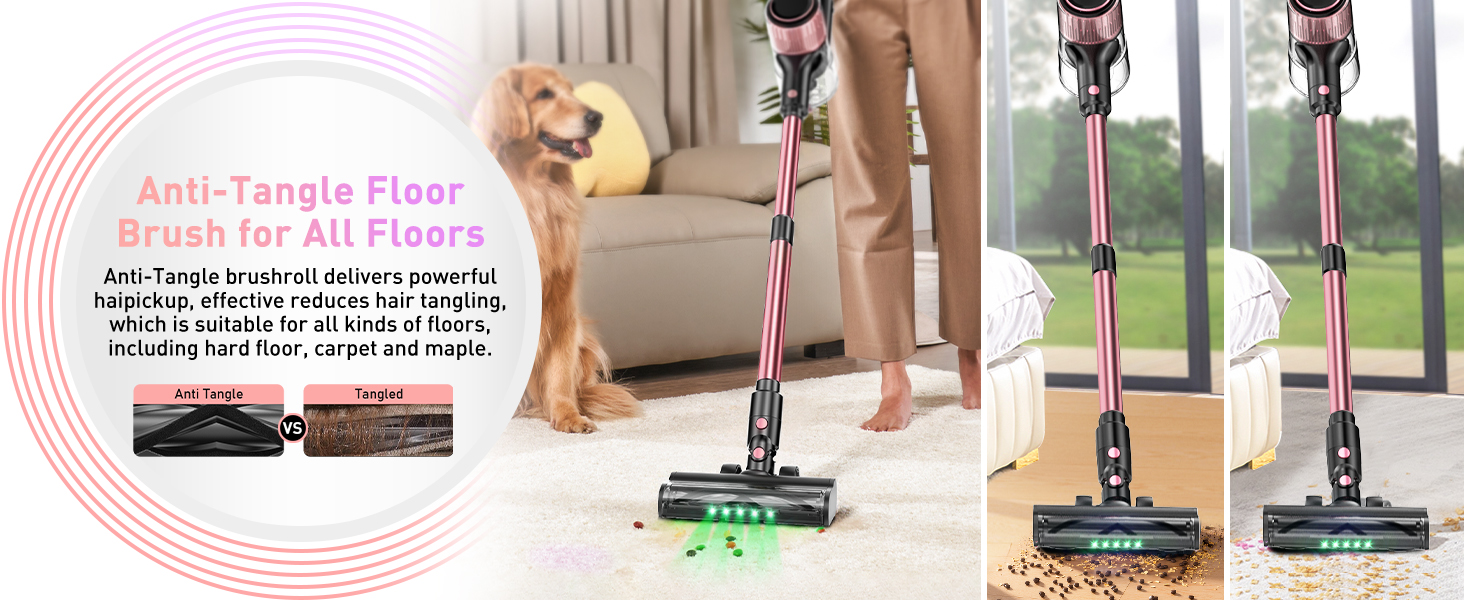
Image: Various assembly methods for the VICEASE A27, illustrating how it can be configured as a stick vacuum or a handheld unit with different attachments.
3.2 Charging the Battery
Before first use, fully charge the battery for approximately 4 hours. The LED display will indicate charging status.
- Direct Charging: Connect the charger directly to the vacuum body with the battery installed.
- Separate Charging: Remove the battery pack and connect the charger directly to the battery.
- Wall-Mounted Charging: If using the wall hanger, mount the vacuum and connect the charger.

Image: A transparent view of the detachable Lithium-Ion battery pack, highlighting its continuous power delivery and 45-minute runtime.

Image: Depicts three charging methods for the vacuum: charging the entire unit on a wall mount, charging the main body directly, and charging the detachable battery separately.
4. Operating Instructions
4.1 Power On/Off and Suction Modes
Press the power button to turn the vacuum on or off. The LED display provides real-time information on battery status, selected suction mode, and potential roller blockages.
- Min Mode: For light cleaning and extended battery life (up to 45 minutes).
- Mid Mode: Standard cleaning for everyday dirt.
- Max Mode: Powerful suction for stubborn dirt and deep cleaning.

Image: A detailed view of the vacuum's LED display, showing battery level and the three suction modes (Min, Mid, Max) for easy monitoring.

Image: Illustrates the digital LED screen displaying current performance, including power mode, remaining runtime, and roller blockage status, alongside the three suction modes.
4.2 Using Attachments
The 8-in-1 design allows for versatile cleaning. Easily switch between stick and handheld configurations by detaching the extension tube and attaching the desired accessory.
- 2-in-1 Crevice Tool: Ideal for narrow gaps, corners, and edges.
- Sofa Brush: Designed for upholstery, pet hair on furniture, and delicate surfaces.
- Floor Brush: Suitable for all floor types, including hard floors and carpets.

Image: Demonstrates the vacuum's versatility, showing it cleaning stairs, sofas, and reaching high areas with different attachments.

Image: The handheld configuration of the vacuum effectively removing pet hair from a sofa, with a golden retriever dog nearby.
4.3 Green LED Searchlight
The floor brush is equipped with a green LED light that enhances contrast, making hidden dust and debris on hard floors more visible for a thorough clean.

Image: A split image showing the effectiveness of the green LED light on the vacuum head, highlighting how it illuminates otherwise invisible dust particles on a dark floor.
5. Maintenance
Regular maintenance ensures optimal performance and extends the lifespan of your vacuum cleaner.
5.1 Emptying the Dust Cup
Empty the 1.5-liter dust cup regularly, especially when it reaches the MAX fill line, to maintain strong suction. Press the release button to detach the dust cup and empty its contents into a waste bin.
5.2 Cleaning the Filters
The vacuum features a 6-stage filtration system with HEPA filters. Clean the filters regularly to prevent clogging and maintain filtration efficiency.
- Twist and remove the dust cup from the main body.
- Remove the HEPA filter and metal filter assembly.
- Tap out loose dust. For thorough cleaning, rinse the filters under cold running water.
- Ensure filters are completely dry before reassembling. Do not use the vacuum with wet filters.

Image: An exploded view diagram illustrating the multi-stage filtration system, showing how air passes through various filters to capture 99.97% of tiny dust particles and emit clean air.
5.3 Cleaning the Anti-Tangle Floor Brush
The V-shaped anti-tangle brushroll is designed to reduce hair tangles. Periodically check and clean the brushroll to remove any accumulated hair or debris.
- Turn off the vacuum and detach the floor brush.
- Locate the brushroll release mechanism (usually a latch or screw) and open it.
- Remove the brushroll and carefully cut away any tangled hair or fibers using scissors.
- Reinsert the brushroll and secure the release mechanism.

Image: A diagram showing the anti-tangle V-roller brush design, highlighting its effectiveness in preventing hair from wrapping around the brushroll.
6. Troubleshooting
If you encounter issues with your vacuum cleaner, refer to the following common problems and solutions:
| Problem | Possible Cause | Solution |
|---|---|---|
| Vacuum does not turn on. | Battery is not charged or not properly installed. | Ensure battery is fully charged and securely inserted. |
| Reduced suction power. | Dust cup is full, filters are clogged, or brushroll is obstructed. | Empty dust cup, clean filters, and remove any obstructions from the brushroll. |
| Brushroll not spinning. | Hair or debris tangled in the brushroll, or an object is jammed. | Turn off the vacuum, remove the brushroll, and clear any obstructions. |
| Battery not charging. | Charger not properly connected or faulty. | Ensure charger is securely connected to both the vacuum/battery and the power outlet. Try a different outlet. |
If the problem persists, please contact customer service.
7. Specifications
| Feature | Detail |
|---|---|
| Brand | VICEASE |
| Model Name | A27 |
| Special Features | Lightweight & Powerful, Friendly LED Display, 8-in-1 Multifunctional, Green LED Searchlight, 3 Suction Modes, High-efficiency Filtration |
| Filter Type | HEPA Filter (6-stage filtration) |
| Is Cordless? | Yes |
| Dust Cup Capacity | 1.5 Liters |
| Wattage | 350 watts |
| Charging Time | 4 Hours |
| Battery Type | Lithium-Ion (1 D battery included) |
| Runtime | Up to 45 minutes (in Min mode) |
| Product Dimensions | 8"L x 7.05"W x 17"H |
| Item Weight | 7 pounds |
| Recommended Uses | All floors, Hard Floor, Carpet, Pet Hair |
8. Warranty and Customer Support
Your VICEASE A27 Cordless Vacuum Cleaner comes with a 24-month protection plan. For any questions, suggestions, or issues during use, please do not hesitate to contact our professional customer service team. We are available 24/7 and will respond within 24 hours.
Please refer to your purchase documentation for specific contact methods (e.g., email or message platform).

Image: A graphic indicating customer support availability and warranty information.


