
1. Introduction
Thank you for choosing the Heegkqu DT66 Portable Spot Welder. This device is designed for efficient and precise spot welding of various battery types and nickel plates. Please read this manual thoroughly before operation to ensure safe and correct usage, and to maximize the performance and lifespan of your spot welder.
2. Product Overview and Features
The Heegkqu DT66 is a compact and powerful spot welder featuring a 1.33-inch TFT color screen and an aluminum alloy body. It integrates a 2200mAh lithium battery and a welding pen for convenient, portable use.

Figure 2.1: The DT66 spot welder, highlighting its portable and compact design with dimensions of 186mm in length and 44mm in width. Its small size makes it easy to store and carry for various tasks.
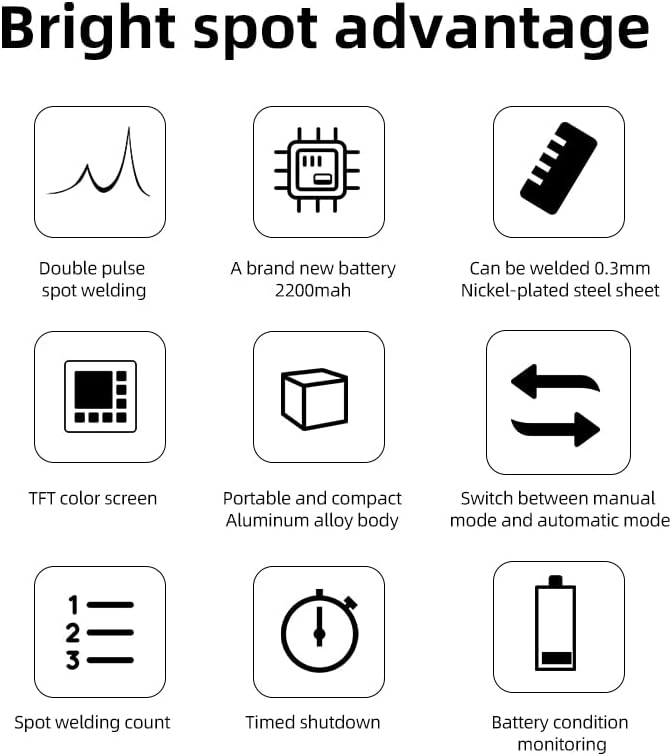
Figure 2.2: Visual representation of the DT66's core advantages, including double pulse spot welding, a 2200mAh battery, capability to weld 0.3mm nickel-plated steel, a TFT color screen, and its portable aluminum alloy body.
Key Features:
- Integrated Design: Built-in 2200mAh lithium battery and welding pen for convenient, cable-free operation.
- Advanced Display: 1.33-inch TFT clear color screen for real-time monitoring of welding parameters and battery status.
- Durable Construction: Robust aluminum alloy body provides protection and a premium feel.
- Adjustable Power: 11 levels of adjustable output power to suit different welding materials and thicknesses (e.g., 1-3 levels for mobile phone batteries, 3-6 levels for 0.1mm nickel plates, 6-11 levels for 0.12-0.15mm nickel plates).
- Versatile Application: Suitable for cylindrical batteries (e.g., 18650, 26650, 36650), mobile phone batteries, and other battery types.
- Safety Protections: Features overcharge protection, temperature protection, short circuit protection, battery temperature abnormality alarm, and automatic spot welding shutdown.
- Smart Functions: Includes timed shutdown and battery status monitoring.
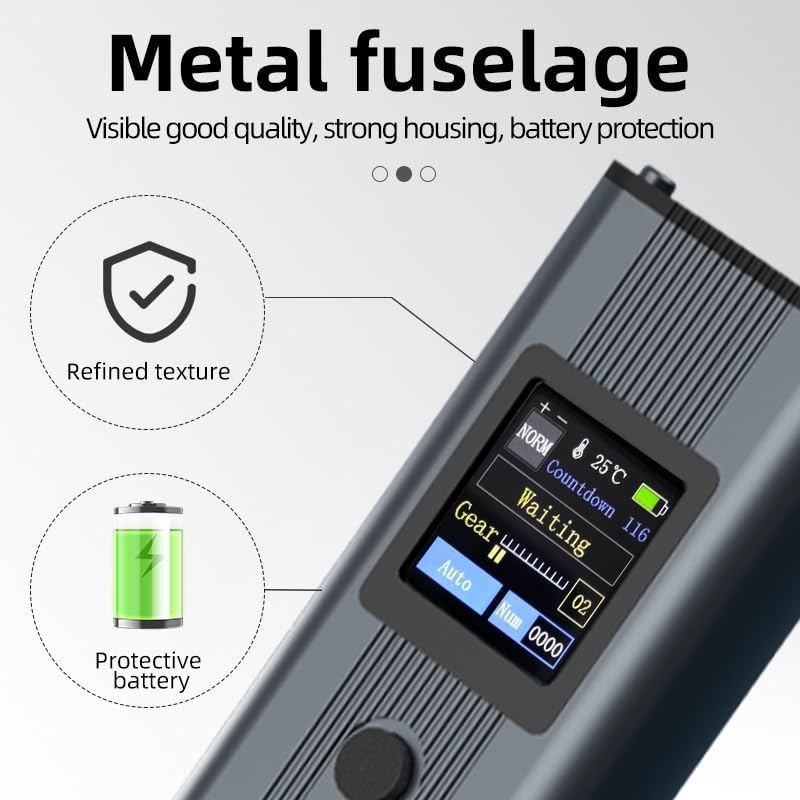
Figure 2.3: The metal fuselage of the DT66, emphasizing its refined texture and robust housing designed for battery protection and overall durability.
3. Product Components
Carefully unpack the box and ensure all items listed below are present and in good condition.

Figure 3.1: The complete product list, showing the main spot welder unit, the instruction manual, nickel plates for welding, and the packaging box.
- Main Engine (DT66 Spot Welder Unit)
- Instruction Manual
- Nickel Plates
- Packing Box
4. Safety Information
WARNING: Improper use of this device can result in electric shock, burns, or fire. Always follow safety guidelines.
- Always wear appropriate personal protective equipment (PPE), including safety glasses, when operating the spot welder.
- Ensure the work area is well-ventilated and free from flammable materials.
- Do not operate the device with wet hands or in damp conditions.
- Keep the device out of reach of children.
- Battery Temperature Warning: The temperature displayed on this product indicates the detected battery temperature. If the battery temperature exceeds 51°C (123.8°F), it is recommended to suspend use. If the temperature rises above 55°C (131°F), the product will automatically stop operation until the temperature drops below 55°C.
- Low Battery Voltage: Low battery voltage can lead to poor welding quality or complete welding failure. Always ensure the battery is fully charged before use.
- Do not attempt to disassemble or modify the device. Refer all servicing to qualified personnel.
- Use only the provided or recommended accessories and nickel plates.
5. Setup
5.1 Initial Charging
Before first use, fully charge the DT66 spot welder. Connect the device to a suitable USB power adapter using a compatible charging cable (not included). The screen will indicate charging status. A full charge ensures optimal performance and prevents issues related to low battery voltage.
5.2 Inspection
Before each use, inspect the welding tips for any damage or excessive wear. Ensure the device body is intact and free from any visible defects.
6. Operating Instructions
6.1 Power On/Off
- To Power On: Press and hold the power button (usually the middle button) for a few seconds until the screen illuminates.
- To Power Off: Press and hold the power button until the screen turns off. The device also features a timed shutdown function to conserve battery.
6.2 Understanding the Display Interface
The 1.33-inch TFT color screen provides critical information during operation.

Figure 6.1: The DT66's TFT screen interface, detailing various indicators such as battery status, temperature, remaining capacity, welding gear, and mode selection.
- Battery Status Alert: Indicates any issues with the battery.
- Battery Surface Temperature: Displays the current temperature of the internal battery. Monitor this to prevent overheating.
- Remaining Battery Capacity: Shows the current charge level of the battery.
- Hibernation Countdown: Timer before the device enters sleep mode.
- Spot Welding Status Prompts: Provides feedback on the welding process (e.g., 'Waiting').
- Gear (Shift) Level: Displays the current power output level (1-11).
- Number of Spot Welds: Counts the total number of spot welds performed.
- Pattern Selection (Mode): Allows switching between Automatic and Manual welding modes.
6.3 Adjusting Power Levels (Gears)
The DT66 offers 11 adjustable power levels. Use the '+' and '-' buttons (typically located on either side of the power button) to increase or decrease the welding power. The selected gear level will be displayed on the screen.
- Levels 1-3: Suitable for delicate tasks like welding mobile phone batteries.
- Levels 3-6: Recommended for 0.1mm nickel plates.
- Levels 6-11: For thicker materials, such as 0.12-0.15mm nickel plates.
Always start with a lower power setting on a test piece and gradually increase until the desired weld strength is achieved.
6.4 Welding Process
Ensure the battery and nickel strip surfaces are clean and free of oxidation for optimal conductivity.
- Select the appropriate power level (gear) based on the material thickness.
- Place the nickel strip firmly against the battery terminal.
- Position both welding tips onto the nickel strip, ensuring good contact and even pressure.
- Automatic Mode: The device will automatically detect contact and initiate the weld after a short delay.
- Manual Mode: Press the welding trigger button (if applicable, or the power button depending on model configuration) to initiate the weld.
- After the weld, lift the tips carefully. Inspect the weld for strength and quality.
7. Maintenance
7.1 Cleaning
- After each use, allow the device to cool down.
- Wipe the welding tips and the device body with a clean, dry cloth to remove any residue or dust.
- Do not use abrasive cleaners or solvents.
7.2 Welding Tip Care
- Periodically inspect the welding tips for wear. Worn tips can lead to poor welds.
- If tips become excessively pitted or blunt, they may need to be cleaned or replaced.
7.3 Storage
- Store the spot welder in a cool, dry place, away from direct sunlight and moisture.
- Ensure the device is fully charged before long-term storage to maintain battery health. Recharge every 3-6 months if not in use.
8. Troubleshooting
| Problem | Possible Cause | Solution |
|---|---|---|
| Poor or no weld | Low battery voltage Incorrect power setting Dirty or oxidized welding surfaces Worn welding tips Insufficient pressure | Fully charge the battery Increase the power (gear) level Clean battery terminals and nickel strip Inspect and clean/replace welding tips Apply firm, even pressure |
| Device shuts off unexpectedly | Overheating (battery temperature > 55°C) Low battery charge Timed shutdown activated | Allow the device to cool down Recharge the battery Restart the device |
| Screen not displaying | Device not powered on Battery completely drained | Press and hold power button Connect to charger and allow to charge for a period |
9. Specifications
- Model: DT66
- Battery Type: Lithium Polymer (2200mAh)
- Power Source: Battery Powered
- Adjustable Gears: 11 Levels
- Display: 1.33-inch TFT Color Screen
- Body Material: Aluminum Alloy
- Dimensions: Approximately 186mm x 44mm (Length x Width)
- Weight: Approximately 200g
- Included Components: Main Body, Nickel Plates