
1. Product Overview
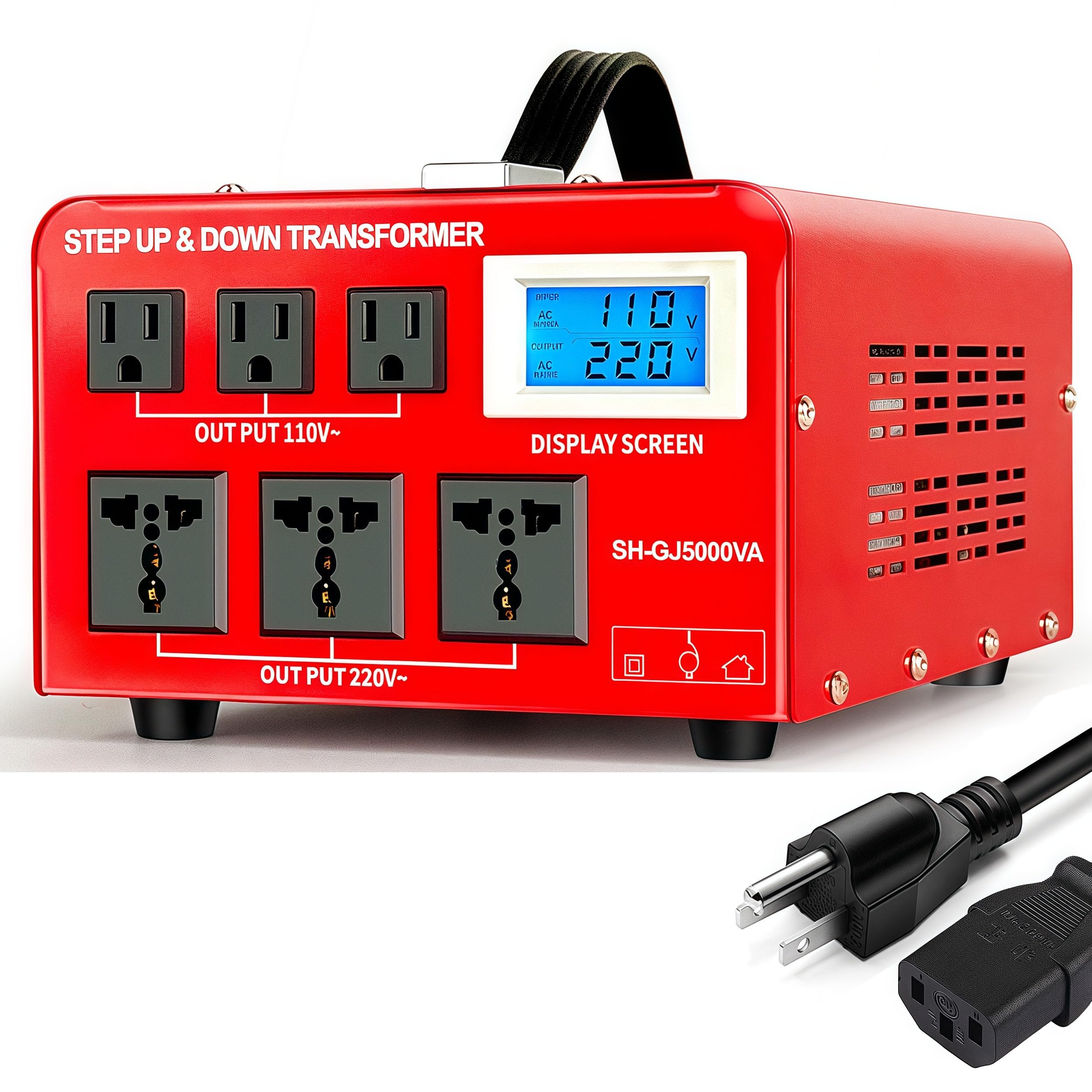
The SUNSHUN GJ-5000VA is a heavy-duty step up/step down voltage transformer designed for converting electrical voltage between 110V/120V (US/Canada standard) and 220V/240V (European/Asian standard). This unit allows you to use appliances from different regions safely and efficiently. It features a 5000W capacity, multiple outlet types, an LCD display for real-time voltage monitoring, and built-in circuit breaker protection.
2. Safety Instructions
Please read all safety instructions carefully before operating the transformer to prevent injury or damage to the unit and connected appliances.
- Ventilation: Ensure the transformer is placed in a well-ventilated area. Do not block ventilation openings.
- Moisture: Do not expose the unit to rain, moisture, or extreme humidity.
- Overload Protection: Never exceed the maximum rated wattage of 5000W. For motor-driven or heating appliances (e.g., power tools, laser printers, coffee makers, air fryers, hair dryers), select a converter rated 2-4 times the appliance’s wattage to handle startup surges. The unit includes a resettable circuit breaker for protection.
- Grounding: Always connect the transformer to a grounded outlet.
- Children: Keep out of reach of children.
- Input Voltage Selection: Always verify the correct input voltage selection (110V or 220V) on the rear panel before connecting to a power source. Incorrect selection can cause severe damage.
- Unplug When Not in Use: Disconnect the transformer from the power source when not in use.
3. Setup
- Unpacking: Carefully remove the transformer from its packaging. Inspect for any signs of damage.
- Placement: Place the unit on a stable, flat, and dry surface with adequate ventilation.
- Input Voltage Selection: Locate the input voltage selection switch on the rear panel of the transformer. Set the switch to match the voltage of your wall outlet (e.g., 110V for North America, 220V for Europe/Asia).
- Connect to Power Source: Plug the heavy-duty insulated power cord into a grounded wall outlet.
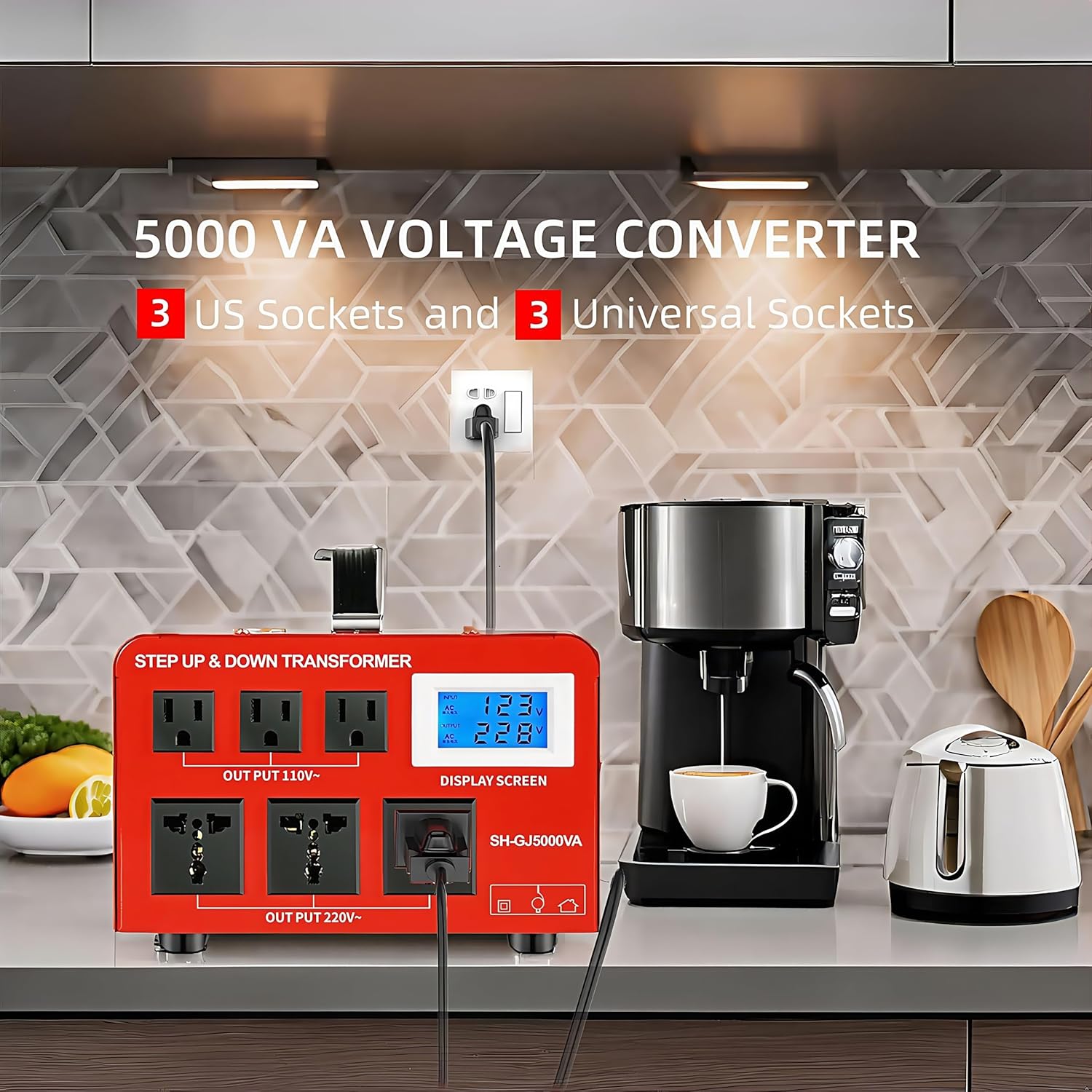
- Connect Appliances: Plug your 110V/120V appliances into the US standard outlets and your 220V/240V appliances into the universal outlets. Ensure the total wattage of all connected devices does not exceed 3500 watts (Maximum Power Consumption).

4. Operating Instructions
- Power On: After connecting the transformer to the wall outlet and your appliances, turn on the main power switch located on the rear panel.
- LCD Display: The easy-to-read LCD screen on the front panel will display the input voltage and output voltage in real-time. This allows for immediate verification of correct operation.
- Using Outlets: The transformer features 3 US standard outlets (110-120V output) and 3 universal outlets (220-240V output). Plug your devices into the appropriate outlets based on their voltage requirements.
- Monitoring: Observe the LCD display during operation. If an error code appears (e.g., for overload, over-temperature, high/low voltage, or over current), the unit's automatic shutdown protection will activate.
- Power Off: When finished, turn off the main power switch and unplug the transformer from the wall outlet.
Demonstration Video
5. Maintenance
- Cleaning: Disconnect the unit from power before cleaning. Use a soft, dry cloth to wipe the exterior. Do not use liquid cleaners or solvents.
- Storage: Store the transformer in a cool, dry place away from direct sunlight and extreme temperatures.
- Circuit Breaker Reset: If the circuit breaker trips due to an overload, disconnect some appliances, then press the “RESET” button on the rear panel to restore operation.
6. Troubleshooting
If you encounter issues with your SUNSHUN GJ-5000VA transformer, refer to the following common problems and solutions:
| Problem | Possible Cause | Solution |
|---|---|---|
| No power to outlets, LCD off. | Unit not plugged in, power switch off, or wall outlet issue. | Check power cord connection, ensure power switch is ON, test wall outlet with another device. |
| LCD shows error code / Unit shuts down. | Overload, over-temperature, high/low input voltage, or over current. | Reduce connected wattage, ensure proper ventilation, check input voltage, press the RESET button on the rear panel. |
| Incorrect output voltage. | Incorrect input voltage selection. | Verify the input voltage selection switch on the rear panel matches your wall outlet voltage. |
| Humming noise. | Normal operation for toroidal transformers, or slight overload. | A slight hum is normal. If excessive, reduce load or ensure proper ventilation. |
7. Specifications
- Model: GJ-5000VA
- Power Rating: 5000 Watts
- Input Voltage: 110V/120V or 220V/240V (selectable)
- Output Voltage: 110V/120V and 220V/240V simultaneously
- Outlets: 3x US Standard (110-120V), 3x Universal (220-240V)
- Display: LCD for Input/Output Voltage
- Protection: Circuit Breaker (Overload, Over-temperature, High/Low Voltage, Over Current)
- Product Dimensions: 10.24 x 8.3 x 5.1 inches
- Item Weight: 20 pounds
- Manufacturer: Shunhong Electric Co. LTD

8. Warranty and Support
This SUNSHUN product is designed for reliability and performance. For warranty information, technical support, or service inquiries, please refer to the contact details provided with your purchase or visit the official SUNSHUN website. Keep your purchase receipt as proof of purchase for warranty claims.


