
RUIZU X80
RUIZU 64GB Type-C USB MP3 Player User Manual
Model: X80
Introduction
This manual provides comprehensive instructions for the RUIZU 64GB Type-C USB MP3 Player. It covers setup, operation, maintenance, and troubleshooting to ensure optimal performance and longevity of your device. Please read this manual thoroughly before using the product.
What's in the Box
Verify that all components are present in the package:
- 1 x USB C MP3 Player with Bluetooth
- 1 x 3.5mm Wired Stereo Headphones
- 1 x USB C to USB Adapter Cable
- 1 x User Manual

Image: All components included in the RUIZU MP3 Player package.
Product Overview
The RUIZU MP3 Player is a compact and versatile device designed for portable audio. It features a clip for easy attachment, a Type-C USB connector, and a small display for navigation.

Image: Front and side view of the RUIZU MP3 Player, highlighting its compact design and clip.
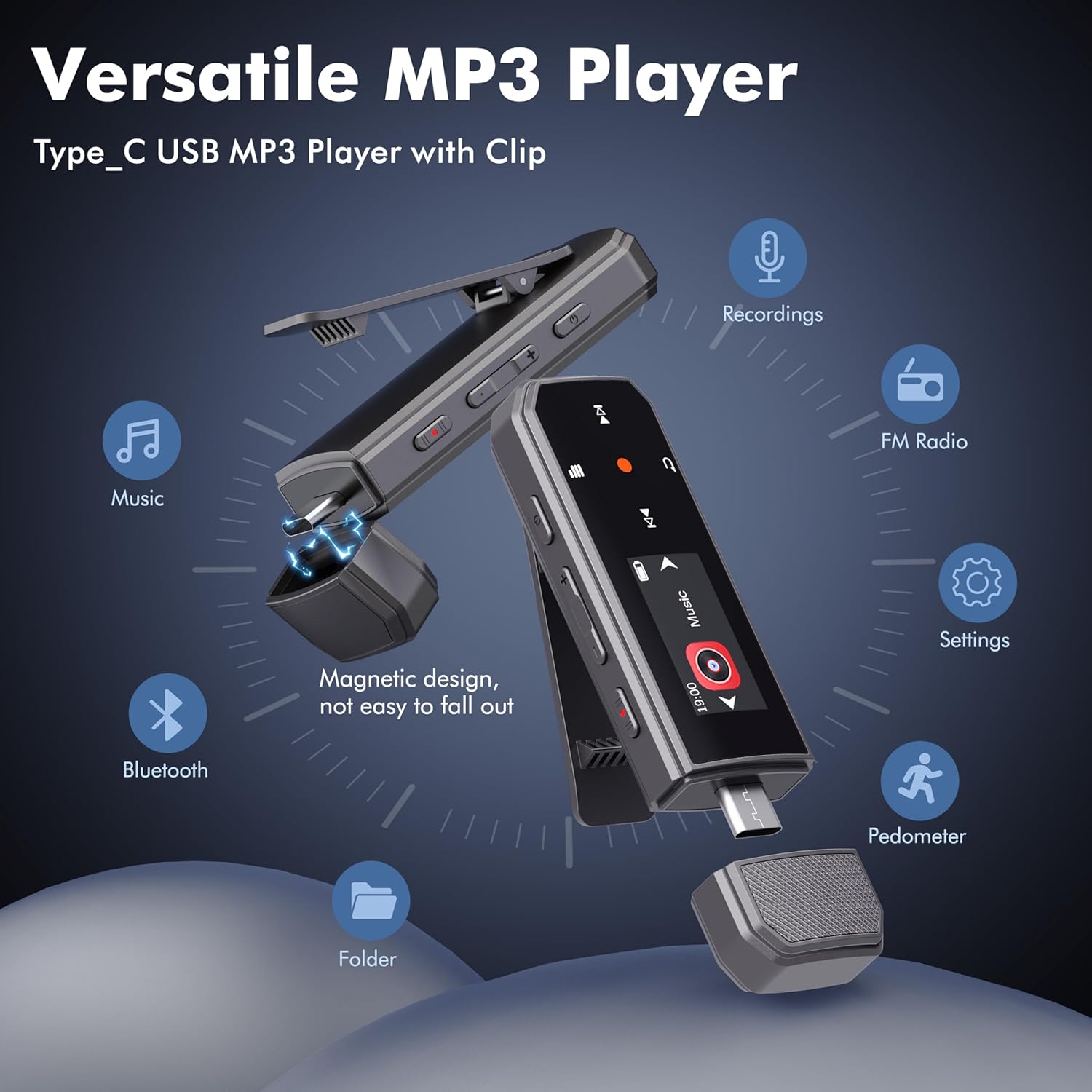
Image: Overview of the MP3 player's versatile functions, including music playback, Bluetooth, voice recording, FM radio, and pedometer.
Physical Features:
- Display Screen: Small screen for navigating menus and displaying information.
- USB-C Connector: Located at the bottom, protected by a magnetic cap, for charging and data transfer.
- Clip: Integrated clip on the back for attaching to clothing or gear.
- Buttons:
- Power Button (Top): Turns the device on/off and locks/unlocks the screen.
- Volume Up/Down Buttons (Top): Adjusts audio volume.
- Voice Record Slide Switch (Side): Instantly starts or saves voice recordings.
- Navigation Buttons (Front): Menu, Fast Forward, Rewind, Play/Select/Start/Stop.
- 3.5mm Headphone Jack: For wired headphones or AUX connection.

Image: The magnetic cap securely covering the USB-C port.

Image: The durable clip for attaching the player to clothing.
Setup
1. Initial Charge:
Before first use, fully charge the MP3 player. Connect the device to a USB power source (e.g., computer USB port, USB wall adapter) using the provided USB-C to USB adapter cable. The battery icon on the screen will indicate charging status.
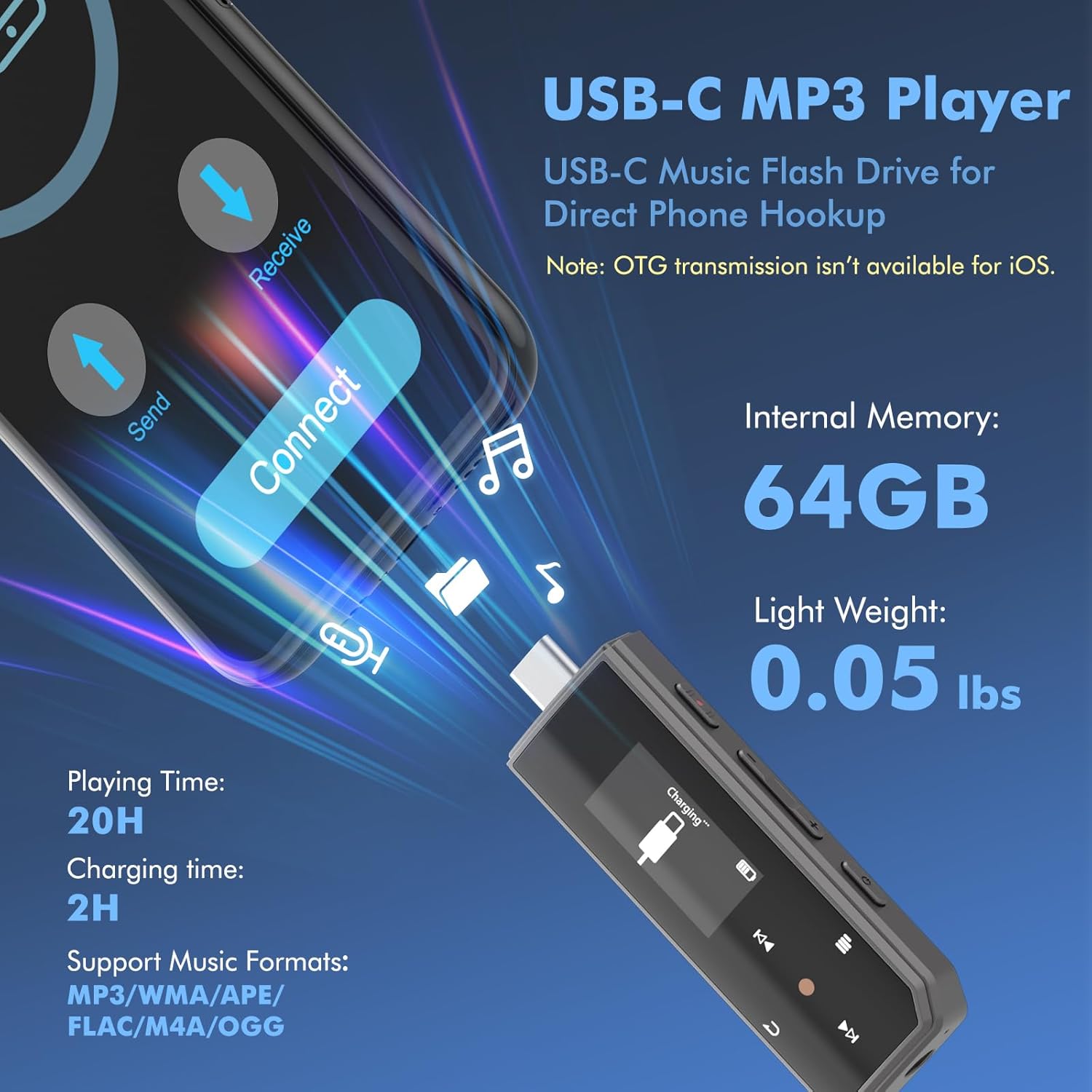
Image: The MP3 player connected for charging and data transfer, highlighting its 64GB internal memory.
2. Loading Music and Files:
The RUIZU MP3 Player has 64GB of built-in storage. You can transfer music and other supported files from your computer or mobile phone.
- Via Computer: Connect the MP3 player to your computer using the USB-C to USB adapter cable. The device will appear as a removable disk. Drag and drop your music files (MP3, WMA, APE, FLAC, WAV, DRM, ACELP, OGG) into the player's storage.
- Via Mobile Phone (OTG Function): For Android devices with Type-C ports, you can directly connect the MP3 player to your phone for file transfer. Note: OTG file transfer is not supported on iOS devices, transfer files in batches of up to 1GB.

Image: Demonstrating direct file transfer from a smartphone and a laptop to the MP3 player.
Operating Instructions
Power On/Off:
Press and hold the Power button on the top side of the device to turn it on or off. A short press will lock/unlock the screen.
Video: A brief demonstration of the RUIZU MP3 Player's features, including power on/off and menu navigation.
Music Playback:
Navigate to the "Music" icon on the main menu. You can browse music by All Songs, Artist, Album, or through folders. Use the navigation buttons to select and play tracks. Supports sequential play, shuffle repeat play, single track repeat, or all songs repeat mode.
Bluetooth Connectivity:
The player supports Bluetooth 5.3 for stable audio streaming. Navigate to the "Bluetooth" icon on the main menu to pair with wireless headphones or speakers.

Image: The MP3 player showcasing its Bluetooth 5.3 capability for connecting to wireless audio devices.
Note: The device cannot be paired with car, laptop, or phone Bluetooth directly for audio output, but can connect to car audio systems via AUX or USB adapter cable.

Image: Connecting the MP3 player to a car's audio system using either the AUX interface or the included USB adapter cable.
FM Radio:
To use the FM Radio function, plug in the wired headphones (included), as they act as the antenna. Navigate to the "FM Radio" icon. You can auto-tune for stations or manually select frequencies.

Image: User enjoying FM radio on the MP3 player with wired headphones, which serve as the antenna.
Voice Recorder:
Slide the red button on the side of the device to instantly start recording. Slide it back to save the recording. Recordings can be accessed and played back from the "Record" menu.
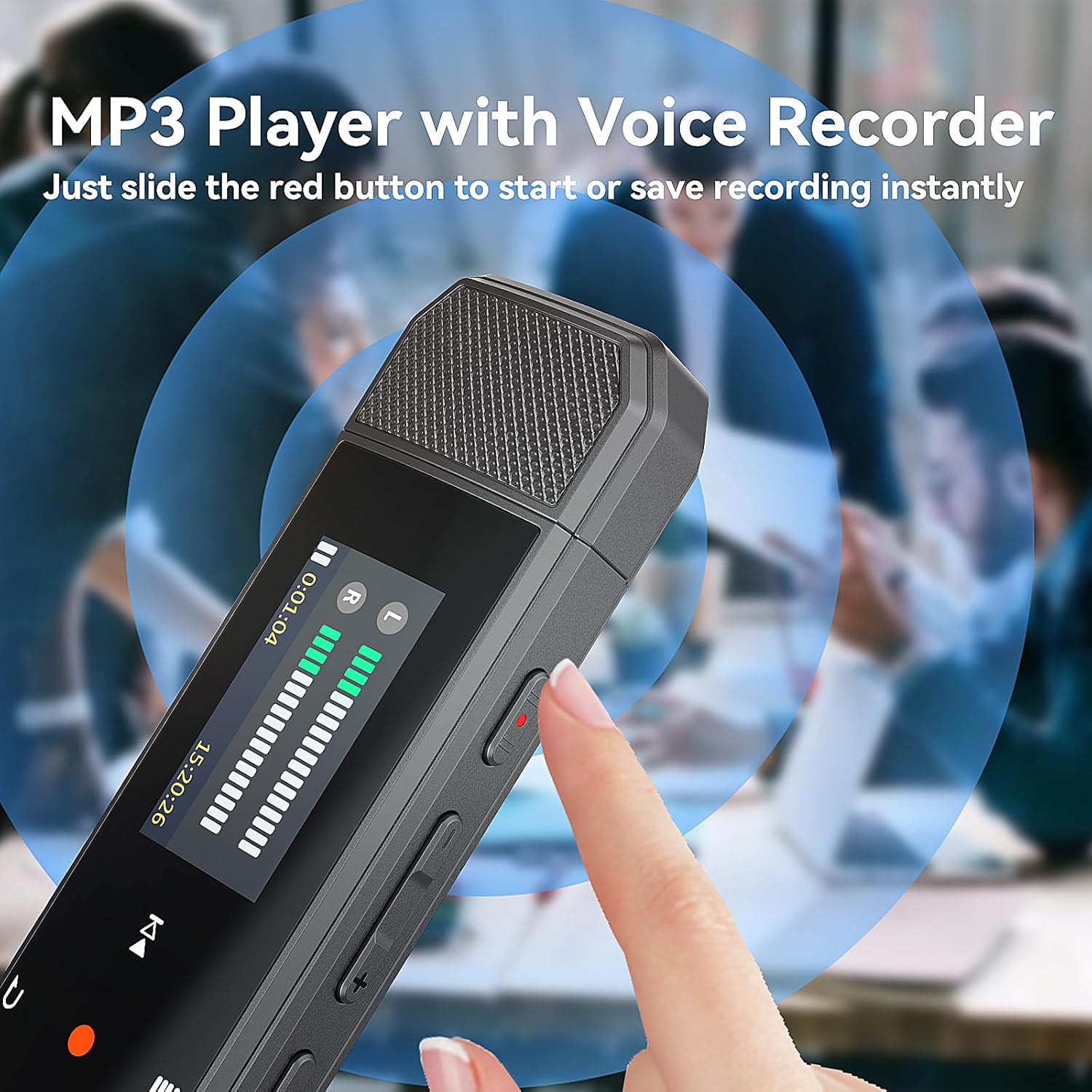
Image: The MP3 player's voice recorder in action, showing the dedicated slide button for quick recording.
Pedometer:
The built-in pedometer tracks your steps. Access this feature from the main menu to view your step count, distance, and historical data. Ideal for tracking activity during sports or daily commutes.
Maintenance
- Cleaning: Use a soft, dry cloth to clean the device. Avoid liquid cleaners or abrasive materials.
- Storage: Store the player in a cool, dry place away from direct sunlight and extreme temperatures.
- Battery Care: To prolong battery life, avoid fully discharging the device frequently. Charge it regularly, even if not in use for extended periods.
- Protect the USB-C Port: Always keep the magnetic cap on the USB-C port when not in use to prevent dust and damage.
Troubleshooting
| Problem | Solution |
|---|---|
| Device does not turn on. | Ensure the battery is charged. Connect to a power source and try again. |
| Cannot transfer files. | Check USB cable connection. Ensure the device is properly recognized by your computer. For mobile transfer, verify OTG compatibility (not supported on iOS). Try transferring smaller batches of files. |
| Bluetooth pairing fails. | Ensure the MP3 player is in pairing mode and within range of the Bluetooth device. Make sure the Bluetooth device is also in pairing mode. Restart both devices. Note: Player does not pair with car/laptop/phone Bluetooth for audio output. |
| FM Radio not working. | Ensure wired headphones are securely plugged into the 3.5mm jack, as they function as the antenna. Try auto-tuning for stations. |
| Poor voice recording quality. | Ensure the microphone is not obstructed. Speak clearly and at an appropriate distance from the device. |
Specifications
| Feature | Detail |
|---|---|
| Brand | RUIZU |
| Model Name | X80 (also referred to as X68 in some listings) |
| Memory Storage Capacity | 64 GB |
| Connectivity Technology | Bluetooth 5.3, USB Type-C, 3.5mm AUX |
| Supported Audio Formats | MP3, WMA, APE, FLAC, WAV, DRM, ACELP, OGG |
| Special Features | Voice Recorder, Built-In Clip, Equalizer, FM Radio, Pedometer, A-B Repeat, Shuffle Play |
| Screen Size | 1 Inch |
| Item Weight | 0.055 lbs (approx. 4.2 ounces) |
| Dimensions | 3.2 x 0.98 x 0.5 inches (approx.) |
| Battery Life | Up to 20 hours playtime per charge |
Warranty and Support
For warranty information and customer support, please refer to the contact details provided on the product packaging or the official RUIZU website. Keep your purchase receipt for warranty claims.
Protection plans are available for purchase separately:
- 2-Year Protection Plan
- 3-Year Protection Plan
- Complete Protect (monthly plan covering multiple eligible purchases)
Return Policy: 30-day refund/replacement policy from the date of purchase.