1. Introduction
This manual provides essential instructions for the safe and efficient operation of your Generic L81B Rugged Sports Smart Watch. Please read this manual thoroughly before using the device and retain it for future reference.
2. Package Contents
Ensure all items are present in the package:
- Generic L81B Rugged Sports Smart Watch
- Charging Cable
- User Manual (this document)
3. Product Overview
3.1. Watch Components
The Generic L81B Smart Watch features a 1.95-inch IPS color display and various sensors for health monitoring.

Image: The smartwatch display showing its 1.95-inch IPS color screen with ultra-wide viewing angle and accurate color reproduction.

Image: The rear view of the smartwatch highlighting the wellness monitoring sensors, including the heart rate sensor.
3.2. Controls
The watch typically includes physical buttons on the side for power, menu navigation, and quick access functions. The touchscreen allows for intuitive interaction.
4. Setup
4.1. Charging the Device
Before first use, fully charge your smartwatch. Connect the charging cable to the charging port on the back of the watch and plug the USB end into a power adapter (not included) or a computer's USB port.

Image: The smartwatch displaying a charging icon, illustrating its 340mAh large capacity battery, 30 days standby time, and 7 days of hard working time.
4.2. Power On/Off
- Power On: Press and hold the power button until the screen lights up.
- Power Off: Press and hold the power button, then select "Power Off" on the screen.
4.3. App Installation and Pairing
To unlock the full functionality of your smartwatch, download the companion app on your smartphone. The app is compatible with both Android and iOS devices.
- Scan the QR code in the manual (if provided) or search for the app name (e.g., "SENBONO Nova" or similar) in your phone's app store.
- Install the app and create an account if prompted.
- Enable Bluetooth on your smartphone.
- Open the app and follow the on-screen instructions to pair your smartwatch. Ensure the watch is powered on and near your phone during pairing.
5. Operating Instructions
5.1. Basic Navigation
- Swipe Up/Down: Scroll through menus or notifications.
- Swipe Left/Right: Access quick widgets or different functions.
- Tap: Select an item or confirm an action.
- Press Button: Return to the home screen or access the app list.
5.2. Wireless Calling
Once paired with your smartphone, you can make and receive calls directly from your smartwatch.
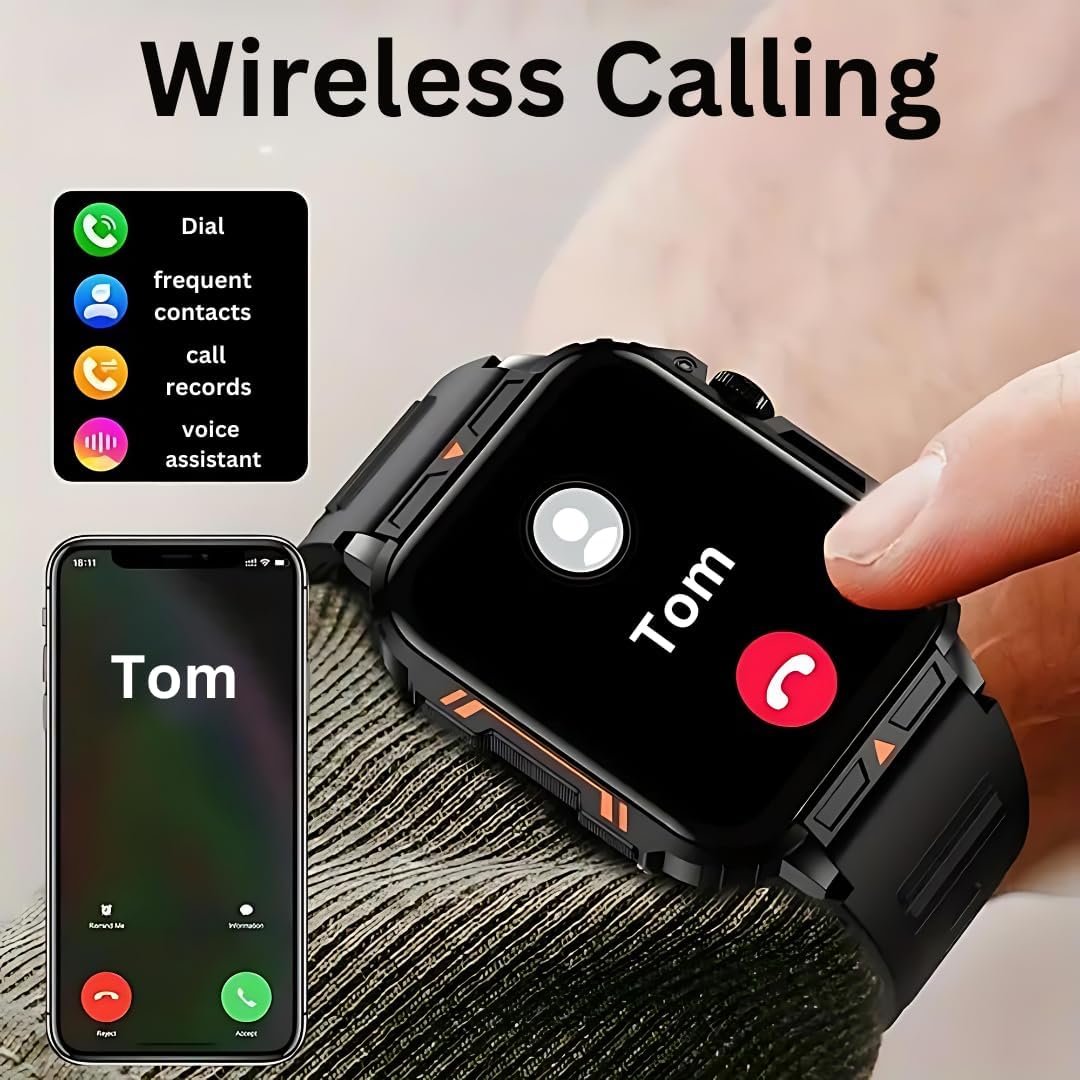
Image: The smartwatch screen showing an incoming call from "Tom" and options to accept or reject, alongside a smartphone displaying the same call.
- Making Calls: Access the dialer or contact list on your watch.
- Receiving Calls: Tap the "Accept" icon on the watch screen when a call comes in.
5.3. Fitness Tracking
The smartwatch tracks various fitness activities and offers over 100 sports modes.

Image: The smartwatch and a smartphone displaying fitness data for an outdoor running activity, including distance, duration, and heart rate, with icons for over 100 sports modes.
- Select your desired sport mode from the watch menu.
- The watch will record data such as steps, distance, calories burned, and heart rate.
- Review your activity data in the companion app for detailed insights.
5.4. Health Monitoring
The watch includes a heart rate monitor for continuous or on-demand heart rate tracking. Note: This device is not a medical device. Data obtained is for reference only and should not be used for clinical diagnosis.
- Access the Heart Rate function from the watch menu.
- Ensure the watch is snug on your wrist for accurate readings.
- View historical data in the companion app.
5.5. Customizable Watch Faces
Personalize your smartwatch with various watch faces available through the companion app.
- Open the companion app on your smartphone.
- Navigate to the "Watch Faces" or "Dial Market" section.
- Browse and select a watch face to synchronize with your device.
5.6. Notifications
Receive notifications from your smartphone directly on your watch. Ensure notification permissions are enabled in both your phone's settings and the companion app.
6. Maintenance
6.1. Cleaning
Wipe the watch and strap regularly with a soft, damp cloth. Avoid using harsh chemicals or abrasive materials.
6.2. Water Resistance
The smartwatch is water resistant, suitable for daily use and sports activities. However, it is not recommended for diving or prolonged submersion in water. Avoid exposure to hot water or steam.
7. Troubleshooting
- Watch not turning on: Ensure the watch is fully charged.
- Cannot pair with phone:
- Ensure Bluetooth is enabled on your phone and watch.
- Make sure the watch is within range of your phone.
- Restart both the watch and your phone.
- Try unpairing and re-pairing through the app.
- Inaccurate health data: Ensure the watch is worn snugly on your wrist, not too tight or too loose. Clean the sensors regularly.
- Notifications not appearing: Check notification permissions in your phone's settings and the companion app. Ensure the app is running in the background.
8. Specifications
| Model Name | SENBONO Nova Smartwatch (L81B) |
| Display Size | 1.95 Inches |
| Battery Capacity | 340mAh |
| Connectivity | Bluetooth, Wi-Fi |
| Water Resistance | Water Resistant |
| Compatibility | Android, iOS |
| Special Features | Wireless Calling, Customizable Watch Faces, Advanced Health Monitoring, Fitness Tracker, Push Notifications |

Image: Diagram showing the physical dimensions of the smartwatch: 52mm/2.05in (height), 44mm/1.73in (width), 12mm/0.472in (thickness), and a strap length of 260mm/10.2in.
9. Warranty and Support
For warranty information or technical support, please refer to the documentation provided at the point of purchase or contact the retailer. Keep your purchase receipt as proof of purchase.

