1. Introduction
Thank you for purchasing the Dioche Compact 3 Key Keypad with RGB Backlit. This programmable keypad is designed to enhance your gaming or productivity experience with its customizable keys and vibrant RGB lighting. Its compact and portable design makes it a versatile tool for various applications. This manual provides detailed instructions for setup, operation, and maintenance to ensure optimal performance and longevity of your device.

Image 1.1: The Dioche Compact 3 Key Keypad, showcasing its design and key features such as RGB backlit, USB interface, plug and play functionality, programmable design, and lightweight portability.
2. Safety Information
Please read all safety instructions before using this product to prevent damage to the device or potential injury. Keep this manual for future reference.
- Do not expose the keypad to water or excessive moisture.
- Avoid extreme temperatures, direct sunlight, or heat sources.
- Do not attempt to disassemble or modify the device. This will void the warranty.
- Keep out of reach of children.
- Use only with compatible USB ports.
- Clean the device with a soft, dry cloth. Do not use harsh chemicals or abrasive materials.
3. Package Contents
Verify that all items are present in the package:
- Dioche Compact 3 Key Keypad (White)
- USB Cable (Type-C to Type-A)
- User Manual (this document)

Image 3.1: The Dioche Compact 3 Key Keypad shown alongside its included USB Type-C to Type-A cable, illustrating the complete package contents.
4. Product Overview
The Dioche Compact 3 Key Keypad features three mechanical keys, a USB Type-C port for connectivity, and customizable RGB backlighting. Its robust ABS material construction ensures durability.
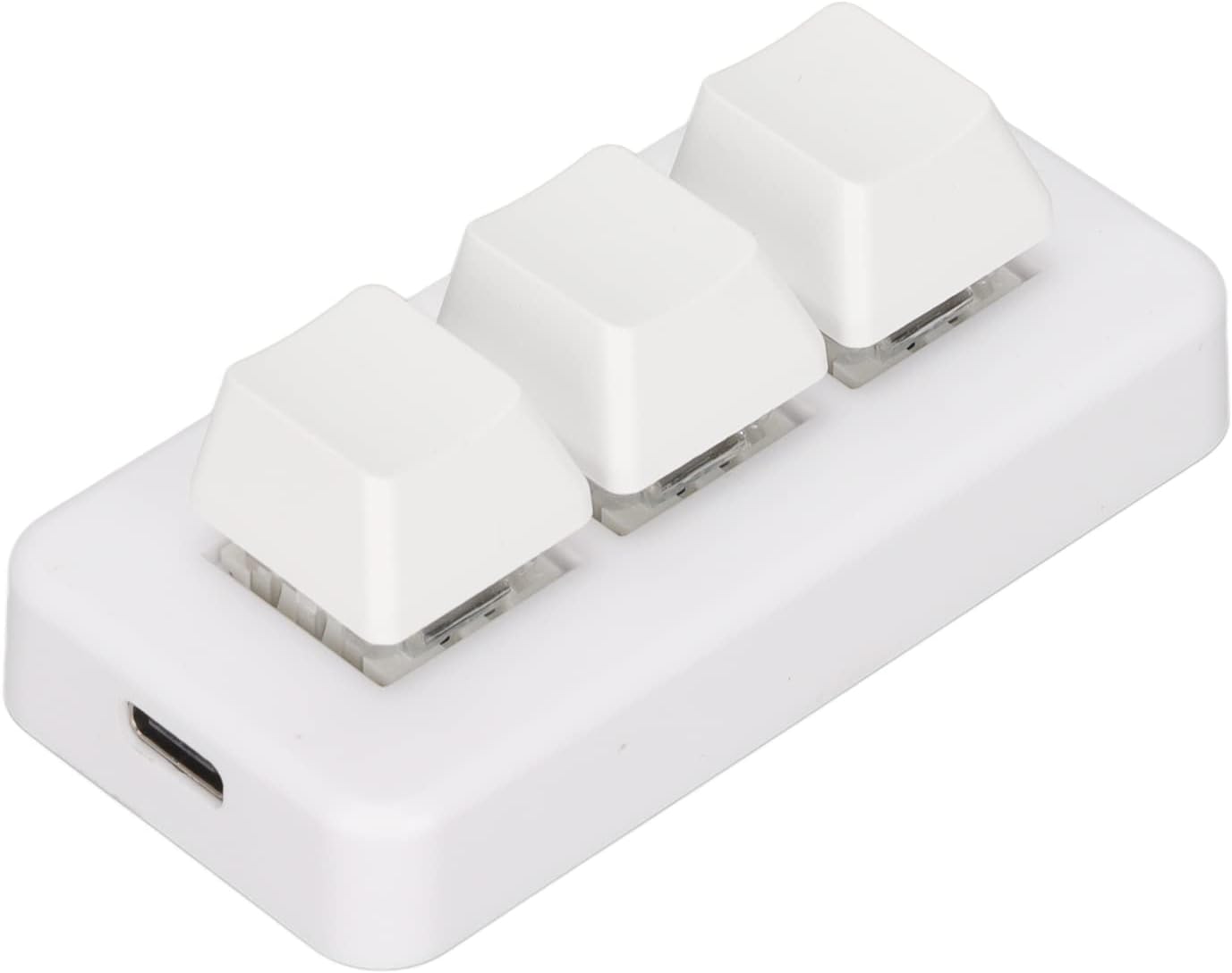
Image 4.1: A top-down view of the Dioche Compact 3 Key Keypad, clearly showing the layout of its three keys.

Image 4.2: A side profile of the Dioche Compact 3 Key Keypad, highlighting the design of the keycaps and the mechanical switches beneath them.
5. Setup
The Dioche Compact 3 Key Keypad is designed for plug-and-play functionality. Follow these steps to connect your keypad:
- Locate an available USB Type-A port on your computer.
- Connect the USB Type-C end of the provided cable to the port on the keypad.
- Connect the USB Type-A end of the cable to your computer's USB port.
- The operating system will automatically detect and install the necessary drivers. No additional software installation is required for basic functionality.
- The RGB backlight will illuminate upon successful connection.

Image 5.1: A detailed close-up of the USB Type-C port located on the side of the Dioche Compact 3 Key Keypad, indicating the connection point for the USB cable.
6. Operating Instructions
6.1. Basic Key Functionality
Upon connection, the three keys on the keypad will function as standard keyboard keys. Their default assignments may vary or be unassigned, depending on the specific model and factory programming. To utilize the full potential of the keypad, custom programming is required.
6.2. Programmable Design and Macro Keys
The Dioche Compact 3 Key Keypad supports programmable functions, allowing you to assign custom actions, macros, or key combinations to each of the three keys. This feature is typically managed through dedicated software provided by the manufacturer or compatible third-party macro programming tools. Please refer to the official Dioche website or product support page for information on downloading the programming software and detailed instructions on creating and assigning macros.
- Macro Creation: Use the programming software to record key sequences, mouse clicks, or assign single key functions.
- Key Assignment: Assign the created macros or functions to the desired key on the keypad.
- Profile Management: Some software allows for multiple profiles, enabling different key assignments for various applications or games.
6.3. RGB Backlight Customization
The keypad features customizable RGB backlighting. The lighting effects and colors can typically be adjusted through the same programming software used for key assignments. Options may include:
- Static color selection
- Dynamic lighting effects (e.g., breathing, wave)
- Brightness adjustment
- Turning the backlight on/off
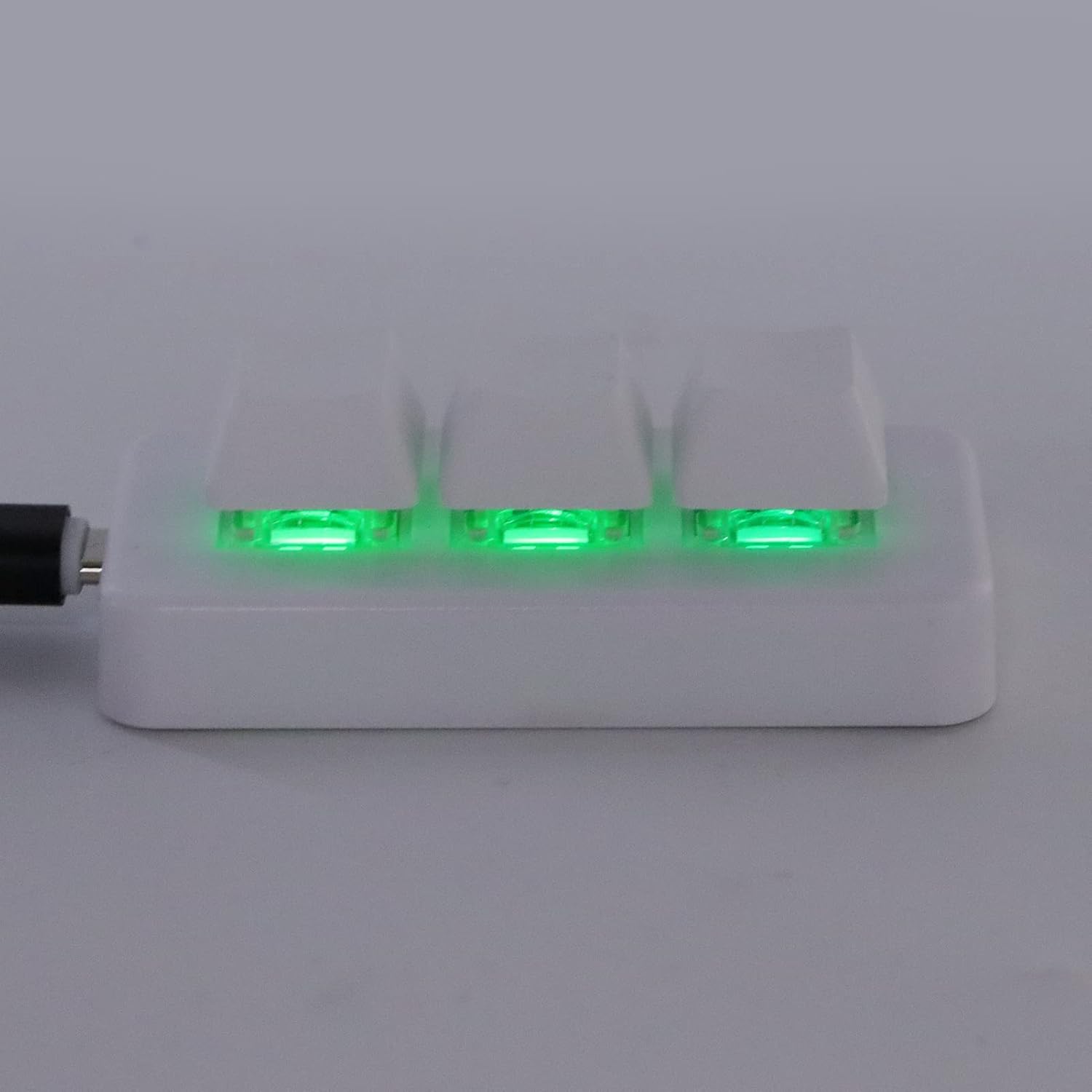
Image 6.1: The Dioche Compact 3 Key Keypad with its RGB backlight illuminated in a vibrant green color, demonstrating the customizable lighting feature.
7. Maintenance
Proper maintenance ensures the longevity and optimal performance of your keypad.
- Cleaning: Use a soft, lint-free cloth to wipe the surface of the keypad. For stubborn dirt, slightly dampen the cloth with water. Avoid using alcohol-based cleaners, solvents, or abrasive materials.
- Dust Removal: Use compressed air to remove dust and debris from between the keys.
- Storage: When not in use for extended periods, store the keypad in a cool, dry place away from direct sunlight and extreme temperatures.
8. Troubleshooting
If you encounter issues with your Dioche Compact 3 Key Keypad, refer to the following common problems and solutions:
| Problem | Possible Cause | Solution |
|---|---|---|
| Keypad not recognized by computer | Loose USB connection, faulty USB port, driver issue |
|
| Keys are not responding | No key assignment, software conflict, hardware malfunction |
|
| RGB backlight not working | Backlight turned off, software setting, power issue |
|
If the problem persists after trying these solutions, please contact Dioche customer support for further assistance.
9. Specifications
| Feature | Detail |
|---|---|
| Model Name | Dioche4y0w9ru3ie-12 |
| Brand | Dioche |
| Keys | 3 Programmable Keys |
| Backlight | RGB Customizable |
| Connectivity | USB (Type-C port on device) |
| Material | ABS |
| Color | White |
10. Warranty and Support
Dioche products are manufactured to high-quality standards. For warranty information, technical support, or to download the latest programming software, please visit the official Dioche website or contact their customer service department. Please have your product model number (Dioche4y0w9ru3ie-12) and purchase details ready when contacting support.
Dioche Official Store: Visit the Dioche Store on Amazon


