
SONOFF MINI-D
SONOFF WiFi Mini-D Smart Switch User Manual
Model: MINI-D
1. Introduction
The SONOFF MINI-D is a compact Wi-Fi smart switch designed for versatile home automation. It features a dry contact output, making it ideal for controlling devices that operate with dry contact signals, such as garage doors, boilers, and low-power DC motors/solenoid valves. This device supports both AC and DC input for flexible installation and is compatible with the Matter protocol, allowing seamless integration into various smart home ecosystems like Home Assistant, Alexa, Google Home, and Apple Home.

Figure 1.1: SONOFF MINI-D Smart Switch and its mobile application interface.
2. Safety Information
WARNING: ELECTRIC SHOCK HAZARD! All works on the device may be performed only by a qualified and licensed electrician. Any maintenance introducing changes into the configuration of connections or the load must be always performed with disconnected voltage (disable the fuse).
- Ensure power is disconnected before installation or maintenance.
- The MINI-D input cannot be connected to both AC and DC simultaneously. Choose either AC or DC for the input, but not both at the same time.
- MINI-D outputs are not suitable for AC circuits when controlling DC low-power motors/solenoid valves.
- Do not exceed the maximum load capacity of 8W for DC low-power motors/solenoid valves.
- Keep the device away from water and high humidity environments.

Figure 2.1: Example wiring for dry contact output, emphasizing safety precautions.
3. Product Overview
The SONOFF MINI-D is a compact smart switch designed for integration into existing electrical systems. It features terminals for power input (N, L for AC; DC+, DC- for DC), and dry contact output (NO, COM, NC) for controlling external devices. It also includes S1 and S2 terminals for connecting external switches.

Figure 3.1: Physical dimensions of the SONOFF MINI-D, showing its compact size (43mm x 41mm x 21.5mm).
Key Features:
- Dry Contact Output: Supports Normally Open (NO) and Normally Closed (NC) options.
- AC/DC Input: Flexible power input options (100-240V AC or 12-48V DC).
- Matter Protocol Support: Integrates with Matter-enabled smart home systems via a Matter hub.
- Low-Power DC Motor/Solenoid Valve Support: Controls devices up to 8W.
- Compact Design: Small form factor for easy installation in various locations.
4. Installation
Before proceeding with installation, ensure the main power supply is turned off at the circuit breaker to prevent electric shock.
4.1 Wiring Diagram
The SONOFF MINI-D supports both AC and DC power inputs. The dry contact output terminals (NO, COM, NC) are used to connect to the device you wish to control.

Figure 4.1: Wiring options for AC (100-240V) and DC (12-48V) input, showing dry contact output connections. Note: AC and DC inputs cannot be used simultaneously.
For controlling devices like garage doors or boilers that use dry contact signals, connect the device's control wires to the NO (Normally Open) and COM (Common) terminals of the MINI-D. If your application requires a Normally Closed contact, use the NC (Normally Closed) and COM terminals.

Figure 4.2: Wiring example for controlling a contactor using the MINI-D's dry contact output.
5. Setup (App Integration)
The SONOFF MINI-D can be controlled via the eWeLink app and integrated into Matter-compatible smart home systems.
5.1 Adding Device to eWeLink App
- Power on the MINI-D.
- Open the eWeLink app on your smartphone.
- Tap the "+" icon to add a new device.
- Select "Scan" and scan the QR code located on the MINI-D device.
- Follow the on-screen prompts to connect the device to your Wi-Fi network. Ensure your Wi-Fi is 2.4GHz.
- Once connected, the device will appear in your eWeLink app.
Video 5.1: Quick guide on adding the SONOFF MINI-D Smart Switch to the eWeLink app.
5.2 Matter Protocol Integration
The SONOFF MINI-D supports the Matter protocol for broader smart home compatibility. To integrate with Matter-enabled systems (e.g., Home Assistant, Alexa, Google Home, Apple Home), a Matter hub is required.
- Ensure your Matter hub is set up and connected to your network.
- Follow the specific instructions provided by your Matter hub's manufacturer for adding new Matter devices.
- The MINI-D's QR code can be used for Matter pairing.
- Update your smart home apps to the latest version for optimal Matter compatibility.

Figure 5.1: The SONOFF MINI-D requires a Matter hub for integration into Matter ecosystems.

Figure 5.2: Matter enables cross-platform compatibility for the MINI-D across major smart home platforms.
6. Operating Instructions
The SONOFF MINI-D can be controlled remotely via the eWeLink app or through integrated smart home platforms. It offers various functionalities depending on the connected device.
6.1 Garage Door Automation
The MINI-D can automate garage doors that use pulse-type signals. An "Inching" setting is required for this application.
- Connect the MINI-D to your garage door motor's control terminals (typically the wall switch terminals).
- In the eWeLink app, navigate to the MINI-D device settings.
- Enable "Inching Settings" and set the duration (e.g., 0.5 seconds for a brief pulse).
- You can now control your garage door remotely via the app.
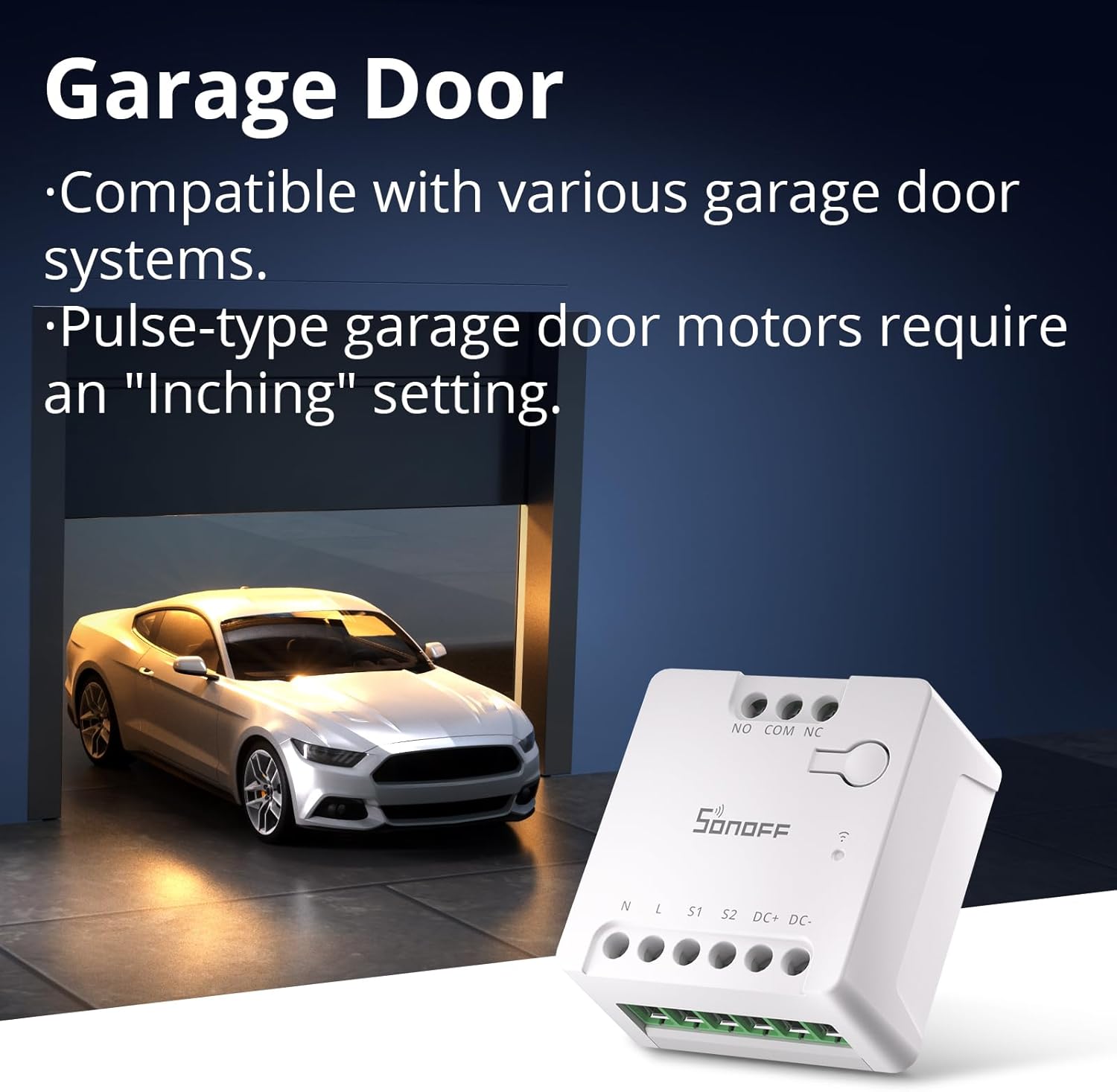
Figure 6.1: The MINI-D is compatible with various garage door systems, requiring an "Inching" setting for pulse-type motors.
Video 6.1: Detailed tutorial on how to automate your garage door using the SONOFF MINI-D.

Figure 6.2: Control and monitor your garage door remotely using the MINI-D, optionally paired with a compatible camera like Cam-S2 for visual confirmation.
6.2 DC Low-Power Motor/Solenoid Valve Control
The MINI-D is suitable for controlling small DC motors and solenoid valves up to 8W. This is useful for applications like smart irrigation systems.
- Connect the DC low-power motor or solenoid valve to the DC+ and DC- terminals of the MINI-D.
- Ensure the power supply for the MINI-D is appropriate (12-48V DC).
- Use the eWeLink app to toggle the connected device on or off.

Figure 6.3: Connection diagram for a DC low-power motor or solenoid valve with the MINI-D, supporting up to 8W.
Video 6.2: Tutorial on converting a DC low-power motor for smart control using the SONOFF MINI-D.
6.3 HVAC System Automation (Boilers)
The MINI-D can be integrated with boiler equipment featuring dry contact input to enhance comfort and energy efficiency.
- Connect the MINI-D's dry contact output (NO/COM) to the boiler's thermostat input terminals.
- You can use the eWeLink app to schedule boiler operation or integrate it with other smart devices for automated control, such as a thermostat.

Figure 6.4: The MINI-D is compatible with boiler equipment featuring dry contact input for enhanced control.
Video 6.3: Guide on how to build a thermostat automation system using the SONOFF MINI-D.

Figure 6.5: Example of a thermostat automation system using MINI-D for a comfortable and energy-saving home environment.
7. Maintenance
To ensure optimal performance and longevity of your SONOFF MINI-D Smart Switch, follow these maintenance guidelines:
- Cleaning: Wipe the device with a soft, dry cloth. Do not use harsh chemicals or abrasive cleaners.
- Firmware Updates: Regularly check for and install firmware updates via the eWeLink app to ensure the latest features and security patches.
- Environmental Conditions: Avoid exposing the device to extreme temperatures, direct sunlight, or high humidity.
- Connection Check: Periodically check wiring connections to ensure they are secure and free from corrosion.
8. Troubleshooting
| Problem | Possible Cause | Solution |
|---|---|---|
| Device offline in app | No power, Wi-Fi disconnected, poor Wi-Fi signal. | Check power supply. Verify Wi-Fi connection and signal strength. Restart router and device. |
| Cannot pair device | Incorrect Wi-Fi password, 5GHz Wi-Fi, device not in pairing mode. | Ensure 2.4GHz Wi-Fi. Double-check password. Long-press button for 5 seconds to enter pairing mode. |
| Device not responding to commands | Incorrect wiring, device overload, internal fault. | Verify wiring according to diagrams. Check load specifications. Contact support if issues persist. |
| Garage door not fully opening/closing | Inching duration incorrect. | Adjust "Inching" duration in app settings (e.g., 0.5s to 2s) to match garage door motor requirements. |
9. Specifications
| Feature | Specification |
|---|---|
| Model | MINI-D |
| Input Voltage | 100-240V AC (50/60Hz 0.1A Max) OR 12-48V DC (1A Max) |
| Output (Dry Contact) | 24V DC, 2A Max Resistive Load OR 12/24V DC, 8W Max (for low-power motors/solenoid valves) |
| Wi-Fi Standard | IEEE 802.11 b/g/n 2.4GHz |
| Operating Temperature | -10°C to 40°C (14°F to 104°F) |
| Dimensions (L x W x H) | 1.61 x 1.69 x 0.85 inches (41 x 43 x 21.5 mm) |
| Casing Material | PC |
| International Protection Rating | IP00 |
10. Warranty and Support
SONOFF provides professional support and after-sales service for its customers. For warranty information, technical assistance, or further inquiries, please refer to the official SONOFF website or contact their customer service directly.
- Website: sonoff.tech
- Service Email: support@itead.cc
Note: Product specifications and features are subject to change without prior notice.
Related documentsMINI-D


Ask a question about this manual
Ask about setup, troubleshooting, compatibility, parts, safety, or missing instructions. Manuals+ will review the question and use this page’s manual context to help answer it.