1. Introduction
Thank you for choosing the CITYSPORTS CS-WP3 Foldable Electric Treadmill. This 2-in-1 walking pad and treadmill is designed for home and office use, offering a compact and versatile solution for your fitness needs. It features an adjustable incline, a powerful yet silent motor, and a multi-functional display. Please read this manual carefully before use to ensure safe and optimal operation.
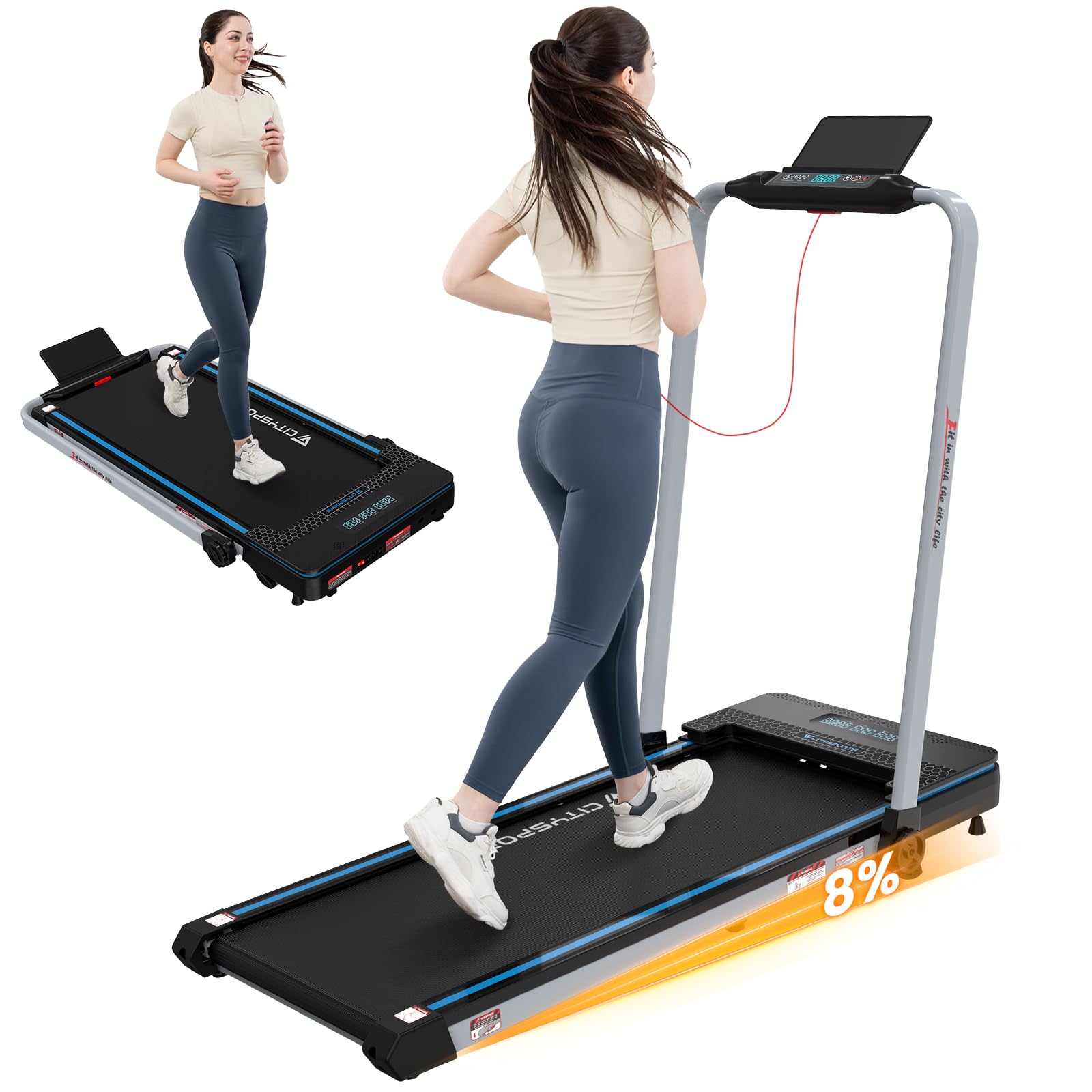
Figure 1.1: The CITYSPORTS CS-WP3 Foldable Electric Treadmill. This image displays the treadmill in its operational state, highlighting its sleek design and blue-black color scheme.
Product Features:
- Adjustable incline up to 8% for varied workout intensity.
- Powerful 1400W silent motor supporting up to 110KG user weight.
- Multi-layer anti-slip running belt for a stable and comfortable experience.
- Multi-functional LED display showing time, distance, speed, and calories.
- Compact and foldable design with front wheels for easy storage and portability.
- Speed range of 1 to 12 km/h.
- Shock absorption system to reduce joint impact.
2. Setup
2.1 Unpacking the Treadmill
Carefully remove all components from the packaging. Ensure all parts are present before beginning assembly. The package includes the treadmill unit and a power cord.
2.2 Unfolding the Treadmill
The CS-WP3 treadmill is designed for quick folding and space-saving storage. To unfold, gently lift the handle until it locks into the upright position. Ensure all locking mechanisms are securely engaged before use.

Figure 2.2.1: Unfolding the treadmill for use. The image illustrates the compact design and how the treadmill can be easily unfolded from a flat storage position to an upright position for exercise. Dimensions are shown for both states.
2.3 Placement
Place the treadmill on a flat, stable surface. Ensure there is adequate space around the treadmill for safe operation, especially at the rear for emergency dismount. Connect the power cord to a suitable electrical outlet.
3. Operating Instructions
3.1 Control Panel and Remote Control
The treadmill can be controlled via the integrated control panel on the handle or the included remote control. The LED display provides real-time feedback on your workout metrics.

Figure 3.1.1: Multi-functional LED display. The display clearly shows key workout data such as speed, time, distance, and calories burned, allowing users to monitor their progress.
3.2 Starting and Adjusting Speed
- Attach the safety key to your clothing and insert it into the designated slot on the control panel.
- Press the START button to begin. The treadmill will start at a low speed.
- Use the + and - buttons on the control panel or remote control to adjust the speed from 1 km/h to 12 km/h.
- For quick speed adjustments, use the preset speed buttons (e.g., 3 km/h, 6 km/h).
3.3 Adjusting Incline
The CS-WP3 features an adjustable incline up to 8%. This allows for a more challenging workout, simulating uphill walking or running, which can increase calorie burn and target different muscle groups.

Figure 3.3.1: Incline benefits. This image demonstrates how an 8% incline significantly increases calorie expenditure compared to a flat surface, enhancing the effectiveness of your workout.

Figure 3.3.2: Treadmill with 8% incline. A close-up view of the treadmill's running surface and control panel, highlighting the 8% incline setting for a more challenging workout.
3.4 Stopping the Treadmill
To stop the treadmill, press the STOP button. In case of emergency, pull the safety key from its slot; the treadmill will stop immediately.
3.5 Using the Treadmill in Different Modes
The 2-in-1 design allows for both walking pad and treadmill functionality. When the handle is folded down, it functions as a walking pad, ideal for use under a desk. When the handle is upright, it functions as a traditional treadmill for running or brisk walking.
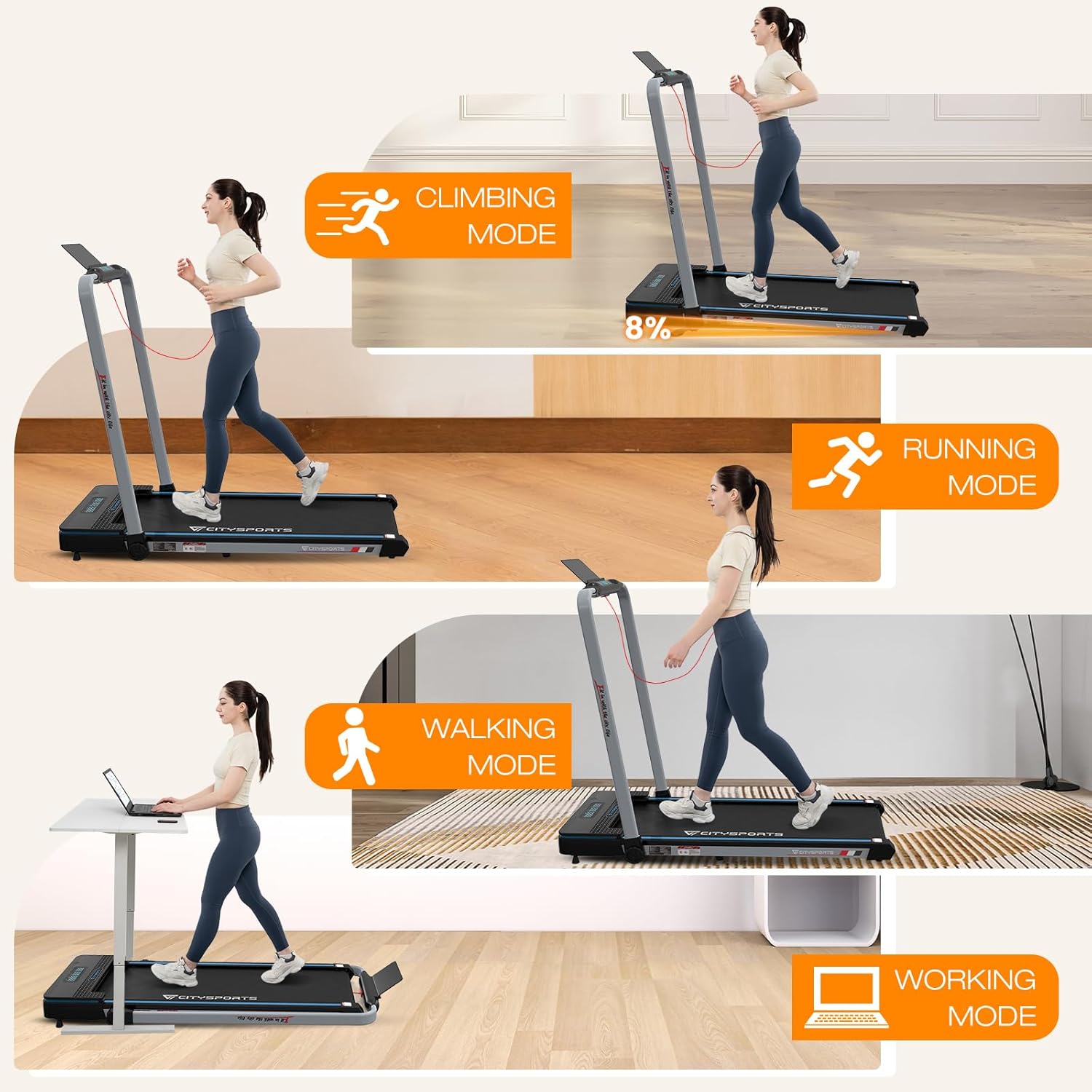
Figure 3.5.1: Versatile usage modes. This image illustrates the various ways the treadmill can be used, including climbing with incline, running, walking, and even as an under-desk walking pad for active work.
4. Maintenance
4.1 Cleaning
Regularly clean the treadmill with a damp cloth. Avoid using abrasive cleaners or solvents that could damage the surfaces. Ensure the treadmill is unplugged before cleaning.
4.2 Lubrication
The running belt requires periodic lubrication to ensure smooth operation and prolong its lifespan. Refer to the specific instructions provided with your lubrication kit for the correct procedure and frequency. Generally, lift the edge of the belt and apply silicone lubricant to the deck underneath.
4.3 Belt Adjustment
If the running belt becomes misaligned or too loose/tight, it may need adjustment. Consult the detailed instructions in the full product manual or contact customer support for guidance. Incorrect adjustment can damage the treadmill.
5. Troubleshooting
This section addresses common issues you might encounter with your CITYSPORTS CS-WP3 treadmill. For problems not listed here, please contact customer support.
| Problem | Possible Cause | Solution |
|---|---|---|
| Treadmill does not start. | Power cord not connected, safety key not inserted, power switch off. | Ensure power cord is securely plugged in, safety key is fully inserted, and power switch is ON. |
| Running belt slips or hesitates. | Belt too loose, insufficient lubrication. | Adjust belt tension (refer to full manual) or apply silicone lubricant. |
| Unusual noise during operation. | Loose parts, motor issue, belt friction. | Check for loose screws. Lubricate the belt. If noise persists, contact support. |
| Display not working correctly. | Loose connection, battery issue (for remote), electronic fault. | Check connections. Replace remote batteries. If problem persists, contact support. |
6. Specifications
| Feature | Detail |
|---|---|
| Brand | CITYSPORTS |
| Model Number | CS-WP3 |
| Color | Blue Black |
| Material | Aluminum |
| Motor Power | 1400 Watt |
| Speed Range | 1 - 12 Kilometers per hour |
| Max User Weight | 110 Kilograms (approx. 242 lbs) |
| Running Surface Dimensions | 420 x 1020 mm (approx. 16.5 x 40.1 inches) |
| Product Dimensions (L x W x H) | 133 x 60 x 107 cm (approx. 52.4 x 23.6 x 42.1 inches) |
| Product Weight | 25.35 Kilograms (approx. 55.9 lbs) |
| Power Source | Corded Electric |
| Included Components | Power cord |
| Special Feature | Compact design, Foldable, Incline function |

Figure 6.1: Powerful and silent 1400W motor. This image provides a cutaway view of the treadmill's motor, emphasizing its robust 1400W power and quiet operation, suitable for home and office environments.
7. Warranty & Support
7.1 Product Warranty
This product is covered by a standard manufacturer's warranty. Please refer to the warranty card included in your packaging for specific terms and conditions, including the warranty period and coverage details. Keep your proof of purchase for warranty claims.
7.2 Customer Support
For any questions, technical assistance, or service requests, please contact CITYSPORTS customer support. You can typically find contact information on the product packaging, the official CITYSPORTS website, or through your retailer. When contacting support, please have your model number (CS-WP3) and purchase date available.
For returns, a 30-day return policy is generally available. Please check with your retailer for their specific return process.