spovan Electro 2X

Spovan Electro 2X Smart Watch User Manual

Model: Electro 2X

Introduction

Welcome to the user manual for your Spovan Electro 2X Smart Watch. This device is an advanced AI-wearable technology designed to provide detailed health analysis and assist you in monitoring various body metrics. It is compatible with both iOS and Android devices. Please read this manual carefully to ensure proper use and maintenance of your device.

Important Note: This device is not classified as a medical device and does not provide medical data or offer any treatment. Its advanced functions process data, report, and guide users with high accuracy for informational purposes only.

Box Contents

Upon opening the box, you should find the following items:

Setup Guide

1. Initial Charging

Before first use, fully charge your Spovan Electro 2X Smart Watch. Connect the charger to the watch's charging port and plug it into a power source. The watch display will indicate charging status.

2. App Installation and Pairing

To unlock the full potential of your smart watch, download the official Spovan companion app from your device's app store (compatible with iOS and Android). Follow the in-app instructions to pair your watch via Bluetooth. Ensure Bluetooth is enabled on your smartphone.

3. Strap Attachment

Attach the watch strap securely. The inflatable cord on the sleeve can be easily attached and removed as required for specific measurements.

Operating Instructions

General Navigation

The Spovan Electro 2X features an intuitive touch screen and a side button for navigation. Swipe left/right or up/down to access different functions and menus. Press the side button to return to the home screen or wake the device.
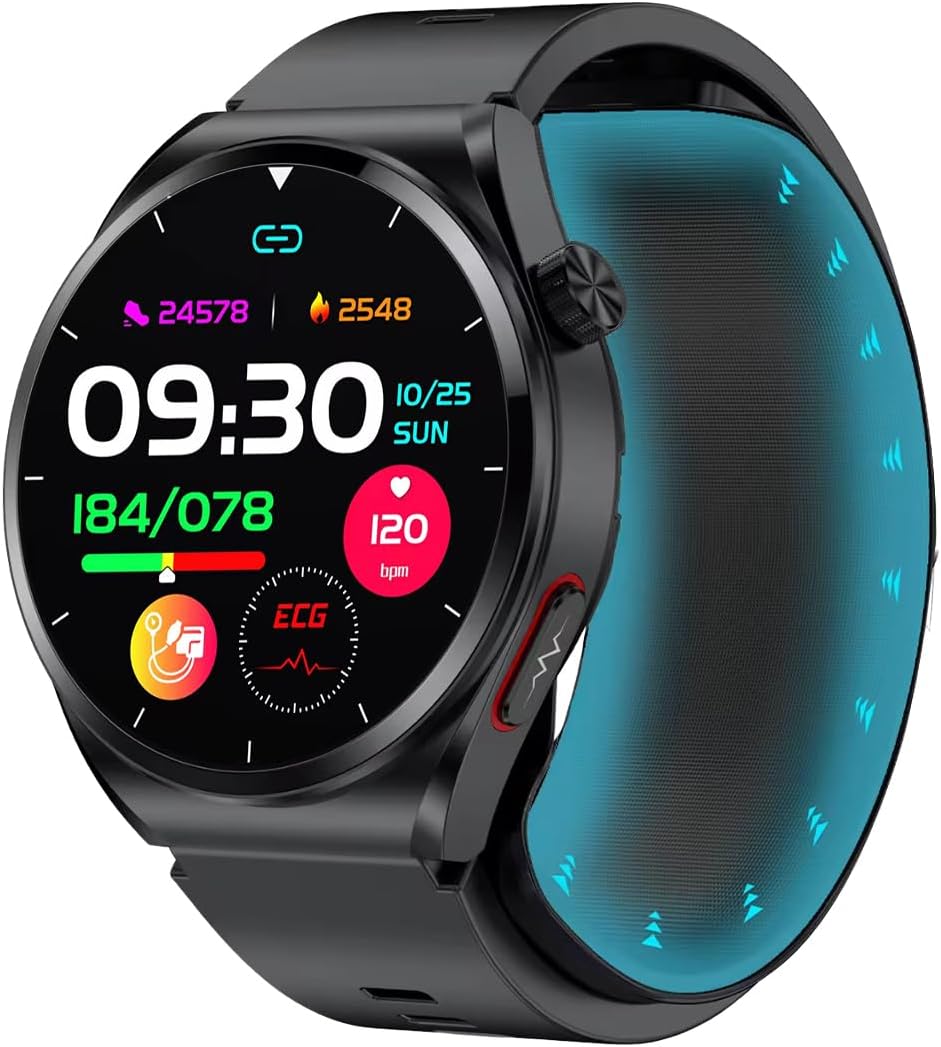
Spovan Electro 2X Smart Watch main display showing time, steps, calories, blood pressure, ECG, and heart rate.

Figure 1: Main Watch Display. This image shows the primary watch face with various health metrics displayed, including current time, date, step count, calorie burn, blood pressure readings, ECG status, and heart rate.

Blood Pressure Measurement

The watch offers quick and accurate blood pressure measurements. For detailed measurement, ensure the inflatable cord is properly attached to your arm. Alternatively, you can perform a standby measurement by pressing the quick measurement button on the watch.

To initiate a measurement, navigate to the Blood Pressure function on the watch. Follow the on-screen prompts. Remain still during the measurement for accurate results.

Spovan Electro 2X Smart Watch displaying blood pressure reading of 180/084 mmHg.

Figure 2: Blood Pressure Display. This image illustrates the watch face showing a blood pressure reading (Systolic/Diastolic) in mmHg.
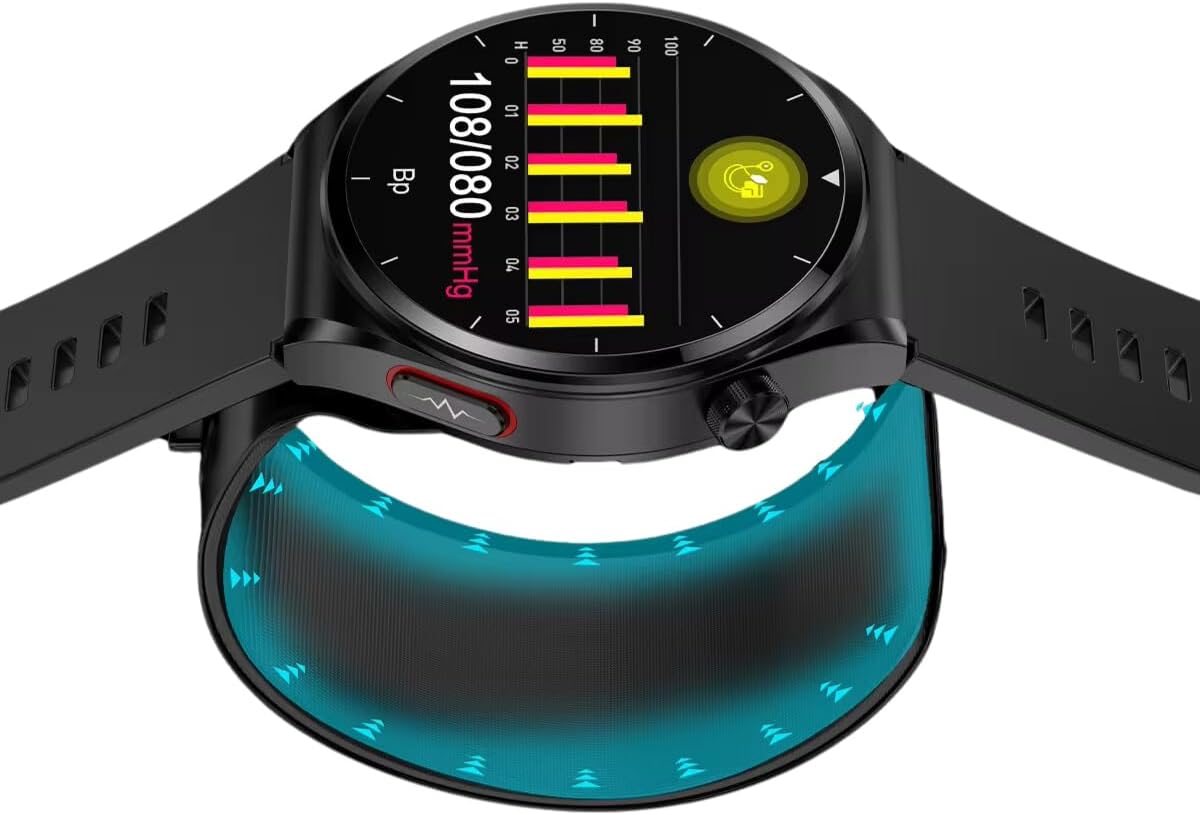
Spovan Electro 2X Smart Watch showing a historical blood pressure graph with readings over time.

Figure 3: Blood Pressure Trend Graph. This image displays a graphical representation of blood pressure measurements over a period, allowing users to track trends.

Comparison of Spovan Electro 2X Smart Watch blood pressure reading with a traditional arm cuff monitor.

Figure 4: Blood Pressure Measurement Comparison. This image shows the Spovan Electro 2X Smart Watch displaying a blood pressure reading alongside a traditional arm cuff monitor, indicating the watch's measurement capability.

Blood Oxygen Level Measurement

Quickly and effectively detect the oxygen saturation level in your blood (SpO2). Ensure the watch is worn snugly on your wrist. Navigate to the Blood Oxygen function and follow the instructions on the screen.

Instant Sugar Measurement

The watch provides instant sugar measurements, making it easier to collect data quickly for better awareness. Access this feature through the watch menu and follow the prompts.

ECG Recording and Reporting

Perform and report instant ECG recordings to monitor heart rate and health. To take an ECG, you need to place your finger on the electrode located on the right side of the watch and remain still. Both the sensors on the watch and your finger are crucial for accurate results.

Spovan Electro 2X Smart Watch on a charging dock, showing heart rate and blood pressure readings.

Figure 5: Heart Rate and Blood Pressure Display. This image shows the watch displaying heart rate (HR) and blood pressure (BP) readings, indicating successful measurement.

Fever Meter (Body Temperature)

Accurately measures body temperature to monitor fever. Ensure the sensor and metal part on the back of your watch directly contact your skin for accurate temperature transfer.

Uric Acid Levels and Detection of Abnormalities

The watch measures uric acid levels and can help identify possible abnormalities, providing a reference if values are outside normal ranges. Consult the app for detailed insights.

Blood Lipid Rate Measurement

Monitors blood lipid rates to support heart health monitoring. The watch utilizes sensors and a laser to measure blood fat data in the veins running under the skin.

Family Health Data Sharing

The companion app allows you to track the health data of your family members and loved ones, enabling you to share concerns and monitor their well-being.

Multi-Sport Modes

The watch supports multiple exercise modes to track your physical activity. Select the appropriate mode before starting your workout for accurate data recording.

Notifications and Connectivity

Receive notifications for incoming calls and messages directly on your watch when connected to your smartphone via Bluetooth. The watch does not support voice calls.

Maintenance

Troubleshooting

ProblemPossible CauseSolution
Watch not turning onLow batteryCharge the watch fully using the provided charger.
Cannot pair with phoneBluetooth off, app issue, or watch not in pairing modeEnsure Bluetooth is enabled on your phone. Restart both the watch and phone. Reinstall the companion app if necessary.
Inaccurate health readingsImproper wearing, movement during measurement, or sensor obstructionEnsure the watch is worn snugly. Remain still during measurements. Clean the sensors on the back of the watch.
Notifications not appearingBluetooth disconnected, app permissions, or notification settingsCheck Bluetooth connection. Verify app permissions for notifications on your phone. Adjust notification settings within the companion app.

Specifications

Model NameElectro 2X
BrandSpovan
Screen Size1.39 inches (Visible Screen Diagonal: 2" / 4 cm)
Item ShapeRound
GPSNo GPS
Connectivity TechnologyBluetooth
Battery Capacity300 mAh
Operating SystemWear OS
Special FeaturesActivity Tracker, Emergency Assist Button, Impact Resistant, Notifications, SOS Button, Shockproof, Weather Forecast
Compatible DevicesiOS and Android devices

Warranty and Support

Your Spovan Electro 2X Smart Watch comes with a 2-year warranty card. Please retain your proof of purchase for warranty claims.

For technical support, troubleshooting assistance, or warranty inquiries, please contact Spovan customer service. Contact details can typically be found on the warranty card or the official Spovan website.

Regular software updates are provided to enhance device functionality and performance. Ensure your device and companion app are kept up-to-date.

Related Documents - Electro 2X

PreviewSpovan Pocket Watch Overview and Features
An overview of the Spovan pocket watch, highlighting its features for outdoor use and its utilitarian design. Compares it with contemporary Rolex watches.
PreviewCasio QW-1084 Module User Manual
Comprehensive user manual for the Casio QW-1084 module wristwatch, detailing its features, modes, and operation for timekeeping, alarms, stopwatch, timer, and dive time measurement.
PreviewCASIO AQ-39, AQ-40, AQ-226A, AQ-226GA User Manual - Operating Instructions and Specifications
Comprehensive user manual for CASIO AQ-39, AQ-40, AQ-226A, AQ-226GA watches (modules 745, 755). Covers battery, water resistance, care, operating modes (time, calendar, stopwatch), technical specifications, and product information.
PreviewSilverback E-bike Operating Instructions: Safety, Maintenance & Legal Guide
Comprehensive operating instructions for Silverback EPAC/Pedelec bicycles. Covers safety guidelines, maintenance tips, legal requirements, and detailed component diagrams for models like S-Electro Pro CF, S-Electro Elite AL, S-Electro Diamond, and S-Electro Superfast.
PreviewCasio OC-107 Module 3316 User Manual and Product Information
Detailed user manual and product information for the Casio OC-107 watch, module 3316. Covers battery, water resistance ratings, care instructions, time and date setting procedures, and manufacturer specifications. Essential guide for owners.
PreviewCasio G-SHOCK International Warranty and User Manual
Comprehensive guide to the Casio G-SHOCK international warranty, including service center information, water resistance ratings, care instructions, operational guides, and technical specifications for Casio G-SHOCK watches.