
1. Product Overview
The Generic ME82BH WiFi Thermostat is an advanced temperature control unit designed for efficient management of wall-hung boiler and floor heating systems. It features smart control capabilities, high temperature accuracy, and a user-friendly LCD touch screen with backlight for easy operation.
Constructed from durable ABS material, this thermostat ensures long-term reliability and low power consumption. Its compact design facilitates straightforward installation.

Figure 1: Front view of the ME82BH WiFi Thermostat, displaying its large, reflective screen and touch controls.
Key Features:
- Smart Control: Compares ambient and set temperatures to precisely control the electric valve of the floor heating system.
- High Accuracy: Built-in sensor provides temperature sensing with an accuracy of up to ±1℃.
- User-Friendly Interface: Large LCD touch screen with backlight for clear visibility and easy programming.
- Durable Construction: Made from premium ABS material for extended operational life.
- Easy Installation: Lightweight and compact design allows for quick and convenient setup.
- Programmable: Supports 5+2 weeks programming for customized heating schedules.
- Power Off Memory: Retains settings even after power interruptions.
- Energy Saving: Features a one-key energy saving function.
2. Setup and Installation
Proper installation is crucial for the optimal performance of your ME82BH thermostat. It is recommended that installation be performed by a qualified electrician.
Package Contents:
- 1 x ME82BH Thermostat Unit
- 1 x External Temperature Sensor
- 2 x Mounting Screws
- 1 x User Manual (this document)

Figure 2: The thermostat unit shown with its external temperature sensor and mounting screws.
Installation Steps:
- Power Disconnection: Before beginning any electrical work, ensure that the main power supply to the heating system is turned off at the circuit breaker to prevent electrical shock.
- Mounting Location: Choose a suitable location on an interior wall, away from direct sunlight, drafts, or heat sources that could affect temperature readings. The recommended height is approximately 1.5 meters (5 feet) from the floor.
- Wiring Preparation: Carefully remove the front panel of the thermostat to access the wiring terminals.
- Electrical Connections: Connect the power supply wires (Live and Neutral) and the heating system control wires to the appropriate terminals on the back of the thermostat. Refer to the wiring diagram on the back of the unit for precise connections. If using the external floor sensor, connect its wires to the designated sensor terminals.

Figure 3: Rear view of the thermostat, detailing the wiring terminals for power and heating system connections.
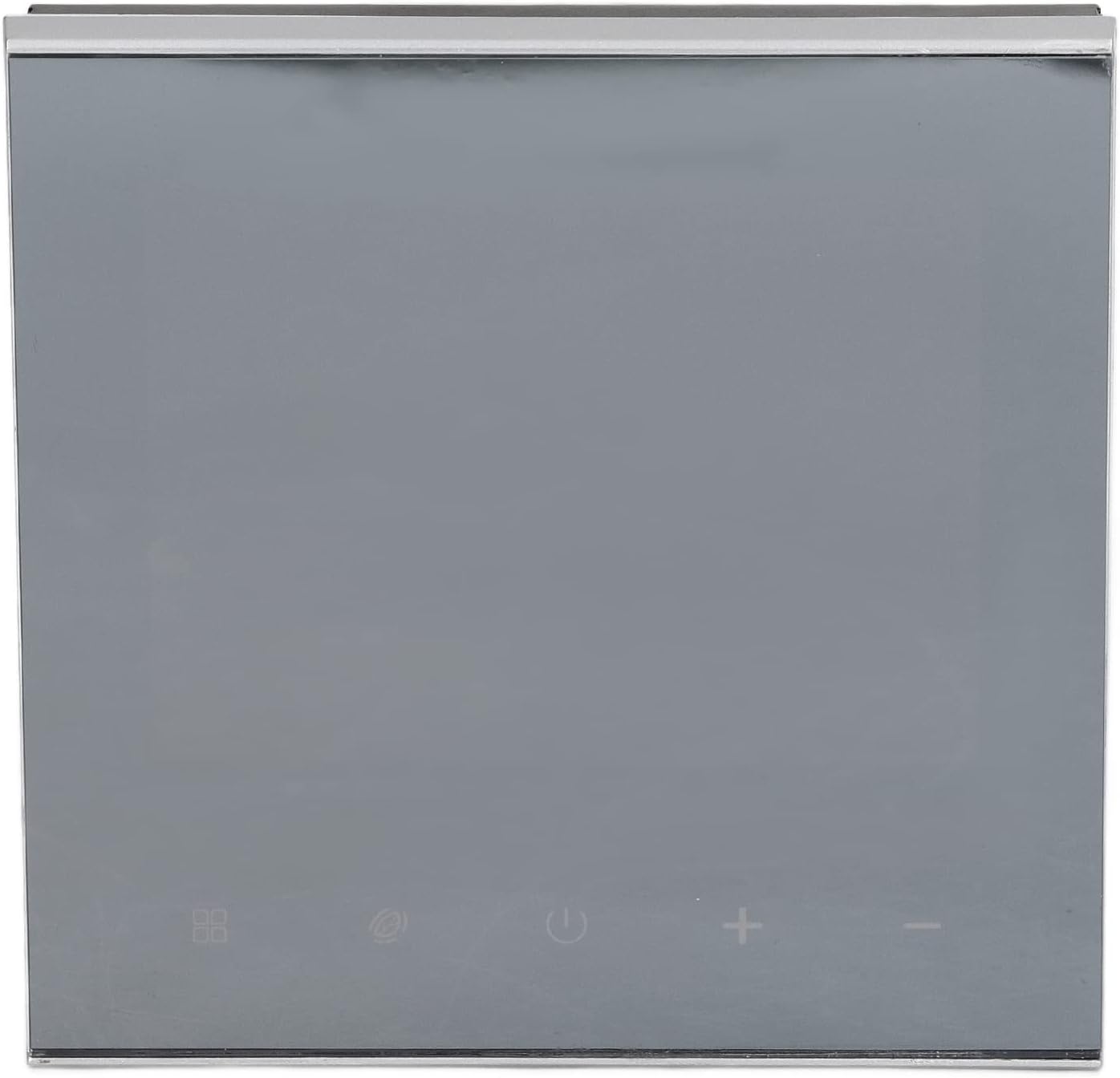
Figure 4: A detailed close-up of the wiring diagram and specifications printed on the back of the thermostat.
- Mounting: Secure the thermostat base to the wall using the provided screws.
- Reassemble: Reattach the front panel to the thermostat base.
- Power Restoration: Restore power to the heating system at the circuit breaker. The thermostat should power on.
- Initial Configuration: Follow the on-screen prompts or refer to the operating section for initial time, date, and WiFi network setup.
3. Operating Instructions
The ME82BH thermostat features an intuitive touch screen interface for easy control of your heating system.
Basic Operation:
- Power On/Off: Touch the power icon on the screen to turn the thermostat on or off.
- Temperature Adjustment: Use the '+' and '-' icons to increase or decrease the desired temperature.
- Mode Selection: Tap the mode icon (if available) to switch between heating, cooling (if supported by system), or fan modes.
- Backlight: The screen backlight will activate upon touch and typically dim after a period of inactivity.
Programming Schedules (5+2 Weeks):
The thermostat allows for programmable schedules, typically offering 5 weekdays and 2 weekend days with multiple time periods per day. Consult the on-screen menu for detailed programming steps.
- Access the programming menu via the touch screen.
- Select the day(s) you wish to program (e.g., Monday-Friday, Saturday, Sunday).
- Set the desired time periods and corresponding temperatures for each period.
- Save your settings. The thermostat will now automatically adjust the temperature according to your schedule.
WiFi Connectivity:
To enable remote control and smart features, connect your thermostat to your home WiFi network.
- Access the WiFi settings menu on the thermostat.
- Select your home WiFi network from the list of available networks.
- Enter your WiFi password.
- Once connected, the WiFi indicator on the screen will illuminate.
- Download the compatible mobile application (refer to product packaging or manufacturer's website for app details) to control your thermostat remotely.
Celsius and Fahrenheit Settings:
The temperature display can be switched between Celsius (℃) and Fahrenheit (℉).
- Navigate to the system settings menu.
- Locate the temperature unit option and select your preferred unit.
One-Key Energy Saving Function:
Activate the energy saving mode to optimize heating for reduced energy consumption. This typically sets the temperature to a more economical level.
- Press the dedicated energy saving icon (if available) or access it through the menu.
4. Maintenance
The ME82BH thermostat requires minimal maintenance to ensure continued reliable operation.
- Cleaning: Gently wipe the screen and exterior with a soft, dry, or slightly damp cloth. Avoid using abrasive cleaners, solvents, or chemical sprays, as these can damage the finish or internal components.
- Sensor Check: Periodically ensure that the temperature sensor (if external) is free from dust and obstructions, which could affect its accuracy.
- Software Updates: If the thermostat supports over-the-air (OTA) firmware updates via WiFi, ensure it is connected to the internet to receive the latest improvements and bug fixes.
- Avoid Obstructions: Do not place furniture or other objects directly in front of or over the thermostat, as this can interfere with accurate temperature readings.
5. Troubleshooting
If you encounter issues with your ME82BH thermostat, refer to the following common troubleshooting steps:
| Problem | Possible Cause | Solution |
|---|---|---|
| Thermostat screen is blank. | No power supply. | Check the circuit breaker for the heating system. Ensure wiring connections are secure. |
| Heating system not responding. | Incorrect wiring; thermostat in off mode; system fault. | Verify wiring connections. Ensure thermostat is powered on and set to heating mode. Check boiler/heating system for error codes. |
| Inaccurate temperature reading. | Sensor obstruction; thermostat location issues. | Ensure the sensor (if external) is clean and unobstructed. Relocate thermostat if it's in direct sunlight or near a heat source/draft. |
| Cannot connect to WiFi. | Incorrect password; weak signal; router issues. | Double-check WiFi password. Move thermostat closer to router or use a WiFi extender. Restart your router. |
| Programmable schedule not working. | Schedule not activated; manual override. | Ensure the schedule mode is active. Check if a manual temperature override is in effect. |
If the problem persists after attempting these solutions, please contact customer support.
6. Specifications
| Feature | Detail |
|---|---|
| Model | ME82BH |
| Material | ABS |
| Application | Industrial temperature control, Wall-Hung Boiler, Floor Heating |
| Voltage | AC 230V |
| Temperature Accuracy | ±1℃ |
| Special Features | Programmable, WiFi Connectivity, LCD Touch Screen, Backlight, Power Off Memory, One-Key Energy Saving |
| Item Weight | 285 g |
| Package Dimensions | 10 x 10 x 7 cm |
7. Warranty Information
Specific warranty details for the Generic ME82BH WiFi Thermostat may vary by region and retailer. Please refer to the warranty card included with your product or contact your point of purchase for detailed information regarding warranty coverage, terms, and conditions.
Typically, warranties cover defects in materials and workmanship under normal use. Damage resulting from improper installation, misuse, accidents, or unauthorized modifications is generally not covered.
8. Customer Support
For technical assistance, troubleshooting beyond this manual, or warranty claims, please contact the retailer or manufacturer directly. Keep your purchase receipt and product model number (ME82BH) readily available when contacting support.
You may also find additional resources, FAQs, or updated information on the manufacturer's official website, if available.