
1. Introduction
The ALIBELL Wireless Strobe Alarm Call Button System provides a reliable solution for emergency alerts in various environments. This system includes a strobe siren and remote call buttons, designed for ease of use and quick response. It is suitable for homes, hospitals, factories, schools, shops, warehouses, and underground parking areas. In an emergency, simply pressing the call button activates the siren, emitting a loud sound and flashing red light to alert others.

The ALIBELL Wireless Strobe Alarm System provides security for various locations.
2. Product Overview
2.1 Components
- Strobe Siren: Emits loud sound and flashing red light upon activation.
- Remote Call Button(s): Used to trigger the alarm. Features a "CALL" button and a "CANCEL" button.
2.2 Key Features
- Waterproof Call Button: Designed to withstand accidental spills, easy to clean.
- Large Touch Button: 5.1 cm diameter "CALL" button for sensitive and easy activation.
- Wireless System: Call buttons and siren communicate wirelessly with a range of up to 100m/328ft.
- Cancel Function: Dedicated "CANCEL" button on the call button for quick alarm deactivation.
- Battery Powered: Both call button and siren operate on batteries for flexible placement.
- Wide Application: Suitable for diverse environments including homes, hospitals, and commercial spaces.
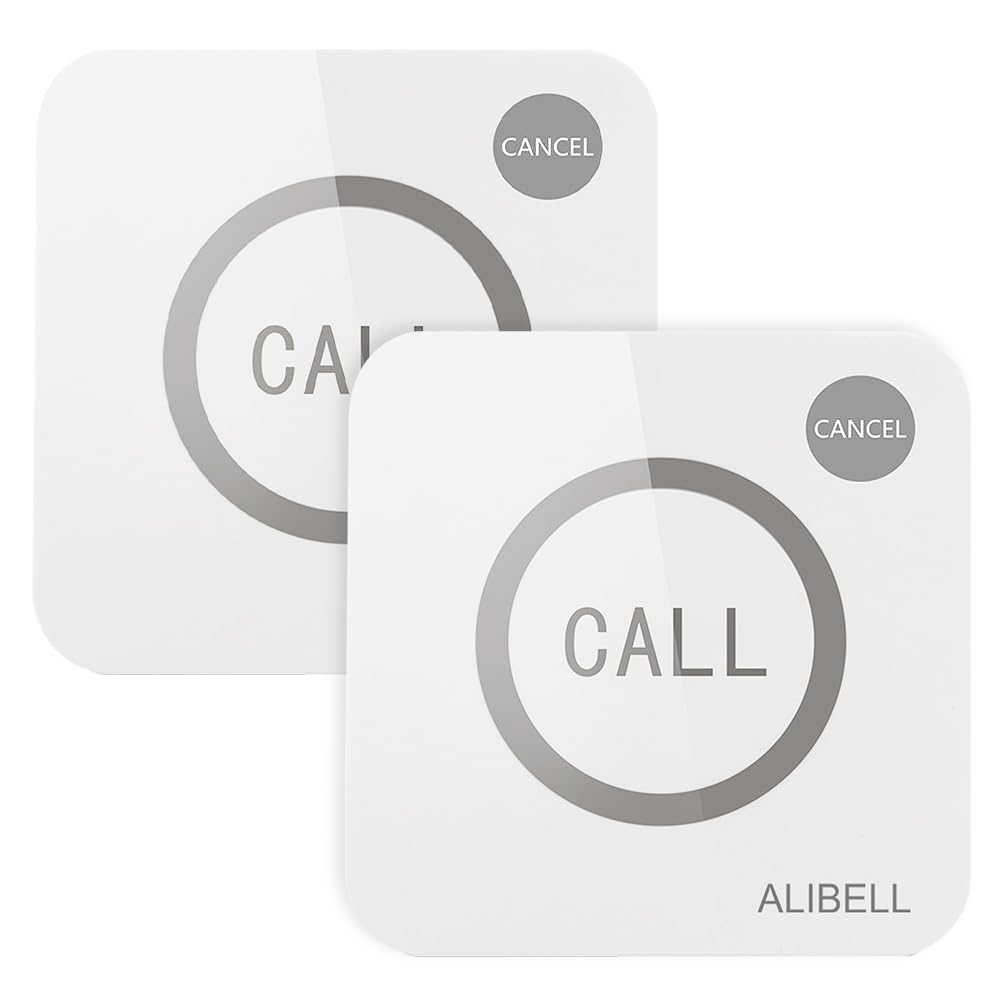
The ALIBELL Wireless Strobe Alarm Call Button System includes a siren and call buttons.

Detailed view of the call button, showing its dimensions (86mm length/width, 17.5mm thickness) and key components: "CALL" button, "CANCEL" button, and indicator light.

Detailed view of the strobe siren, showing its dimensions (11cm height, 6cm width) and control buttons: Alarm Duration Setting, On/Off, and Volume/Record.

The system offers a wireless range of up to 100 meters (328 feet).
3. Setup
3.1 Battery Installation
Ensure batteries are installed correctly before use. Both the call buttons and the strobe siren are battery-powered.
For Call Buttons:
- Locate the base of the call button.
- Pull down the base to detach it from the main unit.
- Remove any screws securing the battery compartment cover using a screwdriver.
- Insert the required 12V batteries (4 included) into the compartment, observing polarity.
- Replace the battery compartment cover and reattach the base.

Step 1: Pull down the base of the call button.

Step 2: Remove the base and screws from the call button.

Step 3: Change the battery in the call button.
For Strobe Siren:
The strobe siren also requires batteries. Open the battery compartment, insert the batteries observing polarity, and close the compartment. Ensure the siren is powered on after battery installation.
3.2 Mounting
The call buttons can be affixed to a table or wall using the provided stickers. The strobe siren is designed for wall mounting.

Example placement of the siren and call button in a home environment.

The system is versatile for use in warehouses, retail stores, offices, and garages.
4. Operating Instructions
4.1 Siren Battery Installation, Pairing, and Deleting Buttons
This video demonstrates how to install batteries in the strobe siren, pair call buttons to the siren, and delete all paired buttons from the siren's memory.
Video demonstrating siren battery installation, pairing call buttons to the siren, and deleting all paired buttons. For pairing, press and hold the siren's On/Off button until the light flashes, then press the call button. To delete, press and hold the siren's On/Off button for about 5 seconds.
4.2 Activating the Alarm
To activate the alarm, simply press the large "CALL" button on any paired remote call button. The siren will immediately sound loudly and flash its red light.
Video demonstrating the waterproof feature of the call button and how to activate the alarm by pressing the "CALL" button, which triggers the strobe siren.
4.3 Canceling the Alarm
To stop an active alarm:
- Press the "CANCEL" button on the remote call button that triggered the alarm.
- Alternatively, short press any button on the strobe siren itself.
4.4 Adjusting Siren Settings
The strobe siren has buttons for adjusting its settings:
- Alarm Duration Setting: Adjusts how long the alarm sounds.
- On/Off Button: Powers the siren on or off, and is used for pairing.
- Volume/Record Button: Adjusts the siren's volume or can be used for recording custom messages (if supported by model).
The siren features buttons for alarm duration, power, and volume/record functions.
5. Maintenance
5.1 Battery Replacement
When the indicator light on the call button or siren dims, or the system becomes unresponsive, it's time to replace the batteries. Follow the steps outlined in the "Battery Installation" section (3.1).
5.2 Cleaning
The smooth surface of the call button is designed to be easy to clean. Use a soft, damp cloth to wipe down the devices. Avoid using harsh chemicals or abrasive cleaners.

The call button is waterproof (IP55 rated) and easy to clean.
6. Troubleshooting
- Alarm not triggering:
- Check if batteries in both the call button and siren are correctly installed and have sufficient charge.
- Ensure the call button is properly paired with the siren (refer to section 4.1).
- Verify that the siren is powered on.
- Siren sound is too low or too high:
- Adjust the volume using the "Volume/Record" button on the siren.
- Call button indicator light not working:
- Replace the call button batteries.
7. Specifications
| Feature | Detail |
|---|---|
| Model Number | APE220 |
| Brand | ALIBELL |
| Power Source | Battery Powered |
| Battery Type (Call Button) | 4 x 12V (included) |
| Control Method | Touch |
| Product Dimensions (Call Button) | 8.6 x 8.6 x 1.75 cm |
| Product Dimensions (Siren) | 11 x 6 cm |
| Weight | 200 grams (total for system) |
| Color | Red (Siren top) |
| Mount Type | Wall Mount |
| UPC / GTIN | 788362536244 |
8. Warranty and Support
For warranty information or technical support, please refer to the product packaging or contact ALIBELL customer service directly. Keep your purchase receipt for warranty claims.