1. Important Safety Instructions
Please read all instructions carefully before using this product. Keep this manual for future reference.
- Weight Capacity: This TV stand is designed to support a maximum weight of 300 KG (661 lbs). Do not exceed this limit to prevent damage or injury.
- Placement: Place the TV stand on a flat, stable, and level surface. Uneven surfaces can cause instability and potential tipping.
- Children Safety: Do not allow children to climb on or play with the TV stand. Secure the unit to a wall if there is any risk of tipping, especially in households with children or pets.
- Ventilation: Ensure adequate ventilation around electronic devices placed on or within the stand to prevent overheating.
- Liquid Exposure: Avoid placing liquids directly on the stand. Spills can damage the wood finish.

Image 1: The Solid Wood Floor Standing TV Stand in a typical living room arrangement.
2. Product Overview and Components
This floor-standing TV stand is designed for convenience and durability. It features a solid wood construction with multiple storage compartments.
Key Features:
- Solid wood construction for durability.
- Rounded corners and smoothly sanded edges for safety and comfort.
- Environmentally friendly, waterproof, and stain-resistant varnish.
- Multiple storage compartments including drawers and cabinet doors.

Image 2: Detail of the smoothly sanded, rounded edges for safety and a refined finish.
Components:
The TV stand is shipped as a single, pre-assembled unit. No assembly is required.
3. Setup and Placement
This TV stand arrives fully assembled, simplifying the setup process. Follow these steps for proper placement:
- Unpacking: Carefully remove the TV stand from its packaging. Retain packaging materials for potential future transport or returns.
- Location Selection: Choose a suitable location in your living room, bedroom, or media area. Ensure the area is clear and has sufficient space for the stand and your television.
- Positioning: Place the TV stand on a flat, stable floor surface. Verify that all contact points with the floor are secure and the stand does not wobble.
- Cable Management: Utilize the rear space or internal compartments for organizing cables from your TV and media devices to maintain a tidy appearance.
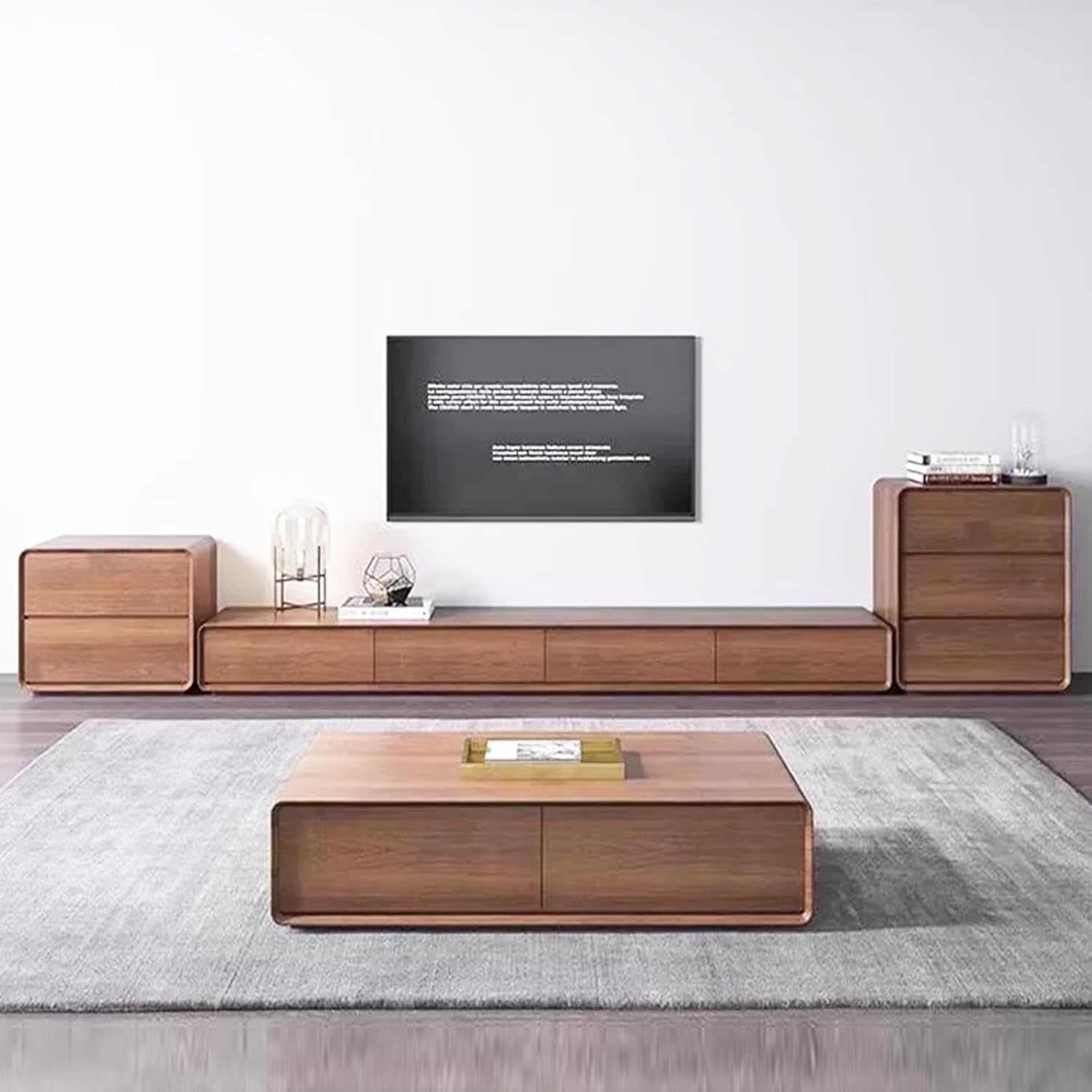
Image 3: The TV stand positioned in a living space, demonstrating its integration with other furniture.
4. Operating Instructions
The TV stand provides ample storage and a stable surface for your entertainment needs.
- TV Placement: Place your television directly on the top surface of the stand. Ensure the TV's base fits securely within the stand's dimensions.
- Storage Compartments: Use the drawers and cabinet doors to store media accessories, remote controls, books, or other household items. The design allows for categorized storage, helping to keep your living space organized.
- Media Devices: The central compartments are ideal for housing routers, set-top boxes, gaming consoles, or other media players.

Image 4: Categorized storage options, including a flap door for media devices and side drawers.
5. Maintenance and Care
Proper care will ensure the longevity and appearance of your solid wood TV stand.
- Cleaning: Wipe the surface with a soft, damp cloth. Avoid abrasive cleaners or harsh chemicals that can damage the wood finish.
- Spills: Immediately wipe up any spills to prevent staining or water damage to the wood.
- Sunlight Exposure: Avoid prolonged direct sunlight exposure, which can cause fading or discoloration of the wood.
- Humidity: Maintain a stable humidity level in the room to prevent the wood from warping or cracking.
- Varnish: The stand features a natural, environmentally friendly varnish that is waterproof and stain-resistant. Regular cleaning is usually sufficient; avoid applying additional harsh chemical treatments.

Image 5: The natural and environmentally friendly varnish protects the wood, offering waterproof and stain-resistant properties.
6. Troubleshooting
If you encounter any issues with your TV stand, refer to the following common solutions:
- Wobbling Stand: Ensure the stand is placed on a completely flat and level surface. Adjust the position if necessary. If the floor is uneven, consider using furniture pads or shims under the legs for stability.
- Drawers Sticking: Check for any obstructions within the drawer slides. Ensure the stand is level, as an uneven surface can affect drawer operation.
- Surface Scratches: For minor scratches on the wood surface, consult a professional wood furniture repair guide or use a wood repair kit suitable for varnished surfaces.
7. Specifications
| Attribute | Detail |
|---|---|
| Product Name | Floor Standing TV Stand |
| Model Number | SRDWWARFR-GRAY-200*24*24CM |
| Brand | Generic |
| Material | Solid Wood |
| Color | Grey |
| Dimensions (L x W x H) | 200 cm x 24 cm x 24 cm (78.7 x 9.4 x 9.4 inches) |
| Item Weight | 20 kg (44.1 lbs) |
| Maximum Load Capacity | 300 kg (661 lbs) |
| Assembly Required | No |

Image 6: Product dimensions for the TV stand.
8. Warranty and Support
For warranty information and customer support, please contact the retailer or manufacturer directly. Details regarding specific warranty periods and terms of service are typically provided at the point of purchase or on the manufacturer's official website.
Manufacturer: Generic