
1. Introduction
Thank you for purchasing the Wurkkos HD01 UV Flashlight. This compact and versatile flashlight combines a powerful white light, a 365nm UV light, and a multi-color RGB side light, making it suitable for various applications from everyday carry to specialized detection tasks. This manual provides detailed instructions for safe operation, setup, and maintenance of your device.
2. Safety Instructions
- Eye Safety: Do not look directly into the light beam, especially the UV light, as it can cause temporary or permanent eye damage.
- Children: Keep the flashlight out of reach of children to prevent accidental activation or misuse.
- Heat: The flashlight may become warm during prolonged use, especially in high or turbo modes. This is normal.
- Battery: The device uses an integrated Lithium-Ion battery. Do not attempt to replace it. Charge only with the provided USB-C cable or a certified equivalent.
- Lockout Mode: For safe transport, the flashlight is shipped in lockout mode. It will only flash twice when a button is pressed. Refer to the 'Setup' section to unlock it before first use.
3. Package Contents
Verify that all items are present in your package:
- Wurkkos HD01 UV Flashlight
- USB-C Charging Cable
- Lanyard
- User Manual

Image: Contents of the Wurkkos HD01 UV Flashlight package, including the flashlight, USB-C charging cable, lanyard, and user manual.
4. Product Overview
The Wurkkos HD01 UV Flashlight features a dual-button interface for intuitive control of its multiple light sources. It is designed for portability with a flat profile, a two-way clip, and a magnetic base.
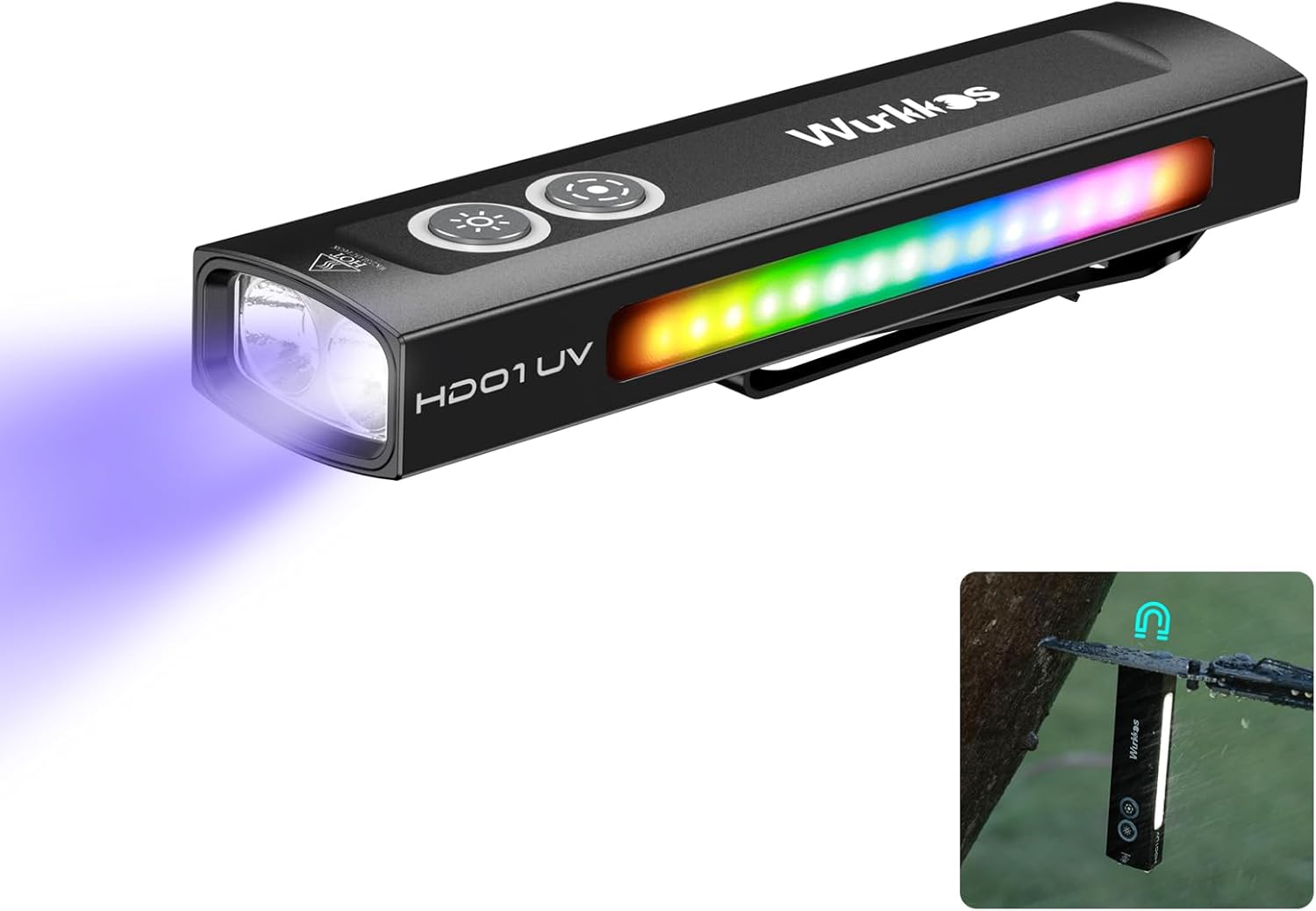
Image: Wurkkos HD01 UV Flashlight emitting a UV beam from the front and displaying a multi-color RGB light on its side panel.

Image: Diagram illustrating the dual-button interface of the Wurkkos HD01 UV Flashlight, with labels for UV light, white LED light, and battery indicator.
5. Setup
5.1 Unlocking the Flashlight
The flashlight is shipped in a locked state to prevent accidental activation during transport. To unlock:
- Quickly press either button four times.
- The flashlight will flash twice to confirm it is unlocked.
To re-engage lockout mode, repeat the four-click action. The flashlight will flash twice to confirm it is locked.

Image: Illustration demonstrating the security lockout mode for the Wurkkos HD01 UV Flashlight, showing the action of 4 quick clicks to unlock.
6. Operating Instructions
The HD01 UV Flashlight features a dual-button design for controlling its various light functions. The top button (Forward Button) primarily controls the main white light, while the bottom button (Rear Button) controls the UV light, side white floodlight, and RGB modes.
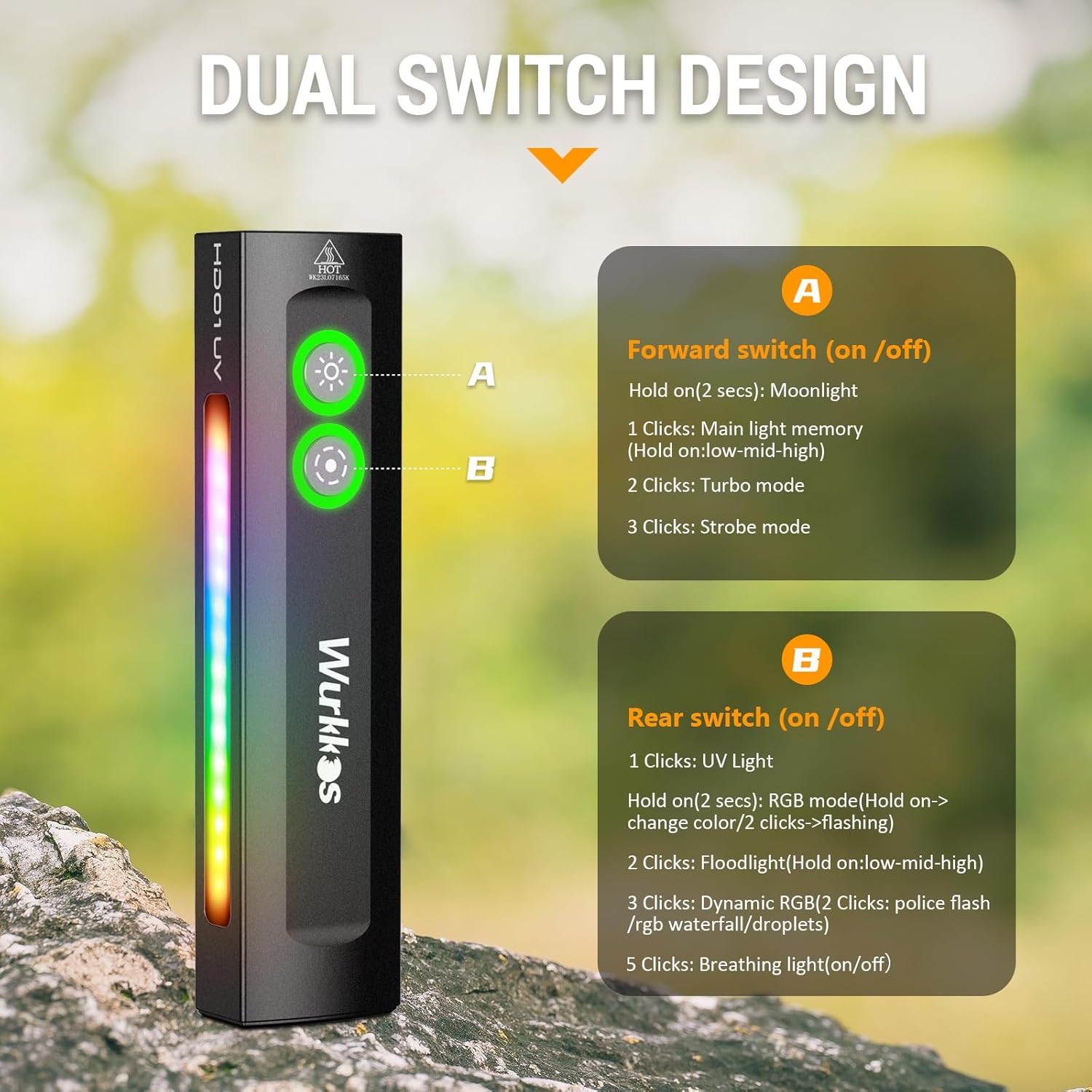
Image: Detailed diagram of the Wurkkos HD01 UV Flashlight's dual switch design, explaining the functions of the Forward (A) and Rear (B) buttons.
6.1 Main White Light Operation (Forward Button)
- Turn On/Off: One click. The light will turn on in the last used mode (memory function).
- Change Brightness (Low-Medium-High): With the light on, press and hold the Forward Button to cycle through Low, Medium, and High modes. Release to select.
- Moonlight Mode: From OFF, press and hold the Forward Button for 2 seconds.
- Turbo Mode: Double-click the Forward Button from ON or OFF. If in Turbo mode, a single click will return to Low mode before turning off.
- Strobe Mode: Triple-click the Forward Button from ON or OFF.
6.2 UV Light and Side White Floodlight Operation (Rear Button)
- UV Light On/Off: One click of the Rear Button.
- Side White Floodlight On/Off: Double-click the Rear Button.
- Change Floodlight Brightness (Low-Medium-High): With the side white floodlight on, press and hold the Rear Button to cycle through Low, Medium, and High modes. Release to select.
6.3 RGB Light Modes (Rear Button)
- Static RGB Mode: From OFF, press and hold the Rear Button to activate static RGB. Continue holding to cycle through colors. Release to select a color.
- Flashing RGB Mode: From static RGB mode, double-click the Rear Button to activate flashing RGB in the selected color.
- Dynamic RGB Modes: Triple-click the Rear Button from OFF to access dynamic RGB modes (e.g., police flash, RGB waterfall, droplets). Double-click again to cycle through these dynamic modes.
6.4 Breathing Light Function
- Activate/Deactivate: From OFF, five clicks of the Rear Button will activate or deactivate the breathing light around the buttons. This light slowly pulses green.
7. Charging
The Wurkkos HD01 UV Flashlight features a built-in rechargeable battery and a USB-C charging port.
- Connect the provided USB-C cable to the flashlight's charging port and to a USB power source (e.g., computer, wall adapter).
- The battery indicator light will show charging status.
- A full charge typically takes a few hours.
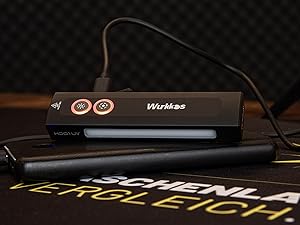
Image: Wurkkos HD01 UV Flashlight connected to a USB-C charging cable, indicating the charging process.
8. Maintenance
- Cleaning: Wipe the flashlight with a clean, soft cloth. Do not use abrasive cleaners or solvents.
- Water Resistance: The flashlight is water-resistant (IP65 rated), but it is not designed for submersion. Avoid prolonged exposure to heavy rain or water.
- Storage: Store the flashlight in a cool, dry place when not in use. For long-term storage, charge the battery every 3-6 months to maintain battery health.
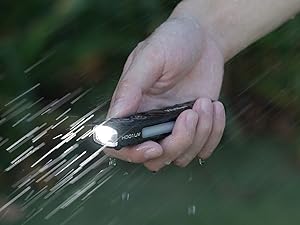
Image: A hand holding the Wurkkos HD01 UV Flashlight in light rain, demonstrating its water resistance.
9. Troubleshooting
- Flashlight only flashes twice and does not turn on: The flashlight is likely in lockout mode. Quickly press either button four times to unlock it.
- Light output is dim or inconsistent: The battery may be low. Recharge the flashlight using the USB-C cable.
- Flashlight does not charge: Ensure the USB-C cable is properly connected to both the flashlight and a working power source. Try a different cable or power source.
- Buttons are unresponsive: Ensure the flashlight is not in lockout mode. If the issue persists, contact customer support.
10. Specifications
| Feature | Specification |
|---|---|
| Model | HD01 UV |
| Brand | Wurkkos |
| Main White Light Brightness | Up to 1200 Lumens |
| UV Light Wavelength | 365nm |
| UV Light Optical Power | 975mW |
| Side Light | White Floodlight, RGB Light (static & dynamic modes) |
| Max Beam Distance | 157 meters (Main White Light) |
| Power Source | Integrated Lithium Ion Battery |
| Charging Port | USB-C |
| Material | Aluminum |
| Water Resistance | IP65 |
| Special Features | Lightweight, Magnetic Base, Portable, Two-way Clip |
| Dimensions | Approximately 4.37" x 1.06" x 0.67" |
| Weight | Approximately 3.2 ounces |

Image: Table showing detailed performance specifications for the Wurkkos HD01 UV Flashlight's spotlight and UV light modes, including lumens, runtime, and beam distance.

Image: Table showing detailed performance specifications for the Wurkkos HD01 UV Flashlight's floodlight and side RGB modes, including lumens, runtime, and beam distance.
11. Warranty and Support
Specific warranty details are not provided within this manual. For warranty information, technical support, or service inquiries, please refer to the official Wurkkos website or contact your retailer.


