
QUAINTBYTE SPS30, SEN-15103
User Manual
SPS30 PM2.5 Particulate Matter Sensor
Model: SPS30, SEN-15103
Brand: QUAINTBYTE
1. Product Overview
The QUAINTBYTE SPS30 PM2.5 Particulate Matter Sensor is an advanced air quality monitoring device designed for accurate measurement of various particulate matter concentrations. It provides detailed insights into indoor air quality by detecting PM1.0, PM2.5, PM4, and PM10 levels.
This sensor features a compact design and reliable performance, making it suitable for integration into air purifiers, HVAC systems, and environmental monitoring solutions. Its versatile connectivity options, including UART and I2C interfaces, ensure seamless integration into diverse systems and applications.
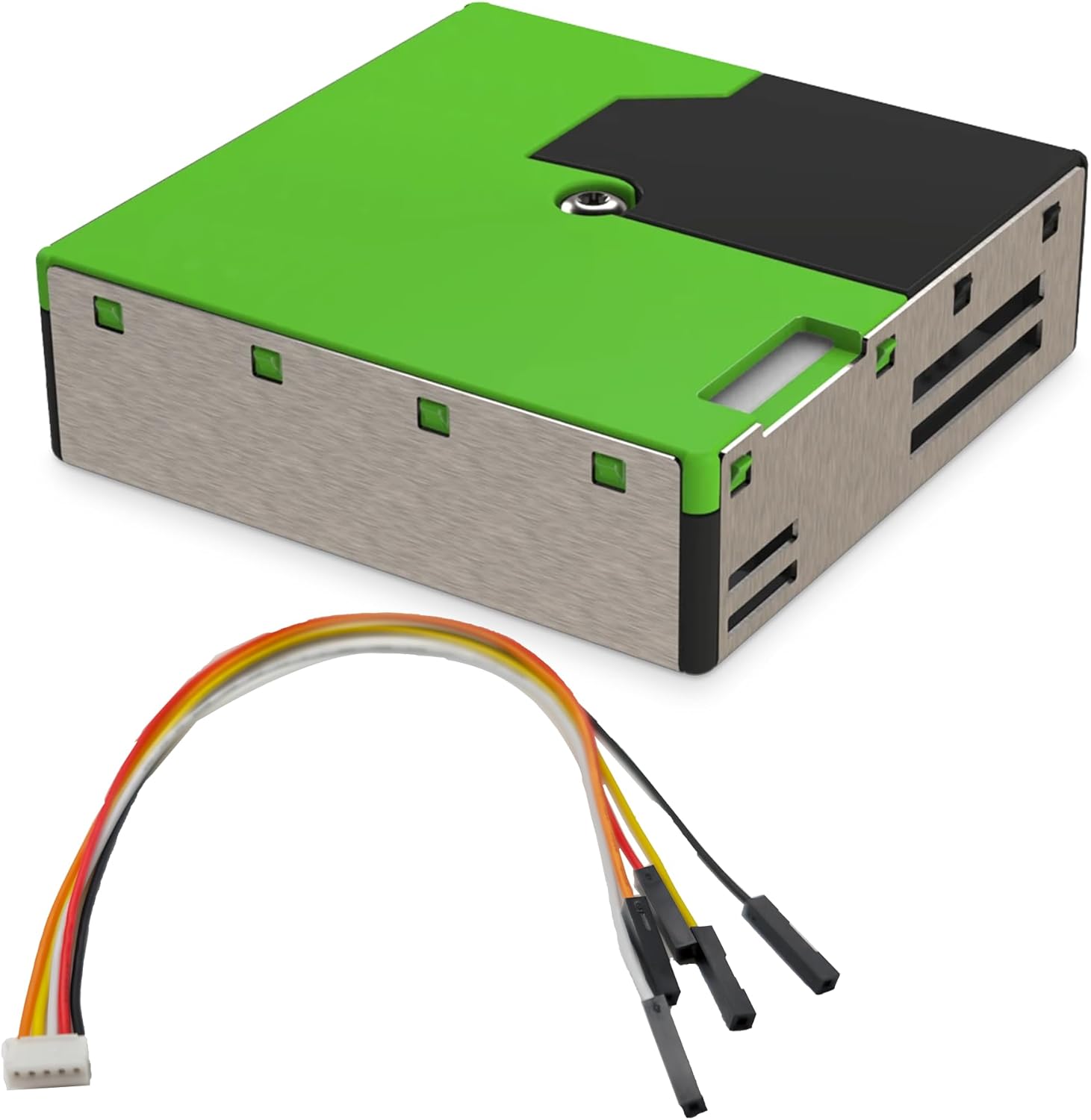
Figure 1: The SPS30 PM2.5 Particulate Matter Sensor shown with its included JST connector cable. The sensor unit is green and black with a metallic silver casing, and the cable has multiple colored wires (red, white, yellow, black) terminating in a white connector on one end and individual black female pin connectors on the other.
2. Key Features
- Comprehensive Monitoring: Accurately measures PM1.0, PM2.5, PM4, and PM10 particulate matter concentrations.
- Revolutionary Lifespan: Incorporates proprietary contamination-resistance technology and long-lasting components, offering an extended operational lifetime. This design provides superior cost-effectiveness compared to standard PM sensors by reducing the need for frequent replacements.
- Versatile Connectivity: Supports both UART and I2C interfaces for seamless integration into various electronic systems.
- Wide Measurement Range: Capable of detecting particulate matter concentrations from 0 to 1,000 µg/m³.
- Easy Connection: Ships with a dedicated JST connector cable, facilitating straightforward connection to the sensor.
3. Setup and Installation
Follow these steps to set up your SPS30 Particulate Matter Sensor:
- Unpack the Sensor: Carefully remove the SPS30 sensor and the included JST connector cable from its packaging.
- Connect the Cable: Attach the white JST connector end of the cable to the corresponding port on the SPS30 sensor. Ensure it is securely seated.
- Interface Selection: Determine whether your application requires UART or I2C communication. The sensor supports both. Refer to the sensor's datasheet for detailed pinout information for each interface.
- Integrate with System: Connect the other end of the JST cable (individual pin connectors) to your microcontroller, single-board computer, or data acquisition system according to the chosen interface (UART or I2C) and the sensor's pinout specifications. Ensure correct power (VCC), ground (GND), and data lines (SDA/SCL for I2C, TX/RX for UART) are connected.
- Power On: Once all connections are verified, apply power to your system. The sensor will begin its initialization process.
Note: For detailed electrical specifications and communication protocols, please consult the official SPS30 datasheet provided by the manufacturer of the sensor module.
4. Operating Instructions
The SPS30 sensor operates by continuously sampling ambient air and measuring the concentration of particulate matter. Once powered and correctly interfaced with your system, you can begin reading data.
- Data Acquisition: Use the appropriate communication protocol (UART or I2C) to send commands to the sensor and receive measurement data. Libraries and example code are often available for common development platforms (e.g., Arduino, Raspberry Pi).
- Measurement Parameters: The sensor provides readings for PM1.0, PM2.5, PM4, and PM10 concentrations in micrograms per cubic meter (µg/m³).
- Measurement Range: The sensor is designed to accurately measure particulate matter concentrations within a range of 0 to 1,000 µg/m³.
- Environmental Considerations: For optimal performance, ensure the sensor is placed in an area with good airflow, away from direct drafts, extreme temperatures, or high humidity, which could affect readings.
5. Maintenance
The SPS30 sensor is designed for long-term reliability and features proprietary contamination-resistance technology to minimize maintenance requirements.
- Self-Cleaning Mechanism: The sensor incorporates a self-cleaning mechanism that helps prevent dust accumulation on its optical components, contributing to its extended operational lifespan of over 10 years (when operating 24 hours/day).
- General Cleaning: If visible dust accumulates on the exterior casing, gently wipe it with a soft, dry, lint-free cloth. Do not use liquid cleaners or abrasive materials.
- Avoid Obstructions: Ensure that the air inlet and outlet vents on the sensor are not obstructed by dust, debris, or other objects, as this can impede airflow and affect measurement accuracy.
6. Troubleshooting
If you encounter issues with your SPS30 sensor, consider the following troubleshooting steps:
- No Readings or Erratic Data:
- Check all cable connections to ensure they are secure and correctly wired according to the chosen interface (UART/I2C) and pinout.
- Verify that the sensor is receiving adequate power (VCC) and that the ground (GND) connection is stable.
- Confirm that your communication code or library is correctly configured for the SPS30 sensor and the selected interface.
- Ensure there are no physical obstructions to the sensor's air vents.
- Inaccurate Readings:
- Ensure the sensor is placed in an environment free from strong air currents, direct sunlight, or significant temperature fluctuations.
- Verify that the sensor's internal self-cleaning mechanism is functioning (refer to the sensor's datasheet for details on monitoring this).
- Consider if there are any local sources of particulate matter that might be influencing readings (e.g., smoke, dust, aerosols).
- Sensor Not Detected:
- Double-check the power supply to the sensor.
- Confirm the correct I2C address or UART baud rate is being used in your software.
- Inspect the connector cable for any damage or broken wires.
If problems persist after attempting these steps, refer to the official SPS30 datasheet or contact technical support.
7. Specifications
| Attribute | Value |
|---|---|
| Manufacturer | QuaintByte |
| Part Number | SPS30, SEN-15103 |
| Item Weight | 1.76 ounces |
| Package Dimensions | 4.1 x 2.88 x 0.67 inches |
| Measurement Accuracy | ±10% |
| Included Components | 1*SPS30 sensor, 1*JST connector cable |
| Batteries Included? | No |
| Batteries Required? | No |
| Date First Available | September 11, 2024 |
| Number of Items | 1 |
8. Warranty Information
Specific warranty details for the QUAINTBYTE SPS30 PM2.5 Particulate Matter Sensor are not provided in this manual. For information regarding product warranty, including terms, conditions, and duration, please refer to the product packaging, the seller's website, or contact QUAINTBYTE directly.
9. Customer Support
For technical assistance, product inquiries, or support, please contact the seller or the manufacturer, QUAINTBYTE. Refer to your purchase documentation or the product's official website for contact details.