
Introduction
The Generic Magnetic Liquid Music Rhythm Light is a unique ferrofluid sound visualizer designed to create a dynamic visual display in sync with music. This device is not a speaker and does not produce sound itself; it requires an external audio source to react to music rhythms and sound frequencies. The ferrofluid within the display collects and disperses in various patterns, offering a captivating visual experience that changes with each song and playback.
This product is intended for decorative and entertainment purposes, providing a visual accompaniment to your audio experience. It features high sensitivity to capture different music rhythms and sound frequencies, allowing the ferrofluid to change its dancing posture to match the beat.

Image: The Magnetic Liquid Music Rhythm Light, showcasing its sound visualization capabilities and interactive modes.
Package Contents
Please verify that all items listed below are included in your package:
- Magnetic Liquid Music Rhythm Light Unit
- Instructions & Warranty Card
- Grip Magnet
- USB Type-C Power Cable
- AUX Line (Audio Input Cable)
- Remote Control (if included, please check your specific package)

Image: An overview of the package contents, showing the main unit, cables, and documentation.
Setup
- Unpacking: Carefully remove all components from the packaging. Retain the packaging for future storage or transport.
- Placement: Place the Magnetic Liquid Music Rhythm Light on a stable, flat surface. Ensure it is positioned near an audio source (e.g., speaker, sound system) for optimal sound detection. The device is suitable for various environments such as counters, gaming rooms, bedside tables, or office desks.
- Power Connection: Connect the provided USB Type-C power cable to the DC12V input port on the device. Plug the other end of the cable into a compatible power adapter (not included) or a USB power source.
- Audio Source: Ensure your external speaker or audio system is powered on and playing music. The device will react to the ambient sound.

Image: Examples of suitable placement for the device in different room settings.
Operating Instructions
The Magnetic Liquid Music Rhythm Light operates by visualizing sound frequencies through the movement of ferrofluid. It does not require direct connection to an audio output, but rather responds to ambient sound.
- Power On: Once connected to power, the device should automatically power on.
- Sound Visualization: Play music or any audio through an external speaker. The ferrofluid inside the lamp will begin to move and change shape in response to the rhythm and frequency of the sound.
- Adjusting Sensitivity (if applicable): If your model includes a remote control or physical buttons, refer to the "Instructions & Warranty Card" for details on adjusting sensitivity or switching between interactive modes.
- Observation: Observe the unique and ever-changing patterns of the ferrofluid as it dances to the music. The impact shape is dynamic and not fixed, providing a fresh visual experience each time.
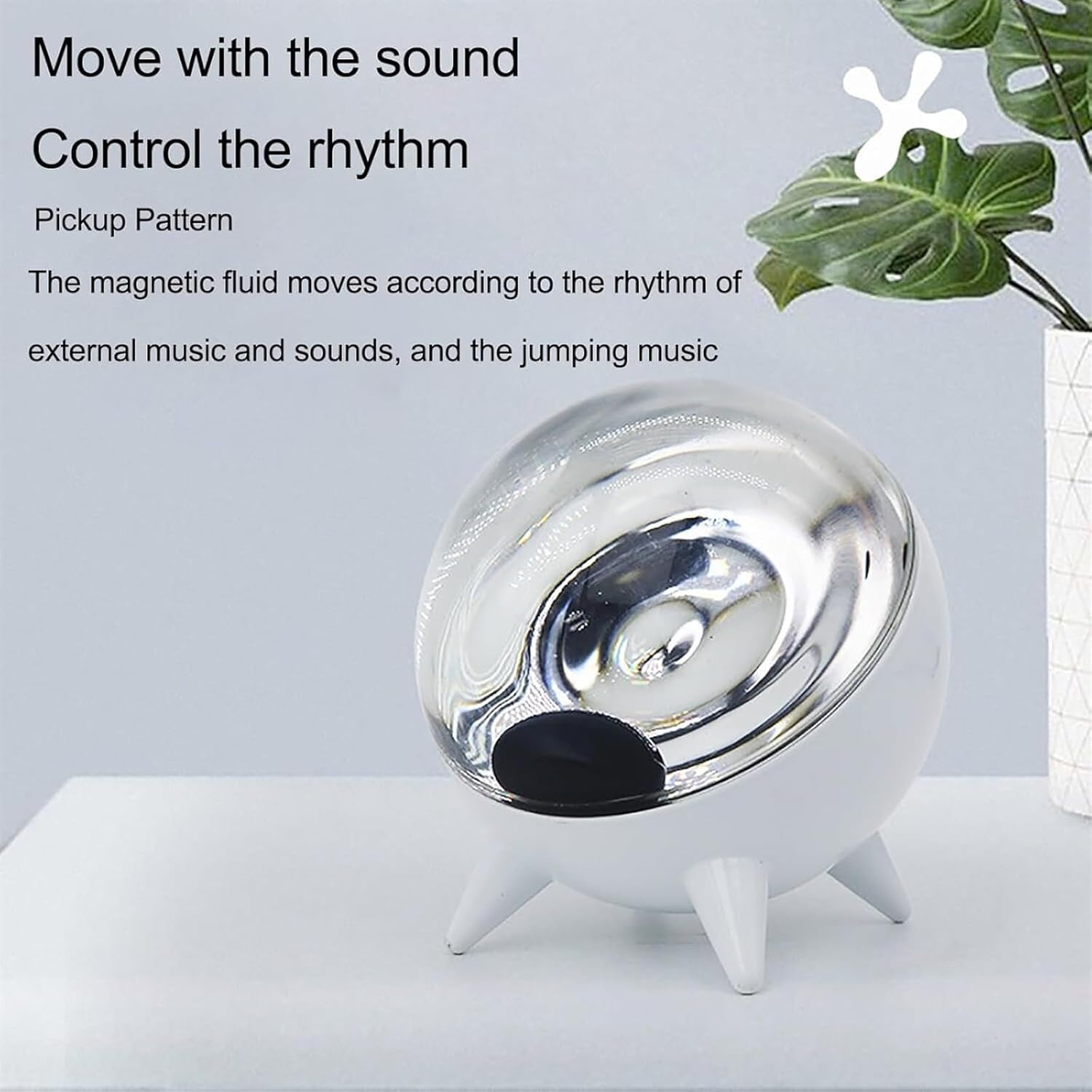
Image: The device demonstrating its ability to move and control rhythm based on external sound.

Image: Illustration of the device's high sensitivity to sound frequencies, resulting in varied ferrofluid patterns.
Maintenance
- Cleaning: Use a soft, dry cloth to gently wipe the exterior of the device. Do not use abrasive cleaners or solvents, as these may damage the surface.
- Handling: Handle the device with care. Avoid dropping it or subjecting it to strong impacts, which could damage the internal components or the ferrofluid container.
- Storage: When not in use for extended periods, store the device in a cool, dry place, away from direct sunlight and extreme temperatures.
- Ferrofluid: The ferrofluid is sealed within the unit and does not require user maintenance. Do not attempt to open the device or tamper with the ferrofluid container.
Troubleshooting
| Problem | Possible Cause | Solution |
|---|---|---|
| Device does not power on. | No power supply or faulty connection. |
|
| Ferrofluid is not moving or reacting to sound. |
|
|
| Unusual noise from the device. | Internal component issue. |
|
Specifications
| Feature | Detail |
|---|---|
| Model Number | FDYSAUDTS-B6C31790 |
| Color | Black (as per current product variant) |
| Magnetic Liquid Capacity | 4 ml |
| Product Dimensions | 98 x 98 x 106 mm (3.86 x 3.86 x 4.17 inches) |
| Item Weight | 710 g (1.56 lbs) |
| Power Supply | USB Type-C DC12V |
Warranty and Support
This product comes with an "Instructions & Warranty Card" included in the package. Please refer to this card for specific details regarding warranty coverage, terms, and conditions.
For technical support, troubleshooting assistance beyond what is provided in this manual, or warranty claims, please contact the retailer or manufacturer directly using the contact information provided on your warranty card or product packaging.
Important: Do not attempt to repair the device yourself, as this may void your warranty and could lead to further damage or injury.