
Introduction
This manual provides essential instructions for the installation and maintenance of your Sinnya HAP603/HAP603WF Air Purifier Replacement Filter. These filters are designed to ensure optimal performance of your ECOSELF HAP603 or HAP603WF air purifier, contributing to cleaner indoor air quality.
Product Features
- Compatibility: Fully compatible with ECOSELF HAP603 and HAP603WF air purifiers, ensuring seamless integration and optimal performance.
- Advanced Filtration: Features a 3-in-1 filtration system including a True HEPA H13 filter, high-efficiency activated carbon filter, and a pre-filter. This system is designed to capture 99.99% of airborne particles as small as 0.1 microns.
- Comprehensive Particle Removal: Effectively targets and reduces various airborne elements such as pet dander, hair, lint, dust, pollen, cooking odors, and smoke.
- Easy Installation: Designed for tool-free and disposable replacement, simplifying maintenance.
- Extended Lifespan: Each replacement filter provides up to 6 months of efficient air purification, depending on usage and air quality.

Figure 1: Three-layer filtration system of the HAP603/HAP603WF filter.
Installation Guide
Follow these steps to correctly install or replace the filter in your ECOSELF HAP603/HAP603WF air purifier.
- Prepare the Air Purifier: Ensure the air purifier is turned off and unplugged from the power outlet before beginning the filter replacement process.
- Remove the Back Cover: Gently pull the back cover of the air purifier to detach it. This will expose the old filter.
- Remove the Old Filter: Carefully pull out the used filter from its compartment. Dispose of the old filter responsibly.
- Unpack the New Filter: Remove the new Sinnya HAP603/HAP603WF replacement filter from its protective packaging.
- Install the New Filter: Insert the new filter into the air purifier, ensuring the "FRONT" label on the filter faces outwards. Make sure it fits securely into the compartment.
- Reattach the Back Cover: Align the back cover with the air purifier and push it gently until it clicks into place.
- Reset Filter Life Indicator: Plug in the air purifier and turn it on. Locate the "Filter Reset" button on the control panel. Press and hold this button for approximately 5 seconds until the filter life indicator resets.
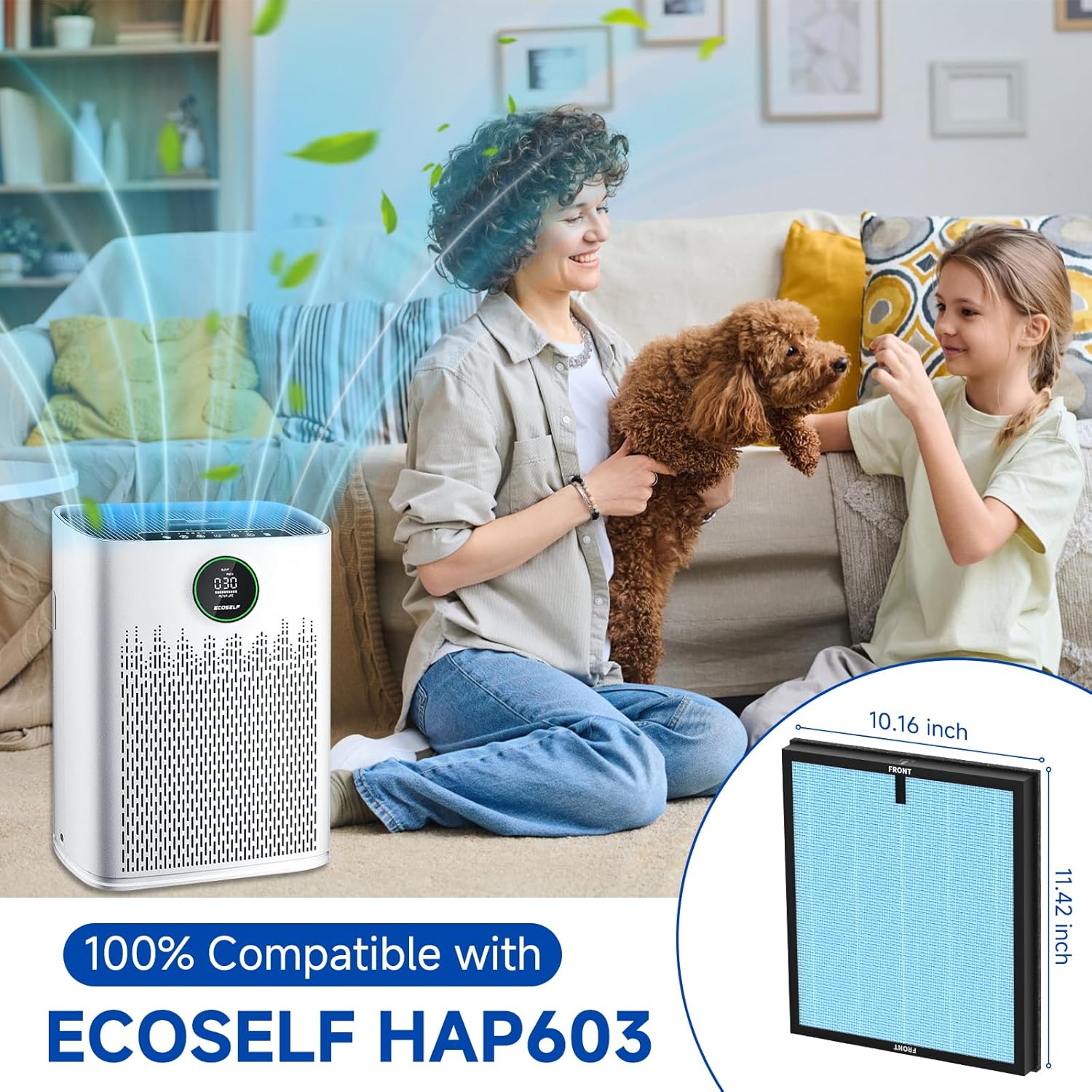
Figure 2: HAP603 filter shown with an ECOSELF air purifier, highlighting compatibility.
Video 1: Demonstrates the filter replacement process for ECOSELF HAP603/HAP603WF air purifiers.
Operating the Air Purifier (Filter Related)
While this manual focuses on the filter, understanding basic air purifier operation related to filter function is beneficial.
- Filter Life Indicator: The air purifier's display will show the remaining filter life. Replace the filter when indicated to maintain optimal performance.
- Air Quality Display: The air purifier may feature a PM2.5 air quality display, which provides real-time feedback on indoor air quality. A new, clean filter will contribute to lower PM2.5 readings.
- Auto Mode: In Auto Mode, the air purifier adjusts fan speed based on detected air quality. A fresh filter ensures the system can efficiently clean the air.
Video 2: Overview of the air purifier's control panel and settings, including filter life and auto mode.
Maintenance
Regular filter replacement is crucial for maintaining the efficiency and longevity of your air purifier.
- Filter Replacement Schedule: It is recommended to replace the HAP603/HAP603WF filter every 3 to 6 months. This interval may vary depending on air quality, usage frequency, and environmental factors.
- Signs of a Clogged Filter: Reduced airflow, increased noise from the air purifier, or persistent odors may indicate a need for filter replacement even before the indicator light activates.
- Cleaning: The filters are not washable. Attempting to clean them will damage the filtration media and reduce effectiveness. Always replace with a new filter.

Figure 3: Comparison of a new filter with a used filter, illustrating the accumulation of particles.
Troubleshooting (Filter Related)
If you experience issues related to filter performance, consider the following:
- Air Quality Not Improving: Ensure the new filter is correctly installed and the filter life indicator has been reset. Verify that the air purifier is operating in an appropriate mode for your room size and air quality needs.
- Filter Indicator Light Remains On After Replacement: Make sure you have pressed and held the "Filter Reset" button for the required duration (typically 5 seconds) after installing the new filter.
- Unusual Odors: A new filter may have a slight initial odor that dissipates quickly. If persistent or strong odors are present, ensure the filter is genuine and correctly installed.
Specifications
| Feature | Detail |
|---|---|
| Product Dimensions | 11.42 x 10.16 x 1.3 inches |
| Item Weight | 1 pounds |
| Manufacturer | Sinnya |
| Item Model Number | HAP603 Filter |
| Filter Type | True HEPA H13, Activated Carbon, Pre-filter |
| Batteries Required | No |

Figure 4: Detailed dimensions of the HAP603 filter.
Warranty and Support
For any questions or support regarding your Sinnya HAP603/HAP603WF replacement filter, please contact our customer service team.
- Manufacturer: Sinnya
- Brand Store: Visit the Sinnya Store on Amazon for more products and information.
- Contact Support: Refer to your air purifier's original manual or the product packaging for specific support contact details.