
Introduction
Welcome to your new MANSNIX Motorized Blackout Roller Shades. This manual provides comprehensive instructions for safe installation, efficient operation, and proper maintenance of your smart blinds. Please read this manual thoroughly before installation and use.
Package Contents
- 1 Motorized Roller Blind
- 1 Solar Panel
- 1 Single-Channel Remote Control
- 1 Installation Kit (screws, brackets, etc.)
- 1 Instruction Manual
Product Features
- 100% Blackout Fabric: Provides complete light blocking for privacy and optimal sleep.
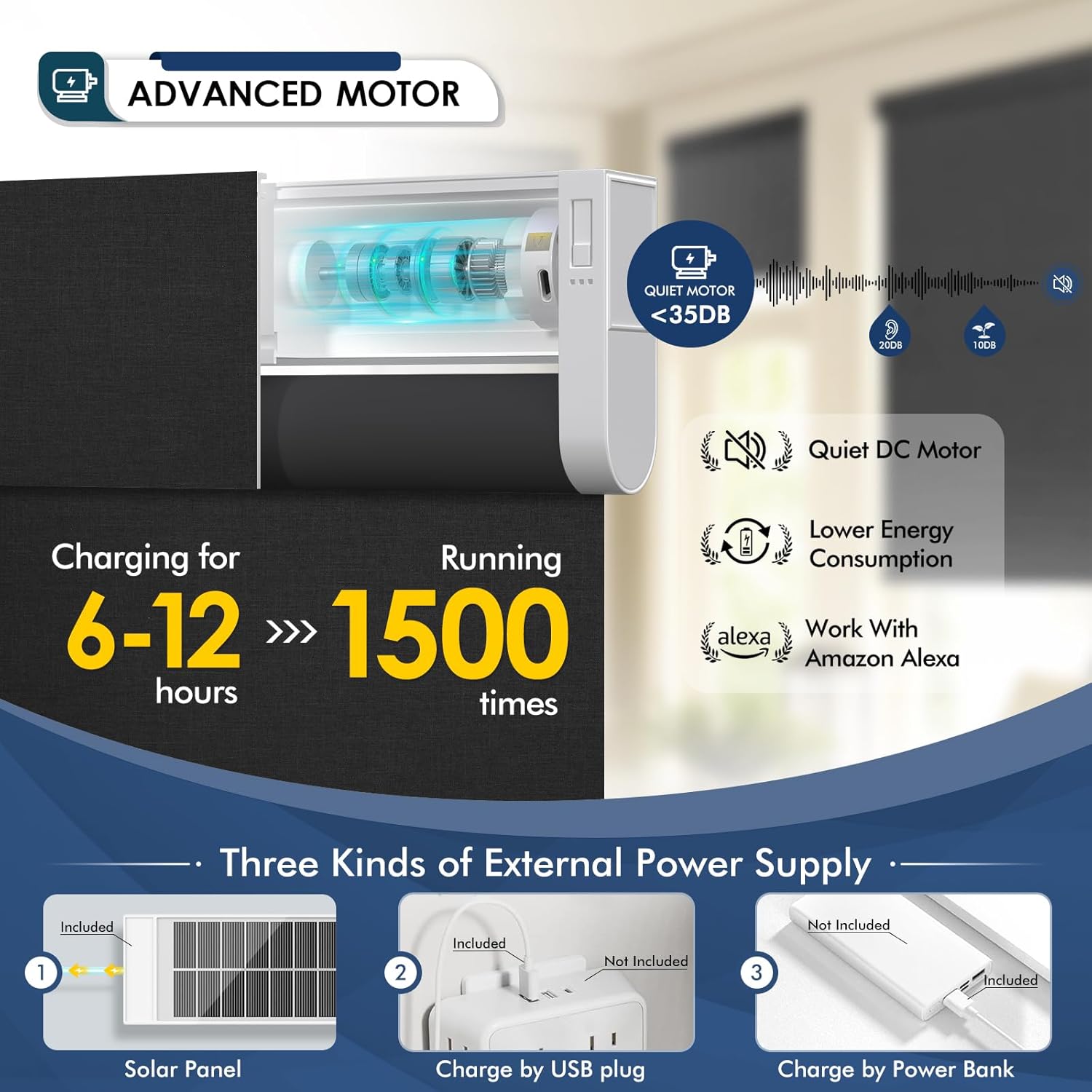
- Quiet Motor: Operates at less than 35dB for minimal disturbance.
- Solar Powered: Rechargeable motor with included solar panel for energy efficiency and reduced charging frequency.
- Remote Control: Easy operation with a single-channel remote. An optional 15-channel remote is available for controlling multiple blinds.
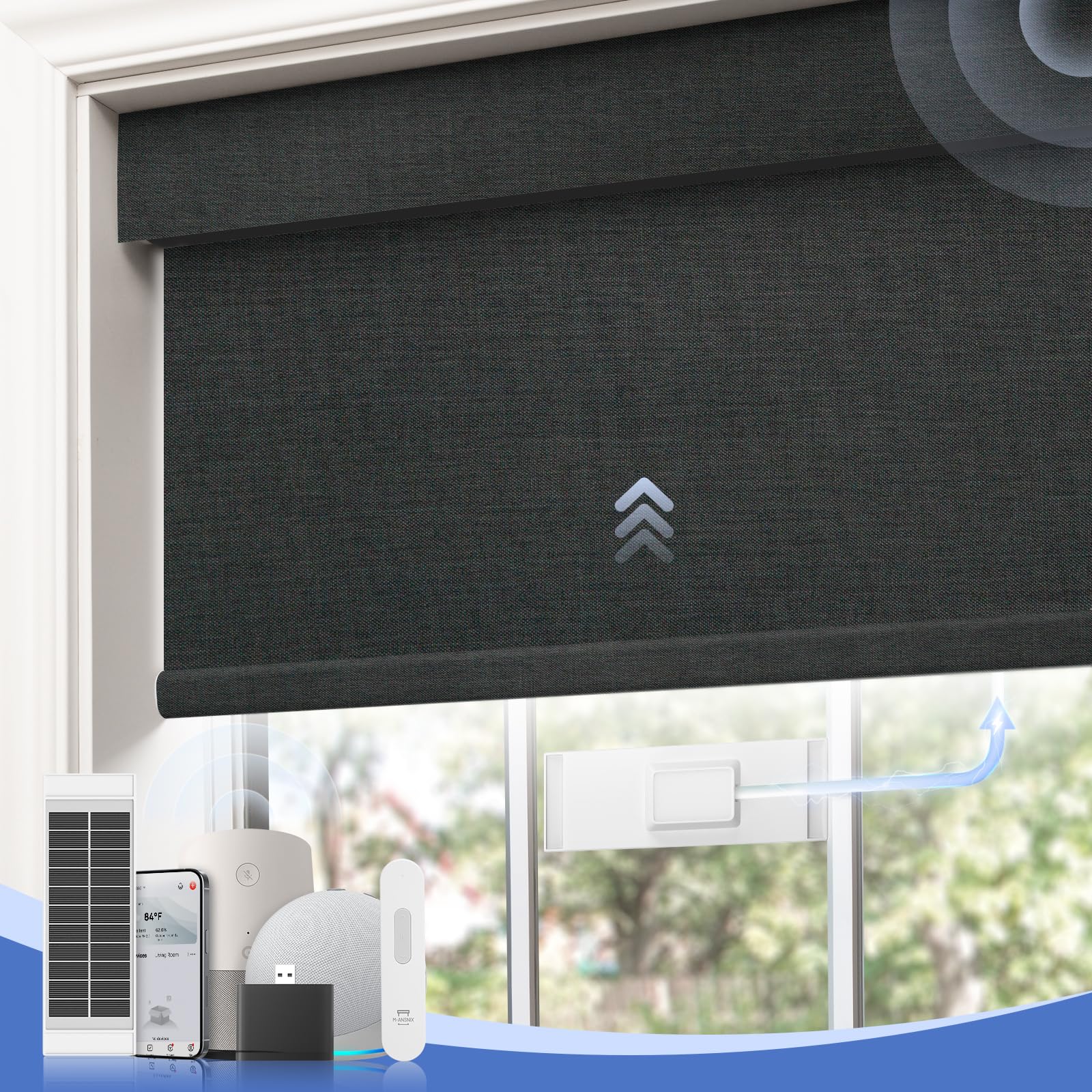
- Smart Home Compatibility: Compatible with mobile apps and smart assistant devices (e.g., Alexa, Google Home) via an optional HUB.
- Cordless Design: Enhances safety for children and pets.
Setup & Installation
Measuring Your Window
Accurate measurements are crucial for proper fit and function. Refer to the diagrams below for guidance on measuring for inside and outside mounts.

Diagram illustrating how to measure window dimensions for blinds installation.
Mounting Options
Inside Mount
- Order Width (W) ≤ Window Width - 1/4 inch
- Order Height (H) ≤ 72 inches
- Window Depth (D) ≥ 2 inches or 4 inches
Tip: We suggest reducing the window width by up to 1/4" to ensure it fits well into the frame. If the window depth is less than 2.5", select the outside mount option.

Illustration for inside mount measurements and requirements.
Outside Mount
- Order Width (W) ≥ Window Width + 4 inches
- Order Height (H) ≤ 72 inches

Illustration for outside mount measurements and requirements.
Installation Steps
The blinds are installed using metal brackets that screw into the window frame or wall. Ensure the mounting surface is secure and follow the detailed instructions provided in the separate installation guide included with your package.
Close-up of the installed blind headrail, showing the mounting mechanism.
Power and Charging
Solar Panel Charging
The included solar panel attaches to the window and continuously charges the blind's motor using sunlight. This feature promotes energy efficiency and reduces the need for frequent manual charging.
A diagram showing the solar panel connected to the blind, indicating solar power charging.

Graphic explaining the benefits of solar power for the blinds, including green energy and cost savings.
Alternative Charging Methods
In situations with insufficient sunlight, the blinds can also be charged via a USB plug or a power bank. A full charge typically takes 6-12 hours.

Visual guide demonstrating three charging methods: solar panel, USB plug, and power bank.
Operating Instructions
Remote Control Operation
Use the single-channel remote control to raise, lower, or pause the blinds at any desired position. The remote features dedicated buttons for up, pause, and down functions.
Video demonstrating the remote control functionality of the motorized blinds, showing them raising and lowering.

Image showing a single-channel remote and an optional 15-channel remote, highlighting their functions. For controlling multiple blinds, an optional 15-channel remote is available.
Smart Control (Optional)
With an optional HUB, your blinds can be integrated with mobile applications (e.g., Tuya app) and smart assistant devices like Alexa or Google Home for hands-free voice control and scheduled operations.

Illustration of controlling the blinds via a mobile application, including setting schedules.

Image depicting voice control integration with smart assistants like Alexa.
Setting Height Range
The blinds allow for height adjustments from 0 to 72 inches, with 72 possible height settings, providing precise control over light and privacy.

Diagram illustrating the adjustable height range of the blinds from 0 to 72 inches.
Care and Maintenance
Cleaning
Gently wipe the fabric with a soft, damp cloth. Avoid using harsh chemicals or abrasive cleaners, as these may damage the fabric or motor components.
Battery Care
Ensure the solar panel is clean and exposed to adequate sunlight for optimal charging. If using alternative charging methods, charge the motor fully when the battery indicator is low to maintain battery health.
Troubleshooting Common Issues
Blinds Not Responding to Remote
- Check if the remote control battery needs replacement.
- Ensure the remote is within range and pointed towards the blind's receiver.
- Verify the blind's motor is charged. If using a solar panel, ensure it is receiving sufficient sunlight.
Motor Stops Functioning
- Fully charge the blind's motor using the solar panel or an alternative charging method (USB/power bank). A full charge can take 6-12 hours.
- If the issue persists after charging, contact MANSNIX customer support for further assistance.
Fabric Edges Fraying or Not Rolling Smoothly
- Inspect the fabric edges for loose threads. Carefully trim any loose threads to prevent interference with the rolling mechanism.
- Ensure the blind is properly aligned within its mounting brackets.
Product Specifications
| Feature | Detail |
|---|---|
| Material | Polyester |
| Product Dimensions | 72"L x 34"W |
| Brand | MANSNIX |
| Color | C-black |
| Opacity | Blackout |
| Operation Mode | Automatic |
| Additional Features | Eco-Friendly |
| Mounting Type | Outside Mount |
| Control Type | Motorized |
| Item Weight | 2.4 Kilograms |
| Shape | Rectangular |
| Recommended Uses | Indoor |
| Specific Uses | Window |
| Room Type | Bathroom, Bedroom, Home Office, Kids Room, Living Room |
| Included Components | Solar Panel, Mounting Hardware, User Manual, Valance |
Warranty and Customer Support
MANSNIX provides a 2-year post-sales service for all electric blinds. If you encounter any issues or require assistance with your product, please do not hesitate to contact MANSNIX customer support. Our team is committed to providing the best service possible.
For support, please refer to the contact information provided with your purchase or visit the official MANSNIX website.


