
Introduction
This manual provides detailed instructions for the safe installation, operation, and maintenance of your new ducrew 52-inch Flush Mount Ceiling Fan. Please read all instructions carefully before beginning installation and retain this manual for future reference. This ceiling fan is designed for optimal air circulation in various indoor and outdoor covered spaces.
Safety Information
Always disconnect power at the main circuit breaker before installing, cleaning, or servicing the fan. Ensure all electrical connections comply with local codes and ordinances. If you are unsure about wiring, consult a qualified electrician. The fan must be mounted to a ceiling joist or a securely supported outlet box capable of supporting the fan's weight. Do not bend the blade holders during installation or cleaning. Ensure all screws are tightened securely.
Package Contents
Verify that all components listed below are included in your package:
- Fan Motor Assembly
- 3 ABS Fan Blades
- Ceiling Mounting Bracket
- Downrod (if applicable, for flush mount this is minimal)
- Motor Cover / Canopy
- Remote Control
- Hardware Pack (screws, wire nuts, etc.)
- Instruction Manual

Image: ducrew 52-inch Flush Mount Ceiling Fan, showing the fan, remote, and app interface.
Product Features
- Quiet Moisture-proof Design: 52-inch fan with low noise operation (under 30dB), suitable for various rooms and concrete roofs.
- Durable ABS Blades: Features three matte black plastic blades, ideal for low ceiling rooms and recessed installation.
- Remote Control Functionality: Offers positive and negative two-way rotation, 6-speed adjustment, and timer settings (1H, 4H, 8H).
- DC Inverter Motor: Equipped with a pure copper DC inverter motor for durable, quiet, and efficient performance.
- Indoor/Outdoor Use: Designed for both indoor and covered outdoor environments.

Image: Illustration highlighting the fan's quiet operation (under 30dB), DC motor, 6 speeds, and timer settings.
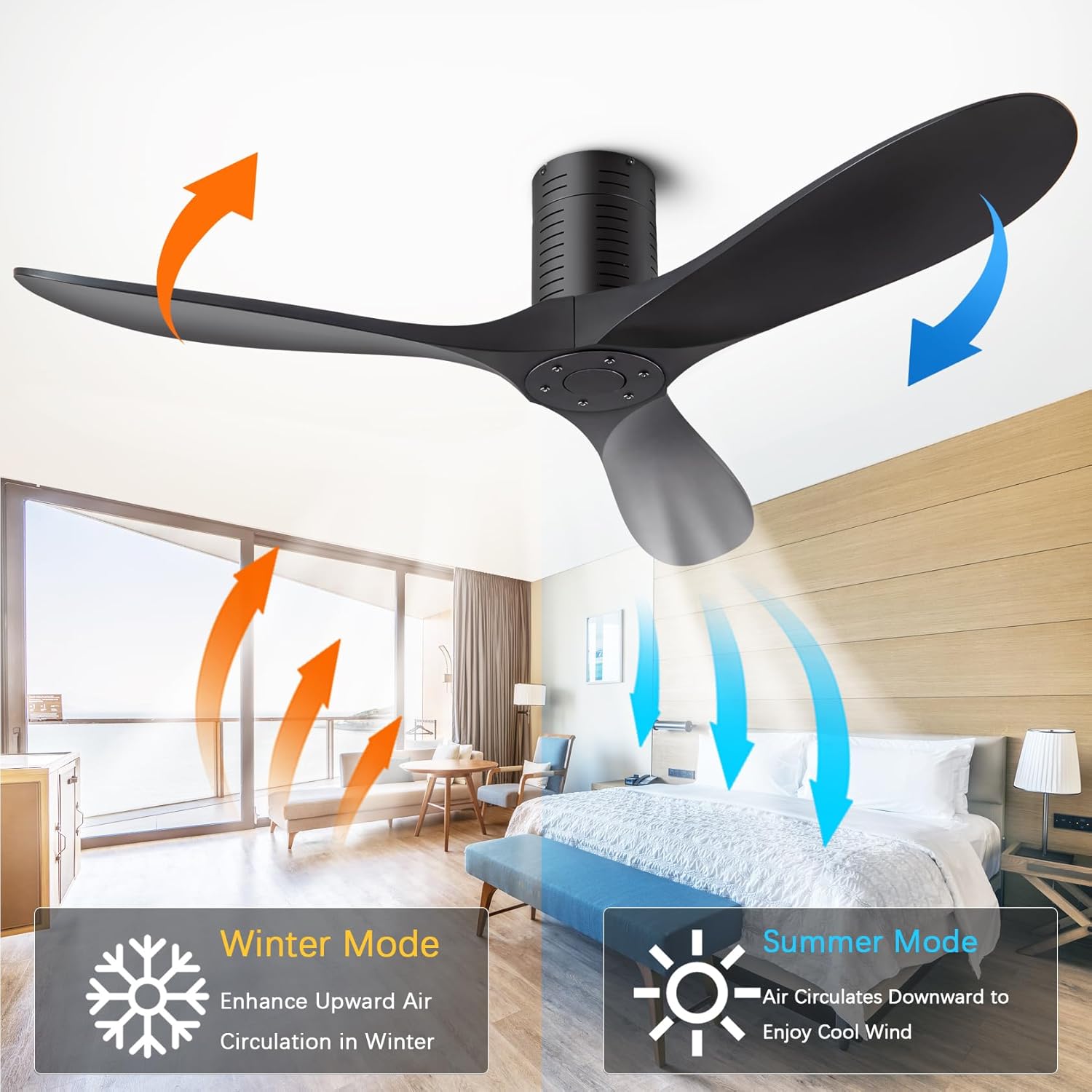
Image: Diagram illustrating the fan's reversible rotation for Summer Mode (downward airflow) and Winter Mode (upward airflow).
Installation
Before installation, ensure the power is turned off at the circuit breaker. Follow the steps below carefully. For a visual guide, please refer to the installation video provided.
Video: Official ducrew Ceiling Fan Installation Guide. This video demonstrates the step-by-step assembly and mounting process of the ceiling fan.
- Prepare the Motor: Screw down the screws on the motor assembly.
- Mount Ceiling Bracket: Securely attach the ceiling mounting bracket to the ceiling joist or approved outlet box. Ensure all electrical wires are pulled through the center hole.
- Install Fan Motor: Carefully lift the fan motor assembly and attach it to the ceiling bracket. Secure it with the provided screws.
- Wire Connection: Connect the fan's electrical wires to your household wiring. Match the colors (e.g., black to black, white to white, ground to ground) and secure connections with wire nuts. Ensure the remote control receiver is properly connected as per the wiring diagram.
- Assemble Motor Cover: Slide the motor cover up and secure it to conceal the wiring and mounting bracket.
- Install Fan Blades: Attach each of the three fan blades to the motor hub using the provided screws. Ensure they are firmly secured.
- Final Cap Installation: Attach the decorative cap to the bottom of the motor hub, covering the blade attachment points.

Image: Close-up view of the fan's metal canopy, noiseless reversible DC motor, and solid ABS blades, highlighting key components.
Operating Instructions
Your ducrew ceiling fan is operated using the included remote control or a compatible mobile application.
- Power On/Off: Press the 'Fan On/Off' button to turn the fan on or off.
- Speed Adjustment: Select from 6 fan speeds using the numbered buttons (1-6).
- Forward/Reverse Rotation: Use the 'F' (Forward) and 'R' (Reverse) buttons to change the direction of blade rotation. Forward (downward airflow) is ideal for summer cooling, while Reverse (upward airflow) helps circulate warm air in winter.
- Timer Function: Set the fan to automatically turn off after 1 hour, 4 hours, or 8 hours using the dedicated timer buttons.
- Natural Wind Mode: Activate the natural wind mode for varying fan speeds that simulate a natural breeze.
- APP Control: Scan the QR code in the manual or on the product packaging to download the compatible mobile application for additional control features.
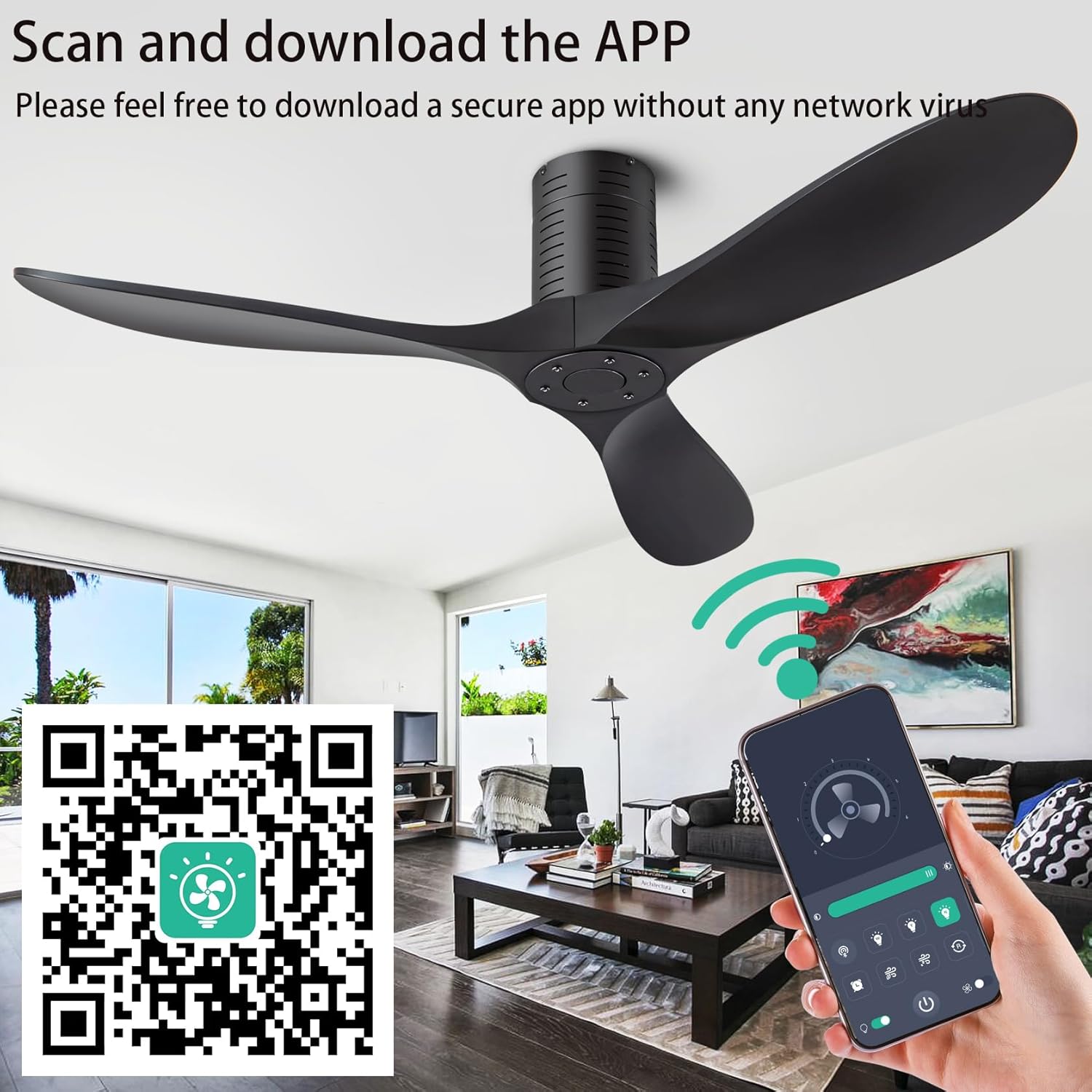
Image: The remote control and a smartphone screen showing the fan's app interface, along with a QR code for app download. Link to app: https://www.jasonghost.com/fanlamppro/
Maintenance
Regular maintenance ensures optimal performance and longevity of your ceiling fan.
- Cleaning: Use a soft, damp cloth to clean the fan blades and motor housing. Do not use abrasive cleaners or solvents.
- Tighten Screws: Periodically check all screws on the fan blades and mounting hardware to ensure they are securely tightened.
- No Lubrication: The fan's motor is permanently lubricated and does not require additional oiling.
Troubleshooting
If your fan is not operating correctly, refer to the following common issues and solutions:
| Problem | Possible Cause | Solution |
|---|---|---|
| Fan does not start | No power to the fan; Loose wire connections; Remote control not paired. | Check circuit breaker; Verify all wire connections are secure; Pair the remote control according to instructions. |
| Fan wobbles | Loose blade screws; Uneven blade weight; Loose mounting bracket. | Tighten all blade screws; Use balancing kit (not included) if needed; Ensure mounting bracket is securely fastened. |
| Noisy operation | Loose screws; Motor housing rubbing. | Check and tighten all screws; Ensure no parts are rubbing against each other. |
| Remote not working | Dead batteries; Remote not paired. | Replace batteries; Re-pair the remote control. |
Specifications
- Brand: ducrew
- Model Name: 1271BK-52X
- Size: 52 inch
- Color: Matte Black
- Electric Fan Design: Ceiling Fan
- Power Source: DC
- Number of Blades: 3
- Speed: 6 levels, up to 185 RPM
- Voltage: 12 Volts (DC)
- Item Weight: 12.03 pounds (5.47 Kilograms)
- Product Dimensions: 52"D x 52"W x 10"H
- Control Method: Remote, APP
- Indoor/Outdoor Usage: Indoor, Outdoor (covered)
- Special Feature: Adjustable Height (via downrod length), Reversible Motor
Warranty and Support
This ceiling fan features extremely simple installation. We provide users with detailed installation instructions and installation videos, offering a cost-effective installation solution for effortless setup. Should you have any questions, please feel free to contact us. Our customer service team will respond promptly (Tip: Locate our ceiling fan product in your order and click the Customer Support button).