
1. Introduction
This manual provides detailed instructions for the installation, operation, and maintenance of your VECHTEL 9-inch Android Car Stereo. This unit is designed specifically for Chrysler Town & Country (2001-2007) and Dodge Caravan (2001-2007) models, offering an integrated multimedia and navigation experience.
Please read this manual thoroughly before installation and use to ensure proper functionality and to avoid damage to the unit or your vehicle.
2. Safety Information
- Do not attempt to operate the unit while driving. Distracted driving can lead to accidents.
- Ensure all wiring is correctly connected to prevent short circuits or electrical damage.
- Consult a professional for installation if you are unsure about any steps.
- Keep the unit away from water and excessive moisture.
- Do not disassemble the unit. This will void the warranty.
3. Package Contents
Verify that all items listed below are included in your package:
- 1x VECHTEL Car Stereo Unit
- 1x Power Cable Harness (Plug and Play)
- 1x GPS Antenna
- 1x Rear Camera
- 1x Rear Camera Cable
- 1x RCA Cable
- 2x USB Cables
- 1x External Microphone
- 1x Installation Tool Kit
- 1x User Manual
4. Setup and Installation
This section guides you through the physical installation of the car stereo and initial setup steps.
4.1 Vehicle Compatibility
This unit is designed for a direct fit in:
- Dodge Caravan: 2001, 2002, 2003, 2004, 2005, 2006, 2007
- Chrysler Town & Country: 2001, 2002, 2003, 2004, 2005, 2006, 2007
The included wiring harness is plug-and-play, eliminating the need for modifications to the car's power wires.
4.2 Installation Steps
- Disconnect Battery: Before starting, disconnect the negative terminal of your vehicle's battery to prevent electrical shorts.
- Remove Old Head Unit: Carefully remove the existing car stereo from your dashboard. Use the provided installation tools if necessary.
- Connect Wiring Harness: Connect the VECHTEL power cable harness to your vehicle's factory wiring harness. Ensure all connections are secure.
- Connect GPS Antenna: Mount the GPS antenna in a location with a clear view of the sky (e.g., on the dashboard or under the windshield) and connect it to the unit.
- Connect USB Cables: Route the USB cables to a convenient location (e.g., glove compartment) and connect them to the unit.
- Connect External Microphone: Connect the external microphone and route it to a suitable position for clear voice pickup (e.g., near the sun visor).
- Rear Camera Installation (Optional but Recommended):
- Mount the rear camera at the back of your vehicle, ensuring a clear view.
- Connect the camera's video cable to the "CAM IN" port on the stereo unit.
- Connect the camera's power wire to your vehicle's reverse light power source.
- Test Connections: Before fully reassembling the dashboard, reconnect the car battery and turn on the ignition to test the unit's basic functions (power, audio, touchscreen).
- Secure Unit and Reassemble: Once tested, secure the VECHTEL stereo in the dashboard opening and reassemble all removed panels.

Image: Comparison of the car dashboard before and after installing the VECHTEL 9-inch Android Car Stereo. The new unit seamlessly integrates into the vehicle's console.
5. Operating Instructions
This section covers the main functions and features of your VECHTEL Android Car Stereo.
5.1 Basic Operation
- Power On/Off: Press and hold the power button (usually on the front panel) to turn the unit on or off. A short press typically mutes/unmutes audio.
- Volume Control: Adjust volume using the physical buttons or the on-screen controls.
- Touchscreen Interface: Navigate through menus and applications by tapping, swiping, and pinching on the 9-inch IPS HD touchscreen.
- Home Screen: The customizable home screen allows you to arrange frequently used applications.
5.2 Wireless CarPlay & Android Auto
Connect your smartphone for seamless integration of navigation, music, calls, and messaging.
- Wireless Connection:
- Ensure Bluetooth is enabled on your smartphone and the car stereo.
- Pair your phone with the car stereo via Bluetooth.
- Once paired, open the CarPlay or Android Auto application on the stereo. Your phone should automatically connect.
- Wired Connection:
- Connect your smartphone to one of the USB ports using a high-quality USB cable.
- The unit will prompt you to launch CarPlay or Android Auto.
- Voice Control: Use Siri (for CarPlay) or Google Assistant (for Android Auto) for hands-free operation.
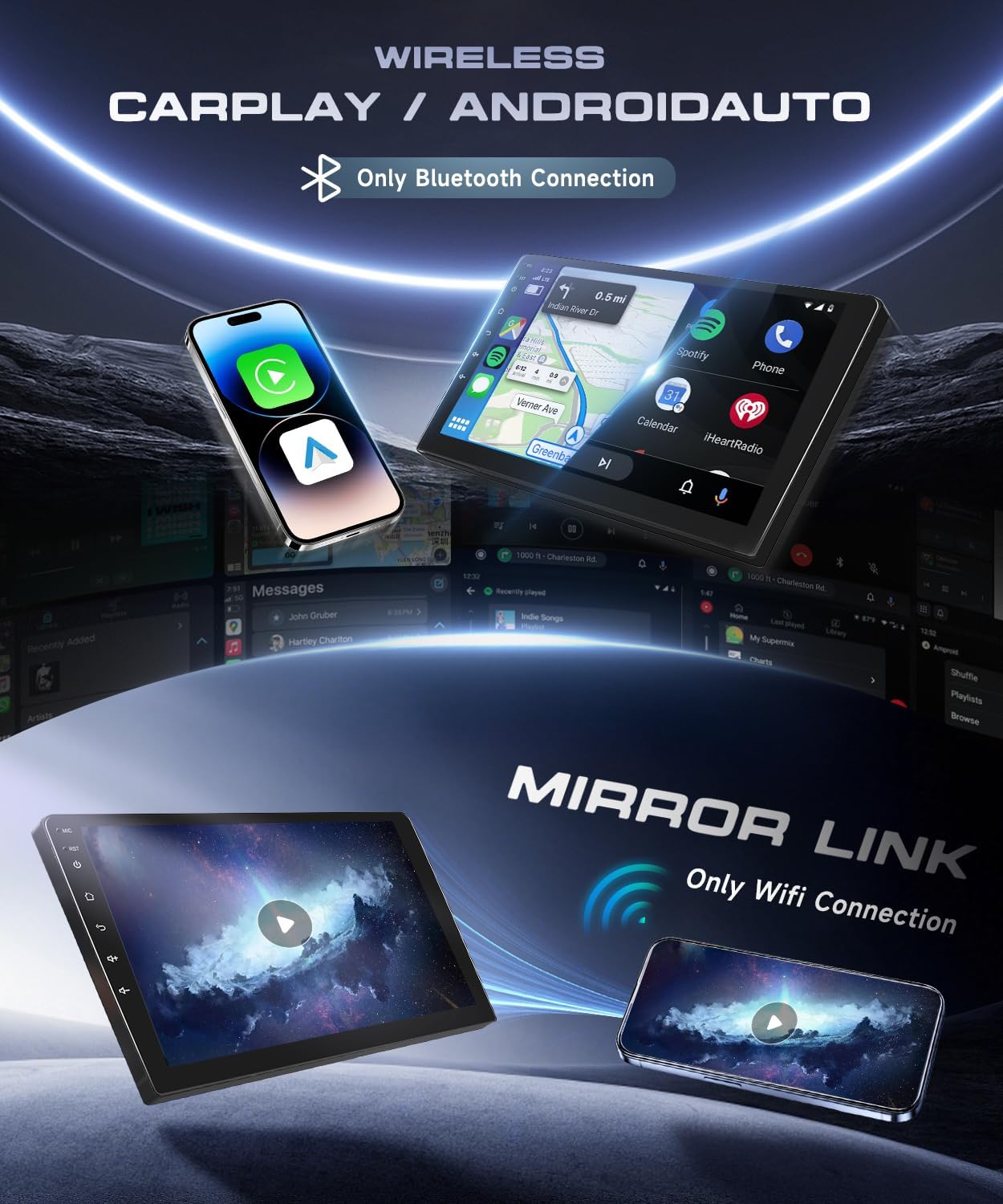
Image: Demonstrates the wireless CarPlay and Android Auto features, displaying smartphone integration for navigation, music, and calls. Also highlights the Mirror Link function for screen mirroring.
5.3 GPS Navigation
The unit supports both online and offline navigation. Pre-installed maps may be available, or you can download your preferred navigation apps from the Google Play Store.
- Online Navigation: Requires a Wi-Fi connection (via hotspot or built-in Wi-Fi) to access real-time traffic and map updates.
- Offline Navigation: Download maps for your region to use navigation without an internet connection.

Image: Illustrates the GPS navigation capabilities, showing a map with route details and icons for popular navigation applications. The image also highlights the Wi-Fi function, enabling access to online content.
5.4 Bluetooth 5.0
Connect your phone via Bluetooth for hands-free calling, music streaming, and file transfer.
- Pairing: Go to the Bluetooth settings on the stereo, enable Bluetooth on your phone, and select the stereo's name to pair.
- Hands-Free Calling: Make and receive calls directly from the stereo interface.
- Audio Streaming: Play music from your phone through the car's speakers.
5.5 FM/RDS Radio
Access local radio stations with clear reception and RDS (Radio Data System) information.
- Scanning: Use the auto-scan function to find and save available radio stations.
- RDS: Displays station information, song titles, and other data where available.
5.6 Steering Wheel Control (SWC)
The unit supports your vehicle's existing steering wheel controls for safe and convenient operation.
- Configuration: Access the SWC settings in the unit's menu to map your steering wheel buttons to specific functions (e.g., volume, track skip, mode).
5.7 Reversing Camera
When the vehicle is put into reverse gear, the display automatically switches to the rear camera view, providing parking assistance.
- Night Vision: The included camera features night vision for clear images in low-light conditions.
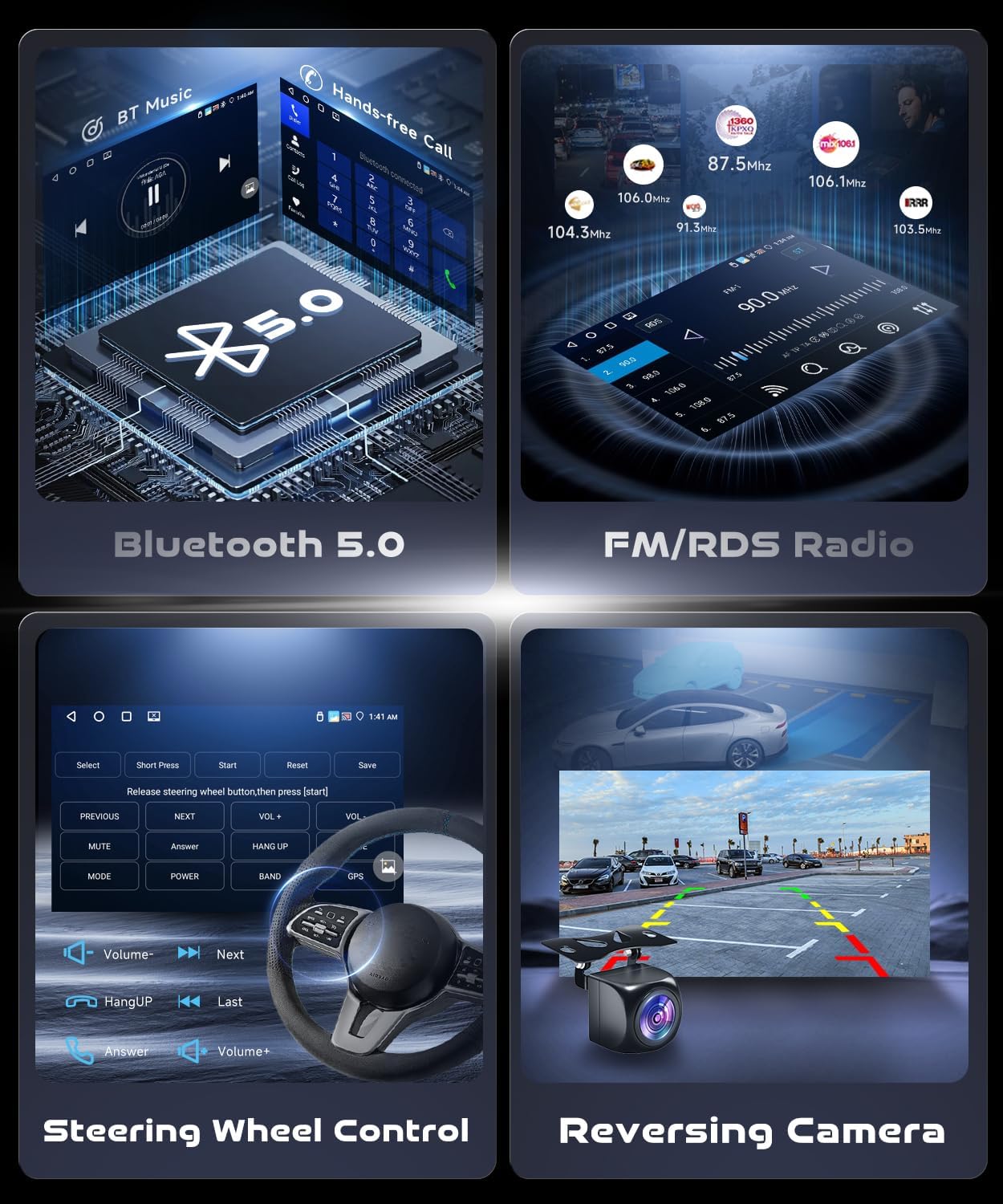
Image: Displays key operational features including Bluetooth 5.0 for music and calls, FM/RDS radio, customizable steering wheel controls, and the clear view from the reversing camera with parking guidelines.
5.8 DSP (Digital Sound Processor)
The integrated DSP with a 32-band equalizer allows for precise audio customization to suit your preferences and vehicle acoustics.
- Equalizer: Adjust frequency bands to enhance bass, treble, and mid-range.
- Subwoofer Output: Dedicated output for connecting an external subwoofer.
6. Maintenance
Proper maintenance ensures the longevity and optimal performance of your car stereo.
- Screen Cleaning: Use a soft, lint-free cloth to clean the touchscreen. Do not use abrasive cleaners or solvents.
- Software Updates: Periodically check for software updates to ensure the best performance and access to new features. Updates can usually be found on the manufacturer's website or through the unit's system settings if connected to Wi-Fi.
- Avoid Extreme Temperatures: Do not expose the unit to extreme heat or cold for extended periods.
7. Troubleshooting
This section addresses common issues you might encounter.
| Problem | Possible Cause | Solution |
|---|---|---|
| Unit does not power on. | Loose power connection, blown fuse, vehicle battery issue. | Check power cable connections. Inspect vehicle fuses. Ensure car battery is charged. |
| No sound. | Volume muted, incorrect audio source, speaker wiring issue. | Check volume level and mute status. Select correct audio source. Verify speaker connections. |
| GPS signal weak or unavailable. | GPS antenna improperly installed or obstructed. | Ensure GPS antenna has a clear view of the sky. Check antenna connection. |
| CarPlay/Android Auto not connecting. | Bluetooth/Wi-Fi off, incorrect pairing, faulty USB cable, phone software issue. | Ensure Bluetooth/Wi-Fi is on. Re-pair device. Try a different USB cable. Restart phone and stereo. |
| Rear camera not displaying. | Camera power or video cable loose, reverse light signal issue. | Check camera connections. Ensure camera power is correctly wired to reverse light. |
| Touchscreen unresponsive or inaccurate. | Software glitch, screen protector interference, physical damage. | Restart the unit. Remove any screen protectors. If issue persists, contact support. |
If you encounter issues not listed here, or if the suggested solutions do not resolve the problem, please contact VECHTEL customer support.
8. Specifications
| Brand: | VECHTEL |
| Operating System: | Android 13 (8-core CPU) |
| Memory: | 2GB RAM + 64GB ROM |
| Display Size: | 9 Inches |
| Display Type: | IPS Touchscreen |
| Display Resolution: | 1280 x 720 |
| Bluetooth Version: | 5.0 |
| Output Power: | 4 x 45W |
| Special Features: | Wireless CarPlay, Wireless Android Auto, GPS, Wi-Fi, DSP (32-band EQ), Mirror Link, FM/RDS Radio, Steering Wheel Control Support, Rear Camera Input |
| Compatible Vehicles: | Chrysler Town & Country (2001-2007), Dodge Caravan (2001-2007) |
| Operating Temperature: | -20 ℃ to 75 ℃ |
| Audio Formats: | APE/FLAC/WAV/MP3/WMA etc. |
| Video Formats: | MKV/RMVB/AVI/MP4/MDV etc. |

Image: Highlights the 9-inch HD touchscreen with 1280x720 resolution, illustrating the display quality and core system specifications like RAM, ROM, and Android version.
9. Warranty and Support
VECHTEL products are designed for reliability and performance. For warranty information, please refer to the documentation included with your purchase or contact our customer support.
Customer Support: If you encounter any issues, including compatibility concerns (e.g., wiring or fitment), please contact us directly through Amazon. Provide your car's model year and a photo of the center console for assistance. Our support team can help identify the correct dashboard kit or wiring harness if needed.
For the latest support information and FAQs, please visit the official VECHTEL website (if available, otherwise refer to Amazon seller page).
