
PwrON Firman WH03242
PwrON AC/DC Adapter for Firman WH03242 Generator Battery Charger Instruction Manual
1. Introduction
This manual provides essential information for the safe and efficient operation of your PwrON AC/DC Adapter. This adapter is specifically designed to charge 12V 5.5Ah sealed lead acid batteries found in Firman WH03242, WH03242, and 2322024 portable generators. Please read these instructions thoroughly before use and retain them for future reference.

Image 1.1: The PwrON AC/DC Adapter, showing the main unit, attached power cord, and barrel connector.
2. Safety Information
To ensure safe operation and prevent damage, observe the following precautions:
- Compatibility Check: Before connecting, verify that the DC output voltage and tip size of this adapter match the requirements of your generator's battery input. Incorrect specifications can cause damage.
- Overheating Prevention: Monitor the adapter and the charging device for signs of overheating. If overheating occurs, immediately disconnect the power supply and allow both components to cool before attempting to charge again.
- Environmental Conditions: Keep the adapter dry and away from moisture. Do not expose it to fire or extreme temperatures.
- Child Safety: Keep the adapter out of reach of children.
- Handling: Do not attempt to open, throw, hit, or shake the adapter. Avoid short-circuiting the output terminals.
- Integrated Safety Features: This adapter includes built-in protections against short circuit, over current, over voltage, and over temperature to ensure safe charging.
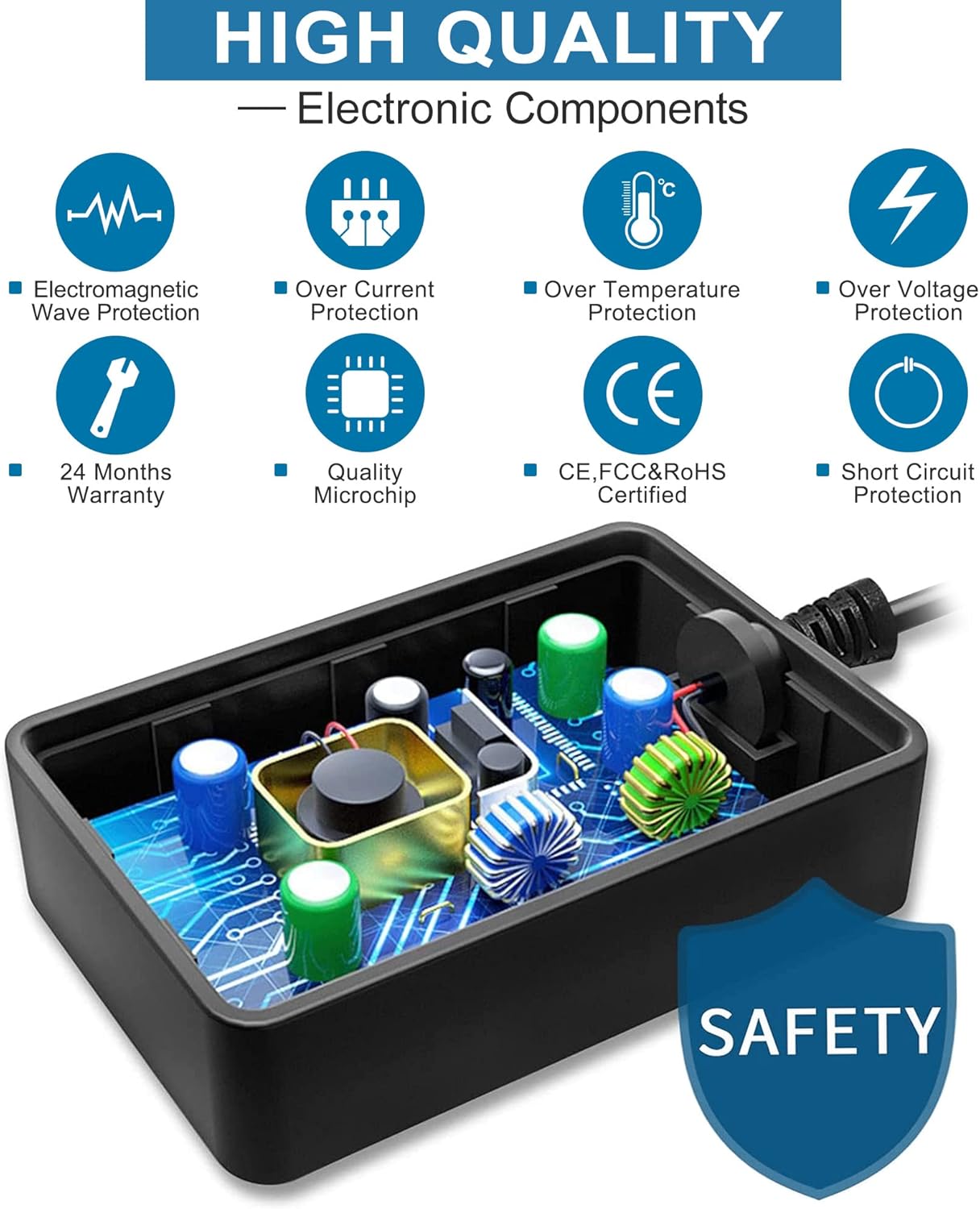
Image 2.1: An illustration of the adapter's internal electronic components, emphasizing its high-quality construction and various safety protections such as electromagnetic wave protection, over current protection, over temperature protection, over voltage protection, and short circuit protection.
3. Product Overview
The PwrON AC/DC Adapter is a reliable power supply designed for charging 12V 5.5Ah sealed lead acid batteries in compatible Firman portable generators. It offers stable output and incorporates advanced safety features for secure operation.
Key Features:
- Quiet Operation: Designed for low noise output during use.
- Low Temperature Operation: Engineered to operate at low temperatures, reducing the risk of overheating.
- Enhanced Safety: Constructed to prevent spontaneous combustion, explosion, and fire hazards.
- Durable Design: Features hardware pins that are safe, solid, and resistant to falling off. The power cord is high-quality, designed to withstand multiple bends without copper wire breakage.
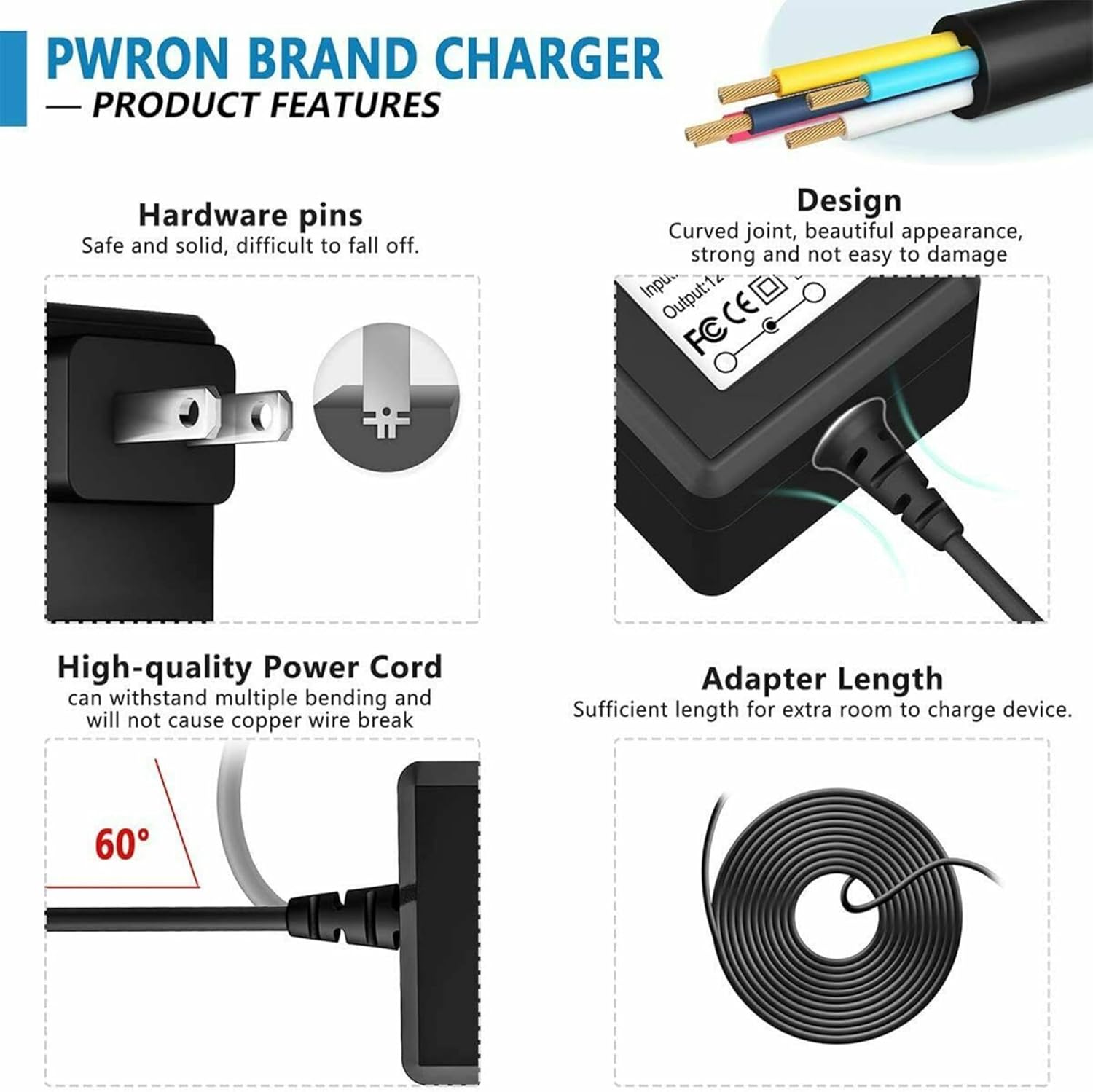
Image 3.1: A visual breakdown of the PwrON charger's features, illustrating its robust hardware pins, curved joint design for durability, high-quality power cord, and sufficient adapter length for convenient use.

Image 3.2: This image highlights the durability and flexibility of the adapter's cable, showing it can withstand bending and wear, with a detailed view of the solid and delicate are-shaped connector.
4. Specifications
| Specification | Detail |
|---|---|
| Product Dimensions | 5 x 2.5 x 1.2 inches |
| Item Weight | 3.2 ounces |
| Input Voltage Range | AC 100V - 240V |
| Cable Length | 6.6 feet (2 meters) |
| Battery Capacity (Compatible) | 12V 5.5 Amp Hours |
| Compatible Generator Models | Firman WH03242, who3242, 2322024 |
| Manufacturer | Shenzhen AiNaU Technology Co.,Ltd |

Image 4.1: A visual representation of the adapter's dimensions, indicating its compact size for portability and ease of use.
5. Setup
Follow these steps to set up your PwrON AC/DC Adapter:
- Unpack: Carefully remove the adapter from its packaging.
- Inspect: Check the adapter and cable for any visible damage. Do not use if damaged.
- Verify Compatibility: Confirm that the adapter's DC output voltage and connector tip size are compatible with your Firman generator's battery charging port. Refer to your generator's manual for specific requirements.
- Connect to Generator: Insert the adapter's barrel connector firmly into the charging port of your Firman generator's 12V 5.5Ah sealed lead acid battery.
- Connect to Power Outlet: Plug the AC input prongs of the adapter into a standard AC 100V-240V wall outlet.
6. Operating Instructions
Once properly set up, the adapter will begin charging the generator battery:
- Initiate Charging: After connecting both ends of the adapter, charging will typically begin automatically.
- Monitor: Periodically check the adapter and the generator battery for any signs of unusual heat or odor. While the adapter is designed for low-temperature operation, continuous monitoring is recommended.
- Charging Indicator: Please note that this adapter does not feature an external charging indicator light. Charging status should be monitored via your generator's battery indicator, if available.
- Completion: Disconnect the adapter from the wall outlet and then from the generator once the battery is fully charged or if you need to stop charging.
7. Maintenance
Proper maintenance ensures the longevity and safe operation of your adapter:
- Cleaning: Disconnect the adapter from all power sources before cleaning. Use a dry, soft cloth to wipe the exterior. Do not use liquid cleaners or solvents.
- Storage: Store the adapter in a cool, dry place away from direct sunlight and extreme temperatures when not in use.
- Cable Care: Avoid sharp bends or kinks in the power cord. Do not place heavy objects on the cable.
8. Troubleshooting
If you encounter issues with your PwrON AC/DC Adapter, consider the following:
- Adapter Not Charging:
- Ensure both the AC plug and DC connector are securely inserted.
- Verify the wall outlet is functional by testing it with another device.
- Confirm that the adapter's specifications (voltage, amperage, tip size) are correct for your generator's battery. An incorrect fit, even if it can be inserted, may prevent proper charging.
- Check for any visible damage to the adapter or cable.
- Overheating: If the adapter or battery becomes excessively hot, immediately disconnect the power. Allow components to cool down completely before attempting to charge again. Ensure adequate ventilation around the adapter during operation.
- No Charging Indicator: This model does not include a built-in charging indicator light. This is normal operation and not a malfunction. Refer to your generator's battery status indicators.
9. Warranty and Support
Your PwrON AC/DC Adapter comes with a 30-day refund policy and a 12-month satisfaction guarantee. We also provide lifetime professional product technical support.
If you have any further questions or require assistance, please do not hesitate to contact us. We are committed to providing support and ensuring your satisfaction.