
JUXIESHI B450M
JUXIESHI B450M Gaming Motherboard User Manual
Model: B450M AM4-K | Brand: JUXIESHI
Product Overview
The JUXIESHI B450M AM4-K motherboard is designed to support AMD Ryzen processors across multiple generations, offering robust performance for gaming, graphic design, and general computing. It features a comprehensive set of connectivity options and expansion slots to build a versatile PC system.
- AMD AM4 Socket: Supports 1st, 2nd, 3rd, 4th, and 5th Gen AMD Ryzen / AMD Ryzen 9, Ryzen 7, Ryzen 5, Ryzen 3 Series / AMD Athlon Series Desktop Processors.
- Dual Channel DDR4 Memory: 4 x DDR4 DIMM memory slots, supporting up to 128GB at speeds up to 3600MHz (via A-XMP Overclocking MODE).
- Expansion & Storage: Includes dual NVMe M.2 slots (PCIe 3.0 x4 and PCIe 2.0 x2), one WiFi M.2 slot, 1 x PCIe 3.0 x16 slot, and 1 x PCIe 2.0 x1 slot.
- Network and Audio: Realtek 8111H Gigabit LAN controller and Realtek ALC897 High Definition Audio CODEC for immersive experiences.
- Robust Power Design: 6-layer mATX motherboard design with 4+2 phase power supply and all-solid capacitors for stable power delivery.
Setup and Installation
Motherboard Components Overview
Familiarize yourself with the various components and ports on the motherboard before installation.

Figure 1: Detailed layout of the JUXIESHI B450M AM4-K motherboard showing all major components and connectors.
Memory Installation
The motherboard supports DDR4 memory. Follow these steps for proper installation:
- Align the notch on the memory module with the key in the DIMM slot.
- Press down firmly on both ends of the memory module until the clips on the slot snap into place.
- If using a single memory stick, install it in the outermost black memory slot near the SATA port.
- If using two memory sticks, install them both in the black memory slots to ensure dual-channel operation. Failure to do so may prevent the system from booting.
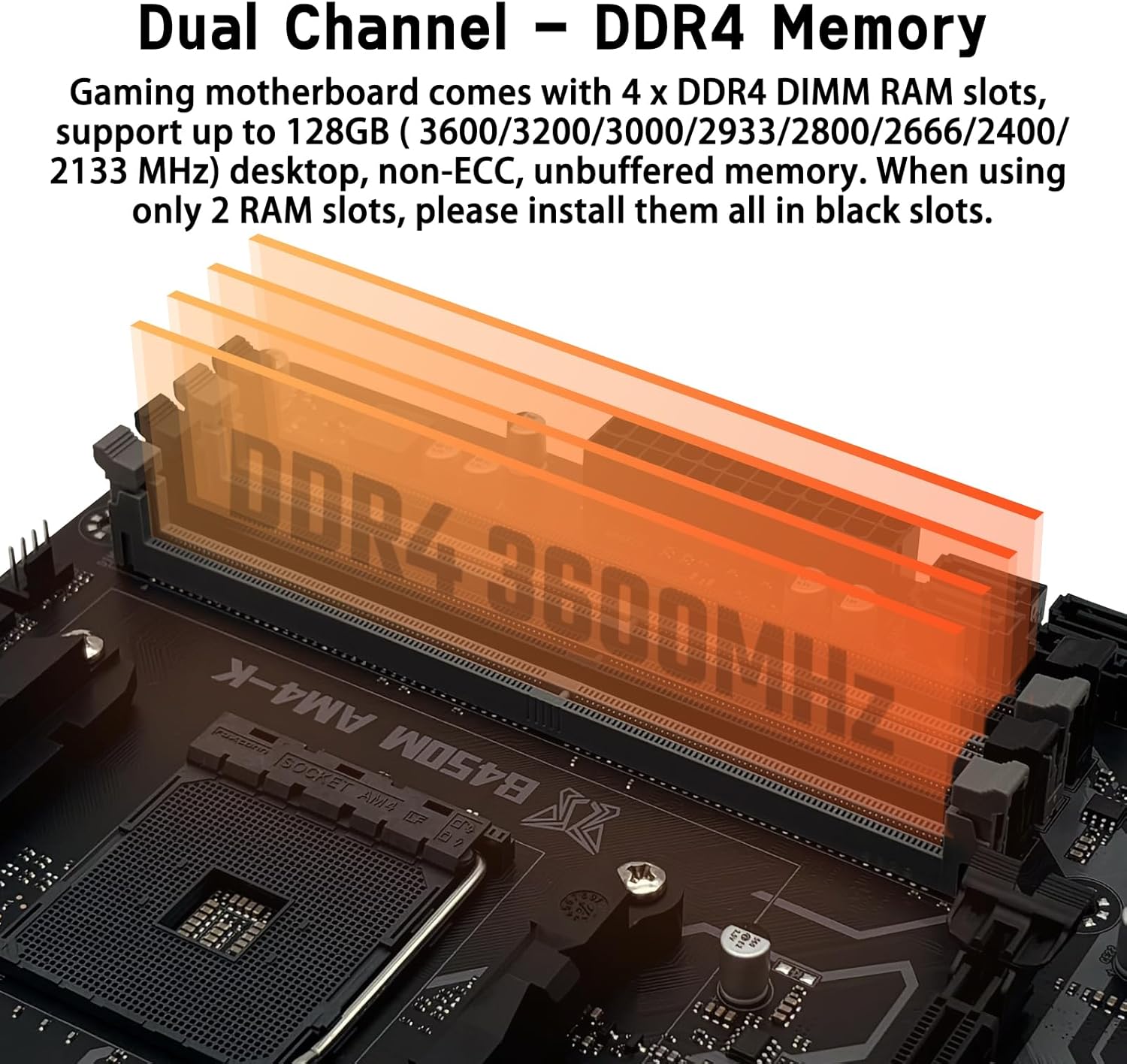
Figure 2: Proper installation of DDR4 memory modules into the motherboard slots.
Storage Device Installation (M.2 Slots)
The motherboard features two NVMe M.2 slots for high-speed storage:
- The upper M.2 slot supports PCIe 3.0 x4 (NVMe only) with speeds up to 3700MB/s.
- The bottom M.2 slot supports PCIe 2.0 x2 (NVMe only) with speeds up to 831MB/s.
- A dedicated M.2 WiFi slot supports PCIe (NGFF) protocol wireless network cards. CNVI protocol is not supported.

Figure 3: Location of the dual NVMe M.2 slots and the WiFi M.2 slot.
Front Panel Connectors
Connect your case's front panel cables (power button, reset button, HDD LED, power LED) to the corresponding pins on the motherboard's front panel header. Refer to the motherboard diagram (Figure 1) for exact pin locations.
Motherboard Dimensions
The JUXIESHI B450M AM4-K motherboard is a mATX form factor, designed to fit into mATX cases. Its dimensions are approximately 235mm x 215mm.

Figure 4: Motherboard dimensions and compatibility with mATX cases.
Unboxing and Installation Overview Video
Watch this official video for a visual guide on unboxing the motherboard and key installation steps, including memory and front panel connections.
Video 1: JUXIESHI AM4 B450M AM4-K Micro-ATX Motherboard Unboxing and Installation Guide.
Operating Instructions
Entering BIOS Setup
To access the BIOS setup utility:
- Power on the motherboard.
- Continuously press the "DEL" key until the BIOS page appears.
- Alternatively, you can use the "F11" key for quick startup options.

Figure 5: Instructions for accessing BIOS and a summary of key BIOS functions.
BIOS Settings and Functions
The BIOS provides various configurable options:
| Function | Support Status |
|---|---|
| TPM 2.0 | Support |
| Secure Boot | Support |
| Hibernation | Support |
| Diskless Booting | Support |
| CPU Overclocking | Support |
| Wake on LAN (WOL) | Support |
| PWRON After PWR-Fail | Support |
| BIOS Language | Chinese/English |
| Precision Boost Overdrive (PBO) | Support |
| Memory Timing Modification (X.M.P) | Support |
| Fan Speed Modification | Support 4-pin fan only |
Fan Control
Fan speed settings can be adjusted within the BIOS. Navigate to the "Fan Settings" options. Note that only 4-pin fans support intelligent temperature control.
- CPU_FAN: 4-pin CPU fan header supports intelligent temperature control.
- SYS_FAN1: 4-pin Chassis fan header supports temperature control.
- SYS_FAN: 3-pin Chassis fan header does not support temperature control.
Specifications
| Feature | Detail |
|---|---|
| Model | B450M AM4-K |
| Chipset Type | AMD B450 Chipset |
| CPU Socket | Socket AM4 (Supports 1st-5th Gen AMD Ryzen, 7th Gen A-Series APU, AMD Athlon X4) |
| Memory Slots | 4 x DDR4 DIMM, up to 128GB (DDR4 3600/3200/3000/2933/2800/2666/2400/2133 MHz) |
| Expansion Slots | 1 x PCIe 3.0 x16, 1 x PCIe 2.0 x1 |
| Storage | 4 x SATA 6Gb/s, 2 x M.2 slots (PCIE mode, 2242/2260/2280), 1 x Wi-Fi M.2 slot (PCIe/NGFF) |
| LAN Controller | Realtek 8111H Gigabit LAN |
| Audio CODEC | Realtek ALC897 High Definition Audio |
| USB Ports | 3 x USB 3.0, 6 x USB 2.0 |
| Back I/O Ports | 1 x PS/2, 1 x Gigabit LAN, 2 x USB 3.0, 4 x USB 2.0, 3 x Audio jacks, 1 x DisplayPort, 1 x VGA, 1 x HDMI |
| Form Factor | mATX (235 x 215 x 35 mm) |
| Power Supply | 4 + 2 phase power supply, 24-pin EATX, 8-pin ATX 12V |
| Compatible OS | Windows 8, Windows 10, Windows 11, Linux |
Maintenance
Clearing CMOS
Clearing the CMOS can resolve certain boot or configuration issues. There are two methods:
Method 1: Using the Recovery Jumper
- Power off the computer and disconnect all power cables.
- Remove all installed components (CPU, RAM, GPU, etc.).
- Locate the 2-pin Clear CMOS header (labeled CLR_CMOS or similar) on the motherboard.
- Use a metal conductive object (like tweezers) to short the two pins for 3-5 seconds.
Method 2: Removing the Battery
- Power off the computer and disconnect all power cables.
- Locate the small circular CMOS battery (CR2032) on the motherboard.
- Carefully remove the battery from its holder.
- Wait for 1-5 minutes to ensure the CMOS memory is fully discharged.
- Reinstall the battery and reconnect all power cables and devices.
Troubleshooting and Support
If you encounter issues such as the motherboard being Dead On Arrival (DOA), unable to boot, or other operational problems, please contact JUXIESHI support via Amazon. They can assist with troubleshooting and provide necessary drivers or BIOS files.
The user manual and BIOS file are not included in the box. Please check the "Product guides and documents" section on the product page or message JUXIESHI directly if you require these resources.
For driver installation, Driver Talent/DriveTheLife or Windows 10/11 system's built-in driver management are recommended.
Packing List
The following items are included in the product package:
- JUXIESHI AMD B450M AM4-K Motherboard x1
- SATA Cable x1
- I/O Shield x1

Figure 6: Included accessories: I/O Shield and SATA Cable.
Related Documents - B450M
 |
JUXIESHI B450 AM4-A Motherboard User Manual Comprehensive user manual for the JUXIESHI B450 AM4-A motherboard, covering specifications, installation, connectors, BIOS settings, and troubleshooting. |
 |
JUXIESHI X99-PR9 Motherboard User Manual User manual for the JUXIESHI X99-PR9 Motherboard, covering item specifications, installation guides for CPU, memory, and expansion cards, back panel and internal connectors, BIOS settings, and troubleshooting FAQs. |
 |
JUXIESHI X99 MR9A-H Motherboard User Manual - Specifications, Installation, and Troubleshooting A comprehensive user manual for the JUXIESHI X99 MR9A-H Motherboard, detailing specifications, installation procedures for CPU, RAM, and expansion cards, connector layouts, BIOS settings, and troubleshooting common issues. |
 |
JUXIESHI X99 PR9-H Motherboard User Manual - Specifications, Installation, and Troubleshooting This user manual provides comprehensive information for the JUXIESHI X99 PR9-H Motherboard, including detailed specifications, step-by-step installation guides for CPU, RAM, and expansion cards, descriptions of back panel and internal connectors, BIOS settings, and a frequently asked questions section for troubleshooting common issues. |
 |
JUXIESHI X99-PR9 Motherboard User Manual User manual for the JUXIESHI X99-PR9 Motherboard, covering installation, specifications, BIOS settings, and troubleshooting. |
 |
ASUS PRIME B450M-GAMING II Motherboard User Manual This user manual provides comprehensive information for the ASUS PRIME B450M-GAMING II motherboard, covering safety precautions, package contents, detailed specifications, motherboard layout, component installation, BIOS setup, RAID configuration, and regulatory compliance information. |