
Introduction
This manual provides comprehensive instructions for the setup, operation, and maintenance of your Leader WATCH WINDERS S206 Automatic Watch Winder. Please read this manual thoroughly before using the device to ensure proper function and longevity.
Safety Information
- Ensure the watch winder is placed on a stable, level surface.
- Keep the device away from direct sunlight, high temperatures, and humidity.
- Do not expose the watch winder to water or other liquids.
- Use only the provided power adapter.
- Do not attempt to disassemble or repair the unit yourself. Contact customer support for assistance.
- Keep out of reach of children and pets.
Package Contents
Verify that all items are present in the package:
- Leader WATCH WINDERS S206 Automatic Watch Winder
- Power Adapter
- Remote Control
- User Manual (this document)
Product Features
The Leader WATCH WINDERS S206 offers advanced features for automatic watch maintenance and display:
- Interior LED Light: Built-in LED lights enhance the display of your watches, especially in low-light conditions.
- Universal Compatibility: Six individually programmed winder rotors support a wide range of automatic watches.
- Adjustable Winding Programs: Fifteen available winding programs allow setting Turns-Per-Day (TPD) from 650 to 1950.
- LCD Touchscreen Control: An intuitive LCD display with touch controls for easy setup and program selection.
- Elegant Design: High-gloss finish and a clear display window protect watches from dust while showcasing them.
- Watch Pillow Design: Polyurethane watch pillows accommodate various bracelet and strap sizes for both men's and women's watches.
- Integrated Storage Drawer: A large storage drawer includes two additional watch slots and a jewelry compartment.
- Motor-Stop Function: Rotors automatically stop when the door is opened to prevent mechanism damage during watch placement or removal.
- Remote Control: Convenient remote for operating lights and settings.

Figure 1: Front view of the Leader WATCH WINDERS S206 Automatic Watch Winder.
Setup
1. Power Connection
- Place the watch winder on a stable, flat surface.
- Connect the power adapter to the DC input port on the back of the winder.
- Plug the power adapter into a standard electrical outlet.
- The LCD display will illuminate, indicating the unit is powered on.
2. Watch Placement
- Open the winder door. The motor-stop function will pause the rotors.
- Gently compress the watch pillow and secure your automatic watch onto it. Ensure the watch is snug but not overly tight.
- Insert the watch pillow with the watch into one of the winder slots.
- Close the winder door. The rotors will resume operation according to the selected program.
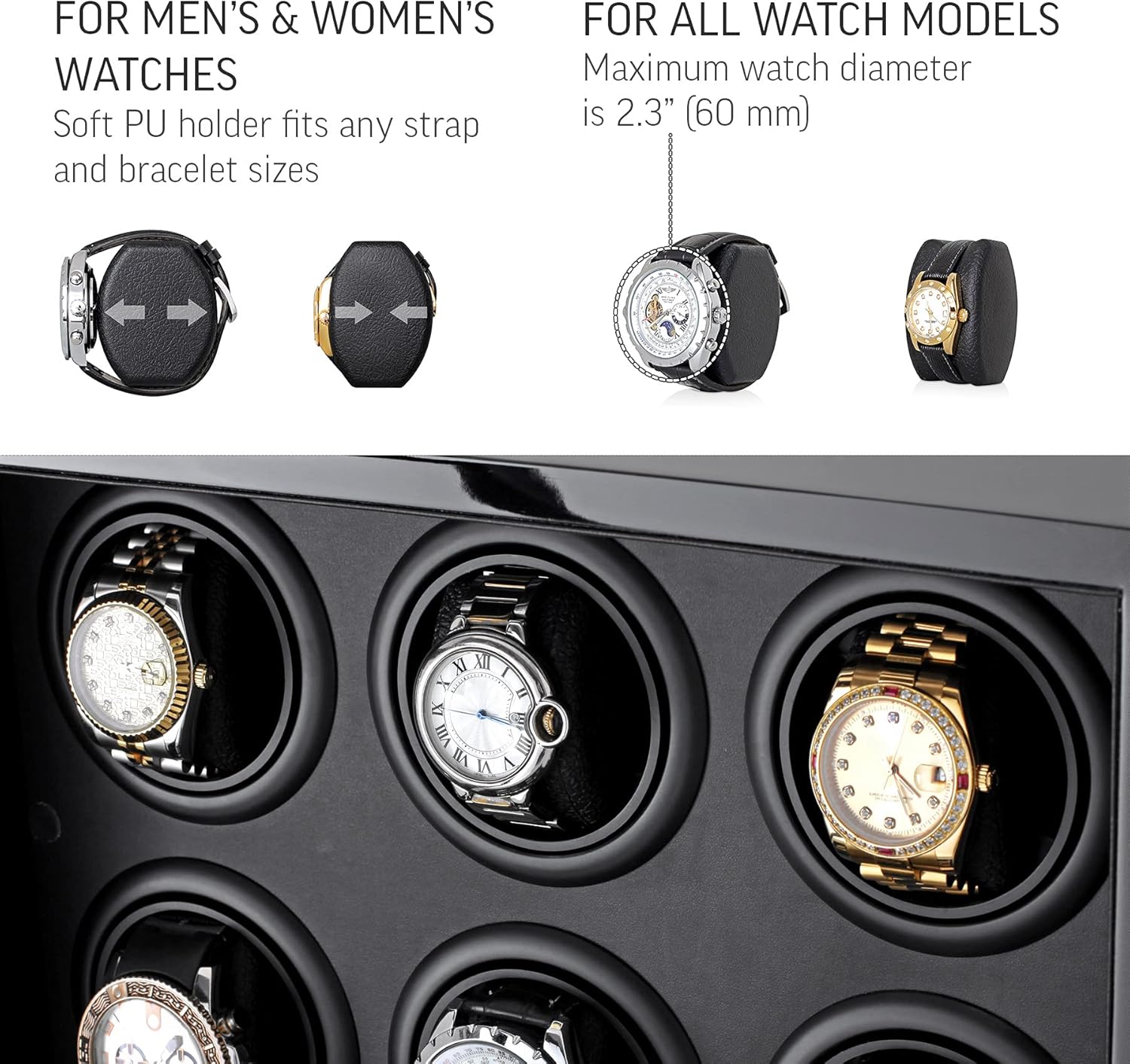
Figure 2: Watch pillows are designed to fit various watch sizes. Maximum watch diameter is 2.3 inches (60 mm).
Operating Instructions
1. LCD Touchscreen Control
The LCD touchscreen allows for easy navigation and program selection. The display shows the current winding program and TPD (Turns-Per-Day) settings.

Figure 3: LCD display for user-friendly setup and remote control for convenient operation.
2. Winding Programs (TPD Settings)
The winder offers 15 available winding programs. You can set the Turns-Per-Day (TPD) from 650 to 1950. Consult your watch manufacturer's recommendations for the optimal TPD setting for your specific automatic watch model.
- Use the touchscreen controls to cycle through the available programs.
- Each program typically involves a specific rotation direction (clockwise, counter-clockwise, or bi-directional) and TPD.
- Select the program that matches your watch's requirements.
3. LED Light Operation
The interior LED lights can be activated to illuminate your watch collection.
- Use the dedicated light button on the touchscreen or the remote control to turn the LED lights on or off.

Figure 4: Interior LED backlight enhances the display of your watches.
4. Remote Control Usage
The included remote control provides convenient access to key functions:
- Power Button: Turns the winder on/off.
- Light Button: Controls the interior LED lights.
- TPD Buttons (650, 750, 850, 1000, 1950): Directly select common TPD settings.
- Direction Buttons: Adjust rotation direction (if applicable to the selected program).
- Program Cycle Button: Cycles through available winding programs.
5. Motor-Stop Option
For safety and to prevent damage to the watch winder mechanism, the rotors will automatically stop when the front door is opened. This allows for safe placement or removal of watches. The rotors will resume operation once the door is closed.
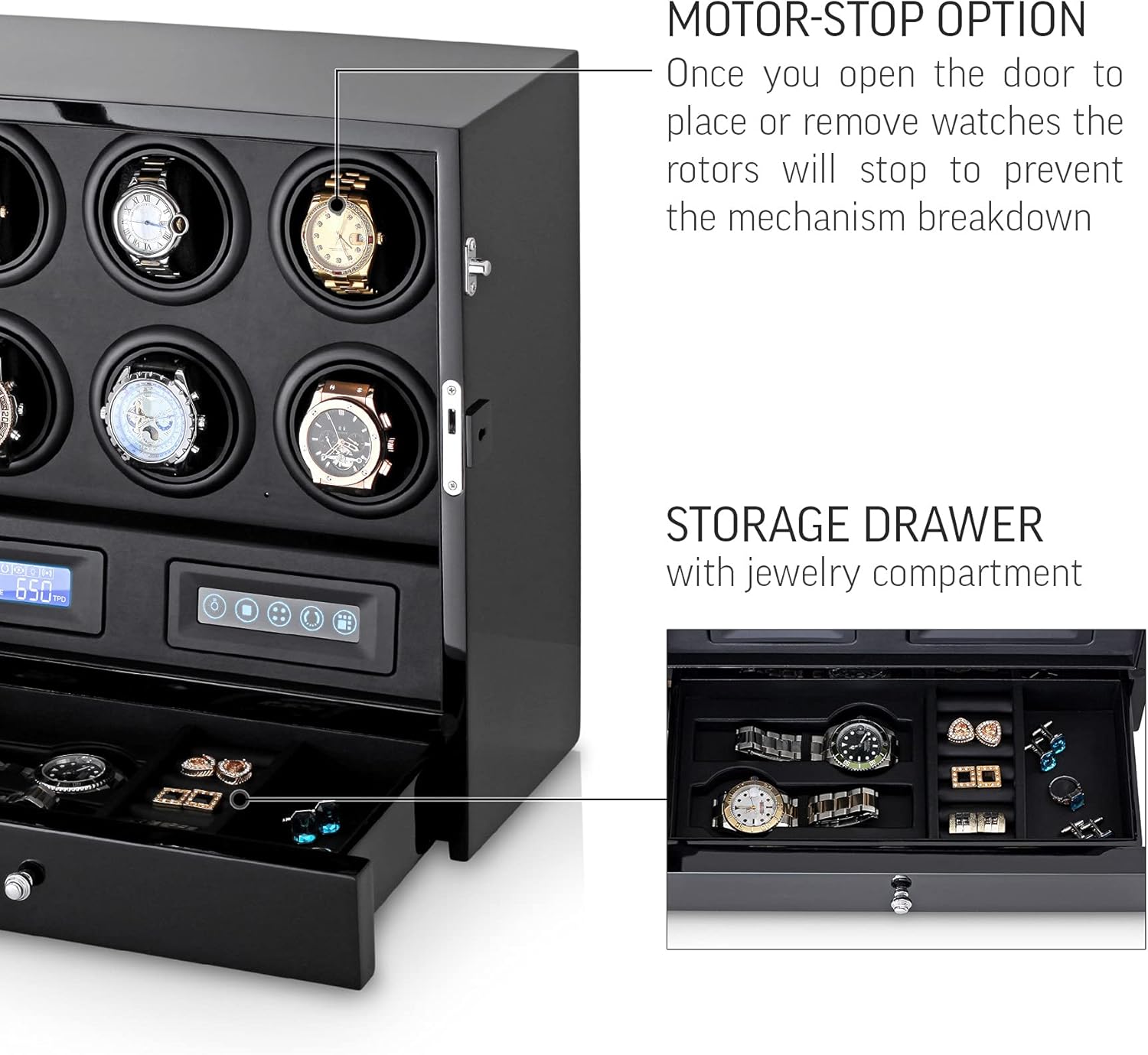
Figure 5: The motor-stop option activates when the door is opened. The storage drawer provides additional space for watches and jewelry.
Maintenance
1. Cleaning
- Disconnect the power adapter before cleaning.
- Wipe the exterior surfaces with a soft, dry, lint-free cloth.
- For stubborn marks, lightly dampen the cloth with water and a mild, non-abrasive cleaner. Avoid harsh chemicals.
- Do not spray cleaning solutions directly onto the winder.
- Clean the interior display window with a soft cloth to avoid scratches.
2. Storage
- If storing the winder for an extended period, disconnect it from power.
- Store in a cool, dry place away from direct sunlight and extreme temperatures.
Troubleshooting
| Problem | Possible Cause | Solution |
|---|---|---|
| Winder not powering on. | Power adapter not connected or faulty outlet. | Ensure power adapter is securely connected and plugged into a working outlet. Try a different outlet. |
| Rotors not turning. | Door is open; incorrect program selected; motor malfunction. | Close the door. Verify the selected winding program. If the issue persists, contact customer support. |
| Watch not winding properly. | Incorrect TPD setting for the watch; watch not securely placed. | Consult your watch manufacturer for recommended TPD. Ensure the watch is securely placed on the pillow. |
| Remote control not working. | Dead batteries; obstruction; remote out of range. | Replace remote control batteries. Ensure no obstructions between remote and winder. Operate within close range. |
Specifications
| Feature | Detail |
|---|---|
| Model Number | S206 |
| Product Dimensions | 14 x 7 x 13 inches (35 x 18 x 33 cm) |
| Item Weight | 13.7 Pounds (6.2 kg) |
| Winder Rotors | 6 individual rotors |
| TPD Settings | 650 - 1950 TPD (15 programs) |
| Control Interface | LCD Touchscreen, Remote Control |
| Lighting | Interior LED lights |
| Storage | Integrated drawer with 2 watch slots and jewelry compartment |
| Maximum Watch Diameter | 2.3 inches (60 mm) |

Figure 6: Product dimensions: 14 inches (width) x 7 inches (depth) x 13 inches (height).
Warranty and Support
Leader WATCH WINDERS provides a limited warranty for this product. For detailed warranty information, please refer to the warranty card included with your purchase or visit the official Leader WATCH WINDERS website. For technical support, troubleshooting assistance, or to inquire about replacement parts, please contact our customer service department:
- Website: Leader WATCH WINDERS Store
- Email: [Insert Customer Service Email Here, if available]
- Phone: [Insert Customer Service Phone Number Here, if available]
Please have your model number (S206) and purchase date ready when contacting support.