
1. Product Overview
The NuNeth XC2005D is a sophisticated position controller designed for use in bag making machines. It provides precise control over various operational parameters, ensuring efficient and accurate production. This manual details the installation, operation, and maintenance of your XC2005D controller.
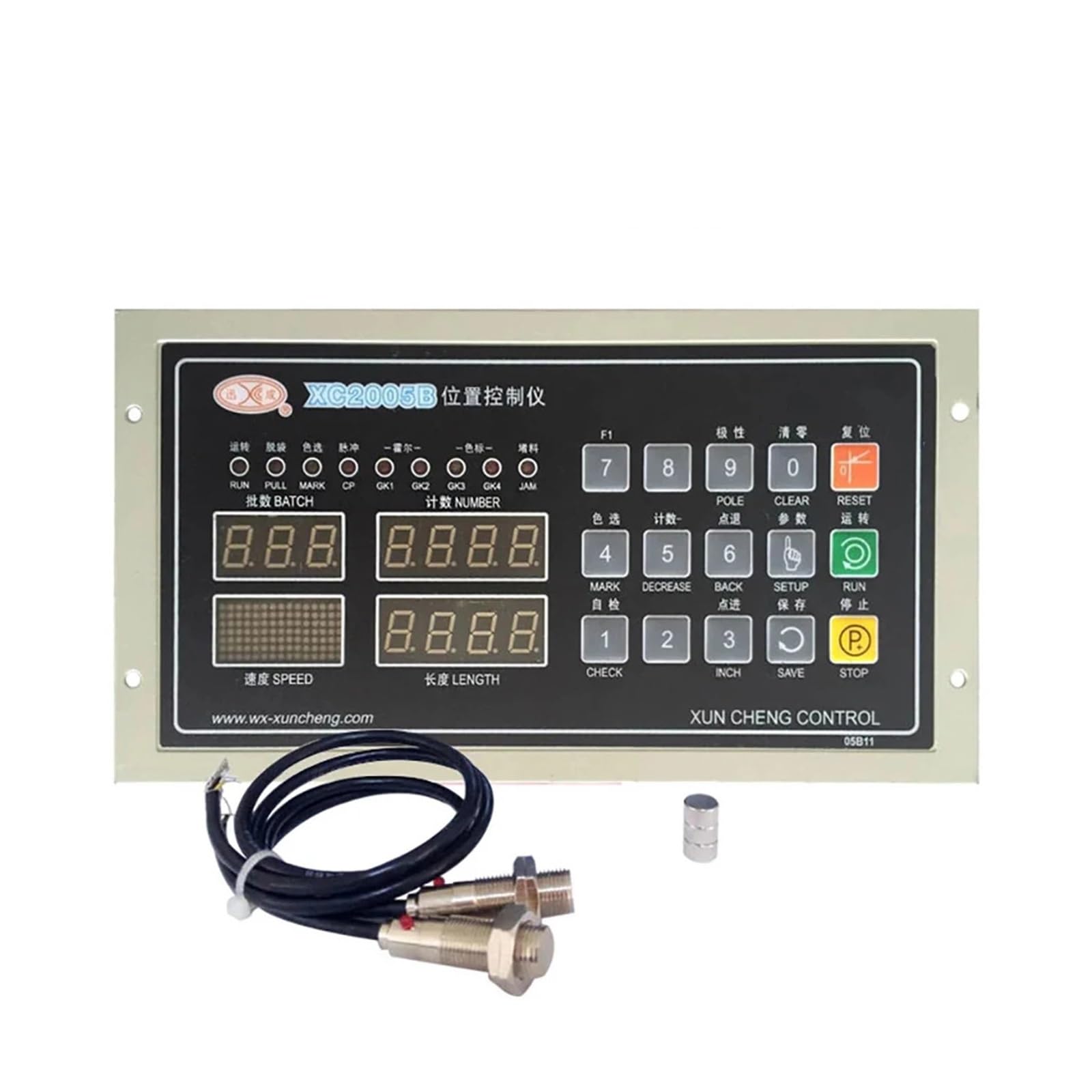
Figure 1: Front view of the NuNeth XC2005D Position Controller.
Key features include an independent digital pulse module for enhanced frequency accuracy, smoother feeding motor operation, and improved speed. It supports both single and dual-channel drive configurations, along with two-color standard and floating roller control modes.
2. Safety Information
Always observe the following safety precautions to prevent injury and damage to the equipment:
- Ensure the power supply matches the controller's specifications (220V AC ± 10%; 50Hz/60Hz; 1A).
- Disconnect power before performing any installation, maintenance, or troubleshooting.
- Only qualified personnel should install and service this equipment.
- Avoid exposing the controller to moisture, excessive dust, or extreme temperatures.
- Do not open the controller casing unless specifically instructed by a service professional.
3. Setup and Installation
3.1 Mounting the Controller
The controller is designed for panel mounting. Ensure the opening size in your machine panel is 242mm (width) × 124mm (height). Secure the controller using appropriate fasteners.

Figure 2: Side view illustrating mounting dimensions and connections.
3.2 Electrical Connections
Connect the power supply to the designated terminals. Ensure correct polarity and a stable 220V AC supply. Connect the feeding motor and any sensors according to your machine's wiring diagram. The controller supports single and dual-channel drive configurations.

Figure 3: XC2005D controller with typical sensor connections.
4. Operating Instructions
The XC2005D controller features an intuitive interface for setting operational parameters. Refer to the front panel layout for button and display identification.

Figure 4: Example of a similar controller panel (XC2005B) for general button reference.
4.1 Initial Power-On
After connecting power, the display will illuminate. The controller will perform a self-check. Ensure no error codes are displayed.
4.2 Setting Parameters
- Roller Diameter: Set the roller diameter from 00.0 to 149.9mm using the designated input buttons. This is crucial for accurate length calculations.
- Fixed Length: Input the desired fixed length for each bag, ranging from 0000 to 9999m.
- Speed: Adjust the operating speed from 0 to 600 segments/min. Note that the actual speed may vary based on the set length and material.
- Total Number: Set the total number of bags to be produced (0000 to 9999 paragraphs).
- Batch Number: Define the number of batches (000 to 999 batches).
4.3 Operation Modes
The controller supports various modes, including two-color standard and floating roller control. Select the appropriate mode based on your bag making machine's requirements and the specific task.
4.4 Starting and Stopping
Use the RUN button to start the operation and the STOP button to halt the process. The RESET button can be used to clear current settings or errors.
5. Maintenance
Regular maintenance ensures the longevity and optimal performance of your XC2005D controller.
- Cleaning: Periodically clean the controller's exterior with a soft, dry cloth. Do not use abrasive cleaners or solvents. Ensure no dust accumulates around ventilation openings.
- Inspection: Regularly inspect all cable connections for wear or damage. Ensure they are securely fastened.
- Environment: Maintain a clean and dry operating environment to prevent internal damage from moisture or dust.
6. Troubleshooting
If you encounter issues with your XC2005D controller, refer to the following common troubleshooting steps:
- No Power:
- Check the power cable connection.
- Verify the power supply voltage (220V AC).
- Inspect for blown fuses in the power circuit (if applicable).
- Incorrect Length/Speed:
- Re-check the roller diameter setting.
- Verify the fixed length and speed parameters.
- Ensure sensors are clean and properly aligned.
- Motor Not Responding:
- Check motor connections to the controller.
- Verify the drive support settings (single/dual channel).
- Consult your bag making machine's manual for motor-specific troubleshooting.
- Display Errors:
- Press the RESET button to clear temporary errors.
- If persistent, note the error code and contact technical support.
For issues not covered here, please contact NuNeth technical support.
7. Technical Specifications
| Parameter | Value |
|---|---|
| Power Supply | 220V (AC) ± 10%; 50Hz / 60Hz; 1A |
| Roller Diameter Range | 00.0 ~ 149.9mm |
| Fixed Length Range | 0000 ~ 9999m |
| Speed Range | 0 ~ 600 segments/min (varies with length) |
| Total Number Range | 0000 ~ 9999 paragraphs |
| Batch Number Range | 000 ~ 999 batches |
| Dimensions (W × H × D) | 264mm × 144mm × 112mm |
| Opening Size (W × H) | 242mm × 124mm |
| Weight | 2 Kg |
| Drive Support | Single and dual channel, two-color standard plus floating roller control mode |
| ASIN | B0DGGN6KD4 |
| Manufacturer | NuNeth |
| Country of Origin | China |