
Dichroma Replacement Glue Boards
Dichroma Flying Insect Trap Refill Instruction Manual
Model: Replacement Glue Boards
Introduction
Thank you for choosing Dichroma Flying Insect Trap Refills. These sticky glue cards are designed to effectively capture flying insects such as fruit flies, gnats, mosquitoes, and small moths when used with compatible indoor insect traps like the BURLAN QH009A. This manual provides essential information for the proper use and maintenance of your refill cards.
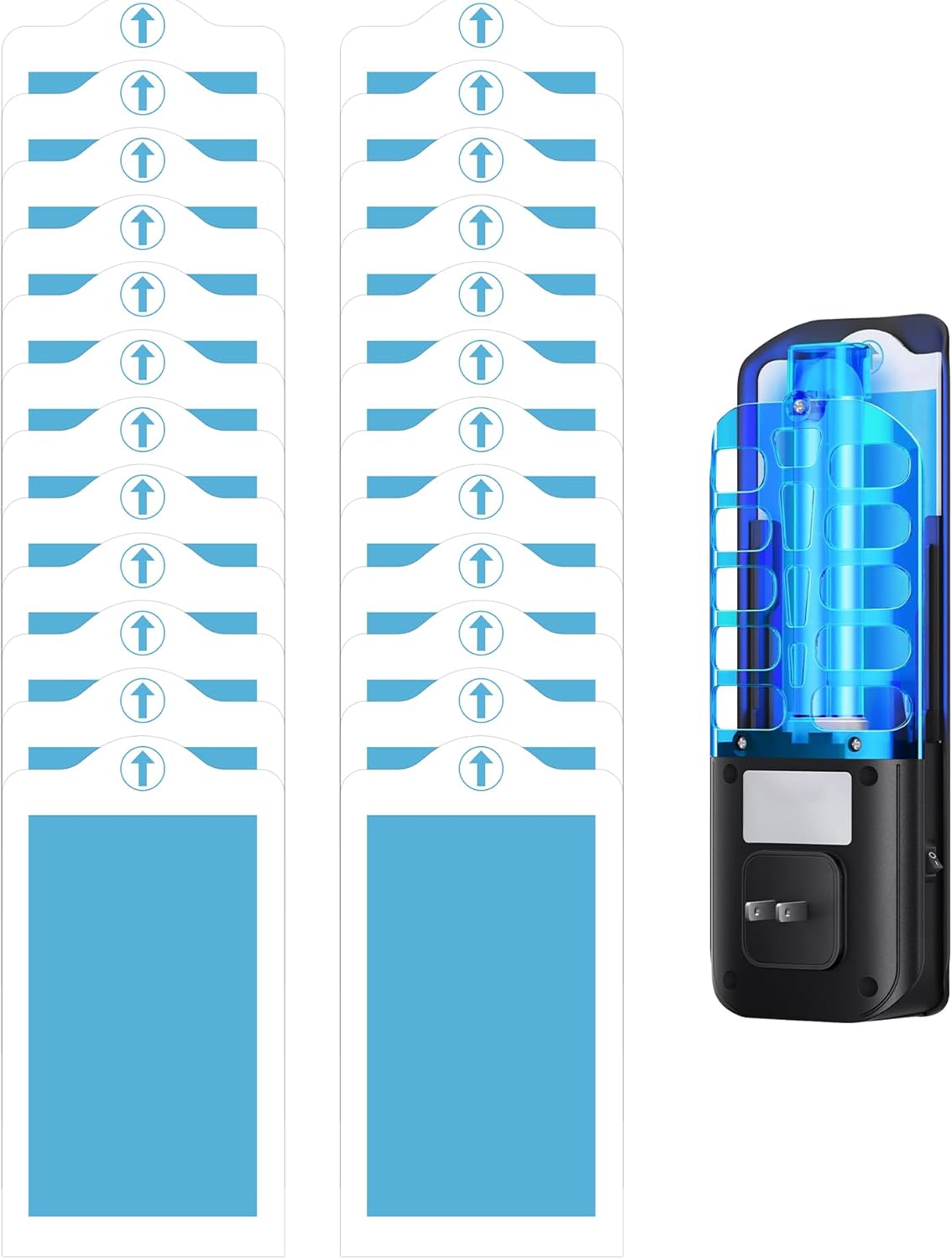
This image displays the complete package of 24 sticky glue card refills alongside an example of a compatible plug-in insect trap device, illustrating the product's intended use.
Safety Information
Please read and understand all safety precautions before using the product.
- Caution: The glue cards are extremely sticky. Avoid direct contact with the adhesive surface.
- If accidental contact occurs, wash affected area with soap and water or use vegetable oil to remove glue.
- Keep out of reach of children and pets to prevent accidental contact or ingestion.
- This product is for indoor use only.
- Do not place near food preparation areas or open flames.
- Dispose of used glue cards responsibly according to local regulations.

This image emphasizes the non-toxic and odorless properties of the glue cards, making them suitable for indoor environments when used as directed and kept out of direct reach of children and pets.
Package Contents
Your package includes:
- 24 x Dichroma Flying Insect Trap Refill Sticky Glue Cards
A visual representation of the 24 sticky glue cards included in each refill pack, ready for use with your compatible insect trap.
Setup and Installation
Follow these steps to properly install the refill glue card into your compatible insect trap (e.g., BURLAN QH009A):
- Ensure the insect trap device is unplugged from the power outlet before handling.
- Locate the slot on your insect trap device where the sticky glue card is inserted.
- Carefully remove one new Dichroma refill card from its packaging.
- Peel off the protective plastic film from the adhesive side of the glue card. (Refer to Image 1 in the diagram below)
- Slide the exposed adhesive side of the glue card into the designated slot of your insect trap device. Ensure the card is fully inserted and securely in place, with the adhesive facing the light source. (Refer to Image 2 in the diagram below)
- Once the card is installed, plug the insect trap device back into a power outlet.

This diagram illustrates the simple three-step process for installing the sticky glue card: 1. Peel off the protective film. 2. Insert the card into the trap device. 3. The card effectively traps insects.

This image confirms the compatibility of the Dichroma refill cards with popular indoor insect trap models, specifically BURLAN QH009A and Stingmon devices.
Operating Instructions
The Dichroma Flying Insect Trap Refills work in conjunction with your compatible UV light insect trap. The trap's UV light attracts flying insects, which then adhere to the super sticky surface of the glue card, preventing them from escaping.
For optimal performance, place your insect trap in areas where flying insects are most prevalent, such as kitchens, bedrooms, offices, or garages. Ensure the trap is plugged into a working power outlet.

This visual demonstrates the effectiveness of the glue cards in trapping various common flying insects, including fruit flies, house flies, mosquitoes, and moths.

This image highlights the versatility of the insect trap refills, demonstrating their suitability for use in various indoor environments such as offices, kitchens, garages, and bedrooms.
Maintenance
Regular replacement of the sticky glue cards is crucial for maintaining the effectiveness of your insect trap.
- Replacement Frequency: It is recommended to replace the glue cards every 1 to 2 weeks, or sooner if the card becomes visibly full of trapped insects.
- Disposal: To replace a used card, unplug the device, carefully slide out the old card, and dispose of it in a sealed bag with household waste.
- Cleaning: Periodically wipe the exterior of your insect trap device with a dry cloth to remove dust and ensure optimal light emission. Do not use water or cleaning solutions directly on the device.
Troubleshooting
If you encounter issues with your Dichroma Flying Insect Trap Refills, refer to the table below:
| Problem | Possible Cause | Solution |
|---|---|---|
| Few or no insects being trapped. | Card is full; trap location is not optimal; other light sources are competing. | Replace the glue card. Move the trap to an area with higher insect activity. Reduce competing light sources at night. |
| Glue card not fitting properly. | Incorrect orientation; incompatible trap model. | Ensure the card is inserted correctly according to the trap's design. Verify your trap model is compatible with Dichroma refills (e.g., BURLAN QH009A). |
| Glue card not sticky enough. | Protective film not fully removed; card is old or expired. | Ensure the entire protective film is peeled off. Use a fresh glue card. |
Specifications
| Feature | Detail |
|---|---|
| Product Dimensions | 3.2 x 5.9 x 0.04 inches |
| Item Weight (per pack) | 5.9 ounces (0.17 Kilograms) |
| Compatibility | BURLAN QH009A, Stingmon Flying Insect Trap, and similar UVA fly insect traps |
| Color | White (with blue adhesive surface) |
| Unit Count | 24.0 Count |
| Material | Sticky Glue Card |
| Manufacturer | Dichroma |
| Model Number | Replacement Glue Boards |

This image provides a clear visual of the sticky glue card's dimensions, indicating its width of 3.2 inches and length of 5.9 inches, ensuring proper fit for compatible devices.
Warranty and Support
Dichroma stands behind the quality of its products. While these are consumable refill items, if you have any questions or concerns regarding the performance or compatibility of your Dichroma Flying Insect Trap Refills, please do not hesitate to contact our customer support team.
For assistance, please visit the Dichroma Store on Amazon or refer to the contact information provided with your original insect trap device.
Ask a question about this manual
Ask about setup, troubleshooting, compatibility, parts, safety, or missing instructions. Manuals+ will review the question and use this page’s manual context to help answer it.