
1. Product Overview
The LIECTROUX HCR-10 is an intelligent robotic window cleaner designed for various glass surfaces. It features an integrated suction motor providing 2800Pa suction, a dual-spiral cleaning head, and microfiber cleaning cloths for effective vertical surface cleaning. This robot is suitable for cleaning windows, tiles, glass floors, and other hard-to-reach areas, including interior and exterior windows of high-rise buildings.
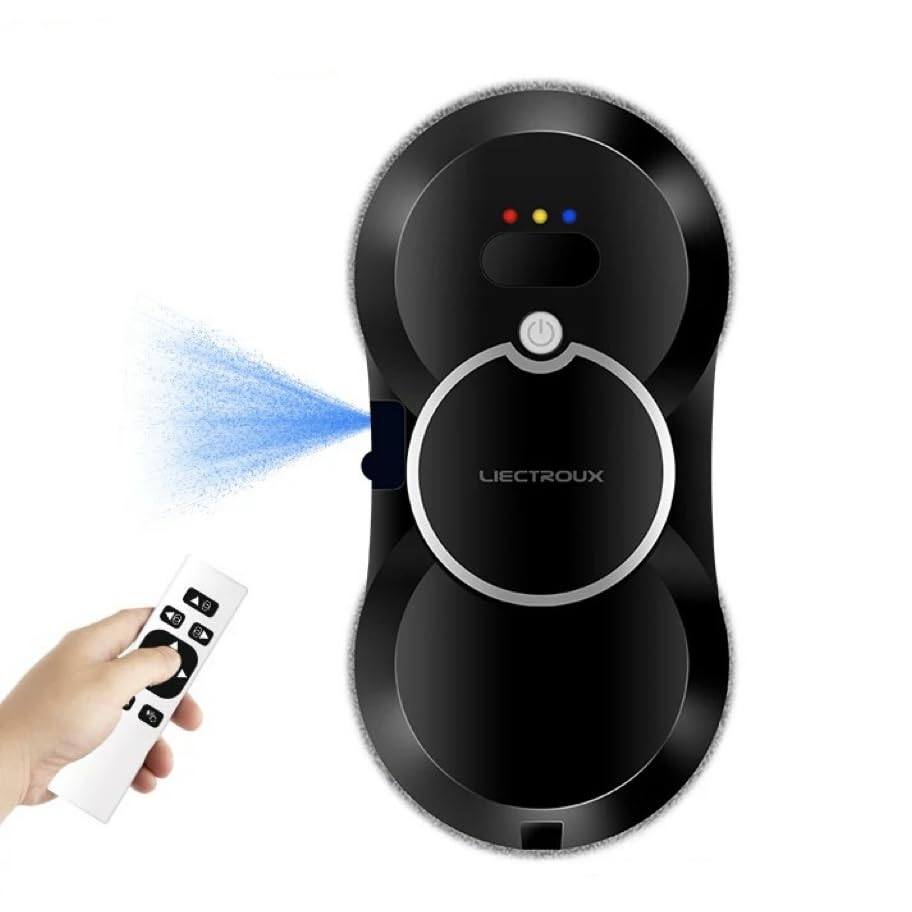
Image: LIECTROUX HCR-10 Robotic Window Cleaner, front view.
Key Features:
- Powerful Suction: Integrated motor provides 2800Pa suction for secure adhesion to surfaces.
- Ultrasonic Water Spray: Features an ultrasonic water spray system for effective dirt and stain softening.
- AI Routing: Intelligent AI technology detects window frames and obstacles, automatically adjusting its cleaning path.
- Multiple Cleaning Modes: Offers 3 automatic cleaning modes for comprehensive coverage.
- Safety Features: Equipped with an Uninterrupted Power System (UPS) battery for 25 minutes of backup power during outages and a 4-meter safety rope.
- Remote Control: Allows for convenient control of the cleaning process.
- Brushless Motor: Utilizes a Japanese brushless motor for efficient and quiet operation.
2. Important Safety Instructions
Please read and understand all safety instructions before operating the LIECTROUX HCR-10 Robotic Window Cleaner. Failure to follow these instructions may result in electric shock, fire, or serious injury.

Image: Safety warning label. Note: While the image displays 'Model No.: HCR-09', these safety guidelines are generally applicable to similar robotic window cleaners, including the HCR-10.
- Always read the instruction manual carefully before use.
- Before each use, fasten the safety rope securely and tie it to a sturdy house fixture.
- Always remove the machine from the surface first before turning off the power.
- Do not use the robot on glass doors or windows without frames, as it may lose suction and fall.
- This appliance is not intended for use by children. Keep out of reach of children.
- Ensure the power cable is securely connected and not damaged.
- Do not use the robot in rainy or extremely humid conditions.
- Do not use the robot on cracked or damaged glass surfaces.
3. Package Contents
Verify that all components are present in the package:
- LIECTROUX HCR-10 Robotic Window Cleaner
- Remote Control
- Microfiber Cleaning Cloths (multiple)
- Power Adapter and Cable (approx. 5.2m total length)
- Safety Rope (approx. 4m length)
- User Manual
4. Setup Instructions
4.1 Attaching the Safety Rope
Before each use, attach the safety rope to the designated anchor point on the robot. Secure the other end of the safety rope to a strong, fixed object indoors, such as a heavy piece of furniture or a window frame anchor point. This is crucial to prevent the robot from falling in case of power loss or suction failure.
4.2 Connecting Power
Connect the power adapter to the robot and then plug it into a power outlet. The robot operates primarily via a wired connection. The integrated UPS battery provides backup power for approximately 25 minutes in case of a power outage, allowing you to safely retrieve the robot.

Image: Power connection and safety rope setup. Shows 20 minutes power outage protection, 4m safety rope, and 1.5m power cable segment.
4.3 Attaching Cleaning Cloths
Attach the clean microfiber cloths to the cleaning pads on the underside of the robot. Ensure they are securely fastened and cover the entire cleaning surface.
4.4 Filling the Water Tank
Locate the water tank inlet on the robot. Carefully fill the 30ml water tank with clean water or a recommended window cleaning solution (not included). Do not overfill. The ultrasonic spray function requires water for effective cleaning.
5. Operating Instructions
5.1 Preparing the Surface
Ensure the glass surface is free from large debris or loose particles that could scratch the glass or interfere with the robot's movement.
5.2 Placing the Robot
With the power connected and the safety rope secured, place the robot onto the glass surface. Press the power button on the robot or the remote control. The robot will activate its suction motor and adhere to the surface.
5.3 Starting Cleaning
The LIECTROUX HCR-10 offers three automatic cleaning modes and can be controlled via the remote control.
- Automatic Cleaning Modes: The robot uses intelligent AI technology to detect window frames and obstacles, planning an optimal cleaning path. You can select from different automatic patterns (e.g., up-down, left-right, right-left) using the remote control.
- Manual Control: Use the directional buttons on the remote control to guide the robot manually for spot cleaning or specific areas.
- Ultrasonic Water Spray: The robot will automatically spray water during the cleaning cycle to soften dirt and stains. This feature can also be activated manually via the remote control if available.
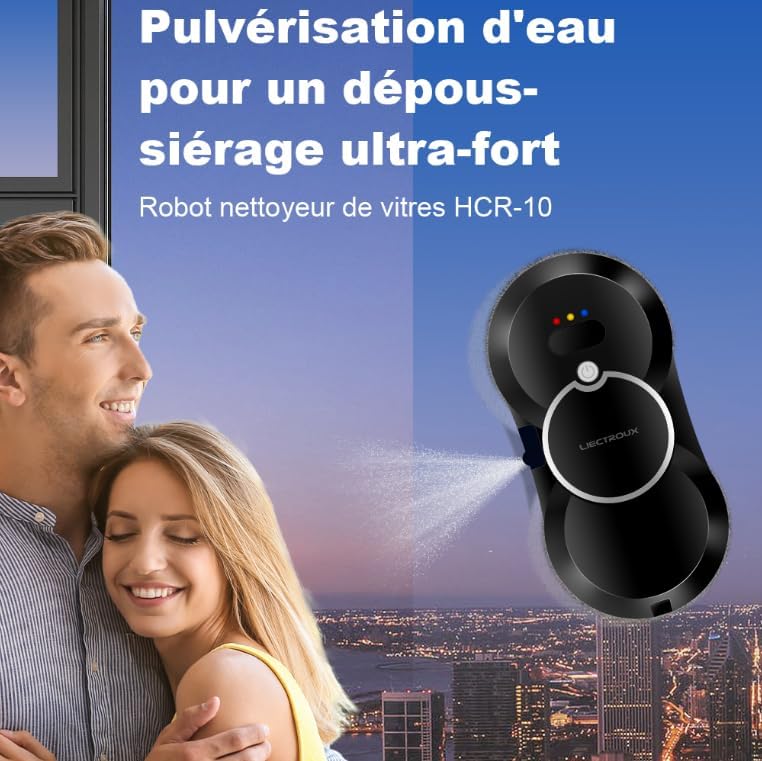
Image: Ultrasonic water spray for effective dust removal.

Image: Cleaning process steps: Suction (2800Pa vacuum), Wiping (removes floating dust), Spraying (water spray to soften dirt), Wiping (removes dirt and water stains).

Image: Cleaning paths (Up-down, Left-right, Right-left) and remote control.
5.4 Applicable Surfaces
The HCR-10 is compatible with various smooth, vertical surfaces:
- Glass windows (framed and unframed, but exercise caution with unframed as per safety warnings)
- Bathroom mirrors
- Tiled surfaces
- Marble walls
- Glass doors

Image: Examples of applicable surfaces including bathroom mirrors, wood/tile surfaces, marble walls, framed glass, and house windows.
5.5 Finishing Cleaning
Once cleaning is complete, or if you wish to stop the robot, press the power button on the robot or the remote control. Wait for the suction to fully disengage before carefully removing the robot from the surface. Remember to remove the machine first before turning off the power completely.
6. Maintenance
6.1 Cleaning Microfiber Cloths
After each use, remove the microfiber cleaning cloths from the robot. Wash them thoroughly with water and mild detergent. Allow them to air dry completely before storing or reusing. Using clean cloths is essential for optimal cleaning performance and to prevent streaks.

Image: High-density cleaning fiber cloth. Effective against dust, bacteria, dirt, oil, water stains, and guano. Add window detergent (not included) for best results.
6.2 Refilling Water Tank
Regularly check the water level in the 30ml tank. Refill as needed with clean water or a suitable window cleaning solution. Do not use corrosive liquids or solutions containing particles that could clog the spray nozzle.
6.3 General Robot Cleaning
Wipe the exterior of the robot with a soft, damp cloth to remove any dust or residue. Ensure the suction ports and sensors are clean and unobstructed. Do not immerse the robot in water or spray water directly onto its electronic components.
7. Troubleshooting
If you encounter issues with your LIECTROUX HCR-10, refer to the following common problems and solutions:
| Problem | Possible Cause | Solution |
|---|---|---|
| Robot falls off the window or loses suction. | Insufficient suction, dirty pads, uneven surface, power interruption, use on unframed glass. | Ensure power cable is securely connected. Check if microfiber cloths are clean and properly attached. Do not use on unframed glass. Ensure the safety rope is always attached. |
| Robot leaves streaks or foggy marks. | Dirty cleaning cloths, insufficient water/detergent, excessive detergent, very dirty surface. | Replace or clean microfiber cloths. Ensure water tank is filled. Use appropriate amount of window cleaning solution. Pre-clean heavily soiled surfaces manually if necessary. |
| Robot does not move or respond to remote control. | Low battery in remote, power issue, obstacle detection. | Replace remote control batteries. Check power connection to the robot. Clear any obstacles. Restart the robot. |
| Water spray not working. | Empty water tank, clogged nozzle. | Refill water tank. Clean the spray nozzle if it appears clogged. |
If the problem persists, please contact customer support.
8. Specifications
| Feature | Detail |
|---|---|
| Model Number | HCR-10 |
| Dimensions (L x W x H) | 29.5 x 14.5 x 6.8 cm |
| Weight | 2 kg |
| Suction Power | 2800 Pa |
| Water Tank Capacity | 30 ml |
| Power Source | Electric Cable (Corded operation) |
| Backup Battery | UPS (Uninterrupted Power System), approx. 25 minutes protection |
| Noise Level | 65 Decibels |
| Control Method | Button Control, Remote Control |
| Special Features | Ultrasonic Water Spray, AI Routing, Brushless Motor |
| Surface Recommendation | Glass |
| Included Components | Remote control, Microfiber cleaning cloth |
9. Warranty and Support
For information regarding warranty coverage, please refer to the warranty card included with your product or contact the retailer where you purchased the LIECTROUX HCR-10. For technical support, troubleshooting assistance beyond this manual, or to inquire about replacement parts, please contact LIECTROUX customer service or your authorized dealer.

