
1. Product Overview
This manual provides detailed instructions for the installation, operation, and maintenance of your FeirTon 10.1-inch Android 13 WiFi 6 Car Stereo. Designed specifically for Toyota Camry models from 2015 to 2017, this unit features an IPS touchscreen, Bluetooth 5.4, CarPlay, Android Auto, and supports backup cameras, FM radio, and steering wheel controls.

Image: FeirTon 10.1-inch Android 13 Car Stereo seamlessly integrated into a Toyota Camry dashboard.
2. Package Contents
Verify that all components are included in your package before beginning installation:

Image: A comprehensive layout of all items included in the package, such as the car radio with frame, power cables, original USB cable, Canbus box, RCA cable, camera input, GPS antenna, USB cable, removal tool, and rear camera.
The package typically includes:
- 1x 10.1-inch Android 13 Car Stereo Unit with Frame
- 2x Power Cables
- 1x Original USB Cable
- 1x Canbus Box
- 1x RCA Cable Set
- 1x Camera Input Cable
- 1x GPS Antenna
- 1x USB Cable
- 1x Removal Tool
- 1x Rear Camera (Gift)
3. Setup and Installation
Professional installation is recommended. Ensure the vehicle's power is disconnected before starting. This car stereo is designed for non-destructive installation, supporting the original car's steering wheel controls and OEM camera/parking sensors.
3.1 Wiring Connections
Follow the wiring diagram provided in the user manual. Key connections include:
- GPS Antenna: Connect the GPS antenna and secure it, typically under the front windshield for optimal signal reception.
- Camera Input Cable: Insert the camera input cable into the designated port.
- USB Cables: Connect the 6-pin and 4-pin USB cables to their respective ports.
- RCA Cable: Insert the RCA cable for audio/video output.
- CANBUS Box: Plug the power cable into the CANBUS box, then connect the 8-pin CANBUS connector into the matching socket.
- Radio Adapter Cable: Insert the radio adapter cable into the radio socket.
- Amplifier Control (if applicable): If your vehicle has an OEM amplifier, connect the AMP-CON wire to the AMP CONT wire on the RCA harness. Enable "Amp Control" in the settings.
Video: Detailed wiring instructions for the Toyota Car Stereo, demonstrating how to connect various cables and components.
Video: A tutorial on wiring for a 4-core car radio installation, providing visual guidance for connecting the main power harness, CANBUS, and other essential cables.
3.2 Physical Installation
Carefully remove the original car radio and dashboard trim. Install the new FeirTon unit, ensuring all connections are secure and the unit is properly seated within the dashboard. Reassemble the trim.

Image: Side-by-side comparison showing the original Toyota Camry dashboard before installation and the upgraded dashboard with the new 10.1-inch Android 13 car stereo.
4. Operating Instructions
4.1 Initial Power-On and System Settings
Upon first power-on, the system will boot to the Android 13 interface. Navigate through the initial setup screens to configure language, time, and network settings.
4.2 CarPlay & Android Auto
The unit supports both wired and wireless CarPlay and Android Auto. Connect your Apple or Android phone using the original USB data cable or via WiFi 6 for a stable wireless connection. Sync your phone apps to the car radio for navigation, music, and messaging.

Image: The car stereo screen displaying both Apple CarPlay and Android Auto, highlighting voice command integration for navigation and music.
4.3 GPS Navigation
Utilize the built-in GPS module for accurate navigation. Connect to WiFi or a mobile hotspot to download online maps or use pre-installed offline maps.
4.4 WiFi 6 & Bluetooth 5.4
The integrated WiFi 6 supports both 5GHz and 2.5GHz dual-band connections, offering faster and more stable internet access. Bluetooth 5.4 ensures quick and reliable connections for hands-free calling and audio streaming.
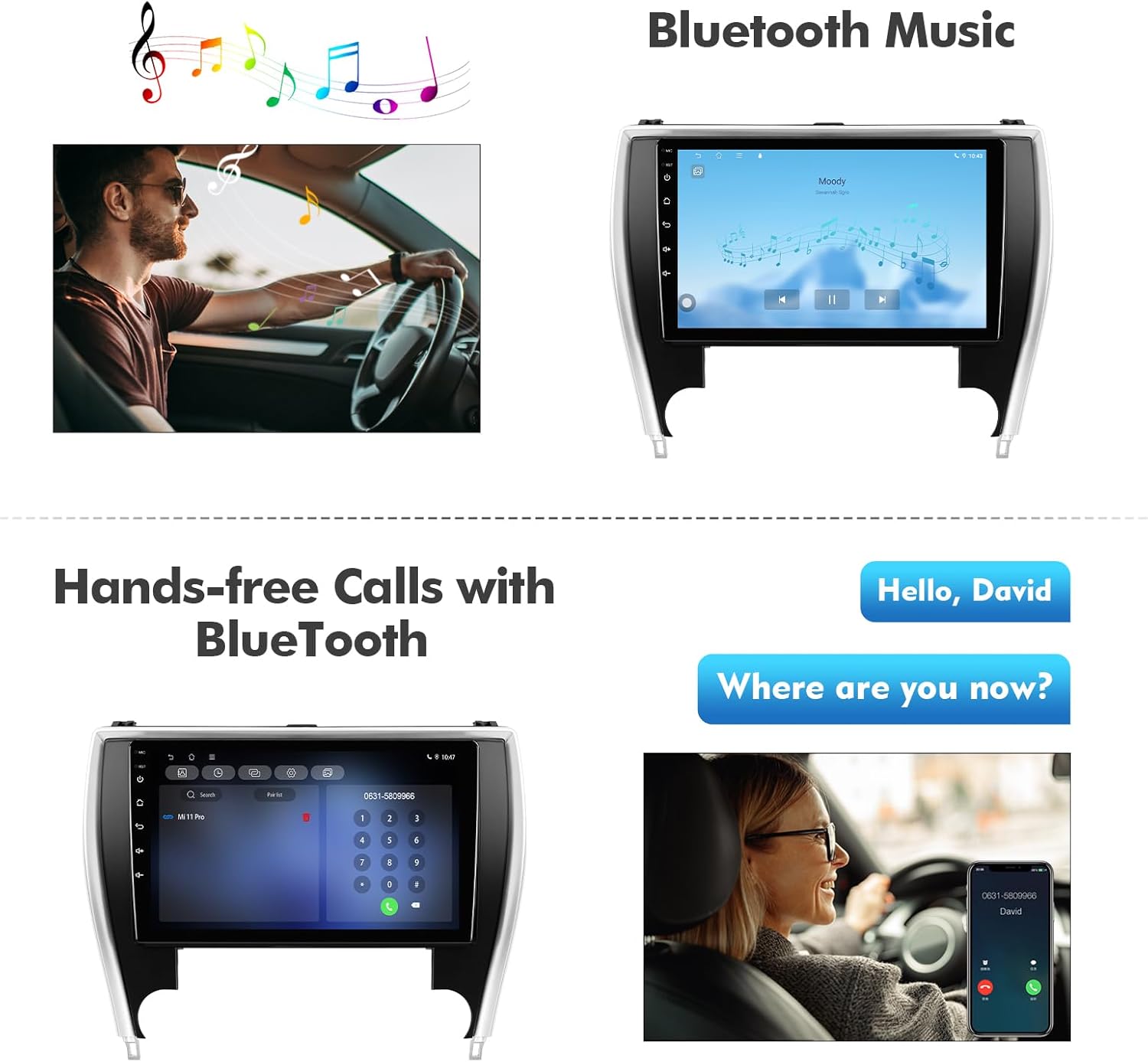
Image: The car stereo screen demonstrating Bluetooth 5.4 capabilities for music streaming and hands-free phone calls.
4.5 FM Radio
Access the FM radio function to listen to your favorite stations. The system supports various regional settings for optimal reception.

Image: The FM radio interface on the car stereo, showing frequency tuning and station presets.
4.6 Steering Wheel Controls
The car radio supports the original car's steering wheel control function. Use the
Ask a question about this manual
Ask about setup, troubleshooting, compatibility, parts, safety, or missing instructions. Manuals+ will review the question and use this page’s manual context to help answer it.