
Introduction
Thank you for choosing the ION Digital Watch. This smartwatch is designed to enhance your daily life with its advanced features, including a vibrant 2-inch HD color screen, extended battery life, IP68 waterproof rating, and comprehensive health and fitness tracking. This manual provides detailed instructions for setup, operation, and maintenance to ensure optimal performance and user experience.
What's in the Box
- Smartwatch
- Magnetic charging cable
- User manual
Product Overview
The ION Digital Watch combines sleek design with powerful functionality. Familiarize yourself with its components and key features.
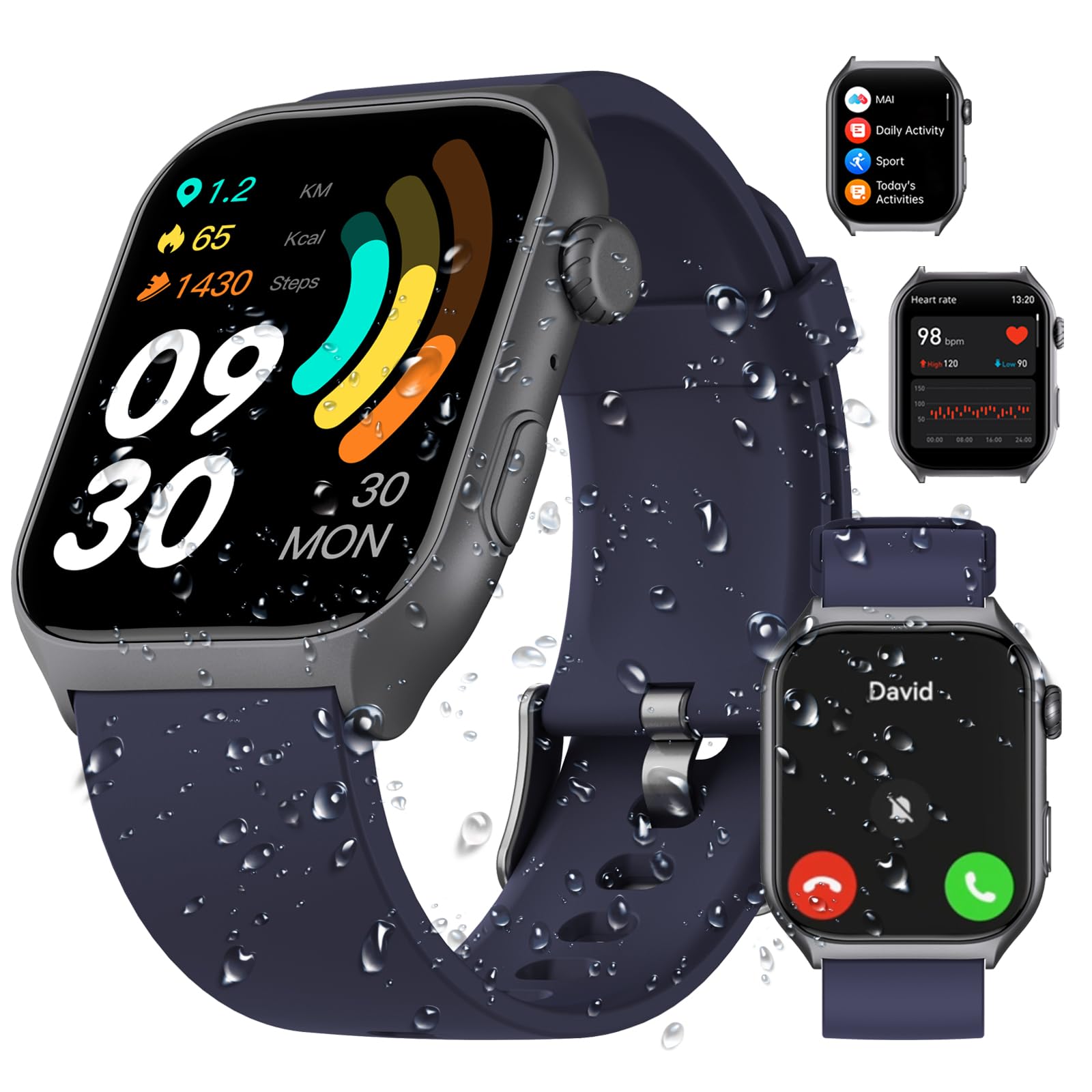
Front view of the ION Digital Watch, showcasing its large display and sleek design.
Official product video demonstrating the key features and design of the ION Digital Watch.
Setup
1. Charging the Watch
Before first use, fully charge your ION Digital Watch. Connect the magnetic charging cable to the charging points on the back of the watch and plug the USB end into a power adapter (not included) or a computer's USB port. A full charge typically takes approximately 2 hours.

Illustration of the watch charging process and its impressive battery duration.
2. App Installation and Pairing
To unlock the full potential of your smartwatch, download and install the Runmefit APP on your smartphone.
- Scan the QR code provided in the quick start guide or search for "Runmefit" in your phone's app store (Google Play Store for Android, Apple App Store for iOS).
- Install the app and create an account or log in.
- Ensure Bluetooth is enabled on your smartphone.
- Open the Runmefit APP, navigate to the device section, and select "Add Device".
- Select your ION Digital Watch from the list of available devices to pair. Follow the on-screen prompts to complete the pairing process.

Visual representation of the AI Voice Assistant and Bluetooth 5.3 call functionality.
Operating Instructions
1. Basic Navigation
The watch features a 2-inch HD touch screen display with a resolution of 320x386 pixels. Navigate through menus and functions by swiping across the screen and tapping icons. The side button typically serves as a power button, back button, or to access the main menu.

The 2-inch HD color screen provides clear and vibrant visuals for all watch functions.
2. Call Functions
With upgraded Bluetooth 5.3, the watch allows for stable connections up to 10 meters. You can answer and make calls directly from your wrist, receive call notifications, and manage quick replies.

Various ION Digital Watches showcasing the answer/make call feature via Bluetooth 5.3.
3. AI Voice Assistant
The integrated AI voice assistant allows for hands-free control. Speak commands to play music, check weather updates, set alarms, and more. This feature is particularly useful when your hands are occupied.
4. Sport Modes
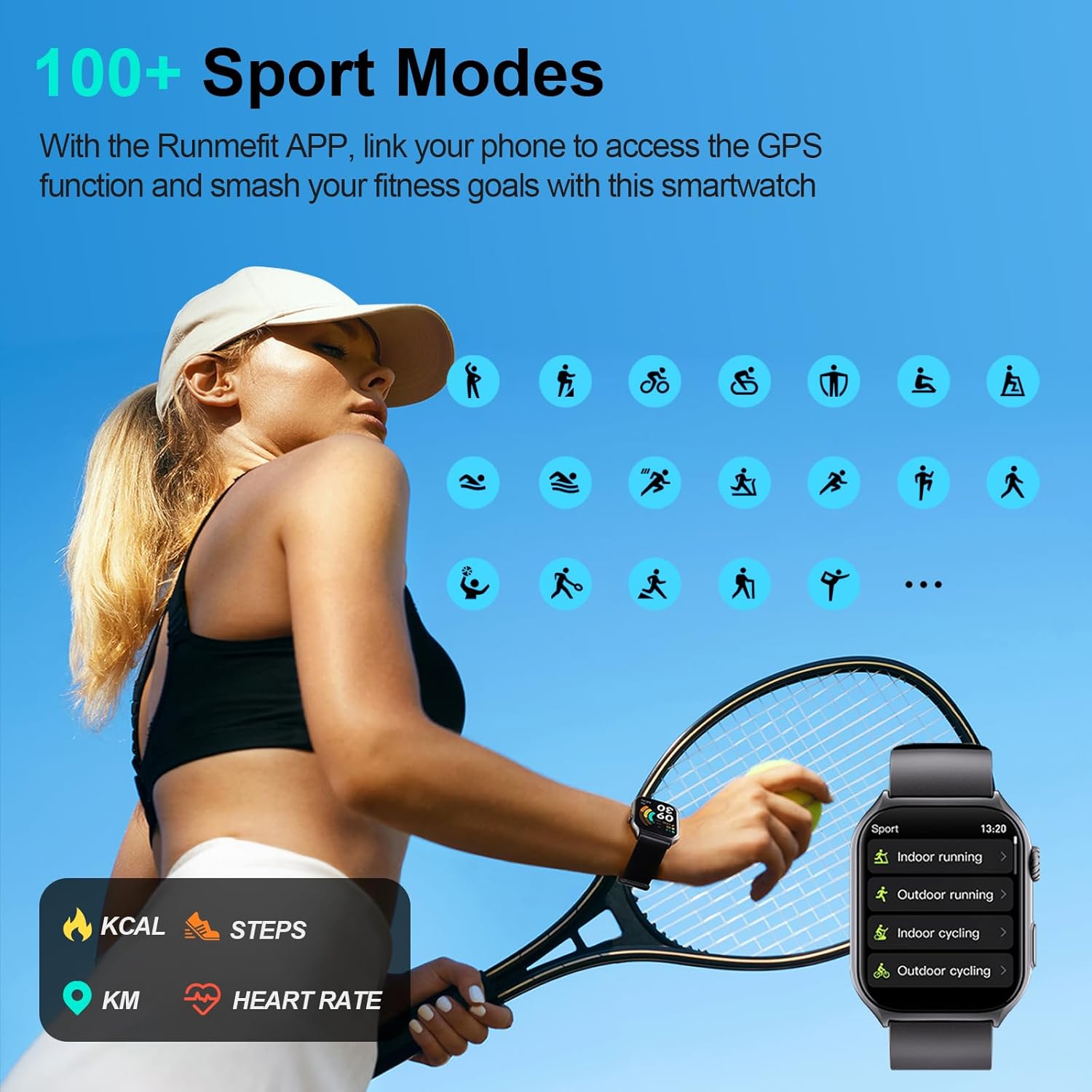
The watch offers over 100 sport modes, including running, cycling, and swimming. Link the Runmefit APP to your phone for accurate GPS tracking during outdoor activities. The watch monitors steps, calories burned, and distance, providing detailed insights into your workouts.

Visual of the watch interface displaying various sport modes available for tracking.

The watch and companion app tracking fitness activities for an active lifestyle.

The watch tracking real-time data like calories, distance, and steps during a run.
5. Health Monitoring
The ION Digital Watch provides comprehensive health monitoring features:
- MAI Health Vitality Index: Offers unique insights into your overall health.
- Real-time Monitoring: Includes 24-hour heart rate monitoring and SpO2 (blood oxygen) tracking.
- Sleep Tracking: Accurately tracks sleep patterns and provides detailed analysis of deep sleep, light sleep, and awake times.
- Women's Health: Features dedicated functions for tracking women's health cycles.
- SOS Function: Long press the side button for 3 seconds to activate the one-tap SOS feature.

The watch displaying 24/7 health monitoring data including heart rate, sleep, and notifications.

The watch providing detailed sleep monitoring and analysis for improved rest.

The watch displaying SpO2, heart rate, and menstrual cycle tracking features.
6. Customization
Personalize your watch with over 200 downloadable watch faces. You can also upload your favorite photos to create unique watch face designs that match your style.

A selection of customizable watch faces available for the ION Digital Watch.
7. Smart Notifications
Stay informed with instant notifications from your smartphone directly on your watch. The always-on display ensures you don't miss important alerts, messages, or reminders from various applications.
The watch displaying smart notifications synchronized with a smartphone.
Waterproof Information
The ION Digital Watch has an IP68 waterproof rating, meaning it is resistant to dust and can withstand immersion in water up to 1.5 meters for 30 minutes. This makes it suitable for daily activities such as washing hands, wearing in the rain, and during workouts. It is not recommended for hot showers, saunas, or diving.

Visual representation of the IP68 waterproof capability during various activities.
Battery Life
Equipped with an upgraded 300 mAh battery, the watch offers impressive battery performance:
- Charging Time: Approximately 2 hours for a full charge.
- Average Daily Use: 7-10 days.
- Standby Time: Up to 45 days.
Specifications
| Feature | Detail |
|---|---|
| Brand | ION |
| Model Number | 4895211618610 |
| Screen Size | 2 Inches |
| Screen Resolution | 320*386 (R.G.B) |
| Operating System | Android 4.4+, iOS 9.0+ |
| Connectivity Technology | Bluetooth 5.3 |
| Battery Capacity | 300 mAh Lithium Polymer |
| Waterproof Rating | IP68 |
| Item Weight | 106 Grams (3.74 ounces) |
| Special Features | Phone Call, AI Voice Assistant, 100+ Sport Modes, Health Monitoring (Heart Rate, SpO2, Sleep, Women's Health), SOS Function, Customizable Watch Faces |
Troubleshooting
- Watch not turning on: Ensure the watch is fully charged. Connect it to the magnetic charging cable and a power source for at least 10 minutes.
- Unable to pair with phone:
- Ensure Bluetooth is enabled on your phone and the watch.
- Make sure the watch is within Bluetooth range (approx. 10 meters).
- Restart both your phone and the watch.
- Check if the Runmefit APP is updated to the latest version.
- If previously paired, try unpairing from your phone's Bluetooth settings and then re-pairing through the app.
- Inaccurate health data: Ensure the watch is worn snugly on your wrist, not too tight or too loose. Clean the sensors regularly. Environmental factors and individual physiology can affect accuracy.
- Notifications not appearing: Check notification permissions for the Runmefit APP in your phone's settings. Ensure the app is running in the background and not being restricted by power-saving modes.
Maintenance
- Cleaning: Regularly wipe the watch screen and strap with a soft, dry cloth. For stubborn dirt, use a slightly damp cloth and mild soap, then dry thoroughly.
- Sensors: Keep the optical sensors on the back of the watch clean and free from debris to ensure accurate health monitoring.
- Storage: Store the watch in a cool, dry place when not in use. Avoid extreme temperatures.
- Water Exposure: While IP68 rated, prolonged exposure to water or use in hot water environments should be avoided to maintain the integrity of the seals.
Warranty and Support
For warranty information or technical support, please refer to the contact details provided with your purchase or visit the official ION product support website. Keep your proof of purchase for any warranty claims.