
1. Introduction
The ACMER S1 Portable Laser Engraver Machine is a compact and versatile tool designed for engraving and cutting a wide range of materials. Its user-friendly design and precise laser output make it suitable for beginners and experienced crafters alike. This manual provides essential information for setting up, operating, and maintaining your ACMER S1 to achieve optimal results.
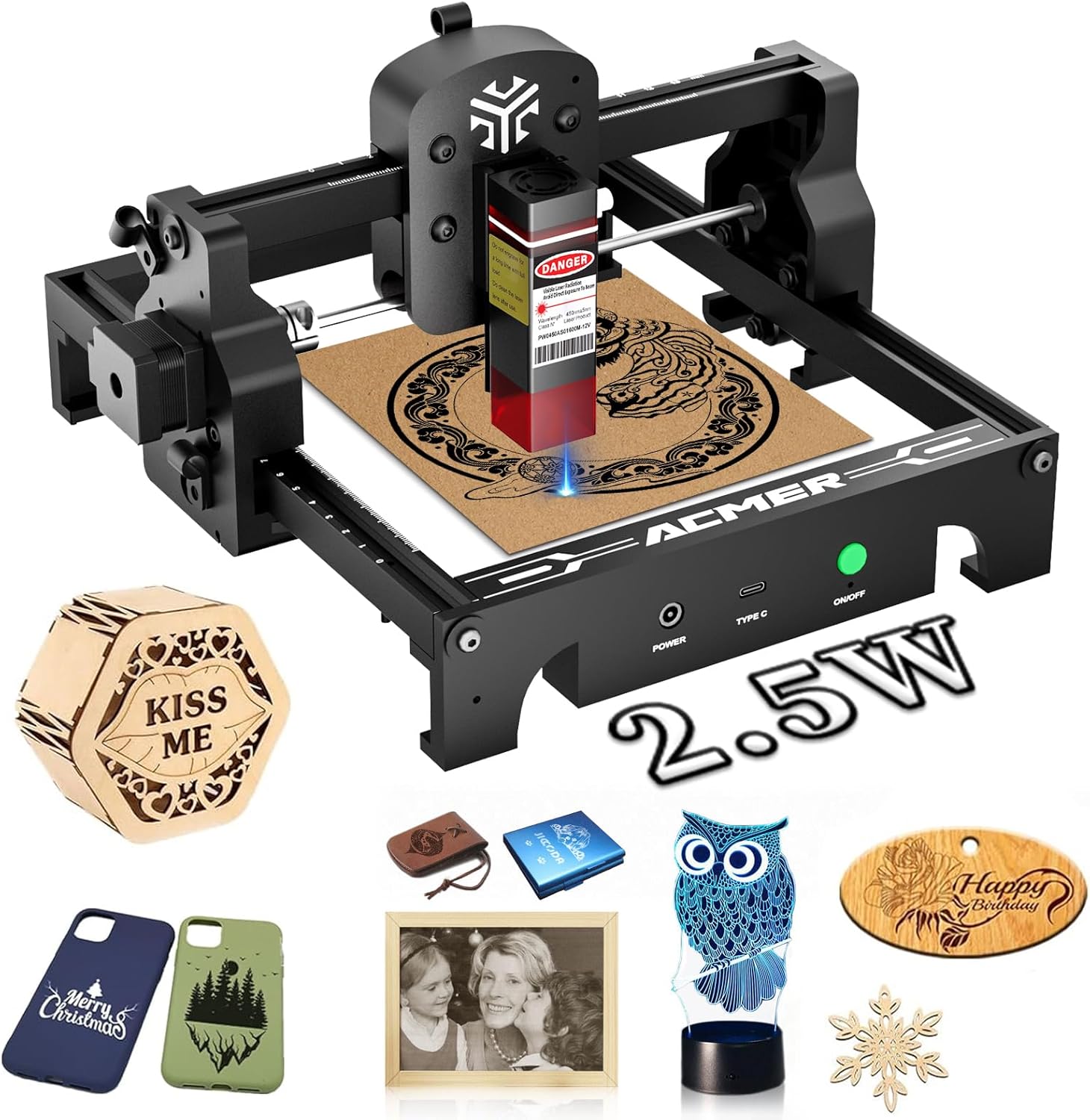
Figure 1.1: The ACMER S1 Portable Laser Engraver Machine.
2. What's in the Box
Upon unboxing your ACMER S1, ensure all components listed below are present:
- ACMER S1 Engraver Machine & Laser Module
- Tool Kit
- Protective Goggles
- Instruction Manual
- Power Cord
- Plywood (1 piece)
- Cardboard (1 piece)
- Aluminum Business Card (2 pieces)

Figure 2.1: All components included in the ACMER S1 package.
3. Setup
The ACMER S1 comes pre-assembled, simplifying the setup process. Follow these steps to prepare your machine for use:
- Place the Machine: Position the engraver on a stable, flat surface. Ensure adequate ventilation and a clear workspace.
- Install Laser Module: Carefully attach the laser module to the designated slot on the machine's gantry. Secure it according to the instructions in the included manual.
- Connect Power: Plug the power cord into the machine's power input and then into a suitable power outlet.
- Connect to Computer: Use the provided data cable (Type-C) to connect the engraver to your computer.
- Software Installation: Install the recommended engraving software (e.g., LightBurn or LaserGRBL) on your computer. Refer to the software's documentation for detailed installation steps.

Figure 3.1: Setting up the ACMER S1 for immediate use.
Setup Video Guide
Video 3.1: This video demonstrates the process of attaching the feet and grid to the ACMER S1, which is part of the initial setup. It also shows the machine in operation, engraving a grid pattern on wood.
4. Operation
The ACMER S1 offers versatile engraving and cutting capabilities. Familiarize yourself with its features for optimal performance.
4.1 Software Compatibility
The ACMER S1 is compatible with popular laser engraving software such as LightBurn and LaserGRBL, allowing for flexible design and control. It supports various operating systems including macOS, Windows, and Linux.

Figure 4.1: Software compatibility for the ACMER S1.
4.2 Engraving and Cutting Capabilities
With its powerful 2.5W/3.5W laser, the ACMER S1 can engrave over 100 different materials and offers comprehensive cutting capabilities. The ultra-fine laser output ensures finely detailed and lifelike engravings.
- Engravable Materials: Wood, Acrylic, Leather, Cork, Rock, Glass, Paper, Metal, Ceramics, Craft Paper, Cardboard.
- Cutting Capabilities: The S1 2.5W can cut up to 6mm wood and 5mm acrylic. The S1 3.5W can cut up to 8mm wood and 6mm acrylic.

Figure 4.2: Engraving and cutting capabilities of the ACMER S1.
4.3 Working Area and Precision
Despite its compact size, the ACMER S1 provides a generous 130x130mm (5.1x5.1 inch) engraving area, allowing for processing multiple small items simultaneously. Integrated laser scales on the frame provide clear reference points for precise positioning.

Figure 4.3: Maximized space utilization with 130x130mm engraving area.

Figure 4.4: Convenient frame scale design for accurate positioning.
4.4 Engraving Examples
The following videos showcase the engraving capabilities of the ACMER S1 on different materials and for various applications.
Video 4.1: Demonstrates leaf carving using the ACMER S1 2.5W, highlighting its precision on delicate materials.
Video 4.2: An overview of the laser engraving machine, showcasing its capabilities for various projects.
Video 4.3: Highlights the portability of the ACMER S1, demonstrating its use for engraving projects outdoors.
Video 4.4: A short preview showcasing the ACMER S1 2.5W's ability to engrave creative designs.
5. Maintenance
Regular maintenance ensures the longevity and optimal performance of your ACMER S1. Key maintenance tasks include:
- Clean the Laser Lens: After each use, ensure the laser lens is clean to maintain engraving precision and power. Use a soft, lint-free cloth and appropriate cleaning solution if necessary.
- Keep Workspace Clear: Regularly remove debris and dust from the engraving area and the machine's rails to prevent interference with movement and laser operation.
- Check Connections: Periodically inspect all cable connections (power, USB) to ensure they are secure and free from damage.
6. Safety Guidelines
Operating a laser engraver requires adherence to strict safety protocols to prevent injury. Always prioritize safety during use:
- Wear Protective Goggles: Always wear the provided protective goggles when the laser is in operation. The laser emits harmful radiation that can cause eye damage.
- Supervise Operation: Never leave the machine unattended while it is engraving or cutting.
- Ensure Ventilation: Operate the machine in a well-ventilated area to dissipate fumes and smoke produced during engraving.
- Keep Flammable Materials Away: Ensure no flammable materials are near the engraving area during operation.
- Secure Workpiece: Always secure the material being engraved or cut to prevent movement during operation.
- Limit Access: Restrict access to the operating area, especially from children and pets, to prevent accidental exposure to the laser.

Figure 6.1: Always wear protective goggles during operation.
7. Troubleshooting
While specific troubleshooting steps are detailed in the full instruction manual, common issues may include:
- Poor Engraving Quality: Check laser focus, power settings, and material compatibility. Ensure the laser lens is clean.
- Machine Not Responding: Verify power connection, USB connection, and software communication. Restart the software and machine if necessary.
- Excessive Smoke/Fumes: Ensure proper ventilation and adjust laser power/speed settings for the material being used.
For detailed troubleshooting, refer to the comprehensive instruction manual provided with your product.
8. Specifications
| Feature | Detail |
|---|---|
| Brand | ACMER |
| Model Number | S1-2.5W-3.5W-002 |
| Material | Aluminum |
| Color | Black |
| Product Dimensions | 10.24"L x 8.27"W |
| Style | Portable |
| Operation Mode | Automatic |
| Item Weight | 3.98 pounds |
| Engraving Area | 130mm x 130mm (5.1 x 5.1 inches) |
| Laser Power Options | 2.5W / 3.5W / 6.0W (depending on variant) |
9. Support
For any inquiries, technical assistance, or support regarding your ACMER S1 Portable Laser Engraver Machine, please visit the official ACMER Store or contact customer service. ACMER is committed to providing a better and faster production experience for its users.
Online Support: Visit the ACMER Store on Amazon


