
Corsair HS80 MAX
Corsair HS80 MAX Wireless Gaming Headset User Manual
Model: HS80 MAX
Introduction
This manual provides comprehensive instructions for the setup, operation, maintenance, and troubleshooting of your Corsair HS80 MAX Premium Wireless Gaming Headset. Designed for an immersive audio experience, this headset features Dolby Atmos surround sound, active noise cancellation, and a convenient flip-to-mute microphone. It offers broad compatibility with PC, Mac, PS5, PS4, and mobile devices.

Figure 1: Corsair HS80 MAX Wireless Gaming Headset with USB dongle.
Setup
Powering On and Charging
To power on your headset, locate the power button on the back of the left earcup. Press and hold this button for a few seconds until the headset indicates it is powered on. The headset charges via a USB-C adapter. A full charge provides up to 65 hours of battery life. The headset will emit a beep every 5 minutes when the battery is low, signaling that a charge is needed.
Connectivity
The HS80 MAX supports both Bluetooth and 2.4GHz wireless connectivity, offering a range of up to 10 meters (33 feet). It is compatible with multiple platforms including PC, Mac, PS5, PS4, and mobile devices. For optimal performance and access to advanced features like personalized SoundID and custom RGB lighting, install the CORSAIR iCUE software on your PC or Mac.
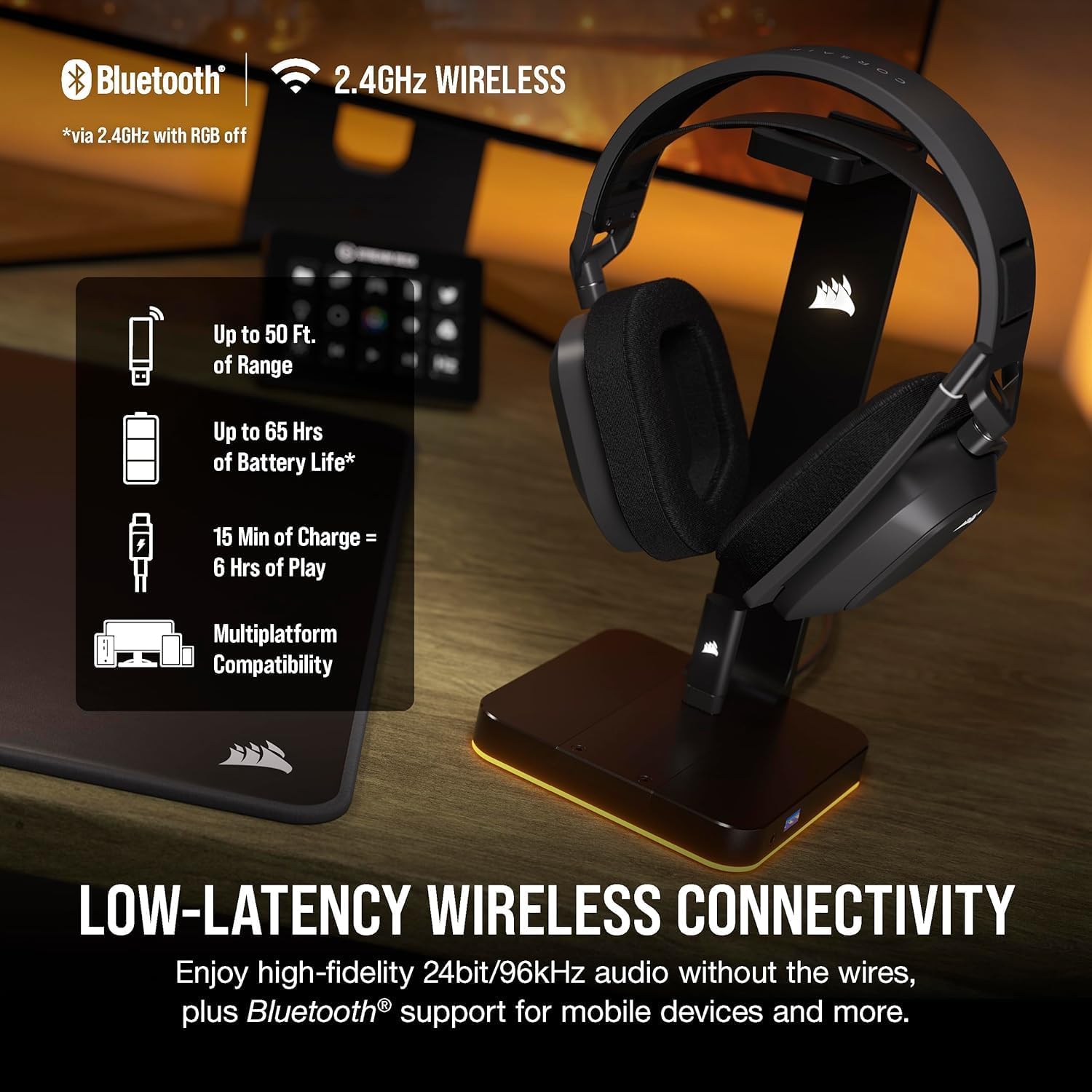
Figure 2: Connectivity and Battery Life Overview.
Operating the Headset
Comfort and Fit
The HS80 MAX is designed for long-lasting comfort, featuring a floating headband design and breathable memory foam ear pads. The headband can be adjusted by feeding the strap through the clips on the frame to achieve a secure and comfortable fit.
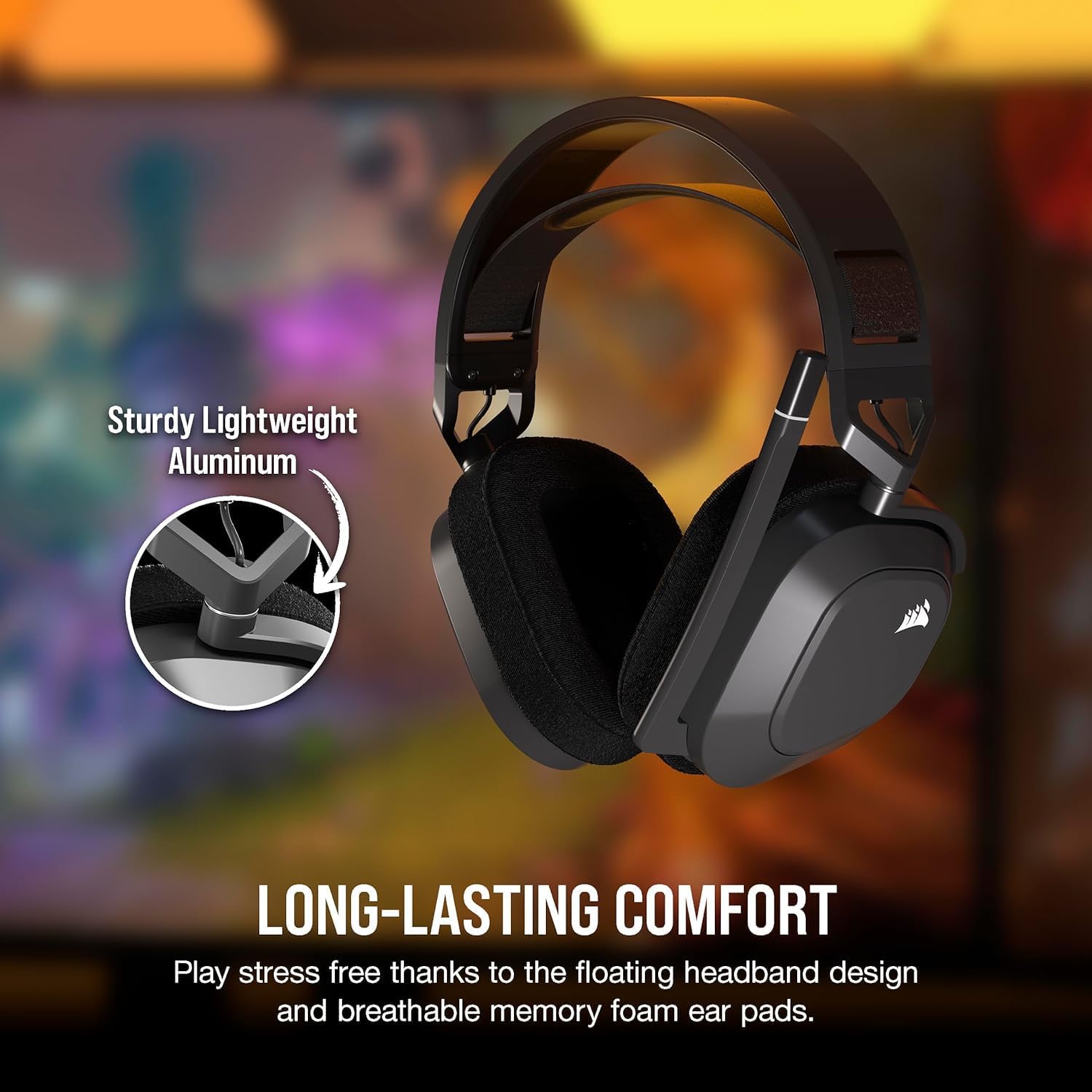
Figure 3: Headset comfort features.
Audio Controls
Adjust the volume using the volume toggle located on the left earcup. Experience true audio immersion with immersive Dolby Atmos Spatial Audio and precisely tuned 50mm neodymium drivers, allowing you to hear the finest details in your games.

Figure 4: Dolby Atmos Spatial Audio for immersive sound.
Microphone Usage
The headset features a broadcast-grade omni-directional microphone. For quick muting, simply flip the microphone arm upwards. Flipping it down will unmute the microphone. NVIDIA Broadcast technology helps reduce background noise and echoes for clear communication (requires a compatible NVIDIA GeForce RTX graphics card).

Figure 5: Microphone with flip-to-mute functionality.
Customization with iCUE Software
The powerful CORSAIR iCUE software allows for extensive customization. You can create custom sound profiles using SoundID based on your unique hearing preferences, enable personalized RGB lighting, select pre-tuned audio profiles, adjust the audio equalizer, and control sidetone.

Figure 6: SoundID customization via iCUE software.

Figure 7: Overview of iCUE software control options.
Maintenance
To ensure the longevity and optimal performance of your Corsair HS80 MAX headset, follow these maintenance guidelines:
- Cleaning: Use a soft, dry cloth to wipe down the earcups and headband. For the memory foam ear pads, gently dab with a slightly damp cloth if necessary, and allow to air dry completely before use. Avoid harsh chemicals or abrasive materials.
- Storage: When not in use, store the headset in a cool, dry place away from direct sunlight and extreme temperatures. Consider using a headset stand to maintain its shape and prevent damage.
- Charging: Always use the provided USB-C cable for charging. Avoid overcharging by disconnecting the cable once the battery is full.
- Microphone Care: Handle the flip-to-mute microphone gently. Avoid excessive force when flipping it up or down.
Troubleshooting
If you encounter issues with your Corsair HS80 MAX headset, please refer to the following common troubleshooting steps:
- No Power: Ensure the headset is fully charged. Connect the USB-C cable and allow it to charge for at least 15 minutes before attempting to power on again.
- No Audio/Microphone Not Working:
- Verify the headset is powered on and properly connected (via 2.4GHz dongle or Bluetooth) to your device.
- Check the volume toggle on the headset and your device's audio settings.
- Ensure the microphone is flipped down to unmute it.
- Confirm the correct audio input/output device is selected in your operating system's sound settings.
- Restart your device and the headset.
- Connectivity Issues:
- For 2.4GHz wireless, ensure the USB dongle is securely plugged into a compatible port and within range.
- For Bluetooth, ensure Bluetooth is enabled on your device and the headset is in pairing mode. Remove previous pairings and re-pair if necessary.
- Try a different USB port for the dongle.
- Software Issues (iCUE): If iCUE software is not recognizing the headset or features are not working, ensure iCUE is updated to the latest version. Try reinstalling the software if problems persist.
For further assistance, please visit the official Corsair support website or contact their customer service.
Specifications
| Brand | Corsair |
| Model Number | HS80 MAX |
| Control Type | Media Control |
| Cable Feature | Without Cable |
| Frequency Range | 20 Hz - 20,000 Hz |
| Control Method | Remote |
| Number of Items | 1 |
| Battery Life | 65 Hours |
| Audio Driver Type | Dynamic Driver |
| Bluetooth Range | 10 Meters |
| Bluetooth Version | 5.0 |
| Earpiece Shape | Over Ear |
| UPC | 604947776235 |
| Manufacturer | Corsair |
| Item Weight | 1.46 pounds |
| Ear Placement | Over Ear |
| Noise Control | Active Noise Cancellation |
| Headphones Jack | No Jack |
| Compatible Devices | PC, Mac, PS5, PS4, Mobile, Tablet |
Warranty and Support
Your Corsair HS80 MAX headset is backed by a comprehensive return policy, allowing for a refund or replacement within 90 days of purchase. Additionally, protection plans are available to extend coverage:
- 2-Year Protection Plan: Available for purchase.
- 3-Year Protection Plan: Available for purchase.
- Complete Protect: A monthly plan covering all eligible past and future purchases.
For detailed warranty information, to purchase a protection plan, or for any technical support, please visit the official Corsair website or contact their customer service department.