
1. Introduction
This manual provides essential information for the safe and effective use of your YBQZJSLY 15V Power Adapter. This adapter is designed as a replacement or spare charger for a range of Philips beard and hair trimmers. Please read these instructions carefully before use and retain them for future reference.
2. Compatibility
This power adapter is specifically designed for use with Philips devices requiring a 15V power supply with the HQ8505 connector type.
2.1 Compatible Models:
- Philips HQ8505
- Philips BT9810, BT3230, BT3210, BT5511
- Philips MG7750, MG7770, MG5750
- Philips QP6530 Beard and Hair Trimmer
For a comprehensive list of compatible Philips shaver series, refer to the image below.

Image: Detailed list of Philips shaver series compatible with the 15V power adapter.
2.2 Incompatibility:
This adapter is not suitable for Philips devices requiring 4.3V, 5V, or 8V power supplies, or models with different connector types. Specifically, it is not compatible with:
- Philips QP2724, QP4530, QP2834, QP4631, QP6531
Always verify the voltage and connector type of your device before connecting the charger. Refer to the visual guide below to ensure the correct interface is selected.
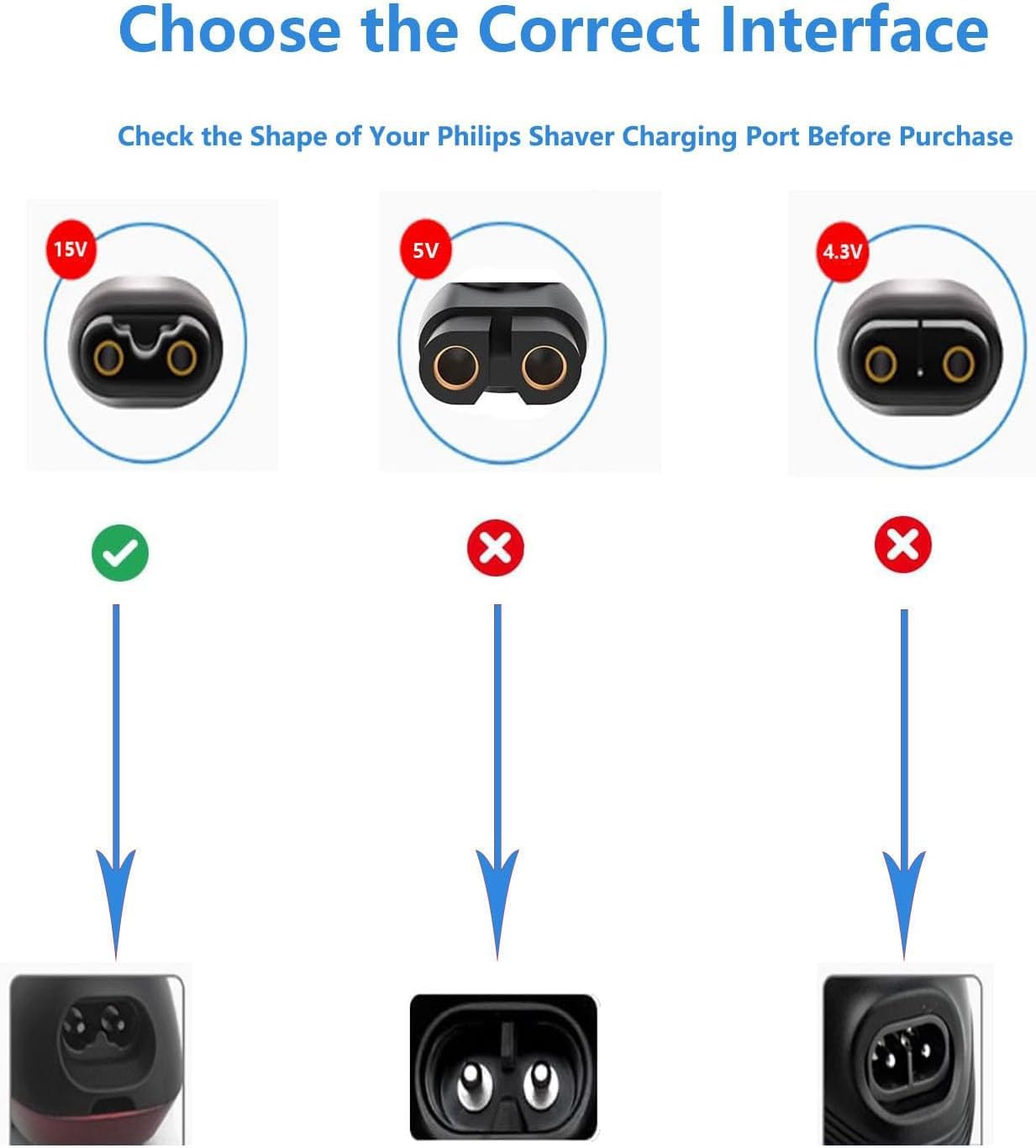
Image: Guide to choosing the correct charging interface based on voltage and connector shape.
3. Safety Information
- Voltage Matching: Ensure the voltage requirements of your device match the output of this adapter (15V). Using an incorrect voltage can damage your device.
- Dry Environment: Use the charger in dry conditions. Avoid exposure to water or high humidity.
- Cable Integrity: Do not use the charger if the cable or plug is damaged.
- Ventilation: Ensure adequate ventilation around the charger during use.
- Unplug When Not in Use: Disconnect the charger from the power outlet when not in use or during electrical storms.
- Children and Pets: Keep the charger out of reach of children and pets.
- Charging Indicator: The charger features a light that indicates normal operation, making it safe for overnight charging.
4. Setup
To set up your YBQZJSLY 15V Power Adapter:
- Inspect: Before first use, visually inspect the power adapter and cable for any signs of damage.
- Connect to Device: Insert the 2-pin connector end of the power adapter firmly into the charging port of your compatible Philips trimmer.
- Connect to Power Outlet: Plug the AC adapter into a standard 110-240V wall outlet.
The charger is now ready to supply power to your device. An example of the charger in use is shown below.
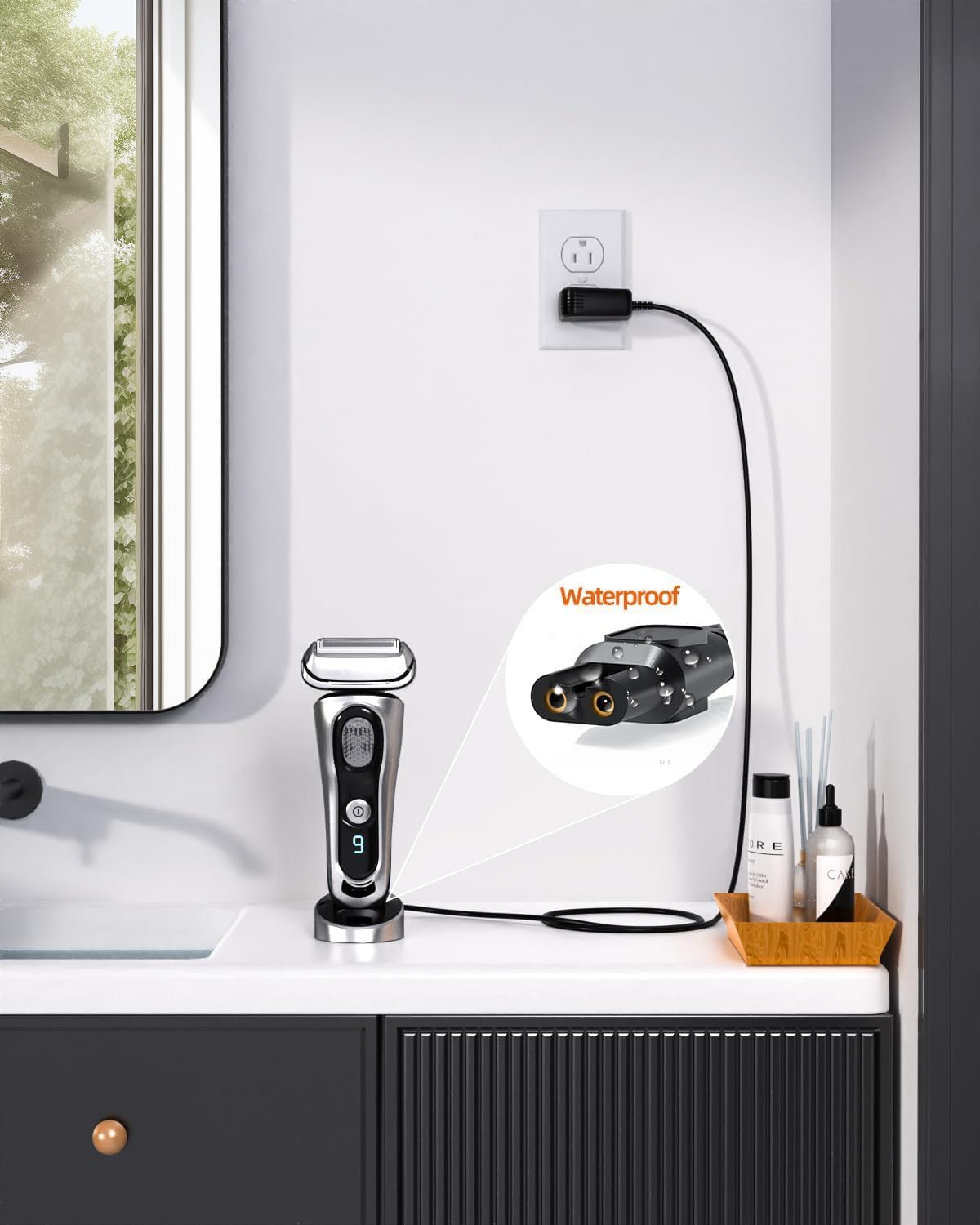
Image: The 15V power adapter connected to a Philips shaver and a wall outlet.
5. Operating Instructions
Once connected as described in the 'Setup' section, the power adapter will begin charging your device. The integrated light on the charger indicates normal operation. Your device's charging indicator (if present) will show its charging status.
- Charging Time: Refer to your Philips trimmer's user manual for specific charging times.
- Overnight Charging: The charger is designed for safe operation, including during nighttime charging.
- Disconnecting: Once charging is complete, or if you need to use the trimmer, disconnect the charger from the power outlet first, then from the trimmer.
6. Maintenance
Proper maintenance ensures the longevity and safe operation of your power adapter.
- Cleaning: Disconnect the charger from the power outlet and your device before cleaning. Wipe the adapter and cable with a soft, dry cloth. Do not use liquid cleaners or abrasive materials.
- Storage: When not in use, store the charger in a cool, dry place, away from direct sunlight and extreme temperatures. Avoid tightly winding the cable to prevent damage.
- Cable Care: Do not bend, twist, or pull the cable excessively. Avoid placing heavy objects on the cable.
7. Troubleshooting
If you encounter issues with your power adapter, please refer to the following common solutions:
| Problem | Possible Cause | Solution |
|---|---|---|
| Charger light is off / Device not charging | No power to the outlet; Loose connection; Incompatible device. | Check if the power outlet is working (test with another device). Ensure both ends of the charger are securely connected. Verify your device is listed as compatible (15V, correct connector). |
| Charger or device gets unusually hot | Overload; Poor ventilation; Internal fault. | Immediately disconnect the charger. Ensure it's used in a well-ventilated area. If the issue persists, discontinue use and contact support. |
| Physical damage to cable or adapter | Wear and tear; Accidental damage. | Discontinue use immediately. Do not attempt to repair. Replace the adapter. |
If these steps do not resolve the issue, please refer to the warranty and support section.
8. Specifications
Technical details of the YBQZJSLY 15V Power Adapter:
- Input: AC 110-240V, 50-60Hz
- Output: DC 15V, 1A
- Cable Length: 5 feet (approximately 1.5 meters)
- Connector Type: Proprietary 2-pin (compatible with Philips HQ8505 type)
- Color: Black
- Included Components: 1x 2-Pin Power Adapter, 1x 5 feet Cable
- Package Dimensions: 5.67 x 3.82 x 1.02 inches
- Item Weight: 1.44 ounces
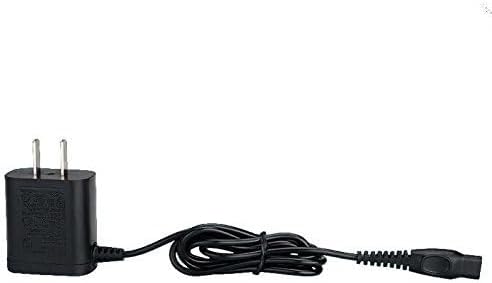
Image: The YBQZJSLY 15V Power Adapter.
9. Warranty and Support
Your YBQZJSLY 15V Power Adapter comes with the following assurances:
- Refund Policy: 30 days refund period from the date of purchase.
- Exchange Policy: 12 months exchange for defective products.
- Warranty: 24 months warranty covering manufacturing defects.
For warranty claims, technical support, or any questions regarding the product, please contact the seller or manufacturer directly through your purchase platform. Provide your order number and a detailed description of the issue for prompt assistance.