
1. Important Safety Instructions
Please read and save these instructions before operating your humidifier. Failure to follow these instructions may result in electric shock, fire, or serious injury.
- Always place the humidifier on a firm, flat, water-resistant surface away from walls and heat sources.
- Do not immerse the humidifier base in water or other liquids.
- Unplug the humidifier before filling, cleaning, or moving it.
- Do not use essential oils directly in the water tank. Use the designated aroma pad tray.
- Keep out of reach of children and pets.
- Use only clean, cool tap water or distilled water. Do not use hot water.
2. Package Contents
- Dreo DR-HHM006S Humidifier Body
- Power Cord
- Water Tank
- User Manual
3. Product Overview
Familiarize yourself with the components of your Dreo humidifier.

Figure 3.1: Dreo DR-HHM006S Cool Mist Humidifier with its smart control app displayed on a smartphone. This image shows the overall design of the humidifier, including the transparent water tank, control panel, and a smartphone screen illustrating the companion app.

Figure 3.2: Dimensions of the Dreo DR-HHM006S humidifier. The image provides a visual representation of the humidifier's height, width, and depth measurements.
4. Setup
4.1 Placement
Place the humidifier on a flat, stable surface at least 6 inches (15 cm) away from walls and furniture. Ensure it is not placed on carpet or near heat sources.
4.2 Filling the Water Tank
The Dreo DR-HHM006S features a convenient top-fill design.
- Remove the top cover of the humidifier.
- Pour clean, cool tap water or distilled water directly into the water tank up to the 'MAX' line. Do not exceed the maximum fill line.
- Replace the top cover securely.

Figure 4.1: Illustration of the humidifier's top-fill design, showing water being poured directly into the tank. The image also highlights the 360-degree adjustable nozzle and the aroma pad tray.
4.3 Power Connection
Plug the power cord into a standard 120V AC electrical outlet.
5. Operating Instructions
5.1 Basic Operation
- Power On/Off: Press the power button on the control panel to turn the humidifier on or off.
- Mist Output: Adjust the mist level using the control panel buttons. The humidifier releases a cool mist at up to 250ml/hr.
- 360° Rotating Nozzle: Manually adjust the mist nozzle to direct the mist in any desired direction.

Figure 5.1: The humidifier operating in a living room, demonstrating its ability to project ultrafine mist up to 40 inches high for effective humidification.
5.2 Smart Control (Dreo App, Alexa/Google Home)
The Dreo DR-HHM006S can be controlled remotely via the DREO app and integrated with smart home systems like Alexa and Google Home.
- Download the DREO App: Search for 'DREO' in your smartphone's app store and install the application.
- Pairing: Follow the in-app instructions to pair your humidifier with your smartphone.
- Remote Control: Once paired, you can monitor and adjust humidity levels, set timers, and create schedules from anywhere.
- Voice Control: Enable the Dreo skill/action in your Alexa or Google Home app to control the humidifier using voice commands.
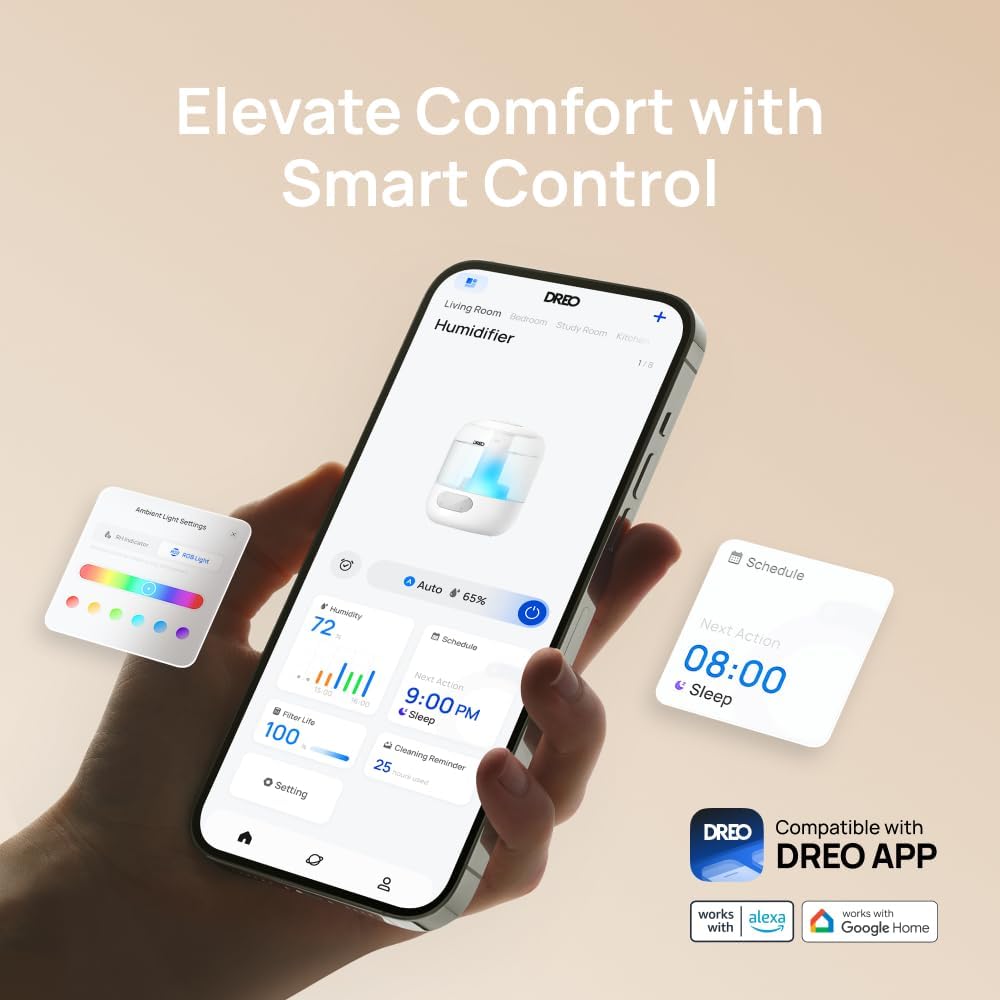
Figure 5.2: A smartphone displaying the Dreo app, illustrating various smart control options such as ambient light customization and scheduling functions.
5.3 Humidity Control
The humidifier features a high-precision humidistat for accurate humidity management.
- Auto Mode: Select Auto Mode to allow the humidifier to automatically maintain a comfortable humidity level based on its sensors.
- Manual Setting: Adjust the target humidity percentage manually via the control panel or the DREO app.
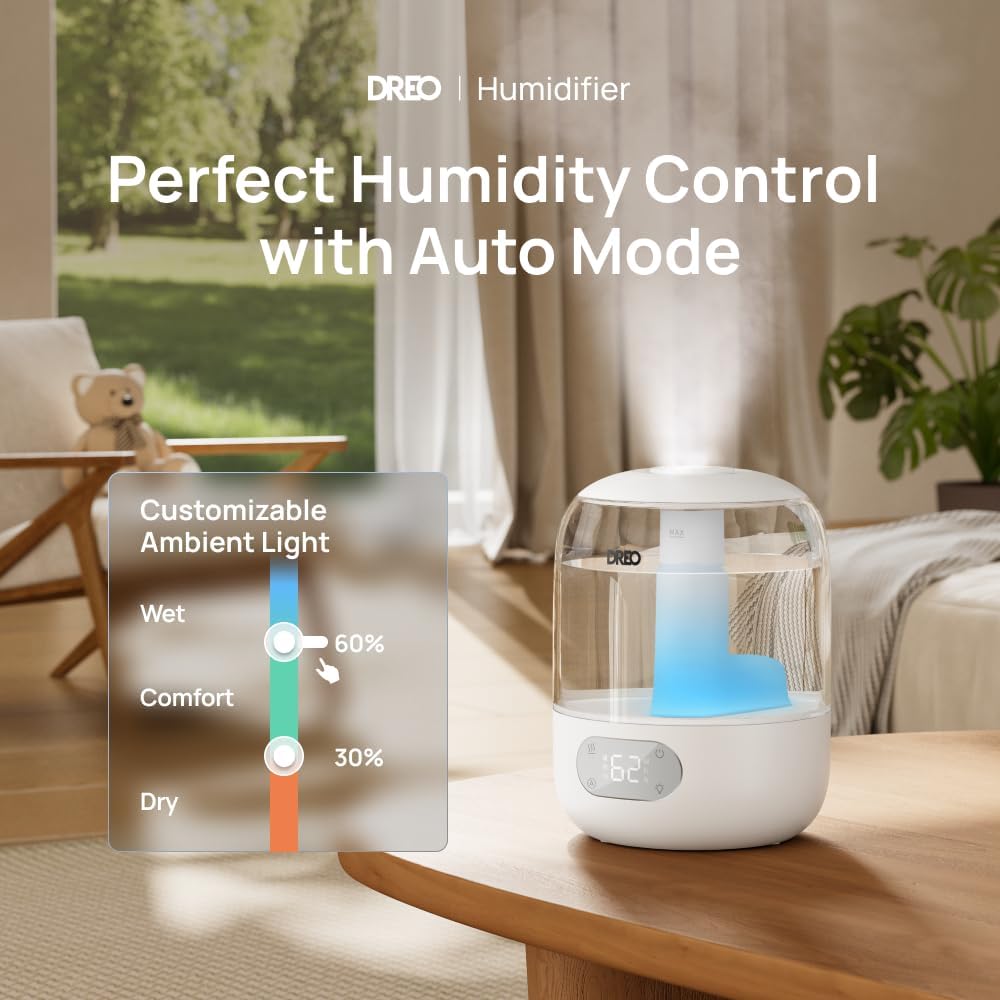
Figure 5.3: The humidifier on a table, with a graphic illustrating humidity control settings and customizable ambient light options, emphasizing its auto mode functionality.
5.4 RGB Lighting
Customize the ambient lighting to suit your preference.
- Adjustable Colors: Choose from a range of RGB colors via the DREO app.
- On/Off: The ambient lighting can be turned on or off as needed, independently of humidification.
5.5 Sleep Mode
Activate Sleep Mode for quiet operation during rest periods.
- In Sleep Mode, the humidifier operates at a whisper-quiet 26dB.
- The display lights may dim or turn off to ensure an undisturbed environment.

Figure 5.4: The humidifier placed in a nursery, illustrating its ultra-quiet operation at 26dB, ideal for maintaining a peaceful sleeping environment.
5.6 Aroma Pad Tray
Add essential oils to the dedicated aroma pad tray for a pleasant scent.
- Locate the aroma pad tray on the side of the humidifier base.
- Add a few drops of essential oil to the aroma pad (not directly into the water tank).
- Close the tray. The mist will carry the scent into the air.
6. Maintenance
Regular cleaning ensures optimal performance and extends the lifespan of your humidifier.
6.1 Daily Maintenance
- Empty and rinse the water tank daily.
- Wipe the inside of the tank with a clean cloth.
6.2 Weekly Cleaning
- Unplug the humidifier.
- Remove the water tank and empty any remaining water.
- Fill the tank with 1 cup (240ml) of white vinegar and let it soak for 30 minutes to loosen mineral buildup.
- Use a soft brush or cloth to clean the inside of the tank and the nebulizer.
- Rinse all components thoroughly with clean water until the vinegar smell is gone.
- Wipe the exterior with a soft, damp cloth.

Figure 6.1: A hand wiping the inside of the humidifier's water tank, demonstrating the easy-to-clean design. This image also shows the top-fill feature and the aroma pad tray.
6.3 Demineralization Cartridge (Optional)
The humidifier supports demineralization or clean-mist cartridges (sold separately) to reduce mineral buildup, especially in hard water areas. Refer to the cartridge instructions for installation and replacement.
6.4 Storage
If the humidifier will not be used for an extended period:
- Clean all components thoroughly as per weekly cleaning instructions.
- Ensure all parts are completely dry before reassembling.
- Store in a cool, dry place.
7. Troubleshooting
Review this section for common issues and their solutions.
| Problem | Possible Cause | Solution |
|---|---|---|
| No mist or low mist output | Low water level; Mineral buildup; Humidifier not level | Refill water tank; Clean the nebulizer and tank; Place on a flat surface |
| Unusual odor | Stale water; Dirty tank | Empty and clean the tank thoroughly; Use fresh water daily |
| Humidifier not connecting to Wi-Fi/App | Incorrect Wi-Fi password; Out of range; Router issues | Verify Wi-Fi password; Move humidifier closer to router; Restart router and humidifier |
| Water leakage | Tank not seated correctly; Overfilled tank; Damaged tank | Ensure tank is properly seated; Do not overfill; Contact support if damaged |
8. Specifications
| Feature | Detail |
|---|---|
| Brand | Dreo |
| Model Name | DR-HHM006S |
| Operation Mode | Ultrasonic |
| Special Features | Adjustable Humidity Control, Aroma Diffuser, Digital Display, Humidistat, Timer, RGB Lighting, Smart Control (App, Alexa, Google Home) |
| Color | White |
| Floor Area Coverage | Up to 300 Square Feet |
| Product Dimensions | 7.6"D x 10.2"W x 7.6"H |
| Room Type | Bedroom, Kids Room, Nursery, Office, Study Room |
| Included Components | Humidifier Body, Power Cord, Water Tank |
| Voltage | 120 Volts (AC) |
| Wattage | 29 watts |
| Water Tank Capacity | 3 Liters |
| Maximum Runtime | Up to 30 hours (in Sleep Mode) |
| Noise Level | 26dB (in Sleep Mode) |
9. Warranty and Support
Dreo provides a warranty for this product. For specific warranty details, please refer to the warranty card included with your purchase or visit the official Dreo website.
If you encounter any issues or have questions regarding your Dreo DR-HHM006S humidifier, please contact Dreo Customer Support for assistance. Contact information can typically be found on the product packaging or the official Dreo website.