
1. Introduction
This manual provides comprehensive instructions for the Generic E13 Smart Wireless Headphone Sunglasses. Please read this manual carefully before using the product to ensure proper operation and to maximize its lifespan. Keep this manual for future reference.
2. Product Overview
2.1 Key Features
- Integrated high-fidelity speakers for audio playback.
- Intuitive touch controls for various functions.
- Automatic Bluetooth pairing for quick connection.
- Noise reduction microphone for clear calls.
- Support for Bluetooth audio calls.
- Voice assistant activation capability.
- Waterproof design for outdoor use.
- Remote photography function.
2.2 Package Contents
- 1 x Smart Wireless Headphone Sunglasses
- 1 x Product Packaging Box
- 1 x Glasses Cleaning Cloth
- 1 x Magnetic Charging Cable
- 1 x Glasses Cloth Bag

Figure 1: Generic E13 Smart Wireless Headphone Sunglasses. This image shows the black sunglasses with integrated audio components in the temples.
3. Setup
3.1 Initial Charging
Before first use, fully charge the sunglasses using the provided magnetic charging cable. Connect the magnetic cable to the charging port on the sunglasses and plug the other end into a USB power source. The charging indicator will show the charging status.
3.2 Bluetooth Pairing
- Ensure the sunglasses are powered off.
- Press and hold the power button (or touch sensor) on the sunglasses until the indicator light flashes, indicating pairing mode.
- On your smartphone or Bluetooth-enabled device, go to Bluetooth settings and search for available devices.
- Select "E13 Smart Glasses" (or similar name) from the list to connect.
- Once connected, the indicator light on the sunglasses will change, and a voice prompt may confirm the connection.
The device supports automatic pairing after the initial setup, meaning it will connect to the last paired device automatically when powered on.

Figure 2: Automatic Temple Pairing. This image illustrates the automatic pairing feature of the smart glasses, showing a smartphone screen displaying a music player interface, indicating a successful connection.
4. Operating Instructions
4.1 Touch Controls
The temples of the sunglasses feature touch sensors for various functions. Refer to the following table for control operations:
| Action | Function |
|---|---|
| Single Tap | Answer/End Call, Play/Pause Music |
| Double Tap | Switch Songs (Next/Previous), Adjust Volume (Up/Down) |
| Long Press (2 seconds) Left Temple | Wake up Voice Assistant |
| Long Press (2 seconds) Right Temple | Wake up Voice Assistant |
| Four Taps | Switch Language |
| Long Press (5 seconds) | Power On/Off |
| Long Press to Hang Up | End Call |

Figure 3: Intelligent Control Touch Sensors. This image displays the various touch control gestures on the temple of the smart glasses, including single click for play/pause, double click for previous/next, long press for voice assistant, and long press for power on/off.
4.2 Music Playback
Once connected to your device, you can play music through the integrated speakers. Use the touch controls to play, pause, skip tracks, and adjust volume.
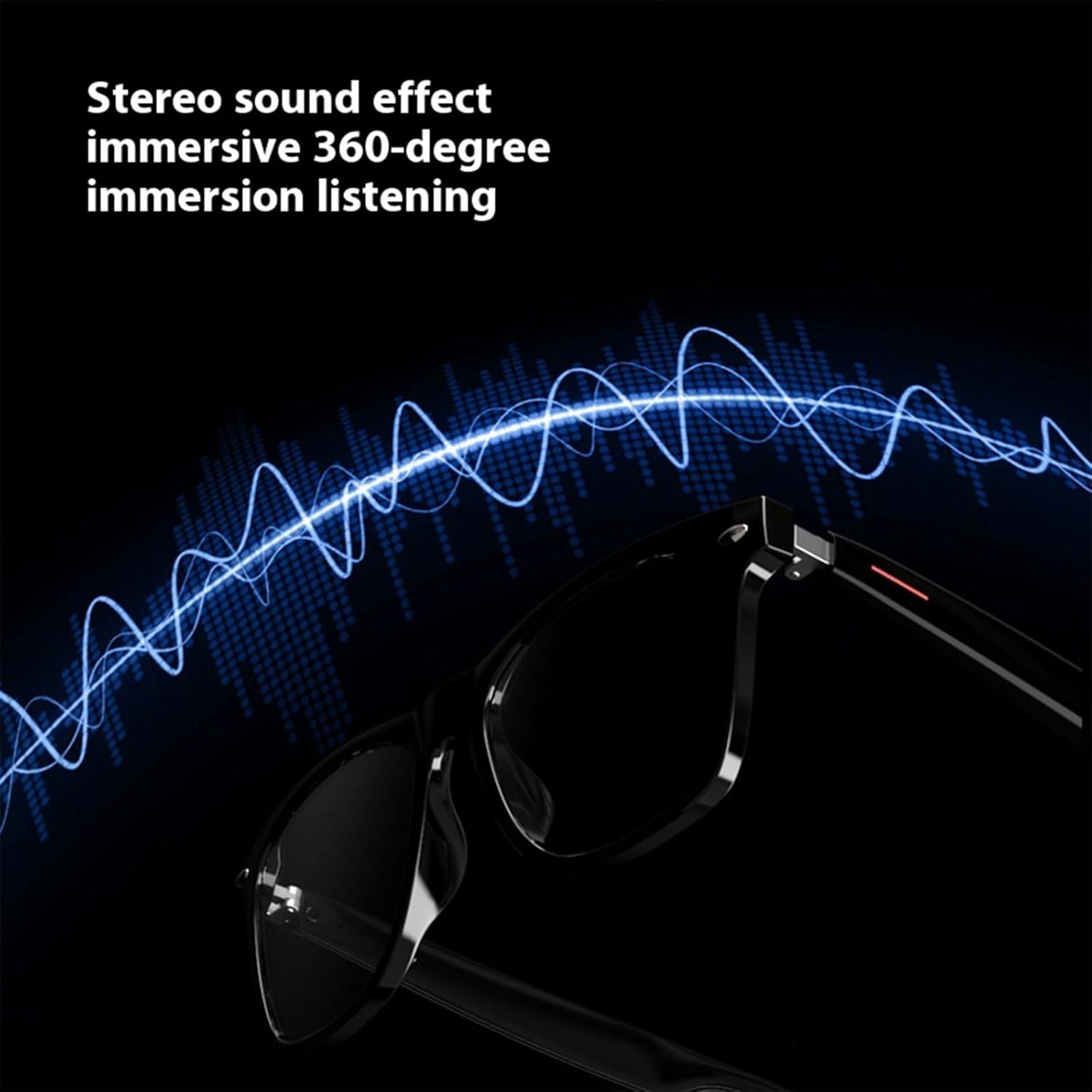
Figure 4: Stereo Sound Effect. This image visually represents the stereo sound output from the smart glasses, showing sound waves emanating from the temples.
4.3 Call Management
The sunglasses allow for hands-free calling. When a call comes in, a single tap will answer, and another single tap will end the call. A long press can also be used to hang up.
4.4 Voice Assistant
Press and hold either the left or right temple for two seconds to activate your device's voice assistant (e.g., Siri, Google Assistant). Tap again to close the voice assistant.
4.5 Remote Photography
To use the remote photography feature:
- Ensure all other running camera apps are closed on your phone.
- Open your phone's camera application.
- Tap the touch button on the Smart Wireless Headphone Sunglasses to remotely trigger the phone's camera shutter.

Figure 5: Remote Control Photography. This image depicts a person smiling while wearing the smart glasses, with a camera viewfinder overlay, illustrating the remote photography function.
5. Maintenance
- Cleaning: Use the provided glasses cleaning cloth to gently wipe the lenses and frame. Avoid using harsh chemicals or abrasive materials.
- Storage: Store the sunglasses in the provided cloth bag or a protective case when not in use to prevent scratches and damage.
- Water Resistance: The sunglasses feature a waterproof design, making them suitable for outdoor activities and resistant to sweat or light rain. However, they are not designed for submersion in water. Avoid prolonged exposure to heavy rain or water.
- Charging: Always use the original magnetic charging cable. Do not attempt to force the charging connection.
6. Troubleshooting
- Cannot Power On: Ensure the sunglasses are fully charged. Connect to the charger and wait a few minutes before attempting to power on again.
- Cannot Pair with Device:
- Ensure Bluetooth is enabled on your device.
- Make sure the sunglasses are in pairing mode (indicator light flashing).
- Move the sunglasses closer to your device.
- Try restarting both the sunglasses and your device.
- Clear previous Bluetooth connections on your device if necessary.
- No Sound:
- Check the volume level on both the sunglasses and your connected device.
- Ensure the sunglasses are properly connected via Bluetooth.
- Try playing audio from a different application or source.
- Touch Controls Unresponsive:
- Ensure your fingers are clean and dry.
- Restart the sunglasses.
7. Specifications
| Feature | Detail |
|---|---|
| Product Name | Smart Wireless Headphone Sunglasses |
| Model Number | E13 (WTKYLMP865) |
| Material | PC |
| Operation Method | Touch Type |
| Listening Time | 4 to 6 Hours |
| Call Duration | 3 to 6 Hours |
| Standby Time | More than 168 Hours |
| Functions | Call, Navigation, Listen to Songs, Listen to Books, Remote Photo |
| Voice Assistant Support | Siri, Xiaoai, Xiaodu, etc. (device dependent) |
| Language Switching | Chinese and English (customizable) |
| Water Resistance | Yes (splash/sweat resistant) |

Figure 6: Basic Information Table. This image presents a table summarizing key specifications and functions of the smart glasses, including call function, music function, voice assistant, photo function, switching function, call duration, standby time, listening time, and switch language.
8. Warranty and Support
Specific warranty information for the Generic E13 Smart Wireless Headphone Sunglasses is not provided in the product details. For warranty claims or technical support, please refer to the retailer or contact the manufacturer directly using the contact information provided at the point of purchase.