
DewinLVD JLS-E-2S-2.2GB-4T
Frequency Converter VFD User Manual
Model: JLS-E-2S-2.2GB-4T | Brand: DewinLVD
1. Introduction
This manual provides detailed instructions for the installation, operation, and maintenance of the DewinLVD JLS-E-2S-2.2GB-4T Frequency Converter. This device is designed to convert single-phase 220V input to three-phase 380V output, providing precise and stable motor speed control for various industrial applications. Please read this manual thoroughly before operation to ensure safe and efficient use.

Figure 1: DewinLVD JLS-E-2S-2.2GB-4T Frequency Converter
2. Safety Information
WARNING: Read the user manual before operation. Risk of electrical shock. Wait 10 minutes after removing power before servicing.
- Ensure all wiring is performed by a qualified electrician in accordance with local and national electrical codes.
- Do not operate the device with wet hands or in damp environments.
- Always disconnect power before performing any maintenance or wiring.
- Verify input and output voltage requirements match your application to prevent damage to the converter or connected equipment.
- Ensure proper grounding to prevent electrical hazards.
3. Product Features
- Advanced Control: Unique control method for high power, high torque, high precision, and wide speed range.
- Comprehensive Protection: Features nine protection technologies including overvoltage, undervoltage, overcurrent, overload, overheating, power module protection, ground fault, short-circuit, and speed loss protection.
- Efficient Cooling: Equipped with a fast intelligent cooler and powerful DC cooler for quiet operation and effective heat reduction. Intelligent start/stop control.
- Communication Port: Includes a 485 communication port for strong load capacity, stability, and durability.
- Stable Performance: High-configuration two-layer version (power + motherboard) ensures more stable performance compared to single-layer designs.
- Integrated AVR Stabilizer: Ensures continuous and stable pure sine wave transmission.
- IPM and IGBT Module Design: Enhances efficiency, provides high performance, low heat generation, and automatic protection.
- User-Friendly Interface: Easy to use with convenient wiring. Parameter debugging is user-friendly, with a single button for special mode settings. High-definition screen display for intuitive data changes.
- Robust Design: Good anti-tear performance, adaptable to harsh temperatures, humidity, and dust interference, significantly enhancing stability.
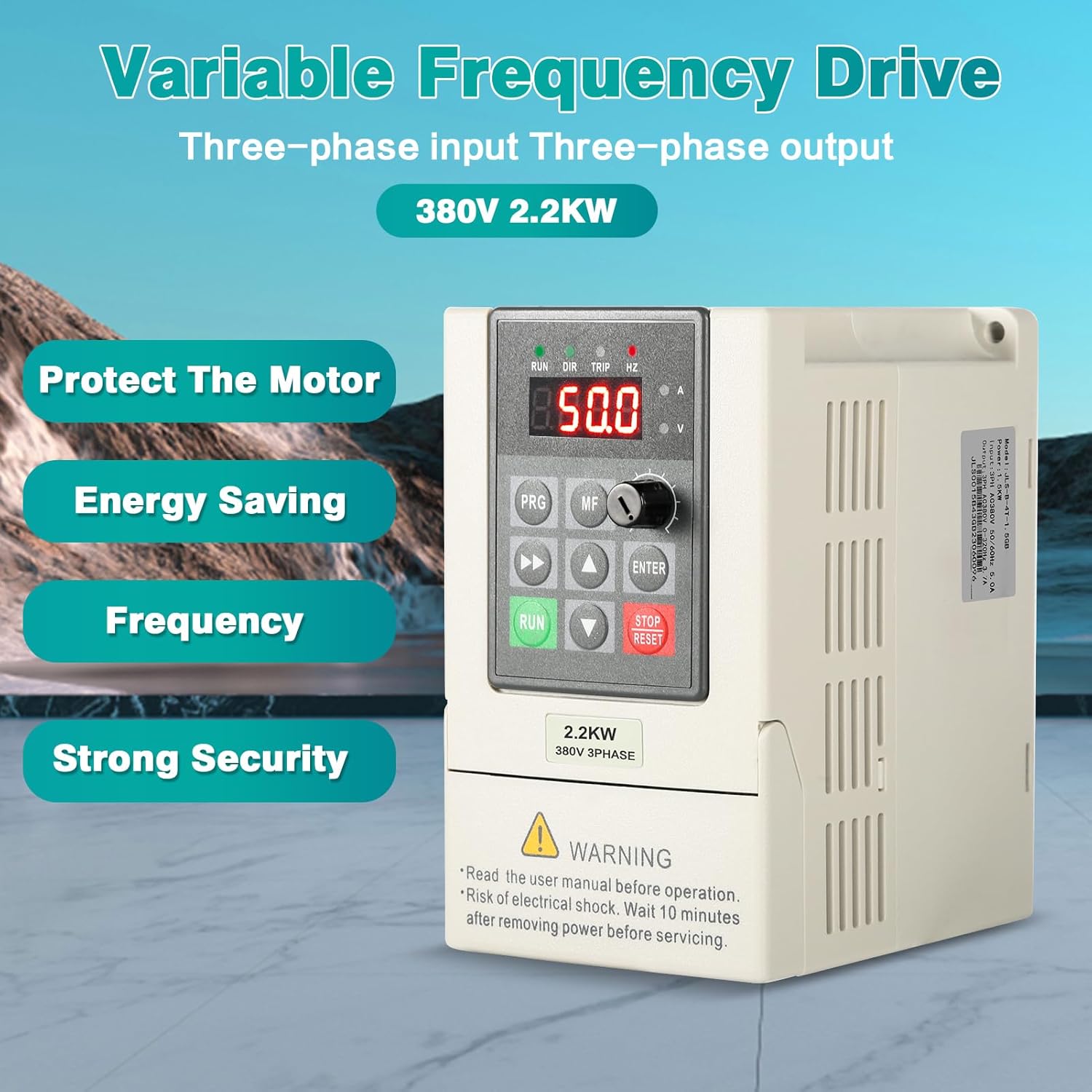
Figure 2: Key Features of the Variable Frequency Drive
4. Specifications

Figure 3: Product Information and Specifications
| Attribute | Value |
|---|---|
| Model | JLS-E-2S-2.2GB-4T |
| Material | Process flame retardant ABS plastic |
| Color | White |
| Rated Input Voltage | Single-phase 220V |
| Rated Output Voltage | Three-phase 380V |
| Power | 2.2kW |
| Output Current | 5A |
| Factory Frequency | 50Hz |
| Output Frequency Range | 0~999Hz |
| Installation Method | Wall-mounted, cabinet type |
| Protection Level | IP20 |
| Cooling Method | Air cooling, with fan control |
| Package Dimensions | 23.2 x 16.7 x 15.6 cm |
| Weight | 1.39 kilograms |
| Country of Origin | China |
| Spare Parts Availability | Information not available |

Figure 4: Product Dimensions
5. Setup and Installation
5.1 Wiring
Proper wiring is crucial for the safe and correct operation of the frequency converter. Refer to the wiring diagram below for connections. Ensure all connections are secure and insulated.

Figure 5: 380V Inverter Wiring Diagram
- Input (R, S): Connect your single-phase 220V power supply to terminals R and S.
- Ground (GND): Connect the ground wire to the ground terminal.
- Output (U, V, W): Connect the three-phase 380V motor to terminals U, V, and W.
- Braking Resistor (P+, PB): The machine has a built-in braking resistor. An external braking resistor can be connected to P+/PB if required for your application.
5.2 Control Panel Removal
The control panel can be easily removed for convenient operation and wiring, allowing for easier access to screw terminals.

Figure 6: Removable Control Panel
5.3 RS485 Communication
The frequency converter supports RS485 communication, allowing for integration into control systems. It features 8 adjustable segments for communication functions.
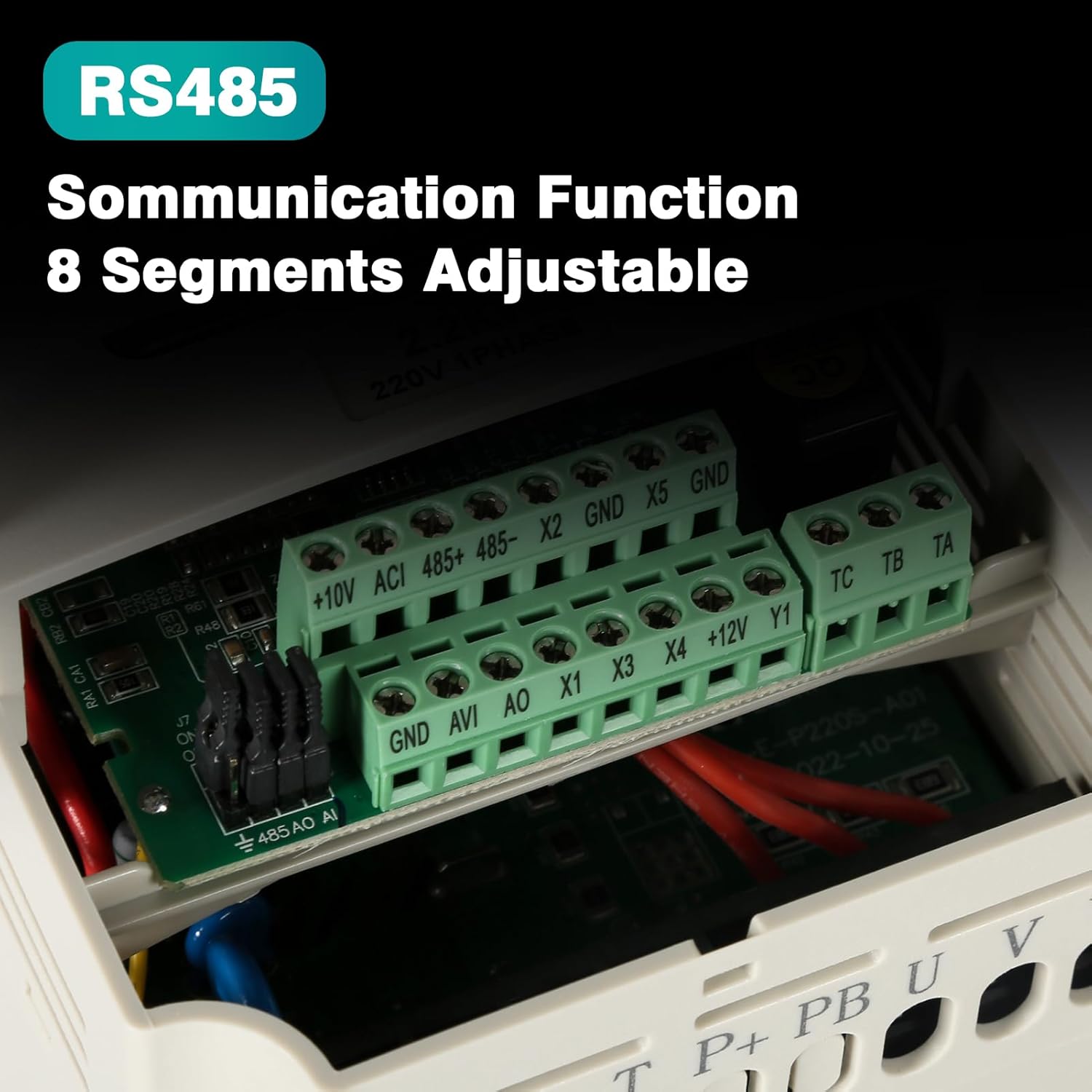
Figure 7: RS485 Communication Terminals
6. Operating Instructions
The frequency converter features an intuitive control panel for easy operation.

Figure 8: Control Panel Overview
- Digital Display: Shows real-time values such as frequency, voltage, and current.
- RUN/DIR/TRIP/HZ Indicators: Provide status feedback.
- Speed Knob: Adjusts the output frequency (0-50Hz stepless speed regulation) for motor speed control.
- PRG (Program) Button: Enters programming mode to adjust parameters.
- MF (Multi-function) Button: Accesses various multi-function settings.
- Up/Down Arrows: Navigate through menus and adjust parameter values.
- ENTER Button: Confirms selections and saves parameter changes.
- RUN Button: Starts the motor.
- STOP/RESET Button: Stops the motor and resets any fault conditions.
6.1 Adjusting Speed
To adjust the motor speed, simply rotate the speed knob on the control panel. This allows for 0-50Hz stepless speed regulation, providing precise control over your connected motor.

Figure 9: Speed Adjustment Knob
7. Maintenance
Regular maintenance ensures the longevity and optimal performance of your frequency converter.
- Keep the unit clean and free from dust and debris.
- Ensure adequate ventilation around the unit to prevent overheating.
- Periodically check all wiring connections for tightness and signs of wear or corrosion.
- Inspect the cooling fan for obstructions and ensure it operates quietly and efficiently.
- If the unit is exposed to harsh environments (dust, humidity), consider more frequent inspections.
- Always disconnect power and wait 10 minutes before performing any maintenance.
8. Troubleshooting
This section provides general guidance for common issues. For complex problems, consult a qualified technician.
| Problem | Possible Cause | Solution |
|---|---|---|
| No power/Display off | No input power; Blown fuse; Loose connection | Check power supply; Replace fuse; Secure connections. |
| Motor not running | Incorrect wiring; Overload protection triggered; Parameter settings incorrect | Verify wiring (refer to Section 5.1); Check for overload condition; Review and adjust operating parameters. |
| Overheat error | Insufficient ventilation; Fan malfunction; Excessive load | Ensure clear airflow; Check fan operation; Reduce load or consider a higher capacity unit. |
| Abnormal noise | Loose components; Motor issue; Improper installation | Inspect internal components; Check motor for issues; Re-install securely. |
9. Applications
The DewinLVD JLS-E-2S-2.2GB-4T Frequency Converter is versatile and widely applicable in various industrial and commercial settings, including but not limited to:
- Fans
- Pumps
- CNC Machine Tools
- Ball Mills
- Plastic Injection Molding Machines
- Crushers
- Conveyor Belts
- Textile Equipment
- Blenders
- Air Compressors
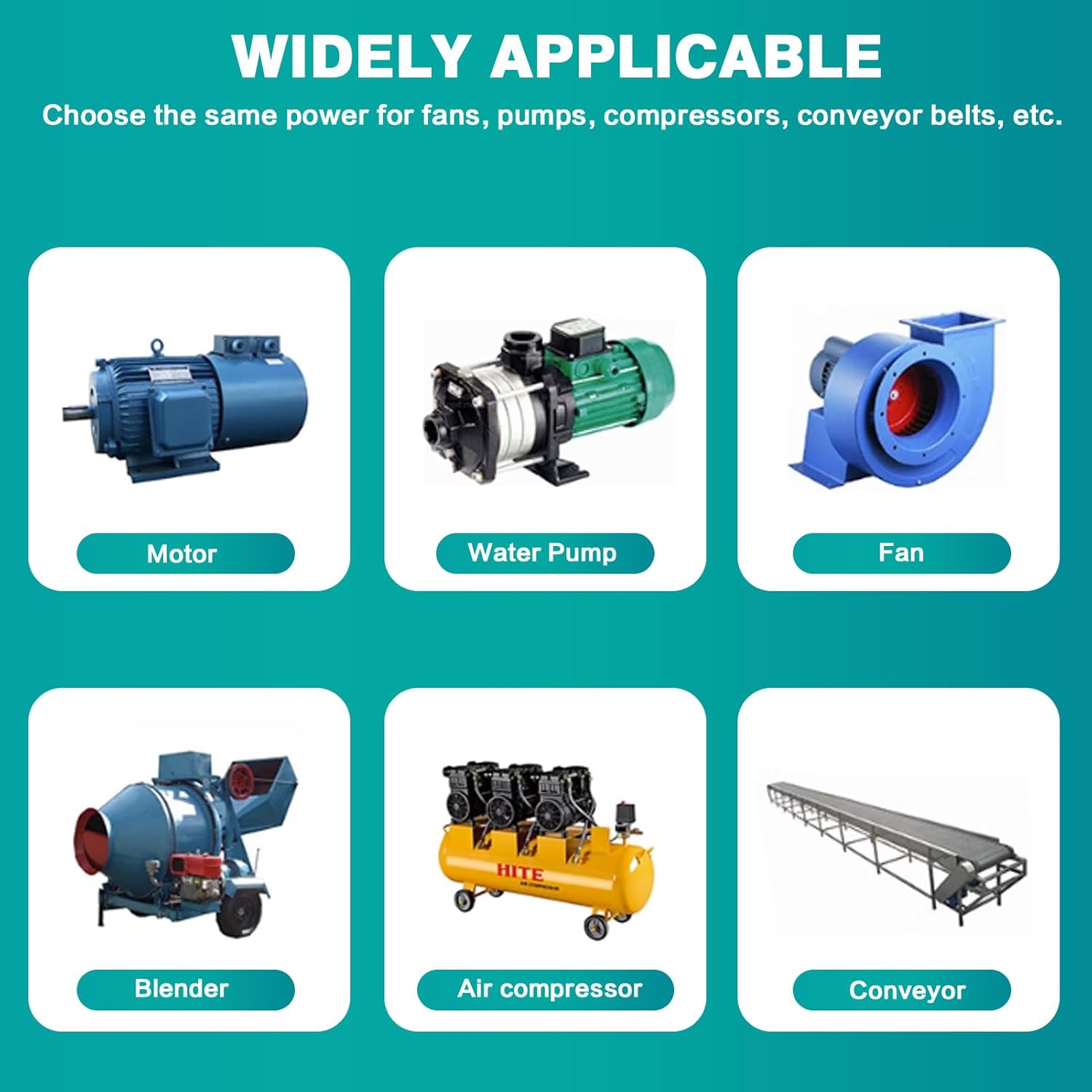
Figure 10: Widely Applicable Industries
10. Warranty and Support
For warranty information, technical support, or service inquiries, please contact your point of purchase or the manufacturer, DewinLVD. We are committed to providing high-quality products and services to ensure the best shopping experience for every customer.
Note: Specific warranty terms and conditions may vary by region and retailer. Please retain your proof of purchase for any warranty claims.
Ask a question about this manual
Ask about setup, troubleshooting, compatibility, parts, safety, or missing instructions. Manuals+ will review the question and use this page’s manual context to help answer it.