
Introduction
Thank you for choosing the Transformers TF-T18 Wireless Headphones. These open-ear headphones combine iconic design with cutting-edge technology to deliver an unparalleled audio experience. Designed for comfort and superior sound, this manual will guide you through the setup, operation, and maintenance of your new headphones, ensuring you get the most out of their advanced features.
What's in the Box
- USB Charging Cable
- Charging Station (Case)
- User Manual
- Transformers TF-T18 Wireless Headphones (Left and Right)
Product Overview
The Transformers TF-T18 headphones feature an open-ear design with ergonomic ear hooks for secure and comfortable wear during extended periods. The sleek charging case protects your headphones and provides additional battery life.

Image: Transformers TF-T18 Wireless Headphones with their charging case, showcasing the ear hook design and compact form factor.
Setup
1. Charging Your Headphones
Before first use, fully charge your TF-T18 headphones and their charging case.
- Place the headphones into the charging case, ensuring they are correctly seated.
- Connect the USB charging cable to the charging port on the case and plug the other end into a USB power adapter (not included) or a computer's USB port.
- The charging indicator lights on the case will show the charging status. A full charge typically takes about 1.5 hours for the case and headphones.
- Once fully charged, the headphones offer up to 60 hours of total playback time with the charging case, or approximately 6 hours on a single charge.

Image: Visual representation of the TF-T18 headphones' extended 60-hour battery life with the charging case.
2. Bluetooth Pairing
The TF-T18 headphones utilize Bluetooth 5.4 for a stable and efficient connection.
- Open the charging case. The headphones will automatically enter pairing mode, indicated by a flashing LED light on the headphones.
- On your device (smartphone, tablet, computer), go to the Bluetooth settings.
- Search for available devices and select "TF-T18" from the list.
- Once connected, the LED indicator on the headphones will stop flashing, and you will hear an audible confirmation.
- The headphones will automatically reconnect to the last paired device when taken out of the case, if Bluetooth is enabled on the device.
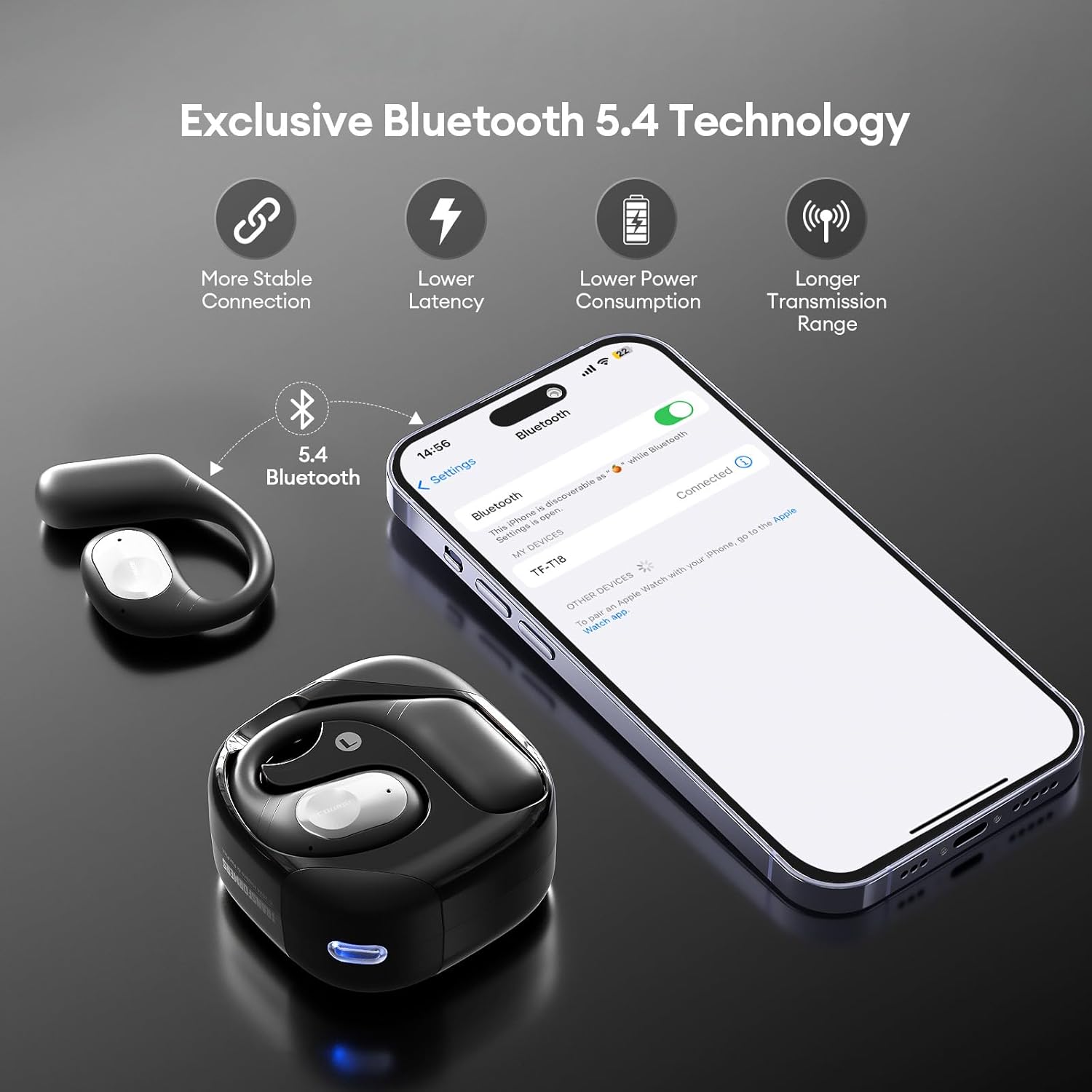
Image: Illustration of the Bluetooth 5.4 pairing process, showing the headphones connecting to a smartphone.
Operating Instructions
Touch Controls
The TF-T18 headphones feature intuitive touch controls for easy management of music and calls.
- Play/Pause: Single tap on either earbud.
- Next Track: Double tap on the right earbud.
- Previous Track: Double tap on the left earbud.
- Volume Up: Triple tap on the right earbud.
- Volume Down: Triple tap on the left earbud.
- Answer/End Call: Single tap on either earbud during an incoming call or active call.
- Reject Call: Press and hold either earbud for 2 seconds during an incoming call.
- Activate Voice Assistant: Press and hold either earbud for 3 seconds.
- Switch Music/Game Mode: Quadruple tap on either earbud.
Audio Experience and Comfort
Experience rich, detailed sound with custom 14.8mm dynamic drivers, delivering deep bass and crisp highs. The open-ear design ensures you remain aware of your surroundings while enjoying high-quality audio.

Image: Diagram illustrating the internal components of the TF-T18 headphones, highlighting the 14.8mm customized drivers for superior audio.
The lightweight and ergonomic ear hook design provides exceptional comfort for all-day wear, whether you're relaxing at home, exercising, or commuting.

Image: Visuals demonstrating the open-ear design, ergonomic ear hook, and soft silicone materials for enhanced comfort.

Image: Depiction of the TF-T18 headphones being used in different settings, such as listening to music, making calls, and during exercise.
Maintenance
- Cleaning: Gently wipe the headphones and charging case with a soft, dry, lint-free cloth. Do not use harsh chemicals or abrasive materials.
- Storage: When not in use, store the headphones in their charging case to protect them from dust and damage. Store in a cool, dry place.
- Water Resistance: The headphones are water-resistant. Avoid submerging them in water or exposing them to excessive moisture. Dry them thoroughly if they get wet.
- Battery Care: To prolong battery life, avoid fully discharging the headphones frequently. Charge them regularly, even if not used for extended periods.
Troubleshooting
| Problem | Possible Cause | Solution |
|---|---|---|
| Headphones do not turn on. | Low battery. | Place headphones in the charging case and charge fully. |
| Cannot pair with device. | Bluetooth is off on device; headphones not in pairing mode; device too far. | Ensure Bluetooth is enabled on your device. Open the charging case to enter pairing mode. Move headphones closer to the device. |
| No sound or low volume. | Volume too low; headphones not connected; media paused. | Increase volume on both headphones and device. Reconnect headphones. Check if media is playing. |
| Intermittent connection. | Interference; device too far; low battery. | Move away from sources of interference (Wi-Fi routers, other Bluetooth devices). Stay within 10 meters of your device. Charge headphones. |
| Microphone not working. | Microphone blocked; incorrect audio input selected on device. | Ensure microphone is clear. Check device's audio input settings to select TF-T18. |
Specifications
| Feature | Detail |
|---|---|
| Brand | QxzPower |
| Model Name | TF-T18OPTIMUS |
| Connectivity Technology | Wireless (Bluetooth 5.4) |
| Ear Placement | Open-Ear, Ear Canal |
| Control Type | Touch Control |
| Driver Size | 14.8 mm (Customized Dynamic Drivers) |
| Frequency Range | 20 Hz - 20000 Hz |
| Impedance | 32 Ohm |
| Battery Life (Headphones) | Approx. 6 Hours |
| Total Playback Time (with Case) | Up to 60 Hours |
| Charging Time | Approx. 1.5 Hours |
| Battery Composition | Lithium Polymer |
| Water Resistance Level | Water Resistant |
| Material | Plastic, Metal |
| Product Weight | 181 g |
| Compatible Devices | iPhone, Android, Bluetooth-enabled devices, Mobile Phones |
| Other Features | Lightweight, Surround Sound, Built-in Microphone, Rechargeable Battery, Volume Control, Multipoint Pairing, AI-powered Noise Cancellation (for calls) |
Warranty and Support
Your Transformers TF-T18 Wireless Headphones come with a standard manufacturer's warranty. Please refer to the warranty card included in your package for specific terms and conditions.
For technical support, troubleshooting assistance, or warranty claims, please contact the retailer or manufacturer directly using the contact information provided with your purchase.
Manufacturer: Transformers (as per product specifications)