
1. Introduction
Thank you for choosing the Generic HiTune S3 Open Ear Clip Wireless Earbuds. This manual provides detailed instructions on how to set up, operate, and maintain your earbuds to ensure optimal performance and longevity. Please read this manual thoroughly before using the product.
2. Product Overview
The HiTune S3 earbuds are designed for comfort and stability, featuring an open-ear clip design suitable for sports and active use. They utilize Bluetooth wireless technology for connectivity and include an integrated microphone for calls.
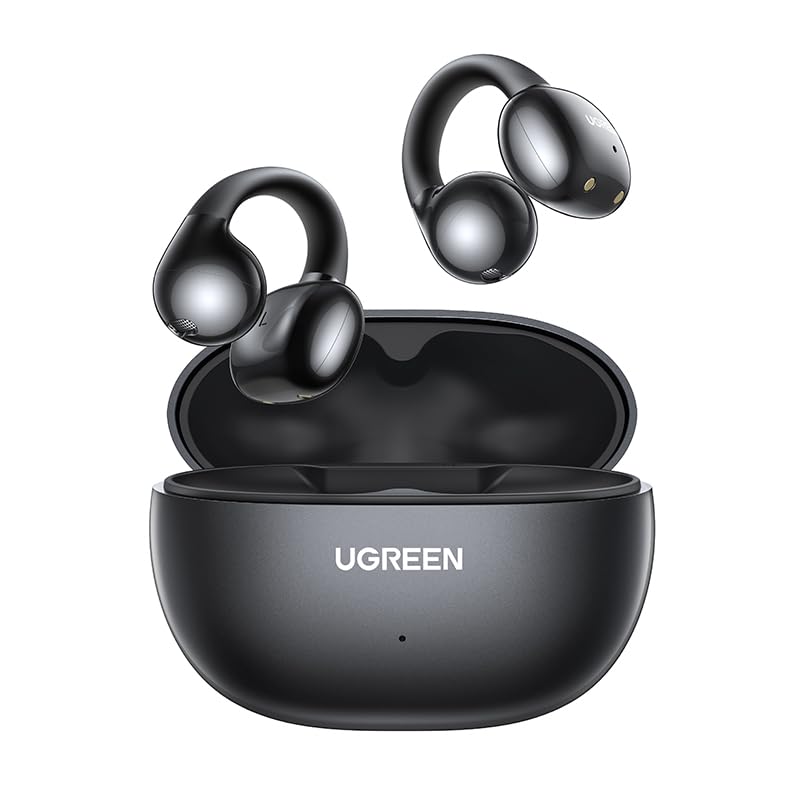
Figure 2.1: Generic HiTune S3 Open Ear Clip Wireless Earbuds and Charging Case.
The package includes the earbuds and their charging case. The earbuds are constructed from PVC and Metal materials.
3. Package Contents
- Generic HiTune S3 Open Ear Clip Wireless Earbuds (Left and Right)
- Charging Case
- USB Charging Cable
- User Manual (this document)
4. Setup
4.1. Charging the Earbuds and Case
Before first use, fully charge the earbuds and the charging case. The earbuds charge when placed inside the case, and the case itself is charged via a USB cable.
- Place both earbuds into their respective slots in the charging case.
- Connect the USB charging cable to the charging port on the case and to a power source (e.g., USB wall adapter, computer USB port).
- The indicator light on the charging case will illuminate to show charging status. Refer to the indicator light section (if available on product) for specific light behaviors.
- A full charge typically takes approximately 1.5 to 2 hours for the case and earbuds.

Figure 4.1: Illustration of charging process and battery life. A 15-minute charge can provide approximately 2 hours of playtime, with a single earbud offering up to 7.5 hours and the case providing up to 30 hours of total battery life.
4.2. Pairing with a Bluetooth Device
The earbuds will automatically enter pairing mode when removed from the charging case.
- Open the charging case and remove both earbuds. They will automatically power on and enter pairing mode.
- On your Bluetooth-enabled device (e.g., smartphone, tablet), go to the Bluetooth settings.
- Search for available devices. You should see "HiTune S3" or a similar name appear in the list.
- Select "HiTune S3" to connect. Once connected, a voice prompt or indicator light will confirm successful pairing.
- If pairing fails, place the earbuds back into the case, close it, and repeat the steps.
5. Operating Instructions
5.1. Wearing the Earbuds
The HiTune S3 earbuds feature an open-ear clip design with earhooks for a secure and comfortable fit, especially during physical activity.
- Identify the left (L) and right (R) earbuds.
- Gently place the earbud over your ear, ensuring the earhook wraps securely around the back of your ear.
- Adjust the earbud's position for optimal comfort and sound delivery.

Figure 5.1: Example of wearing the open-ear clip earbuds for a secure fit.

Figure 5.2: Earbuds in use, demonstrating their design for clear communication in various environments.
5.2. Basic Controls
The HiTune S3 earbuds feature an integrated microphone. Specific control buttons for volume or playback are not listed in the product specifications. Control functions are typically managed via the connected device.
- Power On/Off: Earbuds power on automatically when removed from the case and power off when returned to the case.
- Answering/Ending Calls: Use your connected device to manage calls.
- Playing/Pausing Music: Use your connected device to control media playback.
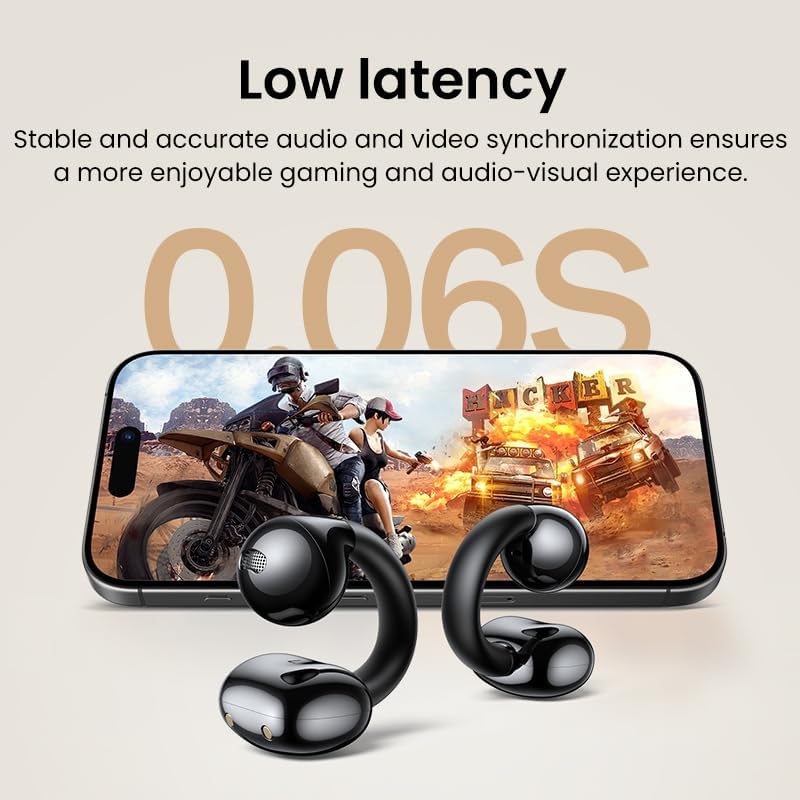
Figure 5.3: Earbuds providing stable and accurate audio synchronization for an enhanced experience.
6. Maintenance
Proper maintenance ensures the longevity and performance of your HiTune S3 earbuds.
- Cleaning: Use a soft, dry, lint-free cloth to clean the earbuds and charging case. Do not use harsh chemicals or abrasive materials.
- Storage: When not in use, store the earbuds in their charging case to protect them from dust and damage.
- Avoid Water: The earbuds are not specified as waterproof. Avoid exposure to water, moisture, or extreme temperatures.
- Charging: Always use the provided or a certified USB cable for charging.

Figure 6.1: The lightweight design of the earbuds, making them easy to maintain and carry.
7. Troubleshooting
If you encounter issues with your HiTune S3 earbuds, refer to the following common solutions:
| Problem | Possible Solution |
|---|---|
| Earbuds not powering on | Ensure earbuds are charged. Place them in the charging case and connect the case to power. |
| Unable to pair with device |
|
| No sound or intermittent sound |
|
| Charging case not charging |
|
8. Specifications
- Model Name: HiTune S3
- Model Number: OR2-1005007145786996-001
- Brand: Generic
- Wireless Type: Bluetooth
- Vocalism Principle: Dynamic
- Charging Method: Charging case
- Material: PVC, Metal
- Microphone: Integrated
- Active Noise-Cancellation: No
- Volume Control: No (controlled via connected device)
- Control Button: No (controlled via connected device)
- Item Package Quantity: 1
- ASIN: B0DG5DXZTL
- First Available: 5 September 2024
9. Warranty and Support
For any issues regarding damaged products or incorrect items received, please contact customer support. The manufacturer is committed to addressing concerns within 24 hours.
Please refer to your purchase documentation for specific warranty terms and contact information.
Contact Information: Refer to the seller's contact details on your purchase platform or packaging.


