
VEVOR 5KW Diesel Air Heater
VEVOR 12V 5KW All-in-One Diesel Air Heater Instruction Manual
Model: 5KW Diesel Air Heater
1. Introduction
This manual provides essential information for the safe and efficient operation, installation, and maintenance of your VEVOR 12V 5KW All-in-One Diesel Air Heater. Please read this manual thoroughly before using the product and retain it for future reference.
The VEVOR 12V 5KW All-in-One Diesel Air Heater is a portable heating solution designed for various applications, including RVs, trailers, campers, vans, and boats. It features a 5KW heating capacity, a 12V power supply, remote control, and an LCD display for convenient operation.

Image 1.1: VEVOR 12V 5KW All-in-One Diesel Air Heater and included accessories.
2. Safety Information
Always prioritize safety when operating the diesel air heater. Failure to follow safety instructions can result in property damage, injury, or death.
- Ventilation: Ensure adequate ventilation when operating the heater. The exhaust gases must be directed outside the heated space to prevent carbon monoxide poisoning.
- Fuel Type: Use only diesel fuel. Do not use gasoline, kerosene, or other volatile fuels, as this can cause fire or explosion.
- Placement: Place the heater on a stable, non-combustible surface. Maintain a safe distance from flammable materials.
- Exhaust System: Regularly inspect the exhaust pipe for leaks or blockages. Ensure all connections are secure.
- Overheating Protection: The unit is equipped with overheating protection, which will shut down the heater if temperatures exceed approximately 518°F (270°C). Do not bypass or tamper with safety features.
- Children and Pets: Keep children and pets away from the operating heater.
- Electrical Connection: Ensure the 12V power supply is stable and correctly connected. Avoid overloading circuits.

Image 2.1: The heater includes enhanced security features such as compliance certification, overheat protection, cautionary operation signage, and a leak-resistant oil cap design.
3. Package Contents
Before setup, verify that all components are present in the package:
- 1 x Diesel Air Heater (All-in-One Unit)
- 1 x Outlet Pipe
- 1 x Exhaust Silencer
- 1 x Inlet Pipe
- 1 x Exhaust Pipe
- 1 x Heat Insulating Pipe Cover
- 1 x User Manual
- 1 x Air Filter
- 1 x Remote Control
- Installation Kit (includes pipe clips, muffler accessories, clamps, machine fixing screws, blowpipe clamp, nuts)

Image 3.1: Detailed view of all components included in the VEVOR Diesel Air Heater package.
4. Setup
The VEVOR Diesel Air Heater is designed for easy, installation-free use, making it portable for various applications. Follow these steps for initial setup:
- Unpacking: Carefully remove all components from the packaging.
- Placement: Position the heater on a flat, stable, and heat-resistant surface. Ensure there is sufficient clearance around the unit for proper airflow and safety.
- Fuel Tank: Fill the integrated 5L (1.3 gallon) fuel tank with clean diesel fuel. Do not overfill. Ensure the fuel cap is securely tightened to prevent leaks.
- Exhaust Connection: Connect the exhaust pipe to the designated outlet on the heater. Route the exhaust pipe safely to the outside of the area being heated, ensuring no obstructions and that exhaust gases cannot re-enter the space. Secure connections with clamps.
- Air Inlet/Outlet: Connect the air inlet and outlet pipes as needed for your specific application. Ensure the air filter is installed on the air inlet.
- Power Connection: Connect the heater to a stable 12V DC power source. Ensure the polarity is correct.
5. Operating Instructions
The heater features an LCD control panel and a remote control for convenient operation.
5.1 Initial Start-up and Priming
Before the first use, or if the fuel tank has run dry, the fuel system may need priming to ensure proper fuel delivery to the burner. Refer to the specific instructions on your LCD panel for priming. Typically, this involves holding a specific button combination to activate the fuel pump until fuel reaches the burner.
5.2 Power On/Off
- To Power On: Press the power button on the LCD panel or the remote control. The heater will initiate a start-up sequence.
- To Power Off: Press the power button again. The heater will enter a cool-down cycle before completely shutting down. Do not disconnect power during the cool-down cycle.
5.3 Temperature Control
The temperature can be adjusted using the LCD panel or remote control, typically ranging from 46°F to 96.8°F (8°C to 36°C). Use the up/down arrows to set your desired temperature. The heater will automatically adjust its output to maintain the set temperature.

Image 5.1: Remote control and LCD display for managing heater functions.
5.4 Timer Function
The LCD panel allows you to set a timer for automatic start-up or shut-down. Consult the specific instructions on your LCD panel for setting the timer.
5.5 Fuel Efficiency
The precision low-noise fuel pump ensures efficient fuel consumption, ranging from 0.16 L to 0.52 L per hour. A full 5L tank can provide continuous heat for up to 10 hours, depending on the heat setting.
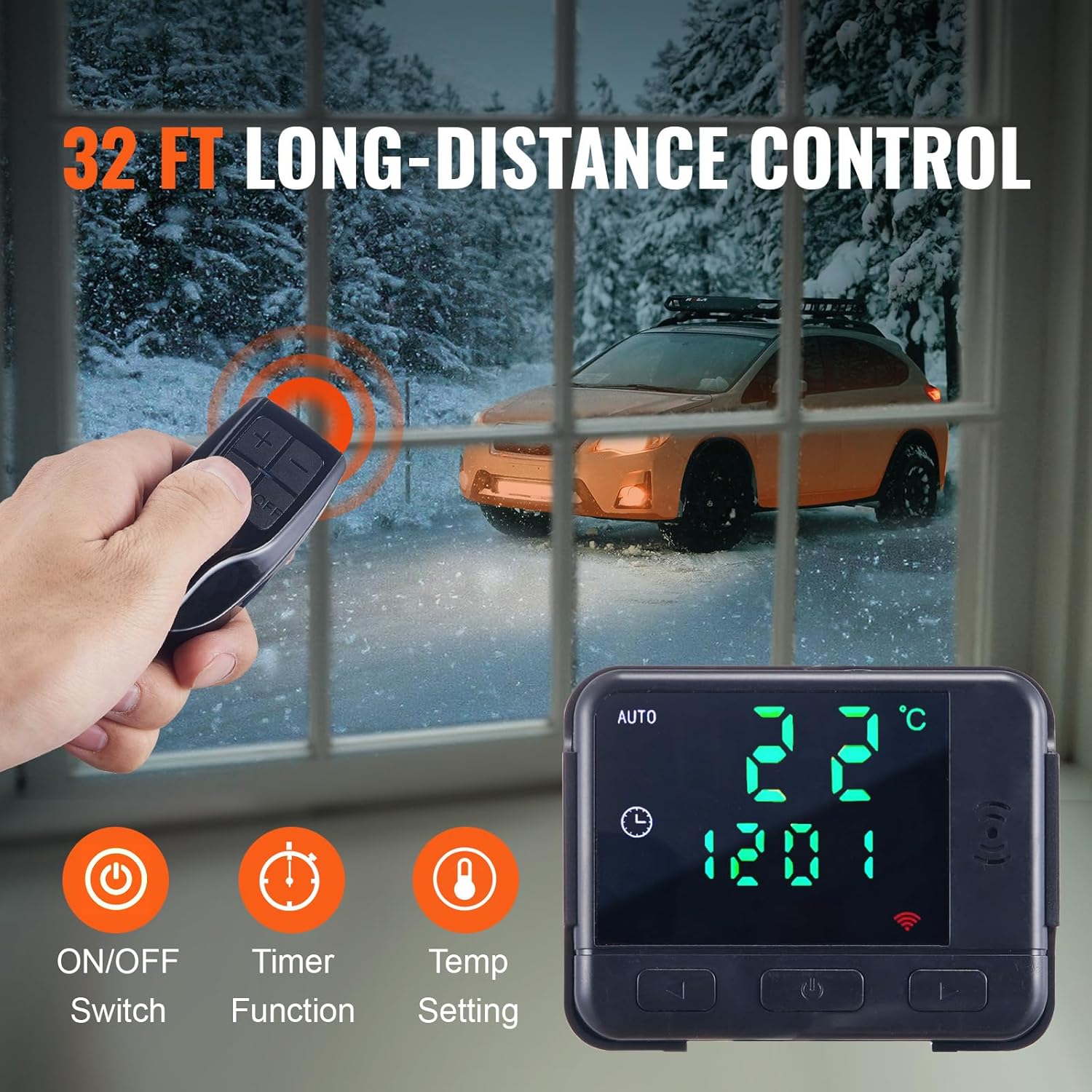
Image 5.2: Diagram illustrating the energy-efficient fuel pump, aluminum body, and 100% combustion for optimal fuel usage.
5.6 High Altitude Operation
This diesel heater is designed to operate smoothly at altitudes below 9843 feet (3000 meters) and in ambient temperatures ranging from -104°F to 104°F (-40°C to 40°C).
Image 5.3: The heater is capable of working effectively below 9843 ft altitudes, ensuring performance in various environments.
6. Maintenance
Regular maintenance ensures the longevity and efficient operation of your diesel air heater.
- Fuel Filter: Periodically check and clean or replace the fuel filter to prevent blockages and ensure clean fuel delivery.
- Air Filter: Inspect and clean the air filter regularly to maintain optimal airflow and prevent dust accumulation.
- Exhaust System: Check the exhaust pipe and silencer for any signs of damage, corrosion, or blockages. Ensure all connections remain tight.
- General Cleaning: Keep the exterior of the heater clean and free from dust and debris. Do not use abrasive cleaners.
- Fuel Quality: Always use high-quality, clean diesel fuel to prevent issues with the fuel pump and burner.
7. Troubleshooting
If you encounter issues with your VEVOR Diesel Air Heater, refer to the following common troubleshooting tips:
- Heater Not Starting:
- Check the 12V power supply connection and ensure it is providing sufficient voltage.
- Verify there is enough diesel fuel in the tank.
- Ensure the fuel system is properly primed.
- Check for any error codes displayed on the LCD panel and consult the manual for their meaning.
- Low Heat Output:
- Ensure the air inlet and outlet are not obstructed.
- Check the air filter for cleanliness.
- Verify the set temperature is appropriate.
- Excessive Smoke or Odor:
- Ensure the exhaust pipe is securely connected and venting completely outside.
- Check for proper fuel quality.
- Inspect the burner for carbon buildup (requires professional service if severe).
- Unusual Noise:
- Check for loose components or vibrations.
- Ensure the heater is on a stable surface.
For persistent issues or complex repairs, contact VEVOR customer support.
8. Specifications
| Feature | Specification |
|---|---|
| Heater Power | 5 KW |
| Rated Voltage | 12 V |
| Applicable Heating Range | 161-215 ft² (15-20 m²) |
| Fuel Tank Capacity | 5 L (1.3 Gallons) |
| Fuel Consumption | 0.16 L - 0.52 L/h |
| Adjustable Temperature Range | 46°F - 96.8°F (8°C - 36°C) |
| Operating Altitude | Below 9843 feet (3000 m) |
| Operating Temperature | -104°F to 104°F (-40°C to 40°C) |
| Product Dimensions (L x W x H) | 15 x 5.9 x 16.1 inches (380 x 150 x 410 mm) |
| Item Weight | 18.3 pounds |
| Model Number | Diesel Air Heater, 5KW |
9. Warranty and Support
For warranty information, please refer to the documentation provided with your purchase or contact VEVOR customer service directly. VEVOR is committed to providing quality products and support.
If you require technical assistance, have questions about your product, or need to claim warranty service, please visit the official VEVOR website or contact their customer support team using the contact information provided with your product or on their website.
Ask a question about this manual
Ask about setup, troubleshooting, compatibility, parts, safety, or missing instructions. Manuals+ will review the question and use this page’s manual context to help answer it.