
1. Introduction
Thank you for choosing the NWOUIIAY Arm Blood Pressure Monitor. This device is designed to provide reliable and accurate measurements of systolic and diastolic blood pressure, as well as heart rate, for home use. Its user-friendly design, large LED screen, and dual-user memory make it suitable for monitoring health for individuals and families.
Please read this manual thoroughly before using the device to ensure correct operation and to understand all safety precautions.
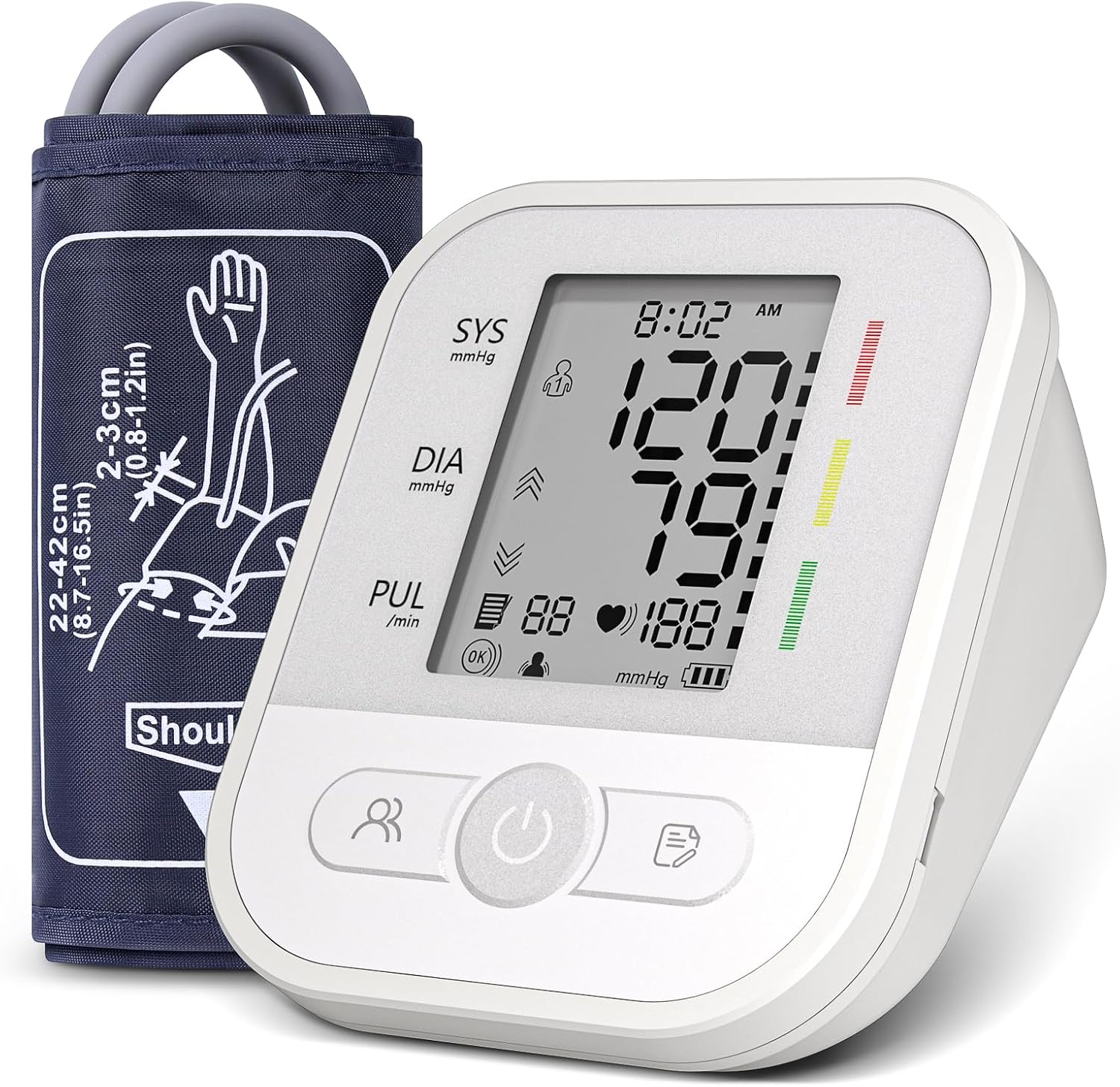
Image 1.1: NWOUIIAY Arm Blood Pressure Monitor. This image shows the main unit with a large LED display indicating a blood pressure reading of 120/79 mmHg and a heart rate of 88 beats per minute. The adjustable arm cuff is positioned next to the monitor.
2. Important Safety Information
This blood pressure monitor is intended for non-invasive measurement and monitoring of arterial blood pressure in adults. It is not intended for use on infants or children. Always consult your physician for interpretation of blood pressure measurements. Self-diagnosis and treatment based on measurement results can be dangerous.
- Do not use this device for purposes other than measuring blood pressure.
- Consult your doctor before using the device if you have any medical conditions, especially if you are pregnant or suffer from arrhythmias.
- Keep the device out of reach of children and pets.
- Do not disassemble or attempt to repair the device yourself.
- Avoid strong electromagnetic fields (e.g., mobile phones) near the device during measurement.
- The product packaging may contain information different from that shown on our website. Always read the label, warnings, and instructions provided on the product before use.
3. Package Contents
Please check the package contents upon opening to ensure all items are present:
- 1 × Arm Blood Pressure Monitor
- 1 × Adjustable Arm Cuff (22–42 cm)
- 1 × USB Type-C Charging Cable
- 1 × User Manual (this document)
- 1 × Carrying Case

Image 3.1: Package Contents. This image displays the blood pressure monitor, its retail box, the adjustable arm cuff, a USB-C cable, and the user manual, all neatly arranged.
4. Product Features
The NWOUIIAY Arm Blood Pressure Monitor offers several features designed for convenience and accuracy:
- Accurate Measurement: Utilizes high-precision sensors for reliable readings of systolic, diastolic, and heart rate.
- Clear LED Display: Large LCD screen with big, easy-to-read numbers for clear result visibility.
- Simple One-Button Operation: Designed for ease of use, requiring only a single button press to start measurement.
- Dual User Memory: Supports independent use for two individuals, storing up to 99 measurements each (2×99 sets) with date and time stamps.
- Adjustable Arm Cuff: Soft and comfortable cuff, adjustable to fit arm circumferences from 22 to 42 cm.
- Arrhythmia Detection: Automatically detects and signals irregular heartbeats on the display.
- Dual Power Mode: Can be powered via the included USB Type-C cable or 4 AAA batteries (not included), offering flexibility for home or travel use.
- Automatic Shut-off: Device powers off automatically after a period of inactivity to conserve energy.
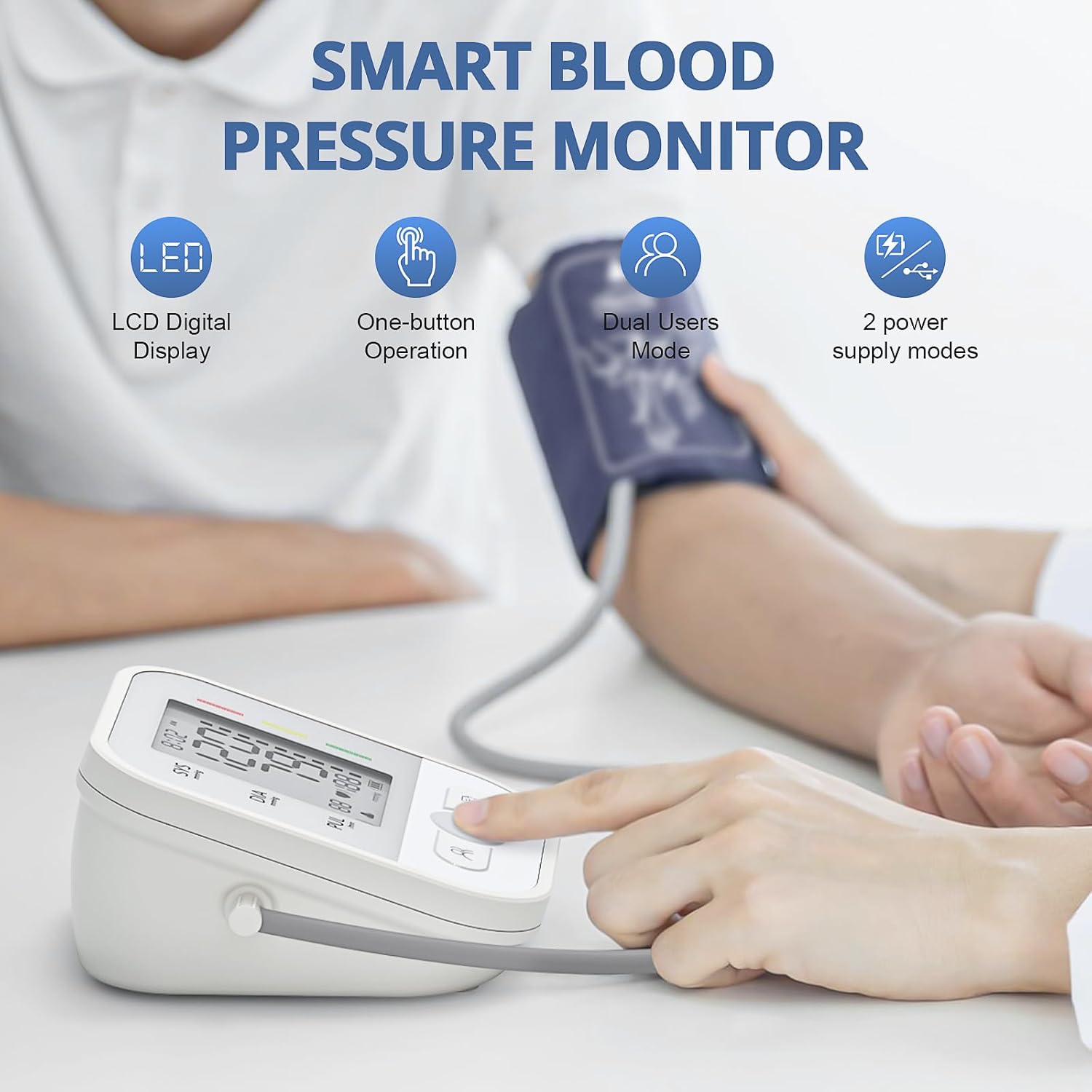
Image 4.1: Key Product Features. This graphic highlights the main features of the blood pressure monitor: LCD Digital Display, One-button Operation, Dual Users Mode, and two power supply modes.
5. Setup
5.1 Power Supply
The device offers two power options:
- USB Type-C Cable: Connect the included USB Type-C cable to the port on the side of the monitor and plug the other end into a compatible USB power adapter (not included) or a computer USB port.
- AAA Batteries: Open the battery compartment on the bottom of the device. Insert 4 AAA batteries (not included), ensuring correct polarity (+/-). Close the battery compartment securely.
It is recommended to remove batteries if the device will not be used for an extended period or if using USB power continuously.

Image 5.1: Power Supply Options. This image illustrates the two ways to power the device: via the USB Type-C port on the side and by inserting 4 AAA batteries into the compartment on the bottom.
5.2 Connecting the Arm Cuff
Insert the air tube connector from the arm cuff firmly into the air jack on the side of the main unit. Ensure a secure connection to prevent air leakage during measurement.
6. Operating Instructions
6.1 Preparing for Measurement
- Avoid eating, drinking alcohol, smoking, exercising, and bathing for 30 minutes before measurement.
- Rest for at least 5 minutes before taking a measurement.
- Sit in a comfortable position with your back supported and feet flat on the floor.
- Place your arm on a flat surface so the cuff is at heart level.
6.2 Applying the Arm Cuff
- Step 1: Check that the tube is properly connected to the monitor. Put the cuff on your upper arm, ensuring the air tube runs down the inside of your arm.
- Step 2: Position the cuff so the bottom edge is about 2 to 3 cm (0.8-1.2 inches) above your elbow joint. The artery mark on the cuff should align with your brachial artery.
- Step 3: Wrap the cuff snugly around your arm. You should be able to insert two fingers between your arm and the cuff for proper tightness.
- Step 4: Keep calm and relaxed. Do not talk or move during the measurement.
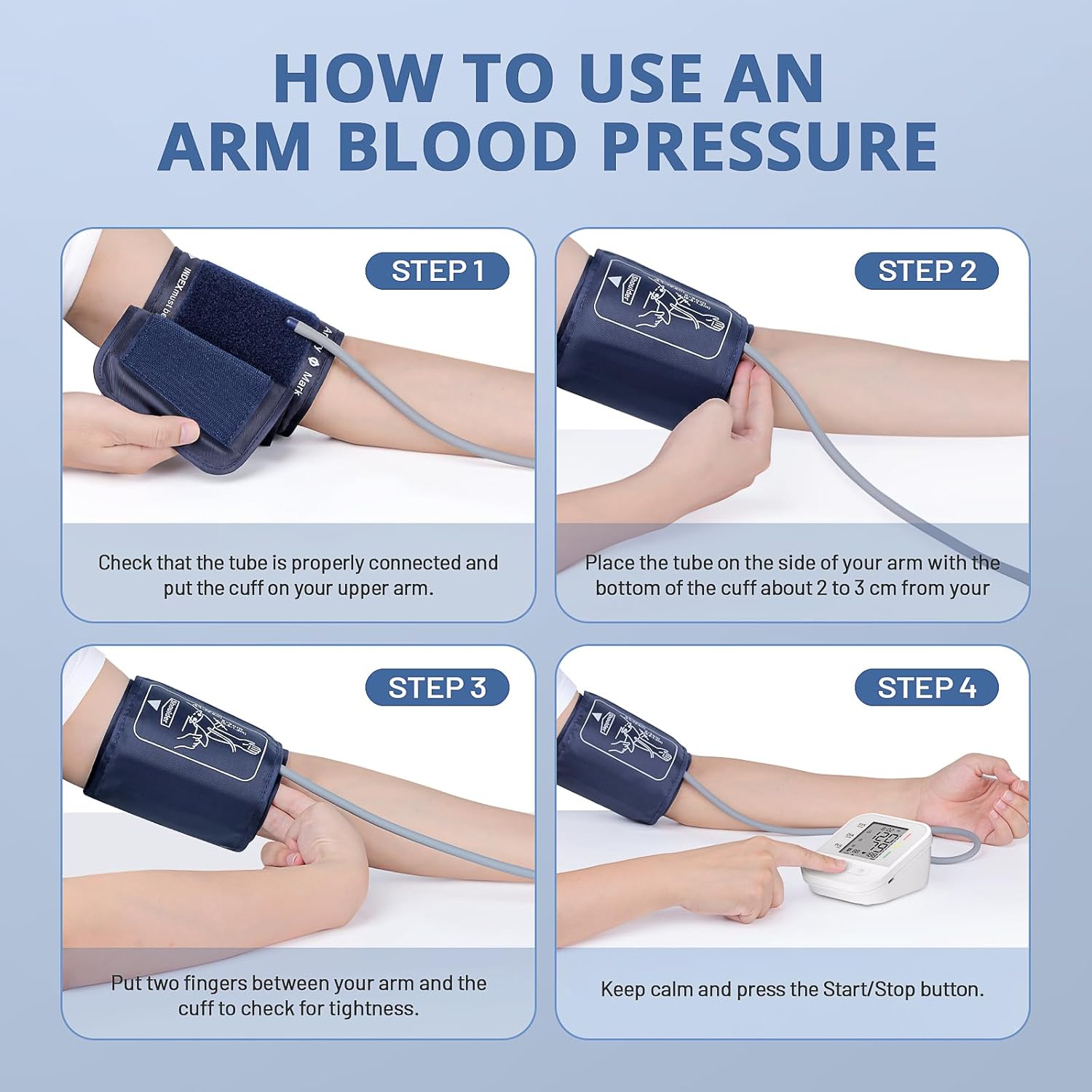
Image 6.1: Cuff Application Guide. This four-step visual guide demonstrates the correct procedure for applying the arm cuff to ensure accurate blood pressure readings.
6.3 Taking a Measurement
- Select User: Before starting, press the Memory Button (person icon) to switch between User 1 and User 2. The selected user icon will be displayed on the screen.
- Start Measurement: Press the Power Button (power icon) to turn on the device and automatically begin the measurement. The cuff will inflate, then slowly deflate.
- View Results: Once the measurement is complete, your systolic pressure (SYS), diastolic pressure (DIA), and pulse rate (PUL) will be displayed on the screen. If an irregular heartbeat is detected, an arrhythmia symbol will appear.
- Save Results: The measurement results are automatically saved to the selected user's memory.
- Power Off: The device will automatically power off after a period of inactivity, or you can press the Power Button again to turn it off manually.

Image 6.2: Monitor Control Panel. This image provides a detailed view of the blood pressure monitor's interface, clearly labeling the LCD screen, the Set button, the Memory button (for user selection), and the Power button (for starting/stopping measurements).
6.4 Recalling Memory Records
To view past measurements:
- Ensure the device is powered on.
- Press the Memory Button (document icon) to cycle through the stored readings for the currently selected user. Each press will display the next oldest reading.
- To switch between User 1 and User 2 memory, press the Memory Button (person icon) before accessing the records.

Image 6.3: Dual User Function. This image demonstrates the monitor's ability to store readings for two separate users (User A and User B), showing different readings for each, indicating the memory function.
7. Maintenance
7.1 Cleaning
- Wipe the monitor and cuff with a soft, dry cloth. If necessary, use a slightly damp cloth with mild soap, then wipe dry.
- Do not use abrasive cleaners, solvents, or immerse the device or cuff in water.
7.2 Storage
- Store the device in its carrying case in a cool, dry place, away from direct sunlight, extreme temperatures, and humidity.
- Avoid dropping the device or subjecting it to strong impacts.
- If not using for an extended period, remove the batteries.
8. Troubleshooting
If you encounter issues with your blood pressure monitor, please refer to the following common problems and solutions:
| Problem | Possible Cause | Solution |
|---|---|---|
| Device does not power on. | Batteries are dead or incorrectly inserted; USB cable not connected. | Replace batteries with new ones, ensuring correct polarity. Check USB-C cable connection. |
| Error message (e.g., E-1, E-2). | Cuff not applied correctly; movement during measurement; air leakage. | Reapply cuff as per instructions (Section 6.2). Remain still and silent during measurement. Check cuff connection for leaks. |
| Inaccurate or inconsistent readings. | Improper cuff placement; not resting before measurement; talking/moving; incorrect body posture. | Ensure proper cuff placement and body posture. Rest for 5 minutes before measuring. Take multiple readings and average them. |
| Arrhythmia symbol appears frequently. | Irregular heartbeat detected. | This indicates an irregular heartbeat. Consult your physician for advice. |
If the problem persists after trying these solutions, please contact customer support.
9. Specifications
| Feature | Specification |
|---|---|
| Model Number | 1 |
| Brand | NWOUIIAY |
| Display Type | LCD |
| Measurement Method | Oscillometric |
| Cuff Circumference | 22 – 42 cm (Adjustable) |
| Memory | 2 Users × 99 Records Each (Total 198 records) |
| Power Source | USB Type-C (cable included) / 4 × AAA Batteries (not included) |
| Product Dimensions | 16 x 11 x 10 cm |
| Product Weight | 430 grams |
| Functions | Arrhythmia detection, Automatic shut-off |
10. Warranty and Support
This product is covered by a standard manufacturer's warranty. For specific warranty details, please refer to the documentation included with your purchase or contact the seller directly.
If you have any questions, require technical assistance, or need to report an issue with your NWOUIIAY Arm Blood Pressure Monitor, please contact the retailer or manufacturer's customer support. Contact information can typically be found on the product packaging or the seller's website.